
Bresser WiFi HD Weather Station 7-in-1 Manual
PDF manual · 104 Pages
English



Quick check
Incorrect answer, please try again.
Chat with your Bresser WiFi HD Weather Station 7-in-1 manual using AI
Get instant AI answers from your Bresser WiFi HD Weather Station 7-in-1 manual
Ask anything about the Bresser WiFi HD Weather Station 7-in-1. Answers come from this manual, with the pages they are based on.
WiFi HD Weather Station 7-in-1 Maintenance Schedule
Rotate the rain collector 30 degrees anti-clockwise, remove it, clean debris or insects, and reinstall when fully dried.
Change the batteries every 2 to 2.5 years. Use lithium AA batteries for the 7-in-1 multisensor and thermo-hygro sensor.
Gently clean the UV sensor cover lens with a damp micro-fiber cloth to ensure precise measurement.
Calibrate the UV sensor with a utility grade UV meter as the sensor naturally degrades over time.
Remove screws, pull out shield, clean dirt/insects from sensor and fan (do not wet sensors), wash shield, and dry before reassembly.
Free maintenance reminders
Timed to your purchase date. Always free, unsubscribe anytime.
Ask a Question
Do you recommend WiFi HD Weather Station 7-in-1?
Yes NoFrequently Asked Questions
After installing the sensor and ensuring it works correctly, you should reset the rainfall data to zero. Navigate to the settings menu, find the option to erase all data or specifically reset the rain gauge, and confirm the action. This clears any erroneous readings from the testing phase.
Is this answer helpful?
Yes, the console supports up to seven additional wireless channels. You can pair extra thermo-hygrometer sensors, soil moisture sensors, or pool sensors to these channels to monitor different locations within your property simultaneously.
Is this answer helpful?
If the signal strength icon shows weak bars, try relocating the display console or the outdoor sensor. Metal structures, thick concrete walls, and heavy foliage can block the radio frequency signal. Ideally, maintain a clear line of sight between the units.
Is this answer helpful?
No, the smart ventilating fan runs only under specific conditions. It activates when the sun shines on the solar panel and the average wind speed remains below 5 meters per second for one minute. This prevents overheating while conserving energy.
Is this answer helpful?
The device supports uploading data to ProWeatherLive, Weather Underground, WeatherCloud, and AWEKAS. You must create an account on these platforms to obtain a Station ID and Key for configuration within the console's setup menu.
Is this answer helpful?
System firmware updates require a USB flash drive formatted to FAT32 containing the .upg file. For Wi-Fi firmware, you can perform an over-the-air update via the web interface by connecting to the console's access point using a PC or Mac browser.
Is this answer helpful?
Advantages and Disadvantages
Advantages

- Comprehensive 7-in-1 sensor measures wind, rain, UV, light, temp, and humidity
- Smart solar-powered ventilating fan ensures accurate temperature readings
- Wide compatibility with major weather servers like Weather Underground and ProWeatherLive
- HD TFT display provides clear visualization of complex weather data
- Supports up to 7 optional additional wireless sensors for expanded coverage
Disadvantages

- Wireless range may be significantly reduced by metal barriers or thick concrete walls
- Rainfall measurement requires manual resetting after initial installation to ensure accuracy
- Requires periodic battery replacement every 2 to 2.5 years for outdoor units
- Setup process involves multiple steps for Wi-Fi configuration and server registration
- No mobile app included; data viewing relies on web browsers or third-party services
Product Specification
Type
digital
Temperature
indoor and outdoor
Humidity
indoor and outdoor
Weather Forecast
symbols
Forecasting Method
Internet
Other Displays
Time (radio-controlled clock), Date, Day of Week, Moon Phases, Soil Moisture, Rainfall, Wind Speed, Wind Direction, Stored Min/Max Temperature, Stored Min/Max Humidity, Stored Min/Max Values, Soil Moisture
Alarms
programmable weather warnings (temperature, frost), programmable temperature alarm, alarm time, snooze function
Connectable Outdoor Sensors
up to 7 (range max. 492 ft)
Outdoor Temperature Range
-40°F to 176°F
Placement
desktop device, wall mounting possible
Power Supply
5x AA batteries, mains operation
Color
gray
Package Contents
1 multi-outdoor sensor, wind sensor, rain sensor, 1 outdoor sensor
Product Description
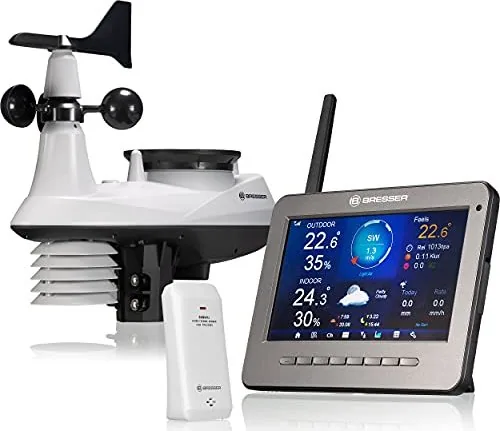
Bresser WLAN HD TFT 7in1 Professional Weather Forecast Center Digital Gray
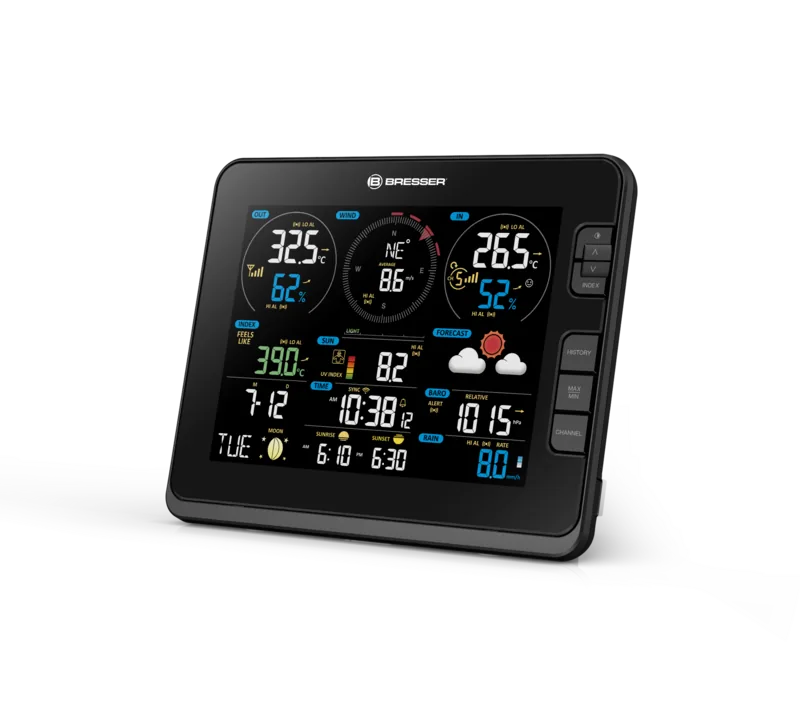
The Bresser WLAN HD TFT 7in1 Professional Weather Forecast Center Digital Gray represents a significant leap in home meteorology, offering professional-grade data directly to your living room. This sophisticated device features a high-definition color display that presents real-time weather information with stunning clarity. It is designed for serious weather enthusiasts who demand accuracy and reliability in their local forecasts.
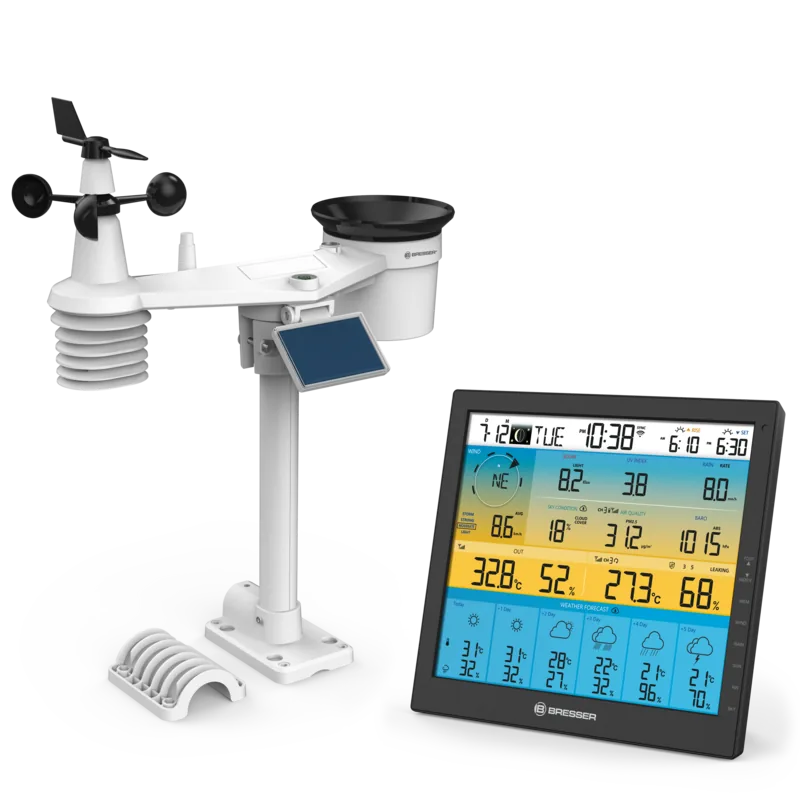
At the heart of this system lies the wireless 7-in-1 multisensor. This robust outdoor unit captures a comprehensive array of atmospheric data including temperature, humidity, wind speed, wind direction, rainfall, UV index, and light intensity. A unique feature of this sensor is its smart ventilating fan, which is powered by a built-in solar panel. This fan automatically activates under sunny conditions or when wind speeds are low, ensuring accurate temperature readings by preventing heat buildup around the sensor.
The console serves as the command center, featuring an intuitive interface that allows users to monitor current conditions and historical trends. Through its integrated Wi-Fi capabilities, the station connects seamlessly to popular weather servers such as Weather Underground, ProWeatherLive, WeatherCloud, and AWEKAS. This connectivity enables users to share their local data globally or access advanced forecasting models tailored to their specific location.
Installation is straightforward, with clear instructions provided for mounting the sensors outdoors and pairing them with the indoor display. The system supports up to seven additional wireless channels, allowing for expanded monitoring options like soil moisture or pool temperature sensors. Whether you are tracking storm patterns or simply curious about daily weather changes, this digital gray unit provides the tools needed for precise observation.
Notes:
- Ensure the outdoor sensor is placed at least 1.5 meters above ground level.
- Use non-rechargeable lithium batteries for optimal performance in cold climates.
- Regular cleaning of the rain collector is recommended every few months.
Search for 67,706 Manuals online


Type-in Brand or Model