
Bresser Meteo THBM Colour Manual
PDF manual · 36 Pages
English



Quick check
Incorrect answer, please try again.
Chat with your Bresser Meteo THBM Colour manual using AI
Get instant AI answers from your Bresser Meteo THBM Colour manual
Ask anything about the Bresser Meteo THBM Colour. Answers come from this manual, with the pages they are based on.
Meteo THBM Colour Maintenance Schedule
Replace weak or used batteries with a complete new set of full capacity. Do not mix brands, types, or capacities.
Unplug the mains adapter before any maintenance or cleaning work to avoid electric shock.
Ask a Question
Do you recommend Meteo THBM Colour?
Yes NoFrequently Asked Questions
Ensure both devices are on the same channel. Press the SENSOR button on the base unit to initiate reception. The signal icon will flash until the connection is established, which usually takes a few minutes.
Is this answer helpful?
No, the manual explicitly states not to use rechargeable batteries (accumulators). Use standard alkaline or lithium batteries as recommended for the base unit and remote sensor to ensure proper operation.
Is this answer helpful?
If powered by batteries, the station enters power-saving mode after six seconds, turning off the display. You can reactivate it by pressing the snooze button, but all previous settings may be lost if power is switched completely.
Is this answer helpful?
Yes, it calculates a weather trend for the next 12 hours based on barometric pressure changes. However, it provides a general forecast rather than a precise prediction of specific precipitation times.
Is this answer helpful?
The remote sensor is weather-proof, but it should still be placed away from direct sunlight, heavy rain, or snow to ensure longevity and accurate readings. Do not submerge it in water.
Is this answer helpful?
Press and hold the RESET button located on the back of the base unit or the remote sensor to restore factory defaults. Be aware that this will erase all custom alarms and saved data.
Is this answer helpful?
Advantages and Disadvantages
Advantages

- Vibrant colour display provides clear visual cues for climate comfort levels
- Wireless remote sensor offers flexible placement up to 30 meters away
- Comprehensive data including heat index, dew point, and moon phases
- Automatic 24-hour history recording helps track weather trends
- Customizable HI/LO alarms for temperature and humidity safety
Disadvantages

- Battery mode deactivates display after six seconds to save power
- Settings are lost if switching between mains and battery power sources
- Transmission range can be reduced by thick walls or electronic interference
- Moon phase data is limited to the northern hemisphere only
- Initial setup requires careful channel matching between base and sensor
Product Specification
Type
digital
Temperature
indoor and outdoor
Humidity
indoor and outdoor
Weather forecast
symbols
Other displays
time (radio clock), date, day of week, moon phases, stored min/max temperature
Alarms
temperature alarm, wake time, snooze function
Connectable outdoor sensors
up to 8
Placement
desktop device, wall mounting possible
Power supply
2x AA batteries, mains operation
Package contents
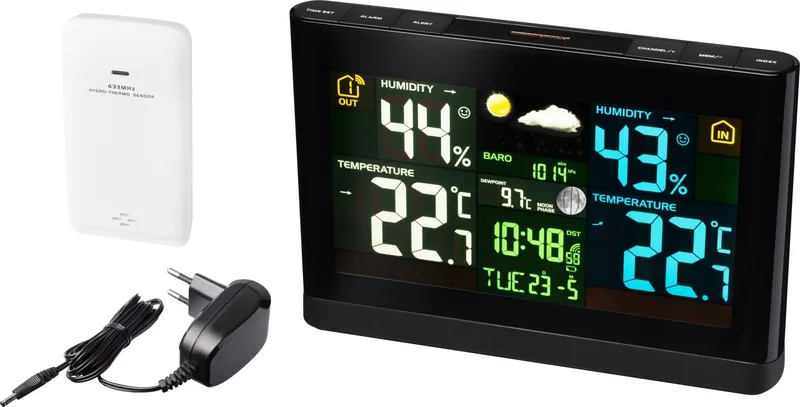
1 outdoor sensor
Product Description
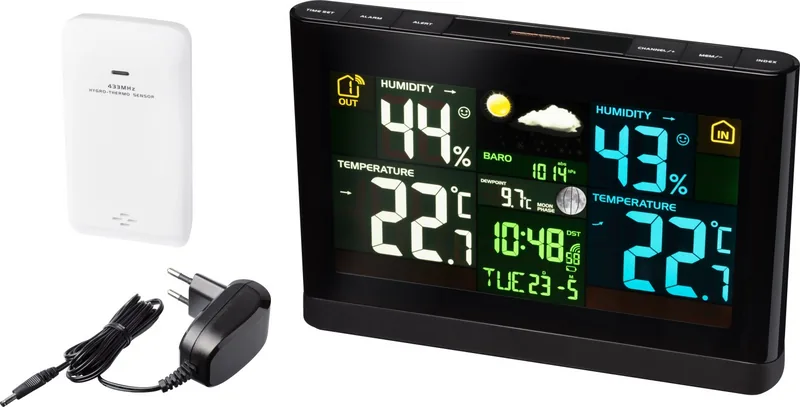
Discover the Bresser Meteo THBM Colour Digital Weather Station
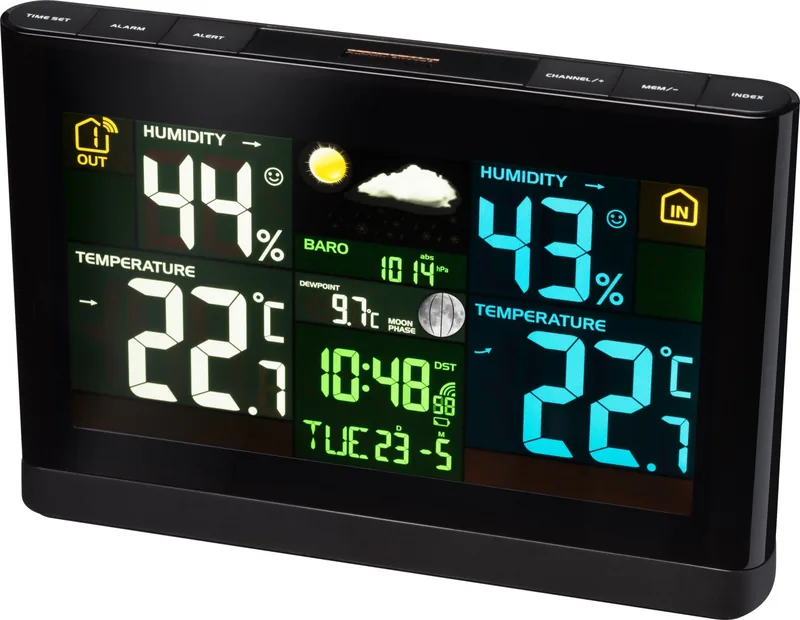
The Bresser Meteo THBM Colour Digital Weather Station represents a perfect blend of functionality and modern design, offering homeowners comprehensive meteorological data at a glance. This advanced device goes beyond simple temperature readings, providing a detailed analysis of your indoor and outdoor environment through its vibrant colour display. Whether you are planning your day, monitoring comfort levels, or tracking long-term weather patterns, this station delivers accurate insights to keep you informed.
At the heart of this system is the base unit paired with a wireless remote sensor. The base station features an intuitive interface where users can toggle between Celsius and Fahrenheit, view real-time humidity trends, and monitor atmospheric pressure changes. The colour screen enhances usability by displaying climate indicators that show if conditions are too cold, optimal, or too warm. For those interested in astronomy, the station also tracks moon phases for the northern hemisphere, adding an educational element to daily observation.
The wireless sensor ensures flexibility in placement, allowing you to measure outdoor conditions from up to 30 meters away without wiring hassles. It transmits data on temperature and humidity, which the base unit processes to calculate vital metrics like the heat index and dew point. These calculations help users understand how the weather feels rather than just what it measures, providing crucial information during hot summer days or humid periods.
Beyond real-time data, the station excels in historical tracking. It automatically records measurements for the past 24 hours, allowing users to review hourly trends via the history button. Additionally, it stores maximum and minimum values for temperature and humidity until manually reset, making it easy to identify extreme weather events over time. The barometric pressure feature includes absolute and relative settings, enabling more precise weather forecasting based on local sea-level data.
Safety and convenience are paramount in its design. The device supports both mains power and battery operation, ensuring continuous timekeeping even during power outages. Users can set custom alarms for temperature and humidity thresholds, receiving audible alerts when conditions exceed safe or comfortable limits. The inclusion of a snooze function and adjustable alarm settings makes it a versatile tool for daily routines as well as weather monitoring.
Key Notes
- The station requires synchronization with the outdoor sensor before automatic time setting via radio signal becomes available.
- Battery life varies significantly between mains and battery-only operation modes.
- External interference from metal structures or other electronics can affect the transmission range of the sensor.
Search for 67,706 Manuals online


Type-in Brand or Model