
Zotac ZBOX PI336 pico Manual
PDF manual · 30 Pages
English



Quick check
Incorrect answer, please try again.
Chat with your Zotac ZBOX PI336 pico manual using AI
Get instant AI answers from your Zotac ZBOX PI336 pico manual
Ask anything about the Zotac ZBOX PI336 pico. Answers come from this manual, with the pages they are based on.
Ask a Question
Do you recommend ZBOX PI336 pico?
Yes NoFrequently Asked Questions
The PI336 pico ships with Windows setup support (OS recovery USB included) and is optimized for Windows 10/11 in low‑power configurations. Lightweight Linux distributions are also commonly compatible, but check driver availability for specific kernels and peripherals.
Is this answer helpful?
Yes. You can expand storage using the MicroSD card slot for media or offloading files, or connect external USB/Type‑C SSDs for high‑speed storage. Networked NAS or cloud storage are practical alternatives for larger libraries.
Is this answer helpful?
The pico form factor often uses soldered or fixed memory; many models do not permit user RAM upgrades. If RAM expansion is critical, verify the specific PI336 pico revision or consider a model with larger factory RAM or different form factor.
Is this answer helpful?
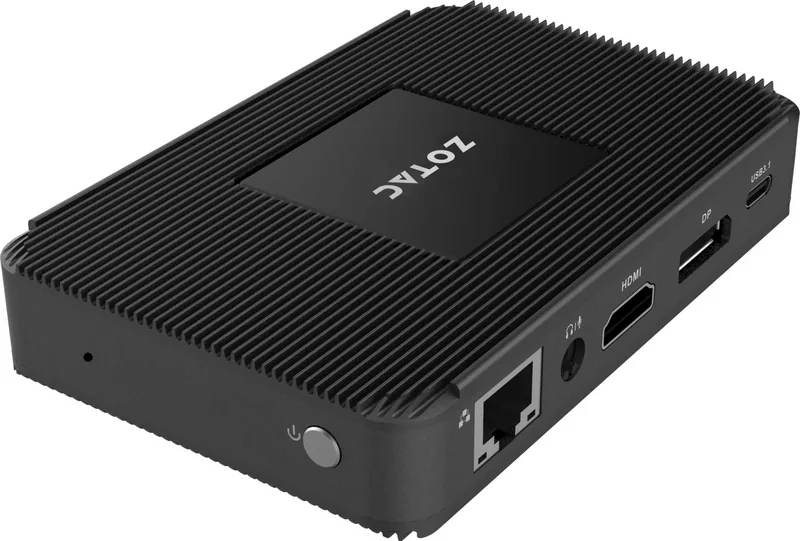
The unit provides Ethernet, HDMI output, DisplayPort, USB 3.1 Type‑C, multiple USB 3.1 ports, a 3.5mm analog audio jack, and a MicroSD slot. A DC 5V/4A power input, reset hole, and power LED are included for practical deployment.
Is this answer helpful?
Yes. Its small footprint, VESA mounting, low power consumption, and included OS recovery tools make it well suited for digital signage, kiosks, and other unattended installations requiring continuous reliable operation.
Is this answer helpful?
The Celeron N6211 handles 1080p streaming and common media playback tasks smoothly. For heavy 4K playback, multiple simultaneous streams, or high‑bitrate media, test the specific codec and player combination to ensure satisfactory performance.
Is this answer helpful?
Package contents typically include the Zotac ZBOX PI336 pico unit, mounting bracket, two mounting screws, AC power adapter, CTIA<=>OMTP adapter, OS recovery USB drive, warranty card, and a quick start guide to aid initial setup.
Is this answer helpful?
Advantages and Disadvantages
Advantages

- Tiny, VESA‑mountable design fits behind monitors or in tight spaces.
- Energy‑efficient Celeron N6211 offers adequate performance for web and office tasks.
- Multiple display outputs (HDMI + DisplayPort) and USB 3.1/Type‑C for peripherals.
- Includes OS recovery USB, mounting bracket, and necessary power adapter.
- Low power draw enables quiet, always‑on deployments like digital signage.
Disadvantages

- 4GB RAM can limit heavy multitasking or advanced workflows.
- 128GB onboard flash may fill quickly with media; expansion needed for large libraries.
- Not suitable for gaming, video editing, or CPU/GPU intensive tasks.
- Limited internal upgrade options due to compact pico form factor.
- Single‑channel memory and low‑power CPU constrain peak performance.
Product Specification
Form Factor
Mini-PC
CPU
Intel Celeron N6211, 2C/2T, 1.20-3.00GHz, 1.5MB+1MB Cache, 6.5W TDP, Codename "Elkhart Lake" (Tremont, Intel 10nm+ + Intel 14nm)
RAM
4GB LPDDR4X (4GB soldered, not expandable)
SSD
N/A
HDD
N/A
Flash
128GB eMMC
Graphics
Intel UHD Graphics (iGPU), 16EU/128SP, 0.25-0.75GHz, Architecture "Gen 11" (Elkhart Lake GT1)
Rear Ports
1x USB-C 3.0 (5Gb/s), 1x HDMI 2.0, 1x DisplayPort 1.4, 1x 3.5mm jack, 1x RJ-45 1Gb LAN
Front/Side Ports
2x USB-A 3.0 (5Gb/s), 1x SD Card, 1x DC-In barrel jack (power connection)
Wireless
Wi-Fi 6E (WLAN 802.11a/b/g/n/ac/ax, Intel), Bluetooth 5.2
Optical Drive
N/A
Camera
N/A
Operating System
Windows 11 Pro
Power Supply
external 20W, 1x barrel plug (5V/4A)
Dimensions
4.53x2.99x0.81in (WxHxD)
Volume
0.05 gal (calculated)
Special Features
passively cooled (fanless), VESA mount (2.95x2.95/3.94x3.94)
Warranty
five years with warranty extension (upon registration within 28 days of purchase)
USB Naming Convention
Link
Product Description
Zotac ZBOX PI336 pico — Compact Powerhouse
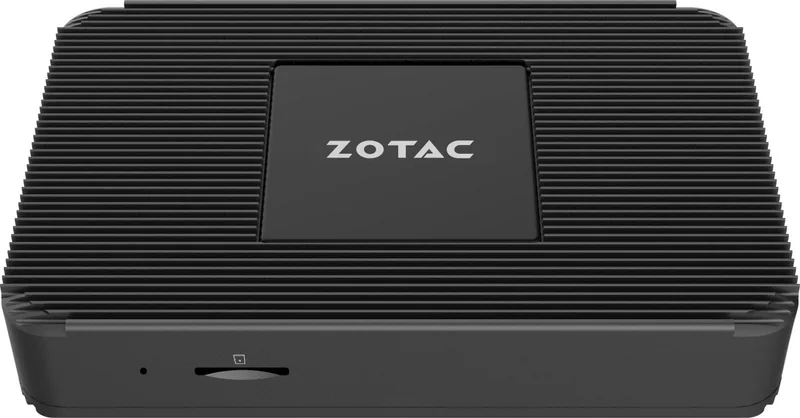
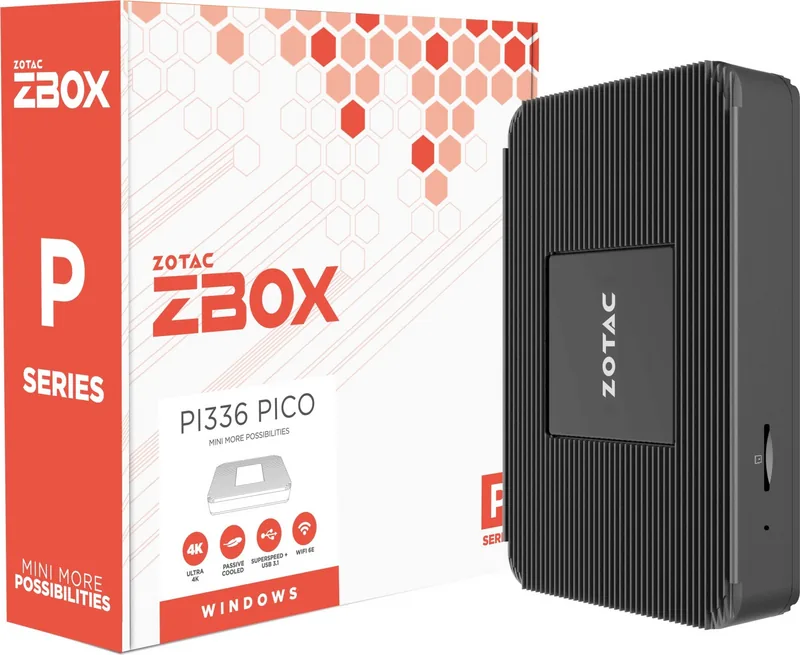
The Zotac ZBOX PI336 pico pairs a low-power Intel Celeron N6211 with 4GB RAM and 128GB of onboard flash to deliver a compact, energy-efficient mini PC for everyday tasks. Designed for space‑conscious setups, digital signage, lightweight home office use, or as an always‑on media client, the PI336 pico offers basic computing functionality in a tiny chassis while including essential I/O and mounting accessories to get started quickly.
Key features and use cases
Lightweight yet functional, the Celeron N6211 handles web browsing, office suites, streaming, and simple multitasking without the bulk or power draw of a desktop. The included 4GB RAM and 128GB flash storage make initial setup and everyday responsiveness smooth for typical consumer workflows. Its compact footprint and VESA‑style mounting bracket let you attach the unit behind monitors or tuck it into AV cabinets, making it ideal for kiosks, home theater PCs, and thin-client deployments.
The PI336 pico includes a good set of ports for its size: Ethernet for reliable networked connections, HDMI and DisplayPort outputs for single or multi‑display setups, USB 3.1 and Type‑C for peripherals and fast data transfers, and a MicroSD slot for expandable storage. A supplied OS recovery USB and power adapter simplify initial configuration and troubleshooting.
Performance and expansion
While not targeted at heavy content creation or gaming, the N6211 delivers efficient performance for everyday tasks and low‑power continuous operation. The 4GB RAM is sufficient for single‑tasking and light multitasking; power users may find limits when running many browser tabs or virtual machines. Storage is adequate for OS and core apps, and the MicroSD slot helps with media or modest file expansion. For more demanding workflows, external SSDs or cloud storage are recommended.
Design and convenience
The unit’s DC 5V/4A power input and compact design yield low energy consumption and minimal heat, allowing quiet operation in desktop or mounted configurations. The reset hole and power LED add usability for kiosk and unattended installations. Included mounting screws and bracket make physical setup straightforward.
Notes:
- Best suited for web, office, media playback, digital signage, and light home‑lab duties.
- Not intended for heavy 3D rendering, high‑end gaming, or intensive computational tasks.
- Consider external storage or network drives for larger media libraries.
Search for 67,732 Manuals online


Type-in Brand or Model
Mara Schuster
8 months ago
I saw the ZOTAC Zbox Pi336 Plus advertised with 8GB RAM, but some buyers report receiving a different model with only 4GB and even mismatched specs. If I get the wrong item, how does the return or exchange work?
Manual.ly
8 months ago
If the delivered device does not match the listed specifications (for example, 8GB advertised but 4GB received, or a different model), contact customer support as soon as possible and provide your order number plus photos of the device label and system info. We will verify the configuration against the listing and can arrange a return and replacement, or a refund depending on availability and the seller's return policy. To avoid delays, do not power-cycle the unit unnecessarily and keep the packaging and shipping documents. If you purchased through a specific retailer, we can still guide you through the return steps and the evidence needed to process the claim.