
Zotac ZBOX CI337 nano Manual
PDF manual · 25 Pages
English



Quick check
Incorrect answer, please try again.
Chat with your Zotac ZBOX CI337 nano manual using AI
Get instant AI answers from your Zotac ZBOX CI337 nano manual
Ask anything about the Zotac ZBOX CI337 nano. Answers come from this manual, with the pages they are based on.
Ask a Question
Do you recommend ZBOX CI337 nano?
Yes NoFrequently Asked Questions
Windows 11 64-bit is fully supported. The system may not ship with an OS installed.
Is this answer helpful?
Yes, there is one DDR5 slot supporting up to 16 GB of memory capacity.
Is this answer helpful?
No, it uses a 19V power adapter for operation and does not have internal battery backup.
Is this answer helpful?
Use the HDMI and DisplayPort ports available. You can connect up to three displays simultaneously.
Is this answer helpful?
Yes, it has integrated Wi-Fi 6 and Bluetooth 5.2 chipsets for wireless communication.
Is this answer helpful?
Ensure four inches of clearance around vents is maintained to prevent thermal issues.
Is this answer helpful?
Download them from the official website or use the included recovery USB drive.
Is this answer helpful?
Advantages and Disadvantages
Advantages

- Compact design fits tight spaces and mounts to monitors easily.
- Supports dual Gigabit LAN and Wi-Fi 6 for fast internet connectivity.
- Expandable storage with SATA and M.2 slot support included.
- Intel N100 processor offers efficient quad-core performance.
Disadvantages

- Requires manual driver installation for full hardware functionality.
- Some models ship without a pre-installed operating system.
- Requires significant clearance around ventilation holes for cooling.
Product Specification
Type
Mini-PC
Chipset
System-on-Chip (SoC)
Socket
N/A
CPU
Intel N100, 0C+4c/4T, 0.80-3.40GHz, 6MB+2MB Cache, 6W TDP, Codename "Alder Lake-N" (Gracemont, Intel 7)
RAM
1x DDR5 SO-DIMM, PC5-38400U/DDR5-4800, max. 16GB (UDIMM)
Storage Drive
1x SATA 6Gb/s, 1x M.2 (PCIe 3.0 x1/SATA, 2242)
External Slots
N/A
Internal Slots
1x 2.5"
Graphics
Intel UHD Graphics (iGPU), 24EU/192SP, 0.75GHz, Architecture "Gen 12.2" (Alder Lake GT1)
Rear Connectors
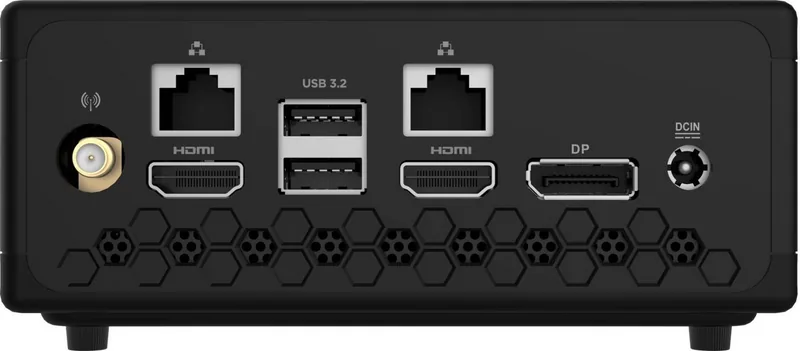
2x HDMI 2.0, 1x DisplayPort 1.4, 2x USB-A 3.0 (5Gb/s), 2x RJ-45 1Gb LAN, 1x Barrel Jack (Power)
Front/Side Connectors
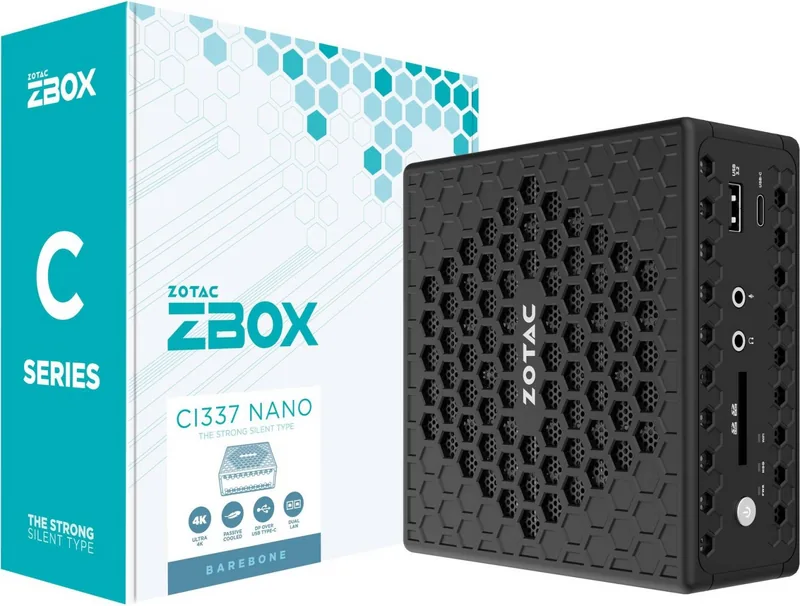
1x USB-C 3.0 with DisplayPort 1.4 (5Gb/s), 1x USB-A 3.0 (5Gb/s), 2x 3.5mm Jack, 1x SD Card
Expansion Slots
N/A
Wireless
Wi-Fi 6 (WLAN 802.11a/b/g/n/ac/ax), Bluetooth 5.2
Card Reader
SD Card
Power Supply
External, 1x Barrel Plug (40W/19V)
VESA Mount
2.95x2.95/3.94x3.94 inches (Included)
Dimensions (W x H x D)
5.03 x 4.99 x 2.24 inches
Volume
54.92 cu in
CPU Cooler
Included
Features
Fanless, Security Lock (Kensington)
Manufacturer Warranty
3 Years
USB Naming
Link
Product Description
Overview of the Zotac ZBOX CI337 nano
The Zotac ZBOX CI337 nano is a versatile mini-PC designed for modern workspace efficiency. This compact unit is an excellent alternative to bulky desktop towers. Users should consult the Zotac ZBOX CI337 nano Manual to ensure correct physical installation and configuration. Designed for tight spaces, it offers a complete computer solution in a small chassis. The system utilizes an Intel Processor N100 which provides quad-core processing capabilities. It boosts frequency up to 3.4 GHz for responsive performance during demanding applications.
Hardware Specifications and Expandability
Memory capabilities allow for significant upgrades using a single DDR5 SO-DIMM slot. The system supports up to 16 GB of total memory capacity. Storage options are flexible, supporting both 2.5-inch SATA drives and M.2 PCIe SSD modules. Users can install up to one SATA HDD or SSD alongside the M.2 drive. This dual storage capability enhances data management. The graphics engine is powered by Intel UHD Graphics which handles video rendering tasks smoothly.
Connectivity and Ports
Connectivity is extensive with three USB 3.2 10 Gbps ports and one USB Type-C 10 Gbps port. Display output is robust with two HDMI 2.0b ports and a DisplayPort 1.4 interface. Users can connect up to three external displays simultaneously. Network options include Dual Gigabit LAN support for wired internet. Wireless communication is handled by integrated 802.11ax Wi-Fi 6 and Bluetooth 5.2 chipsets. Audio outputs support digital 8 Channel LPCM audio via HDMI.
Installation and Setup Procedures
Before installation, read all safety instructions regarding power and placement. The device must be placed on a stable surface. Ventilation openings require four inches of clearance to prevent overheating. Mounting to monitors is possible using the VESA mount kit included in the box. Antenna installation is required for wireless network reception. Connecting the power adapter is the final step before powering on the system. Drivers must be installed for full hardware functionality. It is important to follow the steps in the manual for screw removal and reassembly.
Safety Guidelines and Compliance
Safety is paramount when operating electronic equipment. Do not expose the unit to water or moisture. Ambient temperature must remain between 0 and 35 degrees Celsius. Never cover ventilation holes as this leads to thermal issues. If the system is damaged, unplug it and contact service personnel. FCC compliance ensures the unit meets US radio frequency emission standards. Indoor use is recommended to avoid interference issues. Always check for battery replacement warnings in the documentation.
Package Contents and Conclusion
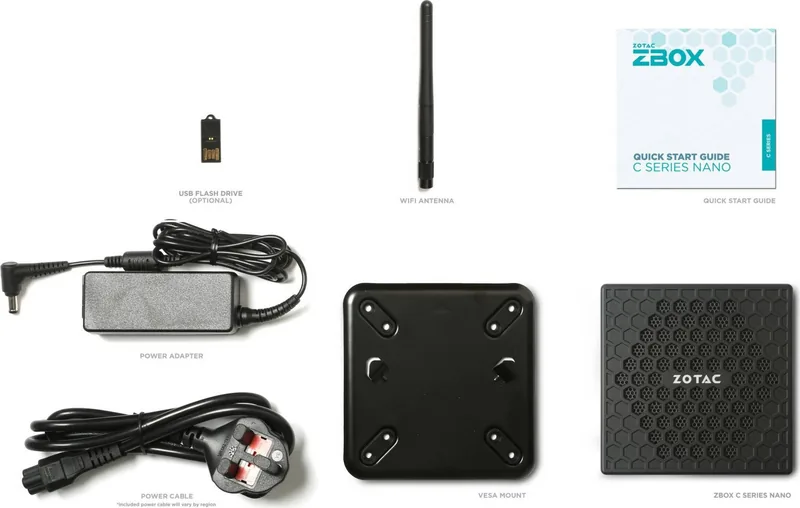
The box includes the ZBOX unit, VESA mount, mounting screws, AC adapter, power cord, Wi-Fi antenna and manual. An optional OS Recovery USB drive may be included depending on the model. If the barebone version is used, drivers must be downloaded from the official website. Ensuring all items are present protects against damage during return. Check the front and rear panels for indicator lights before operation. Verify power input voltage matches the supplied adapter. This device provides a reliable platform for Windows 11 operations. Proper maintenance extends the lifespan of the hardware.
Search for 67,732 Manuals online


Type-in Brand or Model
Klaus Fischer
7 months ago
Is it possible to disable the onboard WiFi and LAN interfaces in the BIOS, or adjust the CPU power limits for better efficiency?
Manual.ly
7 months ago
Currently, the BIOS has limited options. You can disable SATA and Serial ports, but turning off WiFi or LAN modules is not supported. The CPU power profile is fixed to ensure silent operation. Advanced settings cannot be changed via the current firmware. We appreciate this feedback for future updates. For warranty or specific hardware questions, please contact our support channel.