
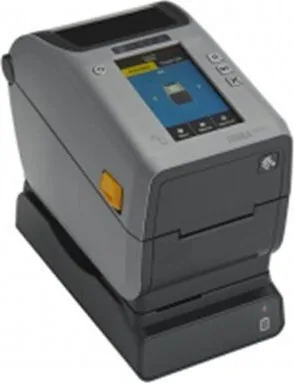
Zebra ZD611 Manual
PDF manual · 185 Pages
English



Quick check
Incorrect answer, please try again.
Chat with your Zebra ZD611 manual using AI
Get instant AI answers from your Zebra ZD611 manual
Ask anything about the Zebra ZD611. Answers come from this manual, with the pages they are based on.
ZD611 Maintenance Schedule
Rub a new cleaning pen across the dark area of the printhead from middle to outside. Wait one minute before closing.
Clean with a fiber-free swab moistened with isopropyl alcohol when print quality drops or media slips. Replace if damaged.
Remove debris from holders and guides using fiber-free swabs and isopropyl alcohol. Let alcohol evaporate completely.
Use a soft cloth, brush, or compressed air to remove dust. Use isopropyl alcohol for oils and grime on surfaces.
Clean peel bar, inner surfaces, ridges, and roller with swabs/cloths. Clean sensor window until clear of streaks.
Blow or gently brush dust from movable and upper web sensors. Use alcohol swab only if adhesive contaminants remain.
Ask a Question
Do you recommend ZD611?
Yes NoFrequently Asked Questions
The Zebra ZD611R is a compact desktop printer for printing and encoding RFID labels and tags. It is suited to inventory, retail, healthcare, asset tracking, logistics, and identification workflows that need durable thermal transfer labels and UHF RFID data.
Is this answer helpful?
Yes. It supports tags compatible with UHF EPC Gen 2 V2, ISO/IEC 18000-63, and RAIN RFID protocols. It also supports industry-standard chip serialization and selected user-memory locking functions for compatible RFID tags.
Is this answer helpful?
The printer is available in 203 dpi and 300 dpi configurations. The 203 dpi model supports speeds up to 8 inches per second, while the 300 dpi model supports speeds up to 6 inches per second for more detailed label output.
Is this answer helpful?
Standard and optional connectivity can include USB 2.0, USB host, serial, Ethernet, Wi-Fi, Bluetooth, and Bluetooth Low Energy. NFC Print Touch is available on applicable Bluetooth-enabled models for simplified mobile device interaction.
Is this answer helpful?
Yes. An optional connected battery base and removable battery can support mobile or temporary work areas. The battery is designed to provide regulated power for consistent printing and includes charge and status indicators.
Is this answer helpful?
Use compatible media and ribbon, clean the printhead and media path regularly, run SmartCal calibration when media changes, and use the lowest darkness setting that still produces clear output. Reducing print speed can also improve label and barcode quality.
Is this answer helpful?
Advantages and Disadvantages
Advantages

- Integrated UHF RFID encoding supports EPC Gen 2 V2, ISO/IEC 18000-63, and RAIN RFID compatible tags.
- Compact desktop design combines thermal transfer printing, RFID capability, and up to 300 dpi resolution.
- Flexible connectivity includes USB, optional Ethernet, Wi-Fi, Bluetooth, Bluetooth LE, and NFC Print Touch.
- Optional cutter, dispenser, battery base, and media adapters allow the printer to suit varied workflows.
Disadvantages

- Maximum print width is 56 mm, which may not suit applications requiring wider labels.
- Some connectivity and media-handling features require separately installed optional hardware.
- RFID media, ribbon selection, calibration, and encoding settings require careful setup for best results.
- Higher-resolution printing reduces maximum speed from 8 inches per second to 6 inches per second.
Product Specification
Type
Label printer
Roll diameter
5 in
Paper thickness
2.36-7.48 mil
Print width
2.2 in
Print length
39.02 in
Memory
256 MB (RAM), 512 MB (Flash)
Ports
USB 2.0, 1x USB-A 2.0 (Host), serial
Display
color, 4.3 in, touchscreen
Emulation
ZPL II, EPL II
Manufacturer warranty
2 years
Product Description
Zebra ZD611 Manual: Compact RFID Label Printing for Demanding Workflows
The Zebra ZD611 Manual introduces a compact desktop printer designed for organizations that need dependable RFID tag encoding and high-quality thermal label production. The Zebra ZD611R combines thermal transfer printing with integrated UHF RFID technology, making it a practical choice for inventory tracking, healthcare labeling, retail operations, asset management, and other identification tasks where accuracy matters.
Despite its small desktop footprint, this printer supports advanced RAIN RFID standards, including UHF EPC Gen 2 V2 and ISO/IEC 18000-63 compatible tags. Its adaptive encoding technology automatically selects suitable encoding settings, helping users produce RFID labels with greater consistency. The printer also supports chip serialization and permanent user-memory locking for compatible applications, providing flexibility for controlled identification processes.
Printing Performance and Media Flexibility
The Zebra ZD611R offers thermal transfer printing for durable labels and can also support direct thermal workflows with appropriate media. It provides a print width of up to 56 mm and is available in 203 dpi or 300 dpi configurations. The 203 dpi version can print at speeds up to 8 inches per second, while the higher-resolution model reaches up to 6 inches per second.
Its OpenAccess design simplifies media loading, while adjustable guides and a movable sensor accommodate labels with gaps, notches, and black marks. The printer accepts media rolls up to 5 inches in diameter and supports ribbon rolls for standard thermal transfer printing. Optional adapters expand compatibility with different media core sizes.
Connectivity, Control, and Expansion
The Zebra ZD611 Manual highlights the value of Link-OS, Zebra's platform for configuration, monitoring, and printer management. Users can connect through USB, optional Ethernet, serial communication, Wi-Fi, Bluetooth, and Bluetooth Low Energy. NFC-based Zebra Print Touch can simplify pairing with compatible mobile devices and provide quick access to printer details.
A color touch display is available for intuitive setup, status alerts, menus, shortcuts, and guided assistants. The printer can also operate with a standard button-and-indicator control panel. Optional hardware includes a label dispenser, cutter, connected battery base, and wireless or wired connectivity modules, allowing the device to match changing workflow needs.
Maintenance and Daily Operation
Regular cleaning of the printhead, sensors, media path, platen roller, cutter, and dispenser helps preserve print quality and reduce interruptions. Built-in diagnostics, SmartCal media calibration, configuration reports, and status indicators help operators identify media, temperature, connectivity, and memory issues quickly.
Note: Select labels, ribbons, RFID tags, print settings, and optional accessories according to the intended application. Lower print speeds and balanced darkness settings can improve barcode readability and extend printhead life.
Search for 67,706 Manuals online


Type-in Brand or Model