
Zebra TC73 Manual
PDF manual · 227 Pages
English



Quick check
Incorrect answer, please try again.
Chat with your Zebra TC73 manual using AI
Get instant AI answers from your Zebra TC73 manual
Ask anything about the Zebra TC73. Answers come from this manual, with the pages they are based on.
Ask a Question
Do you recommend TC73?
Yes NoFrequently Asked Questions
Use Zebra accessories at room temperature. The device or accessory always performs battery charging in a safe and intelligent manner.
Is this answer helpful?
Yes, on premium models with 30 seconds Wi-Fi persistence memory backup.
Is this answer helpful?
Up to 14 hours of use with a full 100% charge depending on usage profile.
Is this answer helpful?
Yes, 16MP rear camera with flash supports video recording with audio.
Is this answer helpful?
Yes, supports secure certificates and credential storage settings for protection.
Is this answer helpful?
Use approved agents, avoid stickers in battery well to maintain sealing performance.
Is this answer helpful?
Perform using microSD card or ADB to restore device to original settings.
Is this answer helpful?
Advantages and Disadvantages
Advantages

- Rugged design withstands drops and exposure for reliable field operations.
- Hot swap battery on premium models ensures zero downtime during shifts.
- Long battery life supports up to 14 hours of continuous use.
- Integrated high res scanner simplifies inventory management tasks.
- Android OS flexibility allows extensive application deployment.
Disadvantages

- Battery replacement requires power off on standard models causing brief interruptions.
- Expensive compared to consumer grade tablets due to enterprise features.
- Cleaning requires specific agents to maintain sealing performance.
- Manual configuration needed for some programming keys and buttons.
- Wi-Fi range depends on antennas and environmental interference.
Product Specification
Type
Mobile Computer with Scanner
Decoding Capabilities
1D, 2D
Connectors
USB-C, Card reader (SD/SDHC/SDXC)
Wireless
Wi-Fi 6E (WLAN 802.11a/b/g/n/ac/ax), Bluetooth 5.2 LE, NFC
Display
color, 6", Touchscreen
Protection Class
IP67 certified, MIL-STD-810G certified
Package Contents
Barcode scanner
Dimensions
3.39x1.10x6.97"
Weight
0.77 lbs
Features
Battery (Li-Ion, 4680mAh), Camera (16.0MP, Autofocus, LED Flash), Android 11, wireless charging
Manufacturer Warranty
1 Year
Product Description
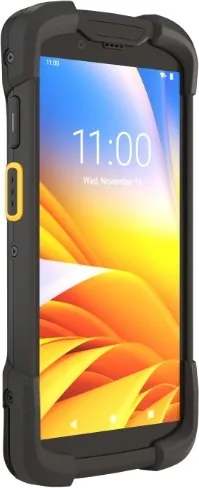
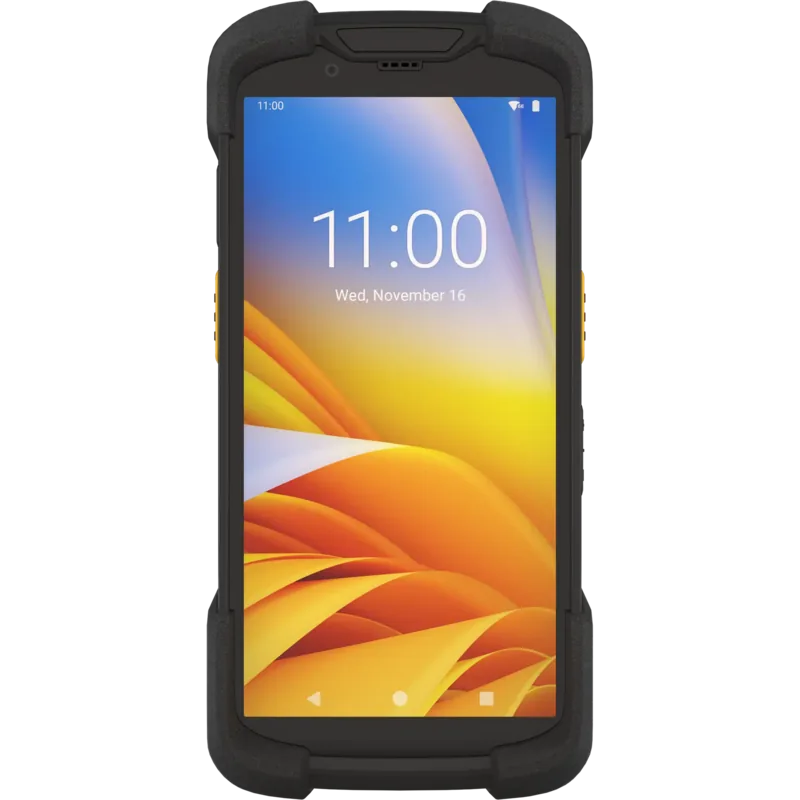
Discover the Power of the Zebra TC73 Series
The Zebra TC73 Series represents a significant leap in mobile computing technology designed for enterprise environments. This rugged touch computer combines durability with advanced functionality to meet the demands of modern logistics and healthcare sectors. Users benefit from a versatile design that supports various connectivity options while maintaining a sleek profile. The device features a 6-inch touchscreen that offers responsive interaction for daily tasks. Built for the field, it withstands rigorous conditions while delivering high performance.
Core Capabilities
Data capture is streamlined with integrated imaging technology. The internal imager supports high-resolution scanning capabilities essential for inventory management. Wireless connectivity includes Wi-Fi and Bluetooth for seamless communication. Battery management is a priority, with options for hot swapping and spare batteries ensuring minimal downtime. The device operates on an Android platform allowing for extensive application deployment. Advanced sensors monitor movement and orientation. This facilitates dynamic map rotations and gesture controls for enhanced usability.
Connectivity and Security
Secure certificates and credential storage settings protect sensitive data. Users can configure wireless settings for optimal network performance. Bluetooth scanners pair easily for hands-free operation. The device supports NFC for quick transactions and data exchange. Security protocols ensure that enterprise information remains safe during transmission. Emergency calling capabilities are built-in for critical situations. Audio modes adjust for different environments during calls.
User Experience
The home screen allows customization through widgets and shortcuts. Notifications are managed efficiently via the status bar. Settings enable fine-tuning of display brightness, sound, and font size. Interactive sensors detect movement and orientation for augmented reality applications. Cleaning and maintenance guidelines ensure longevity in harsh conditions.
Camera and Imaging
Integrated cameras allow for photo and video recording. The rear camera boasts high megapixels with flash for low light scenarios. QR code scanning modes are available for quick data entry. Users can switch between front and rear lenses easily. The digital camera works with data capture applications for inventory tracking. Image quality remains sharp even in challenging lighting conditions. Storage options include internal memory or microSD expansion.
Integration Notes
The Zebra TC73 Series Manual provides comprehensive guidance for setup and configuration. While the device is intuitive, accessing detailed technical specifications helps administrators optimize deployment. System updates can be performed via USB or wireless connections.
Important Considerations
Users should follow specific charging guidelines to preserve battery health. ESD precautions are necessary when installing cards or batteries. Avoid placing stickers in the battery well to maintain sealing performance.
Search for 67,706 Manuals online


Type-in Brand or Model