
Zebra LS2208 Manual
PDF manual · 298 Pages
English



Quick check
Incorrect answer, please try again.
Chat with your Zebra LS2208 manual using AI
Get instant AI answers from your Zebra LS2208 manual
Ask anything about the Zebra LS2208. Answers come from this manual, with the pages they are based on.
Ask a Question
Do you recommend LS2208?
Yes NoFrequently Asked Questions
Configuration is done by scanning programming bar codes printed in the instructions. You can also use software tools to customize settings rapidly. Refer to the included instructions for host specific details.
Is this answer helpful?
This device reads a wide range including UPC, EAN, Code 39, Code 128, GS1 DataBar, and Interleaved 2 of 5. It performs well on both printed and screen based barcodes.
Is this answer helpful?
USB models often draw power from the host. RS-232 models may require an external power supply depending on the host connection. Check your specific interface cable requirements.
Is this answer helpful?
Yes, when paired with the optional Intellistand. The scanner automatically enters hands-free mode when seated in the stand cup and reverts to hand-held mode when removed.
Is this answer helpful?
Scan the Set Factory Defaults bar code found in the included instructions. This restores all parameters to the original factory configuration for troubleshooting purposes.
Is this answer helpful?
The 123Scan tool is a PC based application used for configuration. It simplifies the setup process by allowing digital selection and download of settings to the scanner.
Is this answer helpful?
Advantages and Disadvantages
Advantages

- Excellent read rates on difficult symbols
- Supports multiple connection interfaces
- Durable design for daily use
- Easy barcode programming
- Lightweight ergonomic design
Disadvantages

- Lacks wireless connectivity features
- Fixed laser range limits distant scanning
- Manual configuration requires attention to detail
- External power needed for RS-232
- Initial setup requires knowledge of symbologies
Product Specification
Type
Handheld scanner
Decoding options
1D
Reading distance
0-16.93 in
Connectivity
USB, serial (RS-232), Keyboard Wedge
Wireless
N/A
Package contents
Barcode scanner, USB cable
Dimensions
2.48x5.98x3.31 in
Weight
0.33 lbs
Product Description
Elevate Your Scanning Operations with the Zebra Symbol LS2208
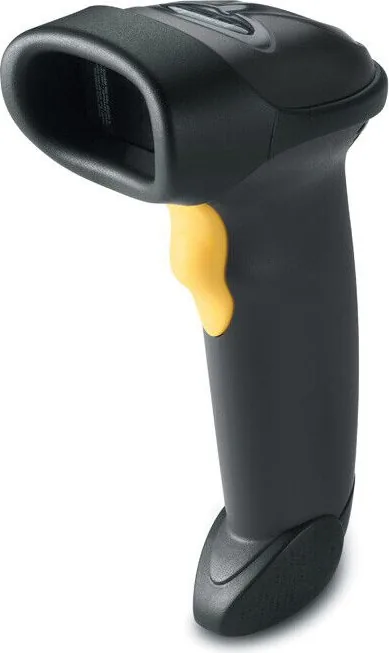
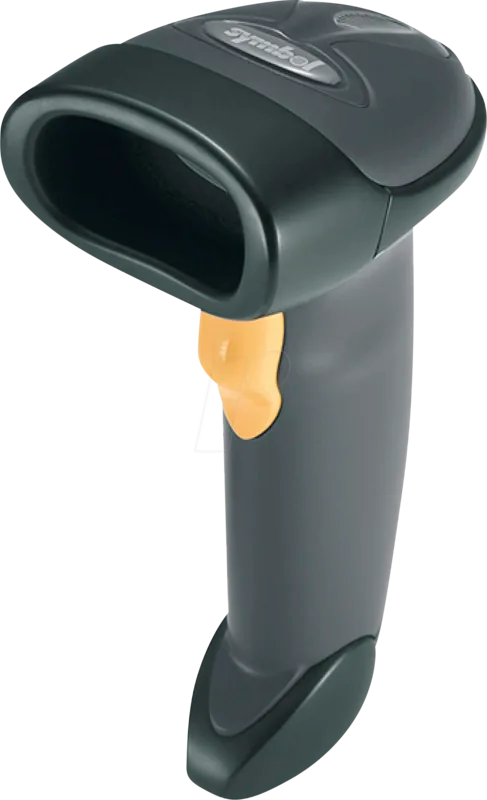
The Zebra Symbol LS2208 Serial USB KBW Black represents industry-leading performance in handheld barcode scanning. Designed for high-volume retail and logistics environments, this device combines durability with exceptional read rates. The LS2208 is renowned for its ability to decode symbols ranging from UPC and Code 39 to complex GS1 DataBar codes with minimal effort. It serves as a reliable workhorse for businesses requiring fast and accurate data entry. Many users prefer this model for its consistent uptime.
The robust engine reads even damaged codes effectively.
Versatile Interface Options
One of the standout features of this scanner is its multi-interface capability. It seamlessly connects via USB for direct keyboard wedge operation or standard connectivity. This flexibility ensures that the device integrates smoothly with existing Point of Sale systems without requiring significant infrastructure overhauls. The configuration process can be streamlined by referring to the Zebra Symbol LS2208 Serial USB KBW Black Manual, which details the specific settings required for optimal performance across various host devices including RS-232 and IBM terminals. Users can switch between USB Host and Device modes easily. The system supports various operating systems like Windows and macOS efficiently.
Ergonomics and Performance
Users appreciate the lightweight design that reduces fatigue during extended shifts. The scanner supports both hand-held and hands-free modes when paired with an optional stand. A built-in laser aims precisely, guiding users to the correct angle for decoding. LED indicators provide immediate feedback on decode status, confirming successful reads without interruption. The device also supports advanced data formatting to customize how information transmits to the host, ensuring data integrity. This prevents errors when sending data to legacy systems. The trigger mechanism is sensitive to reduce accidental reads.
Maintenance and Reliability
Built to withstand demanding conditions, the LS2208 minimizes downtime. Should issues arise, troubleshooting steps are readily available through programming bar codes found in the included instructions. Resetting to factory defaults is a simple bar code scan away if configuration errors occur. This ease of maintenance keeps operational costs low. By leveraging these features, businesses can maintain high throughput and accuracy. Additionally, the 123Scan software tool allows for rapid customization, making setup faster and more intuitive for IT staffs managing multiple units. Regular cleaning of the scan window ensures optimal laser performance. The housing resists impact from daily drops. Routine care extends the product lifespan significantly.
Technical Specifications Overview
The specifications include decoding ranges and host compatibility details. The user guide outlines precise measurement tolerances for laser focus. This ensures consistent operation across varied warehouse environments where lighting conditions differ.
Final Thoughts
Investing in the LS2208 ensures a solid foundation for inventory management. Its adaptability across different systems makes it a favorite among professionals. Whether used at a checkout counter or a warehouse dock, this scanner delivers consistent results day in and day out. The build quality inspires confidence in daily users.
Note: Ensure proper cable connections and power supply requirements are met before deployment to avoid initialization errors.
Search for 67,706 Manuals online


Type-in Brand or Model