
Z-Edge Z3D Manual
PDF manual · 44 Pages
English


Quick check
Incorrect answer, please try again.
Chat with your Z-Edge Z3D manual using AI
Get instant AI answers from your Z-Edge Z3D manual
Ask anything about the Z-Edge Z3D. Answers come from this manual, with the pages they are based on.
Ask a Question
Do you recommend Z3D?
Yes NoFrequently Asked Questions
Mount the dash cam close to the center of the windshield so it does not distract you or block your view. Keep it positioned for a clear road capture, and then tighten the swivel adjustments for a stable, well-framed angle.
Is this answer helpful?
If Motion Detection is enabled, recording can pause when no movement is detected for about 10-15 seconds (depending on mode behavior). Another common reason is that the microSD card is full or needs formatting, especially when protected files take up space.
Is this answer helpful?
Use a microSD card that supports microSDXC up to 128GB, and choose Class 10 or above for faster writing. Since higher-resolution video creates more data, slower cards may cause freezes or recording or erasing problems.
Is this answer helpful?
During recording, press the Down button to toggle audio recording off. This stops audio capture without interrupting the video recording, so your footage remains continuous.
Is this answer helpful?
The dash cam typically takes 2-3 hours to fully charge. Battery runtime is not meant for long standalone operation; it is roughly 15-60 minutes depending on model and temperature, with behavior varying by settings.
Is this answer helpful?
To take a snapshot, stop recording to standby and switch to Photo Mode, then press the Up button to capture. For playback, enter Playback Mode and select between normal video, emergency-protected video, or photos. Use the menu to preview and manage files.
Is this answer helpful?
Advantages and Disadvantages
Advantages

- Dual-lens coverage with a front and rear setup for clearer context during incidents.
- High-resolution recording options (front up to 2560x1440P) plus flexible resolution modes.
- Loop recording prevents long gaps from filling the card, overwriting only unprotected files.
- Emergency protection via G-sensor and manual protect support during recording.
- Parking Monitoring continues surveillance when the engine is off, with protected recordings during events.
Disadvantages

- Video protection relies on available protected space; if it becomes full, older protected files may be overwritten.
- Performance depends heavily on microSD speed; slower cards may cause freezing or playback issues.
- Battery life is limited for standalone use, since normal operation is powered through the car charger.
- Date/time can reset if the battery fully drains, requiring periodic reconfiguration.
- Installation should avoid tinted windows, since tint film could be damaged.
Product Specification
Effective Megapixel
12.0 Megapixel
Sensor
CMOS
Removable Storage
microSD/microSDHC/microSDXC
Video Function
MPEG-4, 2560x1440@30p (16:9), 1920x1080@60p (16:9)
Photo Resolution
JPEG (max. 4032x3024 Pixel)
Viewing Angle
150°
Display
2.7" LCD
Connectors
USB 2.0
Wireless
GPS
Special Features
Motion Sensor, Loop Function, Second Camera
Dimensions
3.82x1.97x1.28in (WxHxD)
Weight
0.19 lb
Product Description
Z-Edge Z3D Manual: Dual-Lens Dash Cam for Clear Front and Rear Coverage
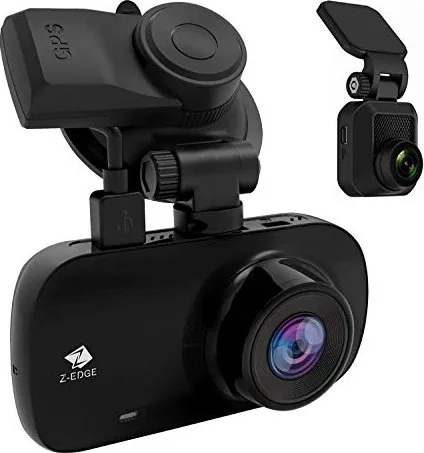
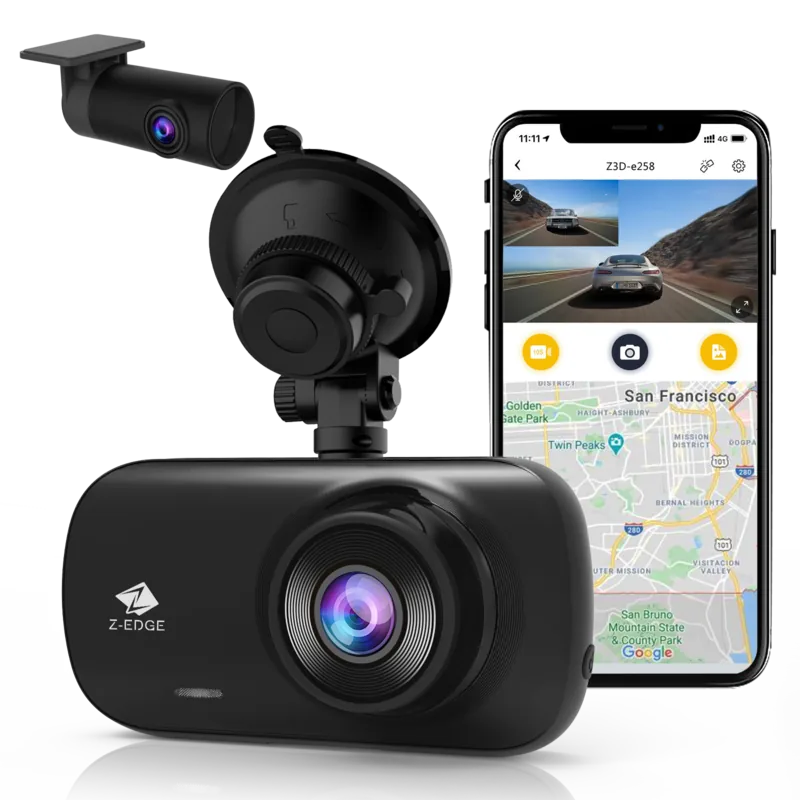
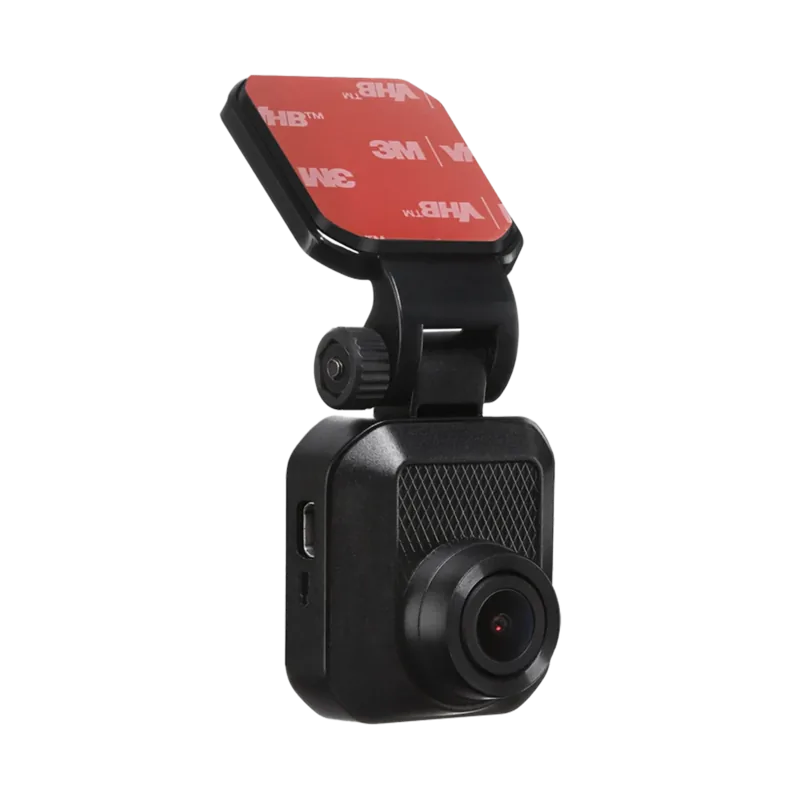
The Z-Edge Z3D car dash cam is built to help you drive with confidence by capturing clear video and audio in real time. With a stealth-like design and a dual-lens setup, it records both the road ahead and what happens behind your vehicle, so you have a fuller view when it matters most. If you want a practical, daily-driver dash cam experience, the Z-Edge Z3D Manual-style setup guidance makes the process straightforward from memory card insertion to camera positioning.
Key takeaways from the Z3D experience
The Z3D focuses on dependable recording features: high-resolution imaging, automatic power control, and protection tools that help preserve important moments. You get a 2.7-inch color LCD for live viewing, menu access, and quick playback. The front camera supports up to 2560x1440P (depending on configuration), while the system can run front-and-rear recording when both lenses are connected. A built-in G-sensor supports emergency protection, and motion detection can start recording when movement is detected near the car.
Everyday setup and driving use
Getting started is centered on a simple routine. Insert a microSD card (up to 128GB, Class 10 or higher recommended), mount the dash cam to your windshield using the included suction mount, and power it with the supplied car charger. When the engine starts, the Z3D automatically turns on and begins recording. When the engine is off, it saves the current recording and powers down within about 10 seconds. For manual control, you can start or stop recording using the OK/REC button.
Smart recording modes that protect important files
Loop recording keeps storage usage under control by overwriting the oldest unprotected clips once the card fills up. If the camera detects unusual vibration or a collision, it can automatically lock the current recording so it is not overwritten. Parking Monitoring extends coverage when you are away: the camera watches for impact or vibration and then captures protected footage during that event window.
GPS tracking and playback on your terms
GPS functionality is integrated into the car mount. Recordings can include location and tracking details such as time and speed. To review GPS data, you can use a compatible GPS Multimedia Player available for Windows and Mac. On-device playback lets you browse normal videos, emergency-protected files, and snapshots.
Notes
- Use a quality microSD card with faster write speeds to reduce freezing or recording issues.
- Protected space can eventually be overwritten if it becomes full, so periodically review and back up files.
- Date and time may reset if the battery drains fully, so set it to your local time zone.
Search for 67,706 Manuals online


Type-in Brand or Model