
Worx WX370 Manual
PDF manual · 20 Pages
English



Quick check
Incorrect answer, please try again.
Chat with your Worx WX370 manual using AI
Get instant AI answers from your Worx WX370 manual
Ask anything about the Worx WX370. Answers come from this manual, with the pages they are based on.
WX370 Maintenance Schedule
Wipe clean with a dry cloth. Never use water or chemical cleaners.
Ensure motor ventilation slots are free of dust to prevent overheating.
Maintain all working controls by keeping them free of dust.
Ask a Question
Do you recommend WX370?
Yes NoFrequently Asked Questions
The WX370 is intended for drilling in wood, metal and plastic and for impact drilling in brick, concrete and stone. It also handles screwdriving tasks with adjustable torque settings for control.
Is this answer helpful?
Use Worx 20V PowerShare battery packs (e.g., 2.0Ah WA3551) and Worx chargers (WA3760, WA3880). Recharge only with the charger specified by Worx to avoid fire or damage and ensure correct charging behavior.
Is this answer helpful?
The WX370 includes electronic protection that cuts power when overloaded, overheated or when battery voltage is too low. If it stops, release the trigger, let the unit cool, and recharge or reduce load before restarting.
Is this answer helpful?
Always wear eye and ear protection, avoid loose clothing, keep hands away from rotating parts, and do not operate in wet conditions. Use a residual current device (RCD) outdoors if required and follow battery safety guidelines.
Is this answer helpful?
Remove the battery before maintenance. Wipe the tool with a dry cloth, keep ventilation slots clean, and store in a dry place. Do not use water or chemical cleaners and have servicing done by qualified technicians.
Is this answer helpful?
The LED light provides workspace illumination and indicates battery status. Rapid flashing may signal low battery or activation of the protection system; the tool may cut power to extend battery life in those cases.
Is this answer helpful?
Use sharp, correct accessories, maintain the tool, spread high-vibration tasks across days, and consider anti-vibration accessories. Always wear hearing protection and follow the manual’s guidelines to minimize risk.
Is this answer helpful?
Advantages and Disadvantages
Advantages

- PowerShare 20V compatibility: swap batteries across Worx 20V tools for flexibility.
- Two-speed gearbox and 13 mm keyless chuck for versatile drilling and driving.
- Integrated LED light increases visibility and indicates battery status.
- Electronic protection prevents overload, overheating and low-voltage damage.
- Lightweight ergonomic design with soft-grip handle and belt hook for comfort.
Disadvantages

- Vibration and noise levels can be high during hammer-drilling; protective gear required.
- Battery runtime depends on pack capacity; heavy tasks drain 2.0Ah packs quickly.
- Requires Worx-specified charger and batteries; third-party chargers not supported.
- Not intended for continuous heavy industrial use; may overheat under prolonged low-speed load.
- No user-serviceable internal parts; repairs require authorized service centers.
Product Specification
Type
Impact Drill/Driver
No-load speed
0-400/0-1600/min
No-load impact rate
6800-27200/min
Drilling capacity
Wood 1.57in, Steel 0.51in, Stone 0.51in
Torque
442.54 in-lb, 22 Settings (20+2)
Tool holder
0.51in Keyless chuck
Weight
2.20 lb
Product Description
Worx WX370 20V PowerShare Akku-Schlagbohrschrauber Manual
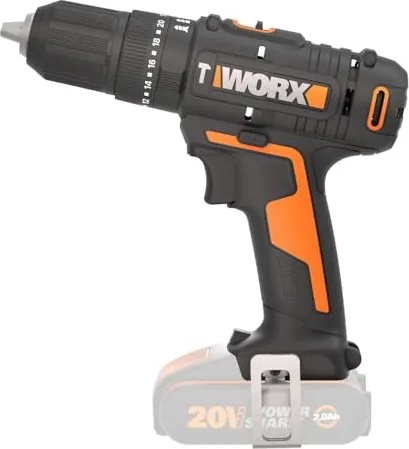
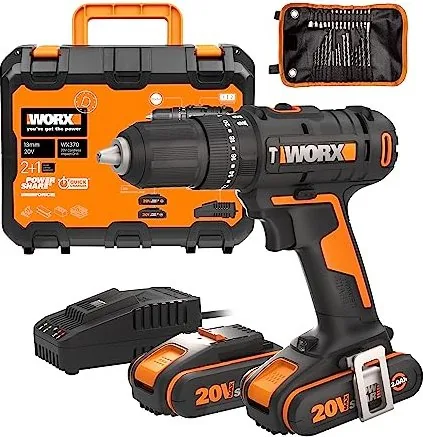
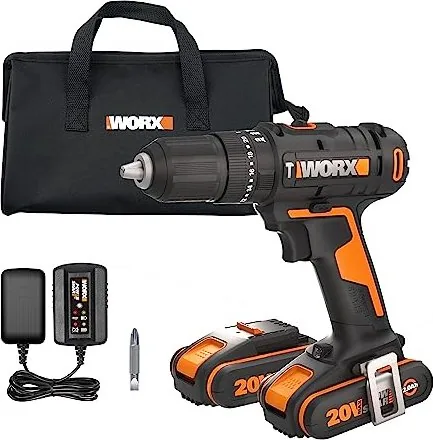
The Worx WX370 20V PowerShare cordless hammer drill is a compact, versatile tool built for both DIYers and professionals. Powered by the PowerShare 20V battery system, the WX370 delivers efficient drilling, screwdriving and hammer-drilling performance across wood, metal and masonry. With a two-speed gearbox, 13 mm keyless chuck and adjustable torque settings, it balances control and power for a wide range of tasks.
Lightweight and ergonomically designed, the WX370 features a soft-grip handle and a forward/reverse selector for quick direction changes. An integrated LED light improves visibility in dim workspaces and doubles as a battery indicator. The tool also includes a belt hook for convenient carry and a quick-release battery interface compatible with Worx 20V chargers and battery packs.
Safety and durability are emphasized throughout the design. The manual outlines general power tool safety, battery handling and drill-specific warnings: always wear eye and ear protection, avoid wet conditions, and follow charging guidelines. The WX370 incorporates electronic protection to prevent damage from overload, overheating and low battery—automatically cutting power when thresholds are exceeded.
Performance specs show a max torque suitable for common fastening and drilling tasks, with a no-load speed range and impact rates tailored for masonry work. Noise and vibration figures are documented; users are advised to plan work to limit exposure and to maintain sharp accessories to reduce vibration. The WX370’s battery system supports 2.0Ah packs and compatible chargers, delivering convenient runtime and exchangeability within the PowerShare family.
Maintenance is minimal: keep ventilation slots clean, wipe the tool dry, and avoid water or chemical cleaners. The manual stresses the importance of using only recommended chargers and replacement parts, and having repairs performed by qualified service centers. Environmental guidance covers battery and tool recycling to prevent harm to ecosystems.
Notes:
- LED serves as both work light and battery-status indicator.
- Tool has electronic protection for overload, overheating and low voltage.
- Use only Worx-specified chargers and battery packs.
Search for 67,706 Manuals online


Type-in Brand or Model