
Worx WG779E.1 Manual
PDF manual · 192 Pages
English



Quick check
Incorrect answer, please try again.
Chat with your Worx WG779E.1 manual using AI
Get instant AI answers from your Worx WG779E.1 manual
Ask anything about the Worx WG779E.1. Answers come from this manual, with the pages they are based on.
WG779E.1 Maintenance Schedule
Check the grass catcher frequently for wear or deterioration and replace if necessary.
Sharpen the blade twice during a mowing season under normal circumstances to ensure best performance.
Renew your metal blade after 50 hours of mowing or 2 years, whichever comes first, regardless of condition.
Visually inspect blades, bolts, cutter assembly, guards, and covers for damage or looseness before every use.
Inspect the machine for damage and make repairs if it vibrates abnormally or strikes a foreign object.
Free maintenance reminders
Timed to your purchase date. Always free, unsubscribe anytime.
Ask a Question
Do you recommend WG779E.1?
Yes NoFrequently Asked Questions
No. The manual states the mower will only run when 2 batteries are installed. Use two batteries with the same capacity, and charge them fully together. If you use mismatched battery capacities, runtime is limited to the lower common denominator.
Is this answer helpful?
For the 4.0Ah battery pack (WA3553), the manual lists an approximate charging time of about 2 hours. The batteries are shipped uncharged, and you should fully charge both batteries at the same time.
Is this answer helpful?
ECO mode is intended for everyday mowing conditions and removes about 20 mm of grass per pass. TURBO mode is for cutting dense or overgrown grass. If performance is reduced, adjust mode and cutting height.
Is this answer helpful?
Release the switch lever to turn the mower off, then wait until the motor stops before changing height. The manual warns blades continue to rotate after shutdown, so never touch rotating blades or adjust while they are still moving.
Is this answer helpful?
The grass collection bag capacity is listed at 30 L. If it does not pick up clippings, the manual suggests clearing the chute/discharge area, checking for clogs, and raising the cutting height or reducing cut volume to avoid overloading.
Is this answer helpful?
Stop the mower, remove the safety key, and inspect immediately. Check the blade for damage and ensure it is free and balanced. If there is deck damage or vibration persists after checking, contact an authorized service center.
Is this answer helpful?
The manual advises avoiding operation in wet grass where feasible. Wet clippings can stick to the deck and reduce bagging and discharge performance. For best results, mow when the grass is dry.
Is this answer helpful?
Advantages and Disadvantages
Advantages

- Cordless PowerShare system using 2x20V Max batteries for domestic mowing convenience.
- 34 cm cutting diameter with 6 cutting heights from 20-70 mm for flexible lawn results.
- IntelliCut dial with ECO and TURBO modes for everyday grass and dense growth.
- Battery power indicator with PowerTest helps track charge during operation.
- Grass collection bag with 30 L capacity supports a cleaner cut-and-bag finish.
Disadvantages

- Only runs when 2 batteries are installed, and they should match in capacity.
- Performance may drop if you remove too much grass at once, especially in thick or rough areas.
- Grass bag pickup can clog if the discharge outlet or chute is packed with clippings.
- Manual safety requirements apply (safety key, waiting for blades to stop before adjustments).
- WG779E.1 weight is listed around 13.4 kg, which may feel heavier for some users.
Product Specification
Type
Lawnmower
Battery
2x Battery (40V/2x 20V, 4.0Ah, Li-Ion)
Working width
13.39 in
Working height
0.79-2.76 in, height-adjustable (central), 6 levels
Collection volume
7.93 gal
Drive
no
Features
Rear discharge
Charging time
2h
Weight
29.54 lb
Scope of delivery
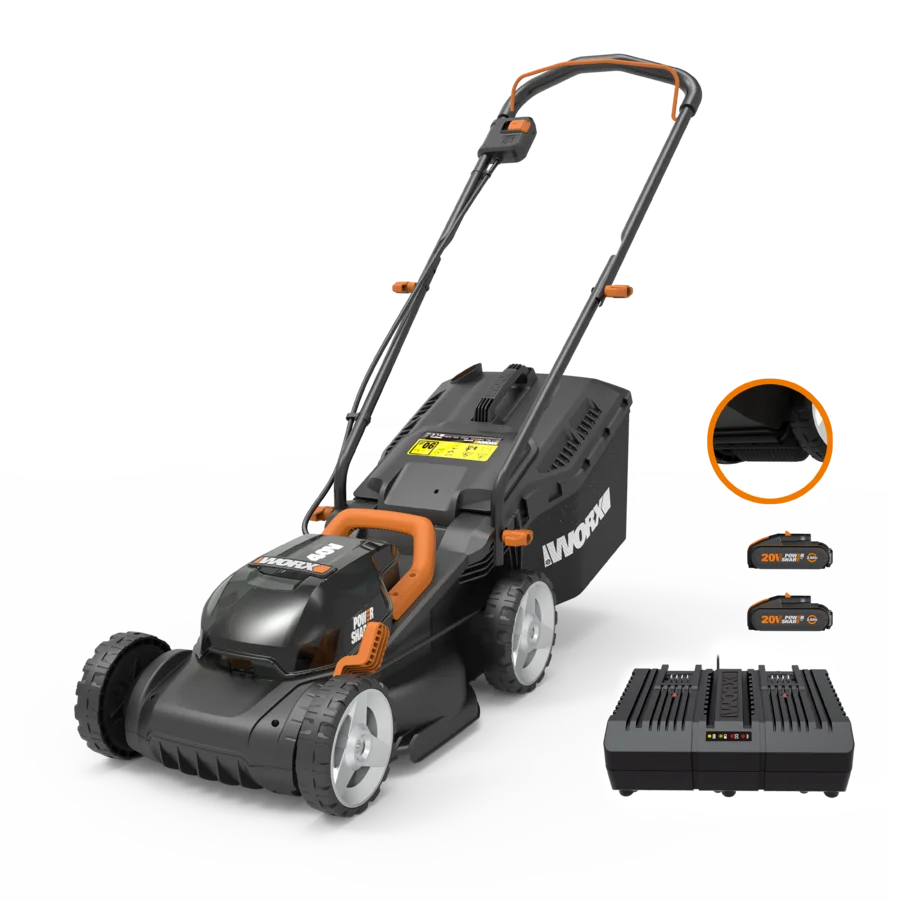
Charger (WA3876), 2x Battery (WA3553)
Product Description
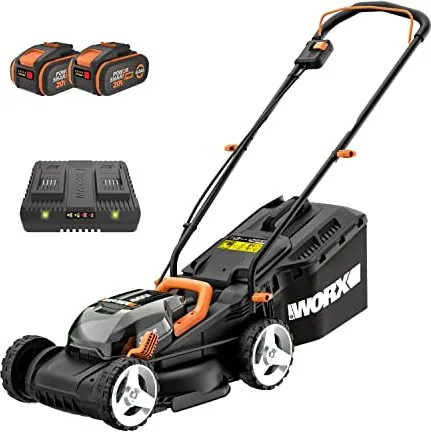
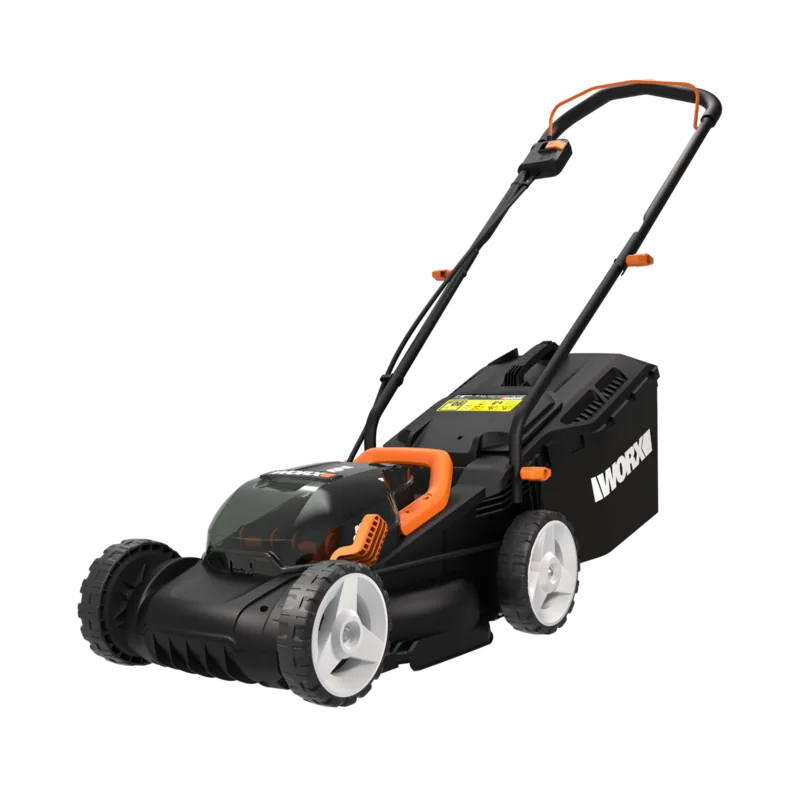
Worx WG779E.1 20V PowerShare Cordless Lawn Mower incl. 2 batteries 4.0Ah Manual.
If you want an easier way to keep a domestic lawn looking neat, the Worx WG779E.1 20V PowerShare Cordless Lawn Mower incl. 2 batteries 4.0Ah is built for everyday mowing. It uses Worx PowerShare battery power (2x20V Max, supplied as a 40V Max platform) so you can cut grass without dealing with a cord. With a 34 cm cutting diameter and 6 cutting height positions from 20 to 70 mm, the mower is designed to handle routine trims as well as thicker growth when you choose the right settings.
The mower includes an IntelliCut dial with ECO and TURBO modes. ECO is intended for everyday conditions, helping you remove roughly 20 mm per pass. Switch to TURBO for dense or overgrown grass. To help you avoid running out mid-job, the machine features a battery power indicator and a PowerTest function that shows remaining capacity through multiple lights. Charging is straightforward: the manual notes batteries are shipped uncharged, and the two batteries should be fully charged together. For the 4.0Ah packs, charging time is listed at about 2 hours.
For grass collection, the included 30 L grass collection bag helps you bag clippings for a cleaner finish. The system includes a safety flap, so before use you should confirm it is correctly closing the discharge outlet. If the bag fills quickly or you notice reduced pickup, the manual recommends clearing clogs and adjusting your cutting pace or cutting height.
Practical comfort and performance also matter. The mower is rated around 76.5 dB(A) sound pressure and includes vibration data for safe operation planning. Weight is listed at about 13.4 kg for the WG779E.1 configuration.
Key takeaways
- Cordless PowerShare design (2x20V Max) for domestic lawn mowing with no extension cords.
- 34 cm cutting diameter and adjustable cutting height from 20-70 mm (6 positions).
- ECO and TURBO IntelliCut modes for both everyday grass and tougher patches.
- Battery status monitoring with PowerTest and guidance on using two similarly sized batteries.
- Grass collection bag capacity up to 30 L, with safety flap checks for reliable discharge.
Notes for best results
- Use only with the supplied charger type specified by Worx, and keep both batteries fully seated.
- Avoid mowing wet grass, and inspect the area for stones, sticks, wire, and other debris.
- If the mower vibrates abnormally, stop and remove the safety key, then check blade condition and clearance.
Search for 67,706 Manuals online


Type-in Brand or Model