Manual.ly Logo

Worx Landroid Off Limits WA0863 Manual

0.0 · 0 Ratings

PDF manual · 6 Pages

English

M: QW-35-FL
page

/ 6

Loading...
9e5e21d04d501a8c713edcddd0fe8242061f page 1
Off limits
get started
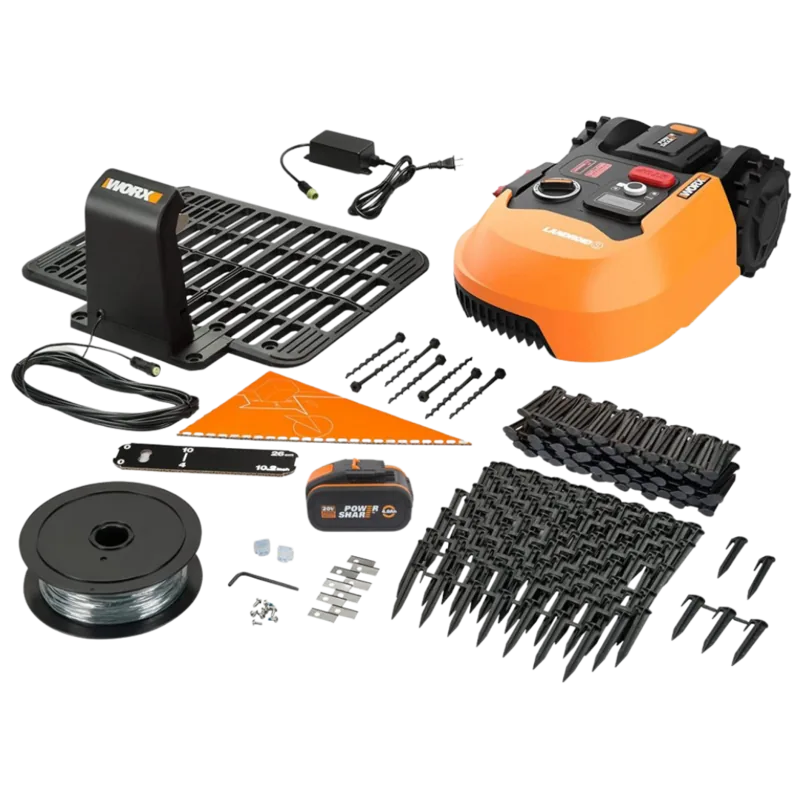
In the box From your toolbox
DK
Denne vejledning til at komme i gang erstatter ikke håndbog. Du
skal læse håndbog og forstå, før du bruger produktet. Hold
Landroid opdateret med nyeste software. Download begge:
www.worx.com/landroid/support.
FIN
Tämä aloitusoppaaseen ei korvaa käsikirjasta.Sinun täytyy lukea
käsikirjasta ja ymmärtää, ennen kuin käytät tuotetta. Pidä Landroid
päivitetty uusimpaan ohjelmistoon. Lataa molemmat:
www.worx.com/landroid/support.
NOR
Denne Komme i gang-veiledningen erstatter ikke bruksanvisningen.
Du må lese og forstå bruksanvisningen før du bruker produktet. Hold
Landroid oppdatert med nyeste programvare. Last ned begge:
www.worx.com/landroid/support.
SV
Denna Komma Igång-guide ersätter inte bruksanvisningen. Du
måste läsa igenom och förstå bruksnvisningen innan du använder
produkten. Hold Landroid oppdatert med nyeste programvare.
Last ned begge: www.worx.com/landroid/support.
RU
Настоящее Руководство по началу работы не заменяет
Руководство по эксплуатации. Перед эксплуатацией изделия
вы должны прочитать и понять Руководство по эксплуатации.
Держите Landroid обновленным с последним программным
обеспечением. Загрузите оба: www.worx.com/landroid/support.
ET
Käesolev juhend alustanud ei asenda käsiraamatu. Sa pead lugema
käsiraamatu ja mõista enne toote kasutamist. Hoidke Landroid
värskendatuna uusima tarkvaraga. Laadige alla mõlemad:
www.worx.com/landroid/support.
LV
Šī darba uzsākšanas rokasgrāmata neaizstāj lietošanas pamācību.
Pirms produkta lietošanas jums ir jāizlasa un jāsaprot lietošanas
pamācība. Saglabājiet Landroid atjauninātu ar jaunāko
programmatūru. Lejupielādējiet abus: www.worx.com/landroid/-
support.
LT
Šis Darbo pradžios vadovas nepakeičia instrukcijų vadovo. Turite
perskaityti ir suprasti instrukcijų vadovą prieš pradėdami naudotis
prietaisu. Laikykite „Landroid“ atnaujintą naujausią programinę
įrangą. Atsisiųskite: www.worx.com/landroid/support.
EN
This Get Started guide does not replace the Instruction Manual.
You must read and understand the Instruction Manual before
operating the product. Keep Landroid updated with latest
software. Download both: www.worx.com/landroid/support.
D
Get Started: Diese Beschreibung ersetzt nicht die
Bedienungsanleitung. Lesen Sie die Anleitung bevor Sie das
Produkt in betrieb nehmen. Nutzen Sie stets die aktuelle
Software. Download der Bedienungsanleitung und Software
nden Sie unter: www.worx.com/landroid/support.
F
Ce guide de prise en main ne remplace pas le manuel
d'instructions. Veuillez lire et comprendre le manuel
d'instructions avant d'utiliser le produit. Gardez Landroid mis à
jour avec le dernier logiciel. Téléchargez les deux:
www.worx.com/landroid/support.
I
Questa Guida introduttiva non sostituisce il Manuale di
istruzioni." Prima di utilizzare il prodotto, è necessario leggere e
comprendere il Manuale di istruzioni. Tieni Landroid aggiornato
con l'ultimo software. Scarica entrambi: www.worx.com/landroid/-
support.
ES
La guía “Get started” no reemplaza el manual de instrucciones.
Lea el manual antes de usar el producto.
Mantenga su Landroid actualizado con la última versión del
software. Descargue ambos en: www.worx.com/landroid/suppot.
NL
De Get Started handleiding vervangt niet de gebruiksaanwijzing
met instructies. Lees deze voordat u van start gaat. Houdt de
Landroid up-to-date met de laatste software. Download beide:
www.worx.com/landroid/support.
PL
Ten podreczniki instruktazowe nie rozpoczał sie zastapic
uzytkowania. Musisz podreczniki instruktazowe i zrozumiec
przed uzyciem produktu. Zaktualizuj program Landroid za
pomocą najnowszego oprogramowania. Pobierz oba:
www.worx.com/landroid/support.
PT
Este Guia de Primeiros Passos não substitui o Manual de
Instruções. Você deve ler e entender o Manual de Instruções antes
de operar o produto. Mantenha Landroid atualizado com o
software mais recente. Faça o download de ambos:
www.worx.com/landroid/support.
TR
Bu Başlangıç rehberi, Kullanım Talimatının yerine geçmez. Ürünü
kullanmadan önce Kullanım Talimatını okumalı ve anlamalısınız.
Landroid'i en son yazılımlarla güncel tutun. Her ikisini de indirin:
www.worx.com/landroid/support.
RO
Acest ghid de Început nu înlocuiește Manualul de Instrucțiuni.
Trebuie să citiți și să înțelegeți Manualul de Instrucțiuni înainte de
operarea acestui produs. Păstrați Landroid actualizat cu cel mai
recent software. Descărcați ambele: www.worx.com/landroid/-
support.
HU
Ez a Get Started útmutató nem helyettesíti az Útmutató
Kézikönyvet. A termék üzemeltetése előtt olvassa el és értse meg
az útmutatót. A legfrissebb szoftverrel frissítse a Landroidot.
Töltse le mindkét oldalt: www.worx.com/landroid/support.
SK
Táto príručka na začatie nenahrádza inštrukčný manuál. Pred
použitím produktu musíte prečítať a pochopiť inštrukčný manuál.
Udržujte Landroid aktualizovaný najnovším softvérom.
Prevezmite oboje: www.worx.com/landroid/support.
CZ
Tento stručný Startovací Návod nenahrazuje Instrukční Manuál.
Musíte číst a rozumět Instrukčnímu Manuálu před manipulaci s
produktem. Udržujte Landroid aktualizovaný nejnovějším
softwarem. Stáhněte si obě: www.worx.com/landroid/support.
SL
Ta začetna navodila ne nadomeščajo navodil za uporabo. Pred
uporabo izdelka morate prebrati in razumeti navodila za uporabo.
Posodobite Landroid z najnovejšo programsko opremo. Prenesite
oboje: www.worx.com/landroid/support.

Chat with your Worx Landroid Off Limits WA0863 manual using AI

Get instant AI answers from your Worx Landroid Off Limits WA0863 manual

Ask anything about the Worx Landroid Off Limits WA0863. Answers come from this manual, with the pages they are based on.

Ask a Question

0/1000

Do you recommend Landroid Off Limits WA0863?

Yes No

Frequently Asked Questions

A

It is an accessory that enables robotic mowers to avoid specific zones marked by boundary wires.

Is this answer helpful?

A

No, it works with select models like the S 300, M 500, and L 2000. Check compatibility first.

Is this answer helpful?

A

Basic tools are needed to lay the boundary wire and connect the module to the mower.

Is this answer helpful?

A

Yes, you can adjust or remove the boundary wires if your garden layout changes.

Is this answer helpful?

A

The manual is available online at www.worx.com/landroid/support along with software updates.

Is this answer helpful?

A

No, the mower detects the signal and steers away before touching the wire.

Is this answer helpful?

A

Download the latest version from the official Worx support website using the provided link.

Is this answer helpful?

M: QW-35-FL

Advantages and Disadvantages

Advantages

  • Allows precise avoidance of sensitive garden areas
  • Compatible with multiple Landroid models including S, M, and L series
  • Easy integration with existing boundary wire systems
  • Reduces risk of damaging flowers or landscaping
  • Improves overall lawn care efficiency
VS

Disadvantages

  • Requires additional wiring and setup time
  • May not be necessary for simple rectangular lawns
  • Dependent on accurate boundary wire installation
  • Adds cost compared to standard models without the module
  • Software updates are required for optimal performance
M: QW-35-FL

Product Specification

Fits for

Worx Landroid Lawn Mowing Robot

M: QW-35-FL

Product Description

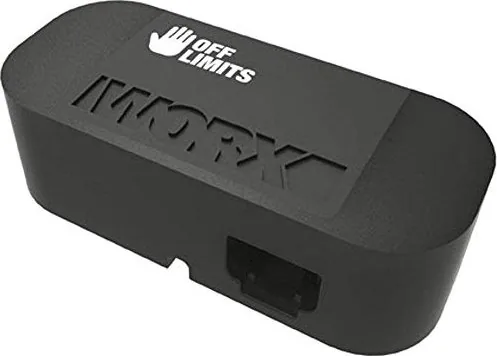
Enhance Your Lawn Care with the Worx WA0863 Landroid Off-Limits Module

The Worx WA0863 Landroid Off-Limits Module represents a significant leap forward in automated lawn maintenance. This accessory is designed to work seamlessly with various Landroid robotic mowers, allowing homeowners to define specific zones within their garden that the robot should avoid. By integrating this module, you gain precise control over your mower's path, ensuring that delicate flower beds, vegetable patches, or wet areas remain untouched while the rest of the lawn receives perfect attention.

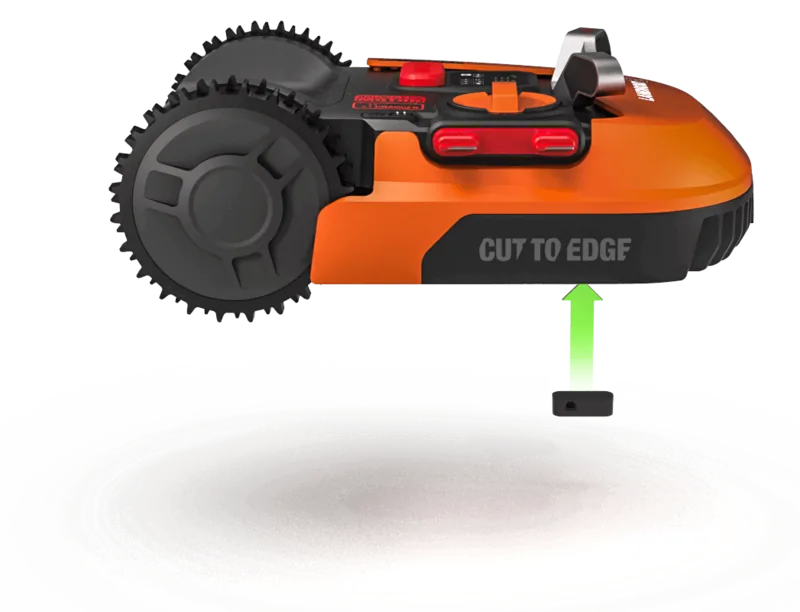
Installing and utilizing the Worx WA0863 Landroid Off-Limits Module requires careful setup but offers unparalleled convenience once active. The system relies on a boundary wire configuration that creates invisible barriers around the off-limit zones. When the mower approaches these defined areas, it automatically redirects its course, maintaining efficiency without human intervention. This feature is particularly valuable for complex gardens where certain sections are prone to damage from heavy machinery or simply require manual care.

To get the most out of this device, users must ensure their Landroid unit has the latest software installed. Regular updates provided by Worx often include improvements to navigation algorithms and boundary detection accuracy. It is crucial to read the full instruction manual before attempting installation, as the Get Started guide serves only as an introduction. Proper placement of the boundary wires is essential for the module to function correctly, creating a reliable perimeter that the robot respects every time it operates.

Important Notes

Always verify the compatibility of the Off-Limits Module with your specific Landroid model before purchasing. Ensure that the boundary wire used is suitable for outdoor conditions and properly insulated against moisture. Keep all documentation accessible for future reference regarding troubleshooting or additional features.

Pros and Cons

Pros:

  • Allows precise avoidance of sensitive garden areas
  • Compatible with multiple Landroid models including S, M, and L series
  • Easy integration with existing boundary wire systems
  • Reduces risk of damaging flowers or landscaping
  • Improves overall lawn care efficiency

Cons:

  • Requires additional wiring and setup time
  • May not be necessary for simple rectangular lawns
  • Dependent on accurate boundary wire installation
  • Adds cost compared to standard models without the module
  • Software updates are required for optimal performance

Frequently Asked Questions

What is the Worx WA0863 Landroid Off-Limits Module? It is an accessory that enables robotic mowers to avoid specific zones marked by boundary wires.

Does it work with all Landroid models? No, it works with select models like the S 300, M 500, and L 2000. Check compatibility first.

Do I need special tools for installation? Basic tools are needed to lay the boundary wire and connect the module to the mower.

Can I remove the off-limits zones later? Yes, you can adjust or remove the boundary wires if your garden layout changes.

Is the instruction manual included? The manual is available online at www.worx.com/landroid/support along with software updates.

Will the mower stop if it hits the wire? No, the mower detects the signal and steers away before touching the wire.

How do I update the software? Download the latest version from the official Worx support website using the provided link.

M: QW-35-FL

© Copyright 2026 Manual.ly
