
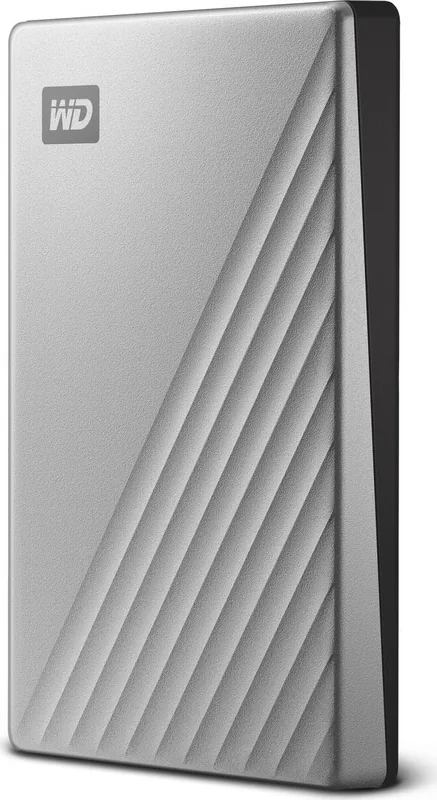

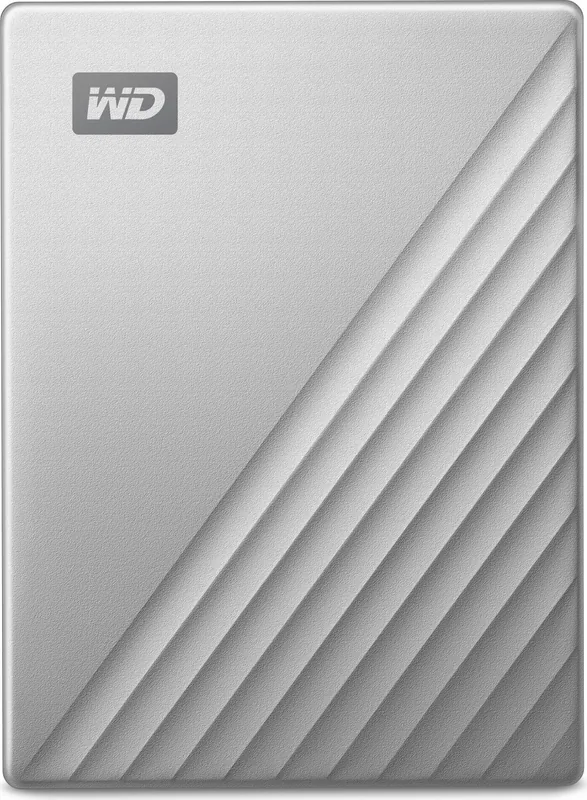
Western Digital My Passport Ultra for Mac Manual
PDF manual · 36 Pages
English



Quick check
Incorrect answer, please try again.
Chat with your Western Digital My Passport Ultra for Mac manual using AI
Get instant AI answers from your Western Digital My Passport Ultra for Mac manual
Ask anything about the Western Digital My Passport Ultra for Mac. Answers come from this manual, with the pages they are based on.
Ask a Question
Do you recommend My Passport Ultra for Mac?
Yes NoFrequently Asked Questions
It is a portable external hard drive for storing, backing up, and protecting files. It is designed to be easy to carry and simple to use with Mac systems, while still offering useful software tools and security features.
Is this answer helpful?
Yes. The drive uses a USB Type-C interface and supports fast data transfer. The manual also notes backward compatibility, so it can work with older USB connections through the proper adapter or cable setup.
Is this answer helpful?
Yes, it comes formatted for macOS compatibility, so it is ready for use as an external storage device. Users can then install WD software if they want extra control, security, and diagnostics.
Is this answer helpful?
Yes. WD Security lets you set a password and enable hardware encryption. This helps prevent unauthorized access to your files and adds a strong layer of privacy protection.
Is this answer helpful?
If the password is forgotten, the drive may need to be erased before it can be used again. That removes the stored data and the password, so backing up important files is essential.
Is this answer helpful?
Yes, but it may need to be reformatted for full Windows use. The manual explains reformatting options and warns that doing so erases all contents, including WD software and support files.
Is this answer helpful?
Advantages and Disadvantages
Advantages

- Compact 2TB portable storage fits travel, backups, and everyday file transfers.
- USB-C connectivity with backward compatibility helps it work with newer and older ports.
- 256-bit AES hardware encryption and password protection improve data privacy.
- WD software adds drive health checks, utilities, and easy management tools.
Disadvantages

- Reformatting or erasing the drive removes all data and WD support files.
- Forgetting the password can force a full erase before the drive can be used again.
- Some WD features depend on installing the included software.
- Windows use may require reformatting, which can change the drive’s original Mac setup.
Product Specification
Form factor
2.5"
Storage media
2TB HDD (SATA, AHCI)
External connector
1x USB-C 3.0
RAID level
N/A
Fan
N/A
Dimensions
4.33x3.21x0.50in
Weight
0.29 lbs
Color
silver
Special features
256bit AES encryption, formatted for Mac, incl. USB cable (USB-C), incl. USB adapter (USB-A)
Manufacturer's warranty
three years
USB notation
Link
Note
This product most likely uses a hard drive with Shingled Magnetic Recording (SMR) recording technology.
Product Description
Western Digital WD My Passport Ultra for Mac 2TB, USB-C 3.0 Manual: Portable Storage with Mac-Friendly Security
The Western Digital WD My Passport Ultra for Mac 2TB, USB-C 3.0 Manual highlights a compact external drive built for people who move between work, home, and travel. With a sleek portable design and 2TB of storage, it offers a practical place to keep photos, project files, backups, and media in one easy-to-carry device. Its USB-C connection supports fast transfers, while backward compatibility helps it stay useful with older USB setups.
Designed for Mac users who want simplicity
This drive arrives ready for use with macOS-friendly formatting, making it a straightforward choice for Apple users who want less setup and more storage. The manual also shows that WD includes helpful companion software such as WD Discovery, WD Security, and WD Drive Utilities. These tools make it easier to manage the drive, update software, check health, and customize settings without needing advanced technical knowledge.
Security, backup, and control
One of the most useful features is password protection with 256-bit AES hardware encryption. That means your data can stay protected even if the drive is misplaced. The manual explains how to lock and unlock the drive, change passwords, turn off the LED, and erase the drive when needed. For users who value privacy, this adds a strong layer of confidence.
Everyday performance with useful support tools
Beyond storage, the My Passport Ultra for Mac offers diagnostics, software updates, and registration options that help extend the life of the product. The drive health checks are especially helpful if you want early warning signs before problems grow serious. The manual also covers safe disconnection and reformatting, which makes the product feel well-supported for both casual users and more careful backup routines.
In a blog setting, this drive stands out as a balance of portability, reliability, and Mac-oriented convenience. It is not just a place to store files; it is a small desktop companion for organizing digital life, protecting important data, and keeping backups within reach.
Notes
- Best suited for Mac users who want a simple external backup option.
- Password protection and hardware encryption add meaningful privacy.
- Reformatting or erasing the drive removes WD software and stored data.
- Registering the drive helps with updates, support, and warranty tracking.
Search for 67,706 Manuals online


Type-in Brand or Model
Lora Bartoletti
7 months ago
Can I use this drive for backing up my iMac, and is the setup really easy?
Manual.ly
7 months ago
Yes. This drive is suitable for backing up an iMac, and setup is straightforward. In most cases you can connect it to your Mac and it is ready to use quickly. If your Mac asks to format the disk, use Disk Utility to format it (your backup software will guide the best choice). Once formatted, run your normal backup routine (for example, Time Machine or your preferred backup tool). Users report the installation process as simple and the backup working reliably.