
Western Digital My Passport SSD BK3E Manual
PDF manual · 41 Pages
English



Quick check
Incorrect answer, please try again.
Chat with your Western Digital My Passport SSD BK3E manual using AI
Get instant AI answers from your Western Digital My Passport SSD BK3E manual
Ask anything about the Western Digital My Passport SSD BK3E. Answers come from this manual, with the pages they are based on.
Ask a Question
Do you recommend My Passport SSD BK3E?
Yes NoFrequently Asked Questions
It uses a USB 3.1 Type-C interface (backward compatible with USB 3.0 and 2.0). USB 3.1 supports transfer rates up to 10 Gb/s; actual speeds depend on host hardware and cable.
Is this answer helpful?
Yes. The drive ships formatted as a single exFAT partition for cross-platform compatibility with updated Windows and macOS systems. To use Time Machine, you must reformat the drive to HFS+J, which removes Windows compatibility.
Is this answer helpful?
Install and run WD Discovery, then use WD Backup to create a backup plan: choose the backup target (drive or cloud), select source files/folders, set a schedule (hourly, daily, monthly), and start the backup. The software runs the initial backup immediately and follows the schedule thereafter.
Is this answer helpful?
Use WD Security to set a password (up to 25 characters) and optional auto-unlock on a trusted computer. If the password is forgotten, you cannot recover the data; after five invalid unlock attempts you may erase the drive to reuse it, which permanently deletes all data.
Is this answer helpful?
Use WD Drive Utilities (installed via WD Discovery) to run Drive Status Check, Quick Drive Test, or Complete Drive Test. These tools help detect issues early and assess drive condition; run them regularly or when you experience errors.
Is this answer helpful?
Erasing deletes all data and removes WD bundled software and utilities from the drive. After erasing or reformatting, you can download and restore WD Discovery, WD Drive Utilities, and WD Security from the WD support website.
Is this answer helpful?
Use the WD Drive Unlock utility available on the virtual CD that appears when the drive is connected. Open the virtual CD and run WD Drive Unlock.exe, enter your password, and optionally enable auto-unlock for that computer.
Is this answer helpful?
Advantages and Disadvantages
Advantages

- Fast USB 3.1 Type-C connection with backward compatibility to USB 3.0/2.0.
- Includes WD Discovery suite: WD Backup, WD Security, and WD Drive Utilities.
- Preformatted exFAT for immediate cross-platform use on Windows and macOS.
- Comprehensive backup scheduling options (hourly, daily, monthly) and cloud integration.
- Diagnostic and management tools to check drive health, run tests, and erase securely.
Disadvantages

- WD Backup is Windows-only; Mac users need to reformat for Time Machine and lack Backup app.
- Password protection may be region-dependent for encryption and lost passwords force drive erase.
- Erasing removes bundled software; requires manual download to restore utilities.
- Auto-unlock stores password on a computer, which may pose local security trade-offs.
- Performance limited by host USB port capabilities; older USB ports reduce speeds significantly.
Product Specification
Form factor
M.2 2280
Internal connector
1x M.2 (SATA)
External connector
1x USB-C 3.1
RAID level
N/A
Fan
N/A
Dimensions
3.54x1.77x0.39in
Color
black/silver
Special features
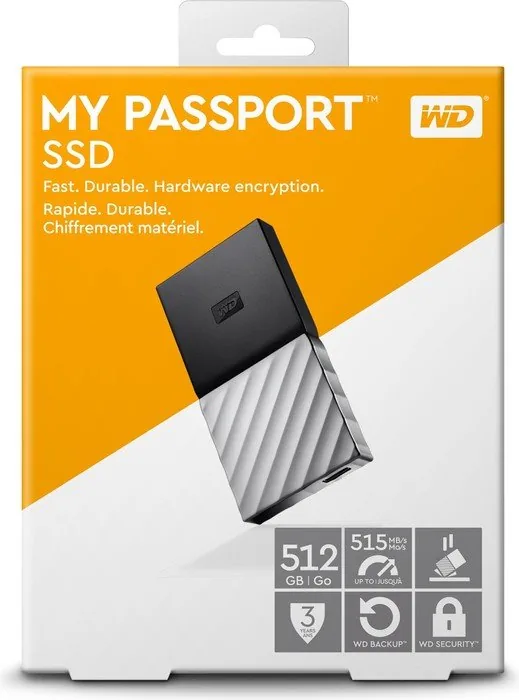
256bit AES encryption, incl. USB cable (USB-C), incl. USB adapter (USB-A)
Manufacturer's warranty
three years
USB notation
Link
Product Description
Western Digital WD My Passport BK3E SSD extern Manual
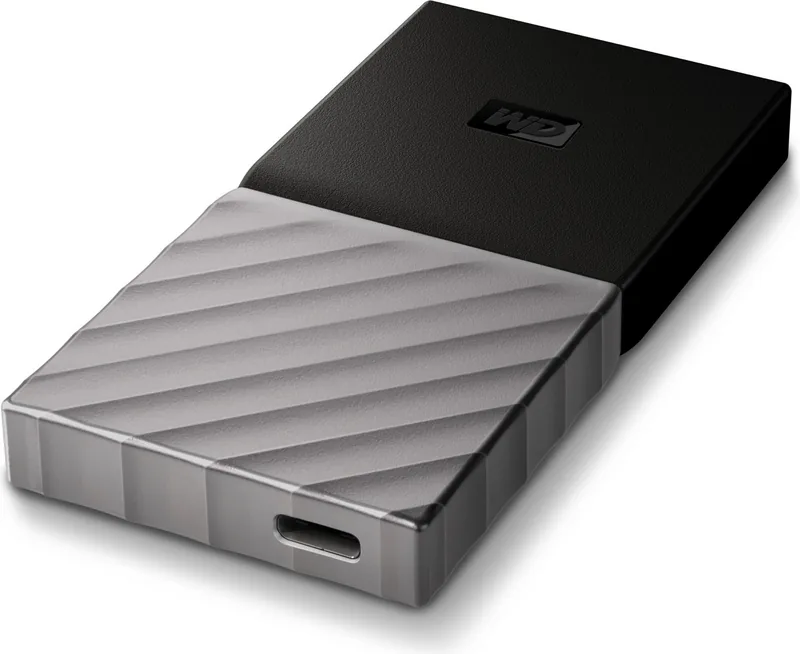
The Western Digital WD My Passport BK3E SSD extern is a compact, high-performance portable SSD designed for users who need fast, reliable external storage. Featuring a USB 3.1 Type-C interface with backward compatibility to USB 3.0 and 2.0, this drive delivers rapid transfer speeds up to the USB 3.1 specification, making large file moves, backups, and media workflows noticeably quicker. It ships preformatted as a single exFAT partition for cross-platform compatibility with Windows and macOS, with clear instructions for reformatting when using macOS Time Machine or other specialized needs.
WD bundles the drive with WD Discovery, which includes WD Backup, WD Security, and WD Drive Utilities. WD Backup provides scheduled automatic backups—hourly, daily, or monthly—letting you choose sources (local drives or cloud accounts like Dropbox) and targets to ensure important files are preserved. WD Security adds password protection (with optional auto-unlock per computer) and, where supported, drives use hardware-based encryption to protect data. WD Drive Utilities offers diagnostics (Drive Status Check, Quick Test, Complete Test), sleep-timer settings, drive erase functions, and registration tools to monitor drive health and performance.
Setup is straightforward: connect via the included USB-C cable (or Type-C to A adapter), install WD Discovery from the drive or download updates, and configure backup plans and security. The manual outlines step-by-step procedures for creating backup plans, selecting files or folders, setting schedules, and performing restores either to original locations or to alternate folders. It also covers how to unlock the drive using WD Security/Drive Utilities or the WD Drive Unlock virtual CD when software is not installed on the host machine.
For maintenance and troubleshooting, the guide describes safely ejecting the drive, running diagnostics to preempt failures, and reformatting or erasing the drive when necessary. Erasing removes both data and bundled WD software; instructions are provided for restoring WD utilities afterward. If a password is forgotten, the drive can be erased after five invalid unlock attempts to regain use (data is lost). The manual also includes extensive compliance, warranty, and regional support details.
Overall, the My Passport BK3E SSD extern is positioned as an easy-to-use, stylish portable SSD with robust backup and security features, a helpful software suite for drive management, and clear user guidance for both Windows and macOS users.
Notes
- Preformatted exFAT for cross-platform use; reformat to HFS+J for Time Machine.
- WD Discovery includes backup, security, and drive utilities; WD Backup is Windows-only.
- Password protection may encrypt data depending on regional firmware; lost passwords require drive erase.
- Erasing the drive removes bundled software; download restorers from WD support.
- Run diagnostics regularly to monitor drive health and avoid data loss.
Search for 67,706 Manuals online


Type-in Brand or Model