
Western Digital My Cloud EX2 Ultra Manual
PDF manual · 129 Pages
English



Quick check
Incorrect answer, please try again.
Chat with your Western Digital My Cloud EX2 Ultra manual using AI
Get instant AI answers from your Western Digital My Cloud EX2 Ultra manual
Ask anything about the Western Digital My Cloud EX2 Ultra. Answers come from this manual, with the pages they are based on.
Ask a Question
Do you recommend My Cloud EX2 Ultra?
Yes NoFrequently Asked Questions
It is a two-bay private cloud NAS for storing, backing up, and sharing files at home or in a small office. It also supports remote access, media streaming, and app-based expansion.
Is this answer helpful?
The device supports RAID 0, RAID 1, JBOD, and spanning. RAID 1 is best for redundancy, while RAID 0 focuses on performance and JBOD or spanning can be used for capacity-focused setups.
Is this answer helpful?
Yes. After cloud access is enabled, you can reach files remotely through WD’s cloud features and mobile apps. This allows you to browse, upload, stream, and share content from supported devices.
Is this answer helpful?
Yes. It supports USB backups, remote backups to another WD device, internal backups within the unit, and cloud backups through services like ElephantDrive and Amazon S3.
Is this answer helpful?
Yes. It can stream music, photos, and videos through DLNA-compatible devices, and it also supports iTunes for music streaming. Media serving can be enabled per share.
Is this answer helpful?
Changing RAID mode deletes all data and user settings on the device. Back up important files first, review your storage plan, and make sure you understand the impact before proceeding.
Is this answer helpful?
Advantages and Disadvantages
Advantages

- Two-bay NAS design offers flexible storage and strong private cloud control.
- Supports RAID 0, RAID 1, JBOD, and spanning for different performance needs.
- Remote access and mobile apps make files available from PCs and smartphones.
- Multiple backup methods help protect data across USB, local, remote, and cloud targets.
Disadvantages

- Changing RAID modes erases data and user settings, so migration must be planned carefully.
- Initial setup and configuration can feel complex for users new to NAS devices.
- Remote features depend on Internet access, firmware, and proper network configuration.
- Some functions, like media streaming and backup speed, depend heavily on network quality.
Product Specification
Internal
2x 3.5", SATA 6Gb/s, Hot-Swap
External
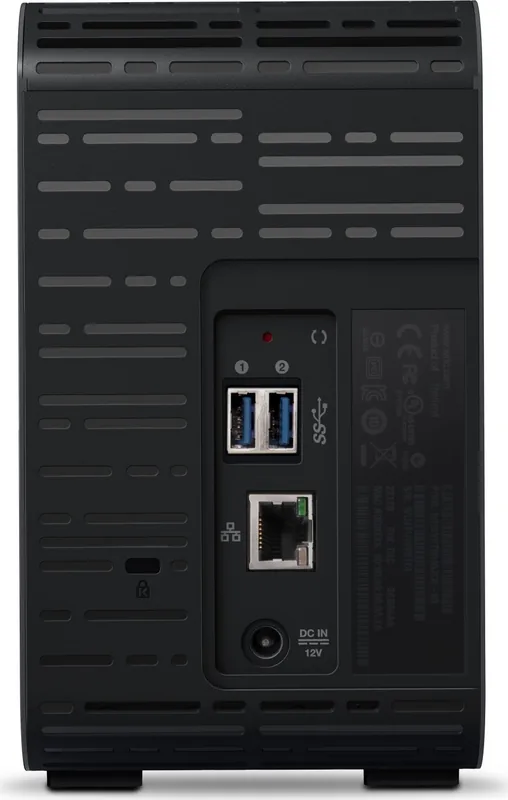
1x Gb LAN
Additional Ports
2x USB-A 3.0
RAID Level
0/1/JBOD
CPU
Marvell Armada 385, 2x 1.30GHz
Fan
1x 1.57in, 9500rpm
Dimensions
3.90x6.50x6.18in (WxHxD)
Special Features
256bit AES Encryption, iSCSI, DLNA-Server, FTP-Server, BitTorrent-Client, WebDAV, iTunes-Server
Warranty
36 Months
USB Notation
Link
Product Description
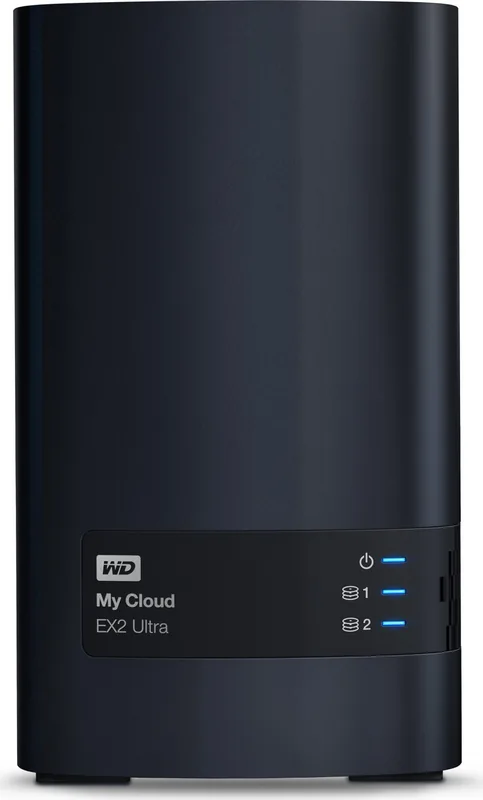
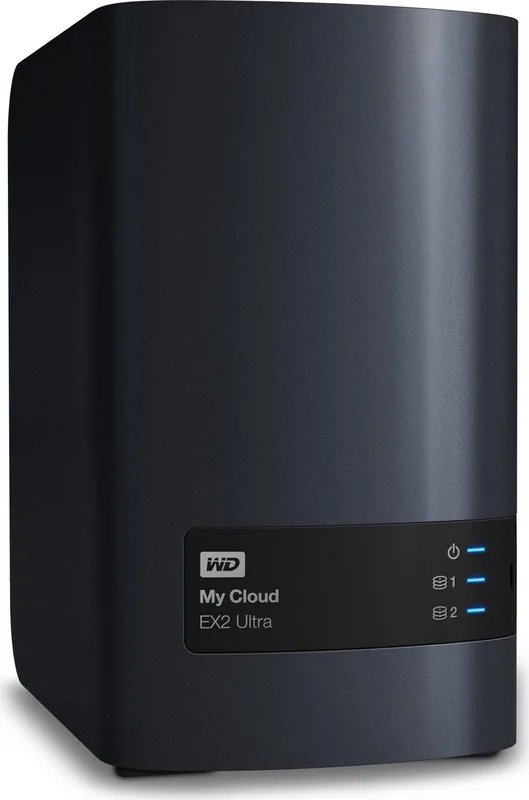
Western Digital My Cloud EX2 Ultra: A Practical Private Cloud
Western Digital My Cloud EX2 Ultra is built for people who want the convenience of cloud storage without giving up control. This two-bay NAS device brings files, photos, music, and backups into one central place, making it a smart choice for home users, creative professionals, and small offices that need dependable shared storage. It combines flexible storage management with remote access, media streaming, and a clean dashboard that makes everyday administration easier.
One of the biggest strengths of the My Cloud EX2 Ultra is its versatility. Users can choose from multiple drive configurations, including RAID 0, RAID 1, JBOD, and spanning, depending on whether they want speed, redundancy, or maximum capacity. The unit also supports drive-less models, USB expansion, and advanced features such as iSCSI, volume encryption, UPS support, and virtual volumes. For anyone researching the Western Digital My Cloud EX2 Ultra Manual, the setup guidance highlights how much attention WD gives to installation, safety, and long-term storage control.
The device is designed for both local and remote access. Once connected to a router, it can be reached from computers, tablets, and smartphones, while mobile apps make it easier to browse files, upload media, and share content on the go. The system also supports public and private shares, user groups, quotas, and permission controls, so families or teams can organize access without losing security. Built-in support for DLNA and iTunes means the same device can also act as a media server for streaming content around the home.
Backup options are another highlight. My Cloud EX2 Ultra supports USB backup, remote backup to another WD device, internal backups between locations on the same unit, and cloud backup services such as ElephantDrive and Amazon S3. This gives users several ways to protect important data and recover it when needed. The dashboard also helps with alerts, firmware updates, app management, and system health monitoring.
Overall, My Cloud EX2 Ultra stands out as a flexible private cloud solution that balances ease of use with powerful storage tools. It is not just about saving files; it is about creating a more organized, secure, and accessible digital workspace.
Notes
- Best suited for users who want private cloud access without monthly fees.
- RAID choice should match your priority: speed, safety, or capacity.
- Changing RAID modes removes existing data, so backups matter first.
Search for 67,706 Manuals online


Type-in Brand or Model