
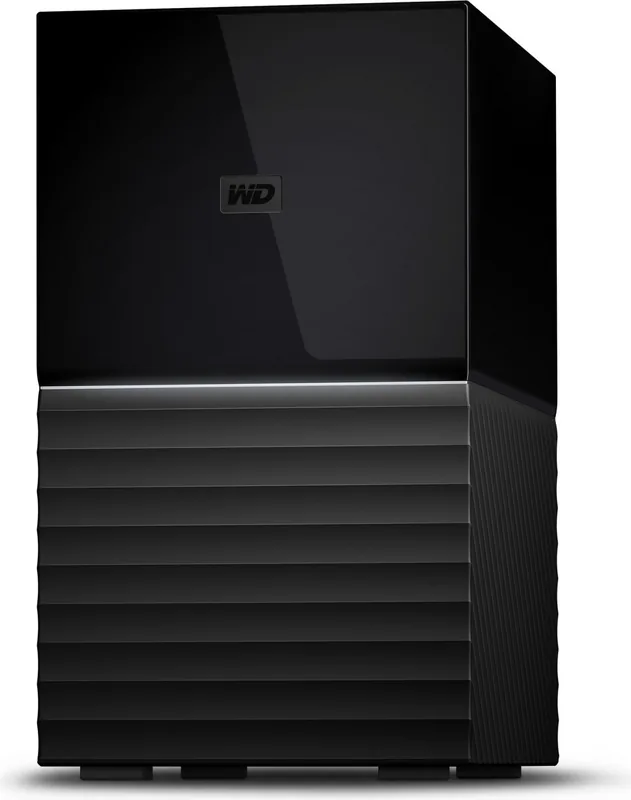
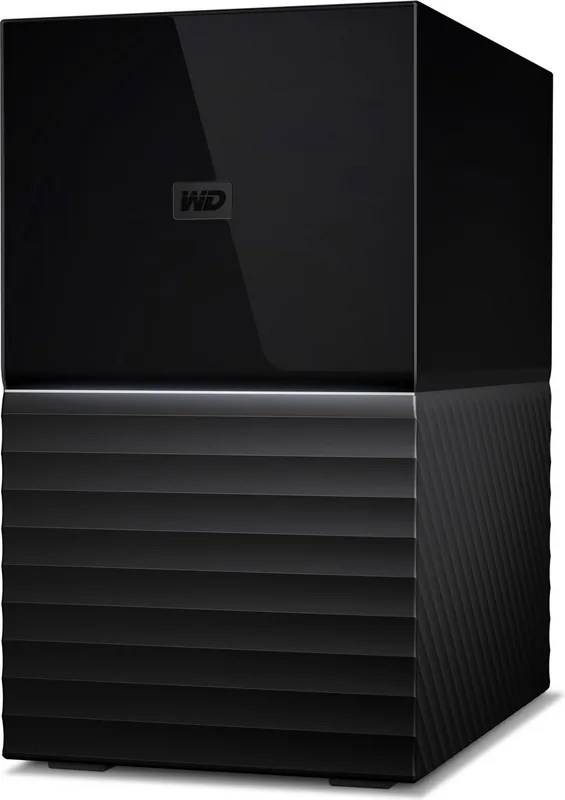
Western Digital My Book Duo BFBE Manual
PDF manual · 45 Pages
English



Quick check
Incorrect answer, please try again.
Chat with your Western Digital My Book Duo BFBE manual using AI
Get instant AI answers from your Western Digital My Book Duo BFBE manual
Ask anything about the Western Digital My Book Duo BFBE. Answers come from this manual, with the pages they are based on.
Ask a Question
Do you recommend My Book Duo BFBE?
Yes NoFrequently Asked Questions
Use the WD Security software to enable 256-bit AES hardware encryption and set a password. You will need this password to unlock the drive after restart or disconnection.
Is this answer helpful?
Yes, for storage purposes, but the WD Backup software is Windows only. You can read and write files using macOS or reformat to HFS+J.
Is this answer helpful?
Access is blocked. You can reset the device by erasing the hard drive, which removes the password but also deletes all data permanently.
Is this answer helpful?
Yes, you can replace existing drives with new ones after turning off the device, provided the new capacity matches power supply requirements.
Is this answer helpful?
This is an SES driver issue. Install WD Discovery or allow Windows to install the SCSI driver automatically to stop the prompt.
Is this answer helpful?
The drive supports RAID 0 for speed, RAID 1 for mirroring data, and JBOD for independent drive operation.
Is this answer helpful?
Most regions offer a three-year warranty from the date of purchase covering manufacturing defects under normal use conditions.
Is this answer helpful?
Advantages and Disadvantages
Advantages

- High storage capacity with RAID options for speed and redundancy.
- Built-in 256-bit AES hardware encryption protects sensitive data.
- Comprehensive software suite including Backup and Drive Utilities.
- USB Type-C support allows for fast data transfer speeds.
- USB Hub functionality supports connecting multiple peripherals at once
Disadvantages

- WD Backup software does not work on macOS operating systems.
- The device is designed for desktop use and is not portable.
- Power adapter requirements vary based on hard drive capacity installed.
- Drive replacement requires a manual process without hot swap support.
- Reformatting the drive will permanently delete all existing data stored
Product Specification
Form Factor
3.5"
Internal Interface
2x SATA 6Gb/s
External Interface
1x USB-C 3.0
RAID Level
0/1/JBOD
Fan
N/A
Dimensions
7.09 x 6.30 x 3.94 inches
Color
Black
Features
256-bit AES Encryption, 1x USB-Hub (2x USB-A 3.0)
Manufacturer Warranty
3 Years
USB Position
Left
Product Description
Experience Unmatched Storage with the Western Digital WD My Book Duo BFBE HDD extern Manual
The Western Digital WD My Book Duo BFBE HDD extern Manual offers a comprehensive guide for managing massive data storage needs. This device is designed for desktop environments where reliability, speed, and redundancy are paramount. Users can store vast amounts of photos, videos, music, and critical documents in one secure location. The unit features WD Red hard drives optimized for RAID configurations, ensuring data integrity during read and write operations.
Setup and Connectivity
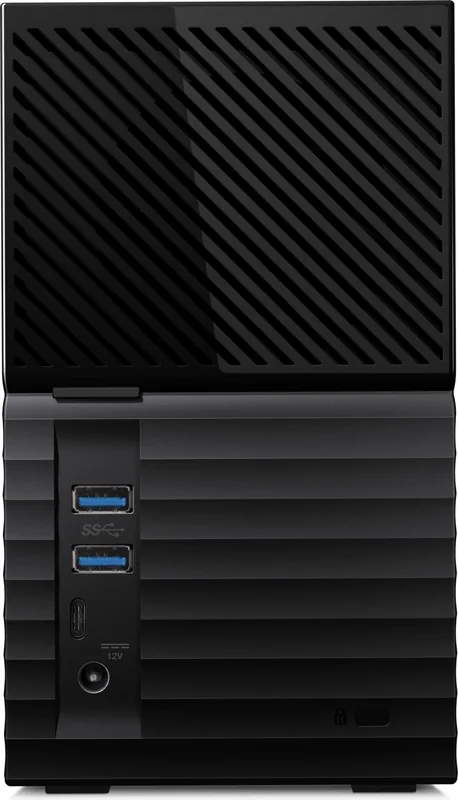
Connecting the unit is straightforward using the included USB Type-C to Type-C or Type-C to Type-A cables. It supports USB 3.1 Gen 1 standards for optimal performance across all ports. Two additional USB 3.0 Type-A ports allow for connecting other peripherals like keyboards or USB sticks, effectively turning the drive into a docking hub. The front LED indicates system status through color and blinking patterns, while a rear power switch controls operation. You must ensure the correct power supply is used depending on the capacity, as higher capacities require more Amps to prevent instability.
RAID and File System Options
Storage configuration is flexible. The unit defaults to RAID-0 for maximum speed and capacity but supports RAID-1 for redundancy or JBOD for independent operations. The drive comes pre-formatted with NTFS for Windows compatibility. Users can reformat to exFAT or HFS+J for cross-platform use depending on their needs. Changing configurations deletes all data, so backup is essential before proceeding. This ensures your important files are safe while you adjust settings for performance needs.
Software Integration
Management is handled through the WD Discovery software suite. This hub provides access to WD Backup tools, WD Security for password protection, and WD Drive Utilities. The WD Security software adds 256-bit AES hardware encryption capabilities. Although the WD Backup software is limited to Windows systems, macOS users can utilize other tools. The device supports importing data from cloud services like Dropbox directly. It also includes Acronis True Image for cloning the system drive for recovery purposes.
Maintenance and Troubleshooting
Maintaining the health of your drive is critical for long-term storage. The WD Drive Utilities software allows you to run diagnostic tests on disk health. Firmware updates are pushed through the Discovery application. If issues arise, the manual details how to replace drives safely. Always power off the device before removing a drive to avoid data corruption. If Windows prompts for an SES driver, allow the automatic installation to fix connectivity warnings effectively.
Security and Warranty
Security is a priority with built-in encryption protocols. You can set a password to lock the drive, protecting contents from unauthorized access. Five failed attempts will lock the device until a valid password is entered or the drive is erased. The manual outlines procedures for resetting the password or replacing failing drives. A standard three-year warranty covers material and processing defects under normal use.
Search for 67,706 Manuals online


Type-in Brand or Model