
Western Digital My Book BBGB Manual
PDF manual · 41 Pages
English



Quick check
Incorrect answer, please try again.
Chat with your Western Digital My Book BBGB manual using AI
Get instant AI answers from your Western Digital My Book BBGB manual
Ask anything about the Western Digital My Book BBGB. Answers come from this manual, with the pages they are based on.
Ask a Question
Do you recommend My Book BBGB?
Yes NoFrequently Asked Questions
It is mainly used for desktop storage, scheduled backups, and secure file archiving. It suits users who want a large-capacity drive for photos, videos, documents, and system backups.
Is this answer helpful?
Yes. It works with WD Backup and can also support Apple Time Machine and Acronis True Image WD Edition. You can schedule backups to run automatically at set times.
Is this answer helpful?
The drive supports password protection with 256-bit AES hardware encryption. You can set a password through WD Security to help keep files private and control who can access them.
Is this answer helpful?
Yes. It is formatted as exFAT for broad compatibility with updated Windows and Mac systems. Compatibility can vary by hardware and operating system version.
Is this answer helpful?
Use the safe removal option in Windows or drag the drive to the trash on Mac. This helps prevent file corruption, especially because the drive uses exFAT formatting.
Is this answer helpful?
If you forget the password, you may lose access to the data on the drive. In many cases, the drive must be erased before it can be used again, which deletes all stored files.
Is this answer helpful?
Advantages and Disadvantages
Advantages

- Strong backup support with WD Backup, Time Machine, and Acronis compatibility.
- 256-bit AES hardware encryption helps protect private files.
- USB 3.0 offers fast transfers and works with USB 2.0 devices.
- exFAT formatting improves compatibility with modern Windows and Mac systems.
- WD Drive Utilities adds health checks, sleep timer, and drive management tools.
Disadvantages

- Designed as a desktop drive, so it is not ideal for travel.
- Password loss can make data inaccessible until the drive is erased.
- Erasing the drive removes all data and bundled WD software.
- Some backup features are Windows-focused, limiting flexibility for Mac users.
Product Specification
Form Factor
3.5"
Internal Connection
1x SATA 6Gb/s
External Connection
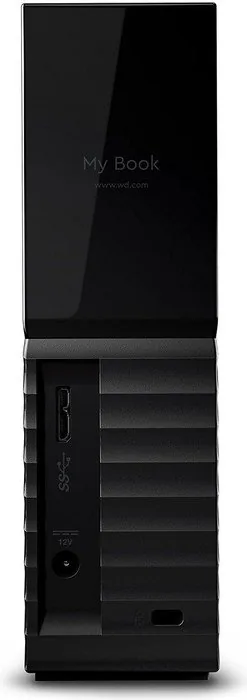
1x USB 3.0 Micro-B
RAID Level
N/A
Fan
N/A
Dimensions
6.72x5.49x1.93in
Color
black
Special Features
256bit AES-Encryption
Manufacturer Warranty
three years
USB Standard
Link
Product Description
Western Digital WD My Book BBGB External HDD: A Reliable Desktop Backup Companion
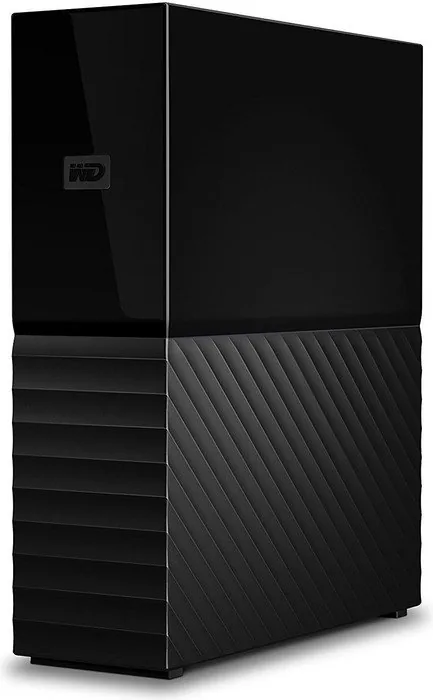
The Western Digital WD My Book BBGB external HDD is built for users who want a simple, spacious, and secure way to store important data. If you are looking for the Western Digital WD My Book BBGB external HDD Manual keyword, this drive stands out as a practical desktop storage solution that balances convenience with strong protection tools. It is designed for everyday backup, long-term archiving, and easy expansion of your computer’s storage without adding complexity.
Smart storage for daily use
One of the biggest strengths of the My Book line is its focus on complete backup support. The drive works with WD Backup, Apple Time Machine, and Acronis True Image WD Edition, making it easy to schedule backups for documents, photos, music, and videos. Instead of remembering to copy files manually, you can set a plan and let the software handle it automatically. That makes it especially useful for home offices, students, and anyone who keeps growing digital libraries.
Security and control
The My Book BBGB is also built with privacy in mind. Its 256-bit AES hardware encryption and WD Security software let you protect your data with a password. For added convenience, you can enable auto unlock on trusted computers, so access stays quick while your files remain protected. WD Drive Utilities adds more control by letting you check drive health, set sleep timers, erase the drive, and manage device settings.
Ready for modern systems
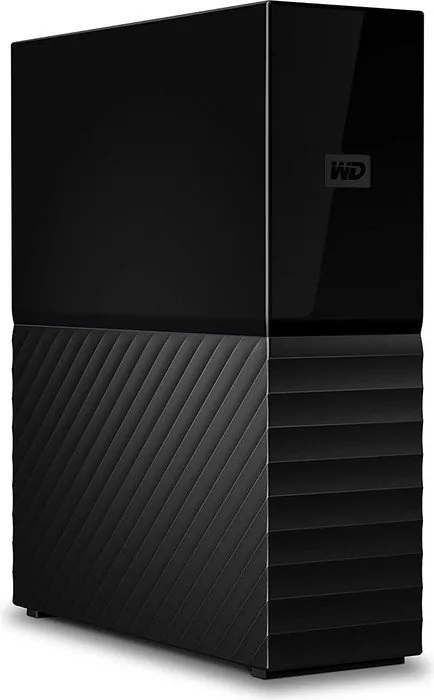
This external HDD comes formatted as a single exFAT partition, which helps it work smoothly with updated Windows and Mac systems. USB 3.0 support delivers fast transfer speeds, while backward compatibility with USB 2.0 keeps it flexible for older devices. The desktop design is bold and compact, and the included USB cable, AC adapter, and software bundle make setup straightforward.
Why it stands out
For users who want dependable storage with backup automation and security features, the WD My Book BBGB offers a polished experience. It is not meant to be a portable travel drive; instead, it performs best as a stable desktop companion that stays connected and ready when you need it most.
Notes
- Best for desktop backup and home storage
- Password protection can help keep sensitive data private
- Regular drive health checks are recommended
- Always disconnect safely to avoid data loss
Search for 67,706 Manuals online


Type-in Brand or Model