
Weller WX 1 Manual
PDF manual · 116 Pages
English



Quick check
Incorrect answer, please try again.
Chat with your Weller WX 1 manual using AI
Get instant AI answers from your Weller WX 1 manual
Ask anything about the Weller WX 1. Answers come from this manual, with the pages they are based on.
WX 1 Maintenance Schedule
Inspect all attached cables and hoses regularly. Immediately remove any damaged power tools from use.
If dirty, clean the operator panel using a suitable cleaning cloth. Ensure the unit is unplugged and cooled down before cleaning.
Check that a main filter is inserted in the vacuum unit before starting soldering work to prevent damage to the vacuum unit.
Regularly check the main filter for vacuum for contamination. Replace the filter if necessary. Contaminated filters must be treated as special waste.
Ask a Question
Do you recommend WX 1?
Yes No
Jonathan Allen
5 months ago
How does the heating speed compare to standard budget stations?
Frequently Asked Questions
The Weller WX 1 Digital Power Supply Unit supports a temperature range up to 450 degrees Celsius, which can reach 550 degrees Celsius depending on the specific tool attached.
Is this answer helpful?
Yes, the unit accepts nitrogen N2 for the hot air station variant. Nitrogen reduces oxidation and keeps flux active longer, provided the bottle has a pressure reducer set between 0 and 10 bar.
Is this answer helpful?
You can activate the button lock function to secure all settings. This feature prevents unauthorized or accidental adjustments to temperature, time, or other critical parameters during operation.
Is this answer helpful?
No, the device is designed strictly for indoor use at room temperature. It must be protected from moisture and direct sunlight to ensure safe and reliable operation.
Is this answer helpful?
The unit requires oil-free, dry compressed air with an inlet pressure between 400 and 600 kPA. The hose diameter must be 6 mm to ensure proper connection and function.
Is this answer helpful?
Repairs must only be performed by personnel trained by Weller. Using unqualified persons or non-original parts will void the warranty and may compromise safety.
Is this answer helpful?
Advantages and Disadvantages
Advantages

- Digital interface offers precise temperature control from 100 to 450°C
- Advanced safety features include button locks and automatic standby modes
- RS232 interface enables seamless integration with data logging systems
- Durable antistatic housing protects against electrostatic discharge
- Clear LCD display ensures easy monitoring of system status
Disadvantages

- Requires dry, oil-free compressed air which may need filtration
- Initial setup requires understanding of multiple programmable parameters
- Replacement parts must be original Weller items to maintain warranty
- Not suitable for use in damp or wet environments due to electrical risks
- Filter cartridges require regular replacement and proper disposal
Product Specification
Power
200W
Temperature
212-1022°F
Weight
7.54lbs
Product Description
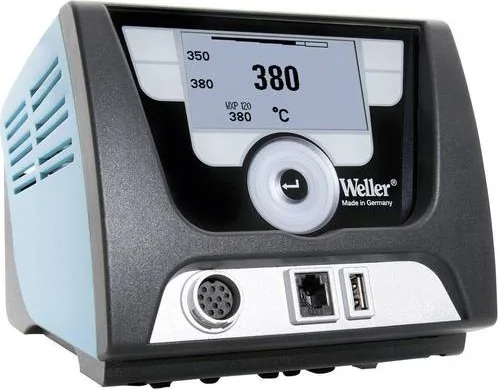
Mastering Precision with the Weller WX 1 Digital Power Supply Unit
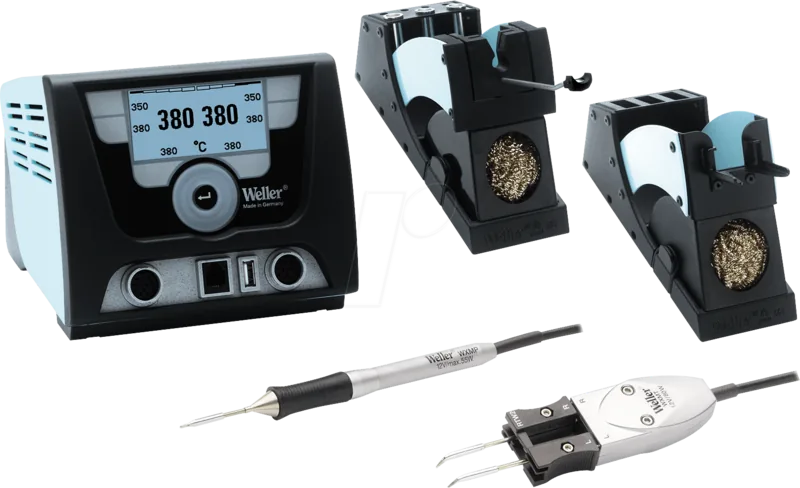
The soldering industry demands tools that combine reliability with advanced digital control, and the Weller WX 1 Digital Power Supply Unit stands as a premier choice for professionals who refuse to compromise on quality. This unit serves as the robust heart of the Weller WX series, powering a range of essential tools including soldering stations, desoldering units, and hot air systems. Designed for the demanding environment of modern electronics manufacturing and repair, the WX 1 delivers consistent performance that keeps production lines moving and intricate projects on track.
At the core of its operation is a sophisticated digital interface that allows users to fine-tune every aspect of their workflow. The unit supports precise temperature settings ranging from 100 to 450 degrees Celsius, ensuring that delicate components are handled with care while heavy-duty tasks are completed efficiently. Its stability is unmatched, maintaining thermal consistency within tight tolerances to prevent damage to sensitive circuit boards. Whether you are working with standard leaded solder or modern lead-free alloys, this power supply adapts to your needs seamlessly.
Safety remains a paramount concern in any workshop, and the WX 1 incorporates multiple layers of protection to safeguard both the operator and the equipment. Features such as button locks prevent accidental parameter changes, while automatic standby modes reduce energy consumption and extend the life of heating elements when the tool is idle. The unit also manages vacuum and hot air functions with precision, offering adjustable pre-feed and run-on times to ensure clean desoldering operations without damaging surrounding components.
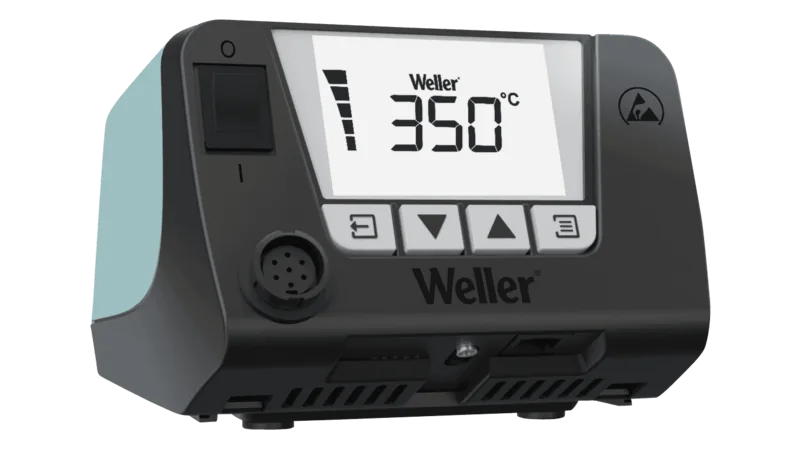
Ergonomics play a significant role in long-term productivity, and the WX 1 reflects this philosophy through its intuitive design. The clear LCD display provides real-time feedback on temperature, airflow, and system status, making it easy to monitor performance at a glance. Users can customize settings like screen brightness and contrast to suit their specific lighting conditions, reducing eye strain during extended shifts. The inclusion of an RS232 interface allows for integration with external data logging systems, enabling detailed analysis of process parameters for quality assurance purposes.
This power supply is built to last, featuring a durable antistatic housing that protects internal components from electrostatic discharge. It is compatible with a wide array of Weller accessories, allowing technicians to expand their capabilities as their projects evolve. From simple rework tasks to complex assembly lines, the Weller WX 1 Digital Power Supply Unit proves itself as an indispensable asset for anyone serious about achieving professional-grade results.
Search for 67,732 Manuals online


Type-in Brand or Model
Natasha Patel
4 months ago
Is this soldering station worth the investment for a hobbyist, or is it overkill?
Manual.ly
4 months ago
This soldering station is highly regarded for its excellent build quality and fast heat-up time. While it offers advanced settings that might seem excessive for casual use, many hobbyists find the superior performance and durability justify the cost. It ensures you are not working with inferior tools, making it a worthwhile purchase for those who value quality.