
Weller WT 1010 Manual
PDF manual · 94 Pages
English



Quick check
Incorrect answer, please try again.
Chat with your Weller WT 1010 manual using AI
Get instant AI answers from your Weller WT 1010 manual
Ask anything about the Weller WT 1010. Answers come from this manual, with the pages they are based on.
WT 1010 Maintenance Schedule
Inspect all connected cables and hoses regularly. Remove damaged power tools from use immediately.
Before every use, carefully check that safety devices function properly and as intended.
Ask a Question
Do you recommend WT 1010?
Yes NoFrequently Asked Questions
It is used for controlled soldering work on electronics, repair tasks, and precision assembly. The digital control helps users maintain consistent heat for cleaner joints and safer handling of sensitive parts.
Is this answer helpful?
Digital temperature control helps match heat to the task. That reduces overheating, improves solder flow, and makes results more repeatable across different components and soldering jobs.
Is this answer helpful?
Yes. The station is designed with ESD-aware use in mind, which is important when working on circuit boards, micro-components, and other static-sensitive electronics.
Is this answer helpful?
Yes. The operating approach emphasizes standby settings, lock options, proper tool placement, and careful handling. These features help support safer daily use in a workshop or lab.
Is this answer helpful?
It is best to use compatible WELLER tools and original accessories. That helps preserve performance, safety, and long-term reliability of the station.
Is this answer helpful?
Check the Weller WT 1010 Digital Soldering Station Manual for temperature settings, maintenance steps, safety notes, and compatible tool information. It is the best source for correct operation.
Is this answer helpful?
Advantages and Disadvantages
Advantages

- Stable digital temperature control supports precise soldering on delicate electronics.
- Standby and lock functions help improve safety and reduce accidental changes.
- ESD-conscious design suits sensitive work on modern circuit boards.
- Compact format and clear operation make it practical for benches and repair stations.
Disadvantages

- Best results depend on reading the Weller WT 1010 Digital Soldering Station Manual carefully.
- Repairs and electrical part replacement should be handled by trained personnel.
- Works best with original WELLER accessories, which may limit flexibility.
- Not intended for wet, humid, or outdoor environments.
Product Specification
Power
90W (230V)
Temperature
122-1022 F
Weight
4.19 lb
Scope of delivery
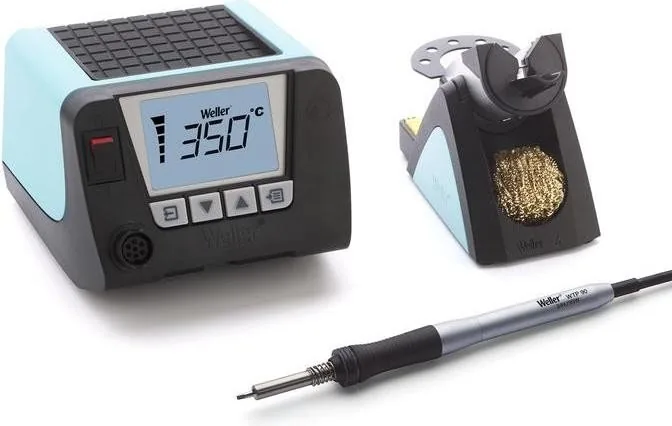
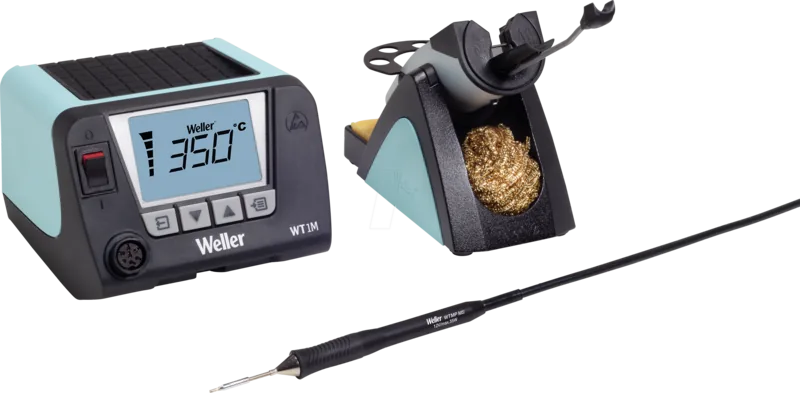
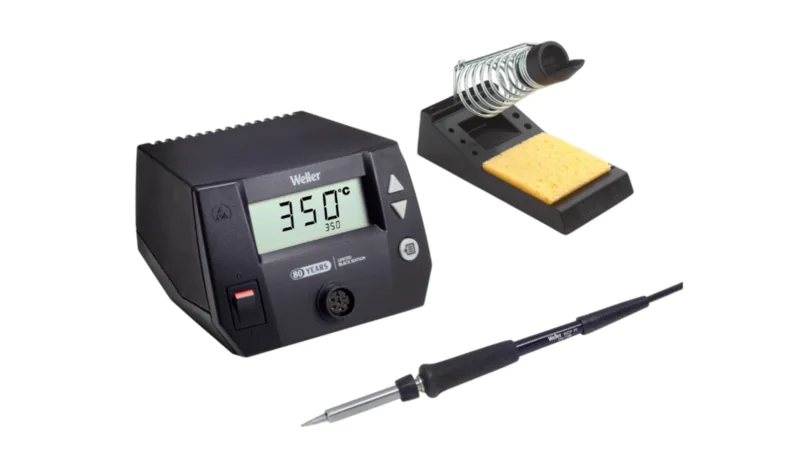
Soldering iron WTP90, soldering tip, soldering iron rest
Product Description
Weller WT 1010 Digital Soldering Station
The Weller WT 1010 Digital Soldering Station is built for users who want steady heat, dependable control, and a cleaner soldering workflow. It stands out as a practical bench tool for electronics work, repair tasks, and detailed assembly jobs where temperature stability matters. If you are looking for the Weller WT 1010 Digital Soldering Station Manual, the key takeaway is simple: this station is designed to make soldering feel more controlled, safer, and more efficient.
Precision for everyday professional work
At the heart of the station is digital temperature management. That matters because soldering is rarely one-size-fits-all. Different tips, joints, and materials need different heat levels, and a digital station helps reduce guesswork. The result is smoother flow, better joint quality, and less risk of overheating sensitive components. For technicians and careful hobbyists alike, that kind of consistency can make a real difference.
Built with safety and control in mind
The WT 1010 reflects the kind of safety thinking that experienced users appreciate. Features such as standby behavior, lock settings, and temperature adjustment options help the station stay predictable during long work sessions. It is also meant to support ESD-aware work habits, which is important when handling sensitive electronics. Combined with clear operating guidance, the station encourages disciplined use instead of rushed, careless soldering.
A practical choice for focused workspaces
This station fits well into repair benches, training labs, and small production setups. Its compact form makes it easier to organize around other tools, while the controlled heating helps maintain comfort and confidence during repeated tasks. The broader Weller approach also emphasizes compatibility with original tools and accessories, which is useful for maintaining reliability over time. For users who value long-term service and consistent results, that is a strong advantage.
What makes it appealing
The WT 1010 is especially attractive to people who want a tool that feels professional without being overly complicated. It offers a balance of usability and performance, making it suitable for both learning and regular technical work. Whether you are replacing components, assembling boards, or fine-tuning a delicate joint, the station is meant to support careful, repeatable results.
Notes
- Always unplug the unit before maintenance.
- Let the tool cool before changing tips.
- Use only compatible WELLER accessories and original parts.
- Keep the workspace dry, organized, and well ventilated.
Search for 67,732 Manuals online


Type-in Brand or Model
Lena Schmidt
7 months ago
How fast is shipping, and do you ever offer discounts on tools like the 10% deal mentioned by customers?
Manual.ly
7 months ago
We aim for fast dispatch and reliable delivery. Shipping times depend on your location and selected delivery method, but we prioritize quick processing after your order is placed. We also run promotional offers, including occasional tool discounts (for example, 10% off during campaigns). If you want to catch the best prices, check the site for current promotions or subscribe to our newsletter for updates.