
Weller WP 80 Manual
PDF manual · 35 Pages
English



Quick check
Incorrect answer, please try again.
Chat with your Weller WP 80 manual using AI
Get instant AI answers from your Weller WP 80 manual
Ask anything about the Weller WP 80. Answers come from this manual, with the pages they are based on.
WP 80 Maintenance Schedule
Always place the soldering tool in the original safety holder when not in use to prevent accidents.
Keep the heat transfer surfaces of the heating element and soldering tip clean for optimal performance.
Ask a Question
Do you recommend WP 80?
Yes NoFrequently Asked Questions
It is designed for precise soldering work, from very fine electronics tasks to jobs that need higher heat. Its slim form and fast heating make it suitable for workshop and repair use.
Is this answer helpful?
It uses an 80 W heating element and operates with a 24 V supply. This combination supports quick warm-up and stable performance during soldering.
Is this answer helpful?
Yes. The handle and cable are antistatic, and the tool is described as meeting ESD safety requirements, which is important when working with sensitive electronics.
Is this answer helpful?
Yes. The design supports quick tip changes, especially when using the tip and holder together as a fast-change system. The tip should be handled carefully because it stays hot.
Is this answer helpful?
Yes. It includes an integrated option for potential equalization, which can be connected through the compatible supply unit if needed for the application.
Is this answer helpful?
Always place it in the safety rest when not in use, keep flammable items away, avoid live circuits, and never set a hot tip on plastic or cleaning surfaces.
Is this answer helpful?
Advantages and Disadvantages
Advantages

- Fast 80 W heating helps the tip reach working temperature quickly.
- Slim body and short tip distance improve control for precise soldering.
- Antistatic handle and cable support ESD-safe work on sensitive parts.
- Potential equalization support adds flexibility for electronics work.
Disadvantages

- Requires a compatible 24 V, 80 W power supply unit.
- Hot tip handling needs care during cleaning and tip changes.
- Best performance depends on keeping contact surfaces clean.
- Setback reliability may be less ideal for very low-heat tasks.
Product Specification
Power
80W (24V)
Temperature
122-842°F
Heat-up time
10s
Package contents
Soldering tip, Soldering iron stand
Product Description
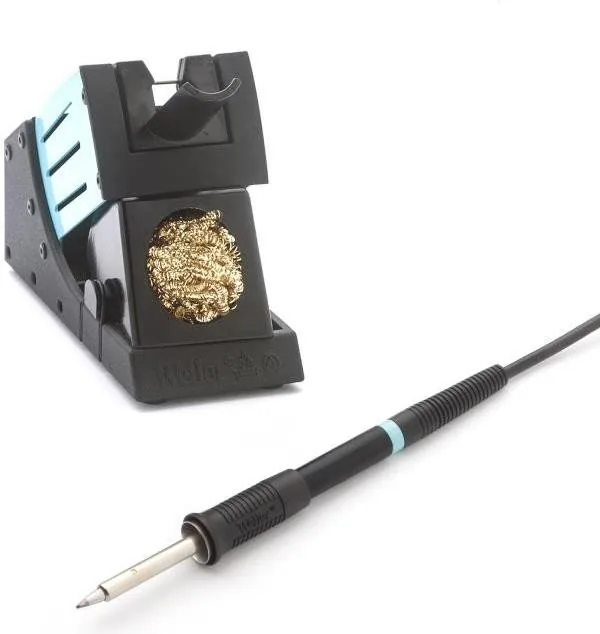
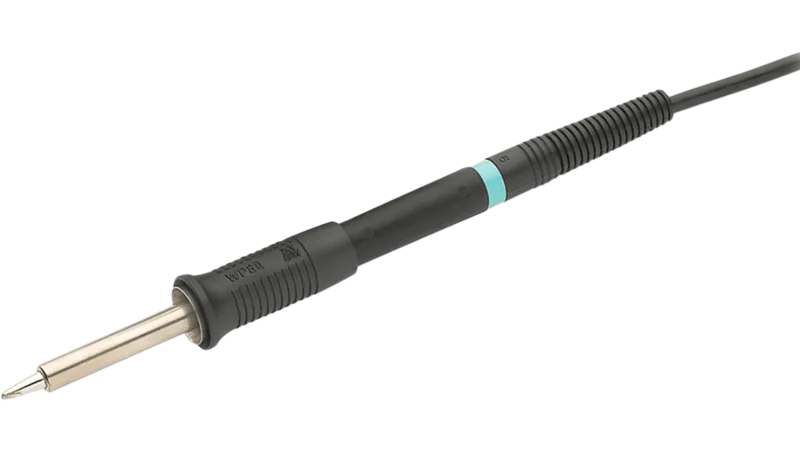
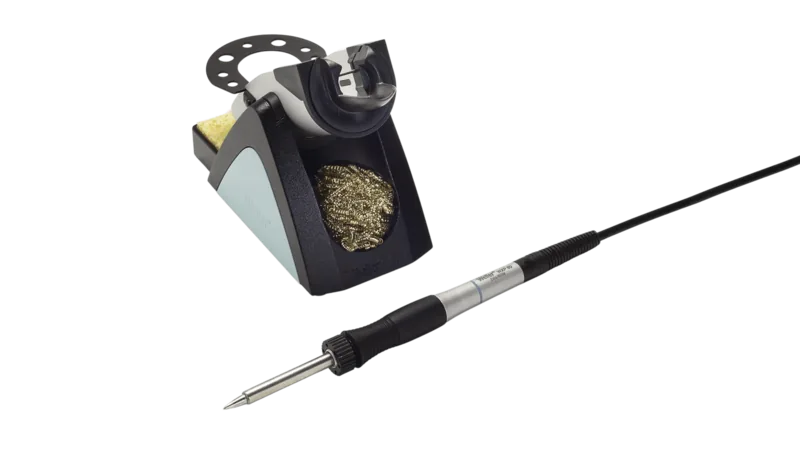
Weller WP 80 Set Soldering Iron: Fast, Precise, and ESD-Safe
The Weller WP 80 Set Soldering Iron is built for makers, technicians, and electronics enthusiasts who want reliable heat control in a compact tool. Its 80 W heating element helps the tip reach working temperature quickly, which makes it a practical choice for both delicate soldering tasks and jobs that need more thermal power. The slim body and short distance between the grip and the tip give it a balanced feel that supports accurate work.
One of the strongest points of this soldering iron is its professional-minded design. The handle and cable are antistatic, helping meet ESD safety expectations for sensitive components. An integrated potential equalization option adds another layer of control when working on electronics where grounding matters. That makes the WP 80 a thoughtful tool for repair benches, assembly stations, and service work.
The WP 80 Set Soldering Iron also stands out for everyday usability. It is meant to be placed in a safety rest when not in use, and the tip-change process is straightforward, especially when using multiple tip types. The system is designed to help users move quickly between jobs without losing time. Once connected to a compatible 24 V, 80 W supply unit, the iron is ready for stable, efficient operation.
For a blog post about dependable soldering tools, the WP 80 is a strong example of how a focused design can support real workshop needs. It is not overloaded with extras; instead, it concentrates on fast heat-up, precision, safety, and compatibility. That makes it appealing for users who want a tool that feels practical, responsive, and built for serious soldering rather than casual hobby use alone.
Notes
- Always store the iron in its safety holder when idle.
- Keep the heating area clean for better heat transfer.
- Do not work on live parts.
- Use suitable protection against burns and splashes.
Search for 67,732 Manuals online


Type-in Brand or Model
Glen Gottlieb
9 months ago
It seems a bit pricey. Is it worth the cost in terms of quality and durability?
Manual.ly
8 months ago
Yes. While the product may not be the cheapest option, reviewers consistently mention very good build quality and long service life. In other words, you are paying for materials and workmanship that hold up over time, so the total value is usually better than cheaper alternatives that may wear out sooner. If you are looking for something that lasts, this is a solid choice.