
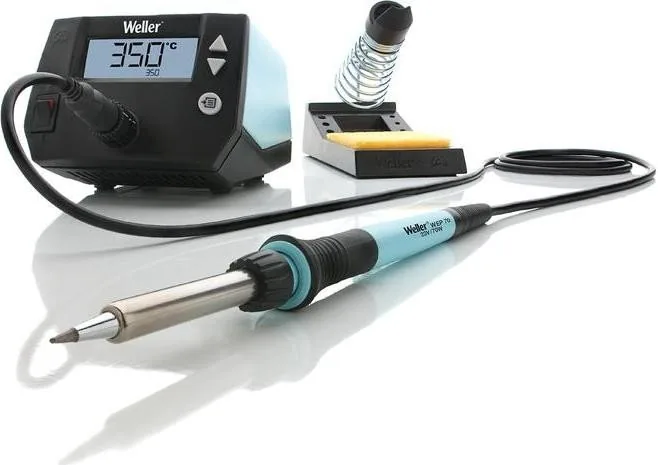
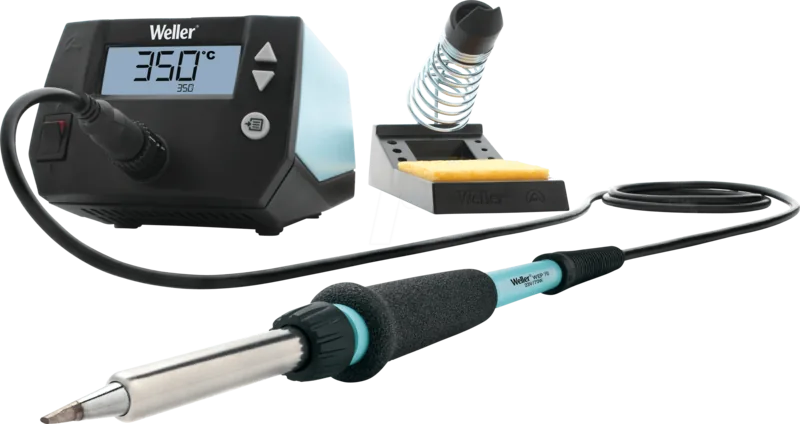
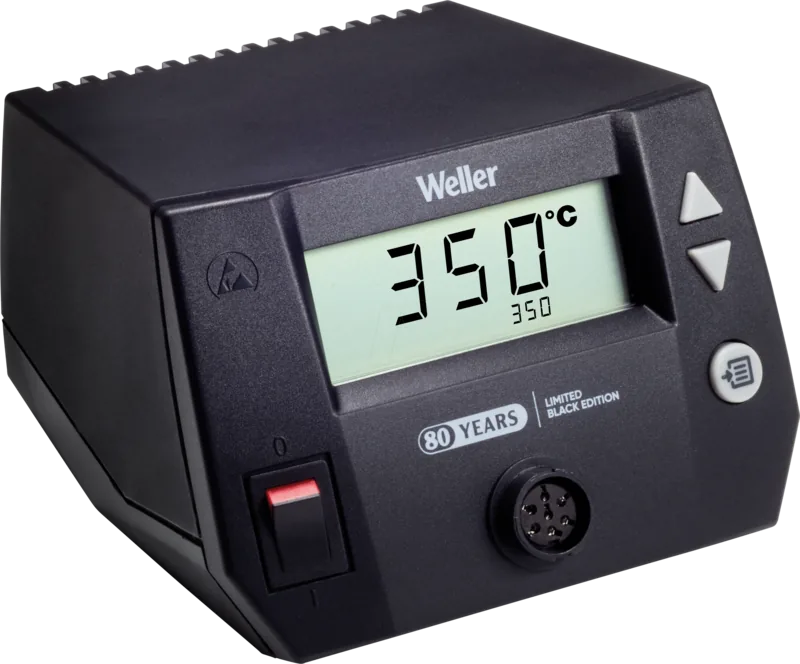
Weller WE 1010 Manual
PDF manual · 116 Pages
English



Quick check
Incorrect answer, please try again.
Chat with your Weller WE 1010 manual using AI
Get instant AI answers from your Weller WE 1010 manual
Ask anything about the Weller WE 1010. Answers come from this manual, with the pages they are based on.
WE 1010 Maintenance Schedule
Check all connected cables and hoses regularly. Remove damaged power tools immediately from use.
Keep the heat transfer surfaces of the soldering tip and heating element clean. The heating element must not contact soldering tin.
Ask a Question
Do you recommend WE 1010?
Yes NoFrequently Asked Questions
It is mainly used for soldering and desoldering electronic components with controlled heat and stable performance. It is well suited to bench work, repairs, and general electronics assembly in indoor environments.
Is this answer helpful?
Yes. The temperature can be adjusted with an offset function, allowing the user to fine-tune the average tip temperature for more consistent results across different tasks and tips.
Is this answer helpful?
Yes, it is designed with ESD-aware use in mind. The instructions also emphasize grounding, proper workspace setup, and using original compatible Weller tools for safe operation.
Is this answer helpful?
The WEP 70 soldering iron reaches working temperature quickly, with a heat-up time of about 28 seconds from 50°C to 350°C. That helps reduce waiting time during frequent bench work.
Is this answer helpful?
Keep the tip clean and well-tinned, inspect cables regularly, and only change tips when they are cold. Let the iron cool in the safety rest for at least three minutes before handling.
Is this answer helpful?
Yes, it is approachable for beginners, but users should still follow the safety instructions carefully. Its simple controls and stable behavior make it friendly, while still useful for more experienced users.
Is this answer helpful?
Advantages and Disadvantages
Advantages

- Wide temperature control with offset adjustment for more accurate soldering results.
- Compact station with a fast-heating WEP 70 iron and efficient heat transfer.
- ESD-aware design and safety guidance make it suitable for electronics work.
- Standby, lock, and temperature unit settings improve usability in shared spaces.
Disadvantages

- Best performance depends on using original Weller tips and accessories only.
- Designed for indoor use, so it is not meant for outdoor or wet environments.
- Requires careful handling and cooling time before changing tips or performing maintenance.
- Advanced users may want more specialized features than this straightforward station offers.
Product Specification
Power
70W (230V)
Temperature
212-842°F
Heating time
approx. 28s
Weight
3.09lb
Scope of delivery
Soldering iron WEP 70, soldering tip, soldering iron stand PH 70
Product Description
Weller WE 1010 Digital Soldering Station
If you are looking for a reliable setup for electronics repair, hobby work, or light professional soldering, the Weller WE 1010 Digital Soldering Station stands out as a practical and well-balanced choice. The Weller WE 1010 Digital Soldering Station Manual points to a system designed for controlled heating, stable operation, and safe day-to-day use in indoor workspaces. With a compact footprint and thoughtful controls, it is built for users who want precision without unnecessary complexity.
One of the strongest aspects of this station is temperature management. The adjustable range supports a wide variety of soldering tasks, while the offset function helps fine-tune the average tip temperature for better consistency. That makes it easier to adapt the iron to different joints, materials, and working styles. The station also supports Celsius and Fahrenheit display options, standby time settings, and a lock function, which is useful when multiple people share the same bench.
Safety is another clear focus. The unit is designed for ESD-conscious work, includes guidance for proper grounding, and emphasizes the use of original Weller tools and tips only. The soldering iron should be parked in a safety rest when not in use, and the tip should be handled only when cool. The instructions also stress proper ventilation, careful cable handling, and keeping the workspace free from children, liquids, and flammable materials. These details make the station feel dependable in real workshop conditions, not just on paper.
From a performance angle, the WE 1010 offers a fast heat-up time and a stable operating experience for common soldering jobs. The WEP 70 iron is tuned for efficient heat transfer, and the ET tip family gives users flexibility for different pad sizes and applications. For makers, technicians, and repair enthusiasts, that combination translates into smoother soldering and fewer interruptions. It is especially appealing for users who want a straightforward station with the core features that matter most.
Notes
- Best suited for indoor use at room temperature.
- Use only compatible Weller accessories and replacement parts.
- Allow the iron to cool before tip changes or maintenance.
- Regularly check cables, the safety rest, and tip condition.
- For long pauses, standby or shutdown helps protect the tip and save energy.
Quick Take
The Weller WE 1010 Digital Soldering Station blends control, safety, and convenience in a compact format. It is a solid fit for users who value accurate temperature handling, clean ergonomics, and trusted Weller reliability in everyday soldering work.
Search for 67,732 Manuals online


Type-in Brand or Model
dolor22
8 months ago
My Weller soldering station smells strongly of chemicals/solvent after unpacking, and the odor seems to linger for weeks. Is it normal, how long should it last, and what should I do if it does not go away?
Manual.ly
8 months ago
A strong chemical smell right after unpacking is usually caused by manufacturing or packaging residues that off-gas from the sealed housing. It typically gets noticeably better after thorough ventilation, but it can take 1-2 weeks or sometimes longer depending on room conditions. Please air the station in a well-ventilated area, and you may also heat it briefly while ventilating (do not use it in a living space if the odor is still intense). If the odor remains very strong after several weeks, or you cannot safely use the device because it affects your room, stop using it and contact support or request a return/exchange. We can help check the unit and next steps.