
Weller WE 1010 Education Kit Manual
PDF manual · 118 Pages
English



Quick check
Incorrect answer, please try again.
Chat with your Weller WE 1010 Education Kit manual using AI
Get instant AI answers from your Weller WE 1010 Education Kit manual
Ask anything about the Weller WE 1010 Education Kit. Answers come from this manual, with the pages they are based on.
WE 1010 Education Kit Maintenance Schedule
Inspect all connected cables and hoses regularly for damage. Remove damaged power tools from use immediately.
Keep the heat transfer surfaces of the soldering tip and heating element clean. Ensure the heating element does not contact soldering tin.
Ask a Question
Do you recommend WE 1010 Education Kit?
Yes NoFrequently Asked Questions
It is designed for soldering and desoldering tasks in electronics, training, maintenance, and general repair work. The kit suits users who want controlled temperature performance and a safer, more structured workflow.
Is this answer helpful?
Yes. The digital station offers temperature control and can be adjusted for different applications. This helps users match heat settings to the component, solder type, and task at hand.
Is this answer helpful?
Yes, especially for learners in workshops or education settings. The manual-style guidance encourages safe habits, proper tip care, and correct tool use, which makes it practical for training.
Is this answer helpful?
The recommended setup is to use compatible Weller tools and original parts. Using approved accessories helps maintain performance, safety, and warranty expectations.
Is this answer helpful?
Important points include using the safety rest, avoiding contact with hot tips, keeping the workstation clear, and following ESD-aware practices. The iron can stay hot after switching off, so cooling time matters.
Is this answer helpful?
Keep the tip tinned, avoid aggressive flux, choose the right tip shape, and let it cool before changing it. Regular care improves heat transfer and helps extend tip life.
Is this answer helpful?
Advantages and Disadvantages
Advantages

- Digital control helps deliver stable, precise soldering results for learning and repair work.
- Compact station design fits small workspaces without giving up core professional features.
- WEP 70 iron heats quickly and supports a broad temperature range for different tasks.
- Safety-focused guidance supports ESD-aware, indoor use and better tool handling habits.
Disadvantages

- Best results depend on following proper maintenance and tip-care routines.
- Designed for indoor use only, so it is not suited to outdoor environments.
- Works best with original Weller accessories, which may limit flexibility for some users.
Product Specification
Power
70W (230V)
Temperature
212-842°F
Soldering tip width
0.063 in
Heating time
approx. 28s
Scope of delivery
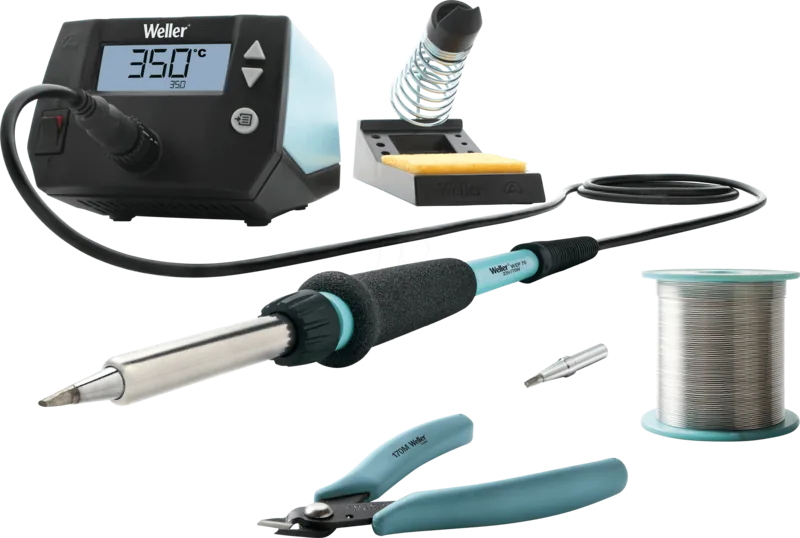
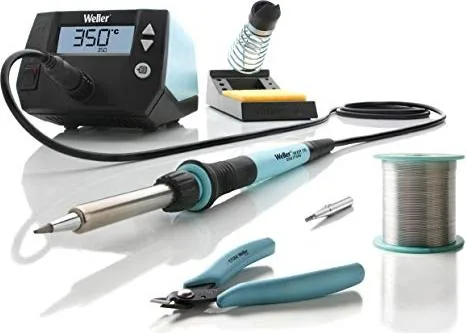
Soldering iron WEP 70, Soldering tips ETA 0.063 in, ETB 0.09 in, Soldering iron stand PH 70, Solder wire WSW SCN M1, Side cutter 170MN
Product Description
Weller WE 1010 Education Kit Digital Soldering Station Set
The Weller WE 1010 Education Kit Digital Soldering Station Set is built for users who want dependable soldering performance with a clear focus on safety, precision, and everyday practicality. For learners, technicians, and hobbyists alike, it offers a compact setup that feels approachable while still delivering the control expected from a professional-style station.
At the center of the kit is a digital soldering station paired with the WEP 70 iron, designed to handle a wide temperature range and heat up quickly. That combination makes it suitable for delicate electronics work, classroom demonstrations, maintenance tasks, and general repair jobs. The station also supports standby behavior and temperature adjustments, which helps reduce unnecessary wear during pauses and keeps work more efficient.
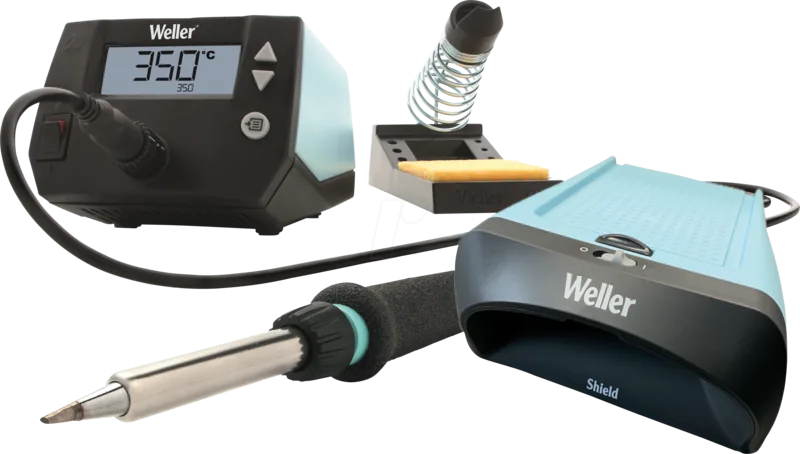
The Weller WE 1010 Education Kit Digital Soldering Station Set Manual emphasizes safe operation, and that attention shows in the product concept. Features such as ESD-conscious handling, a safety rest, and clear guidance for proper tip care make the kit especially appealing for controlled environments. It is intended for indoor use, and its design encourages disciplined working habits, from placing the iron in the holder when not in use to using the correct tips and accessories only.
Another strength of this set is its educational value. It is not just about heating a tip and melting solder; it also teaches best practices that matter in real-world electronics work. Users are encouraged to keep the tip tinned, choose the right shape for the job, and work at the lowest practical temperature. These details help support cleaner joints, better tool life, and more consistent results.
For a blog post style takeaway, this soldering station stands out as a reliable balance of usability and control. It is compact enough for smaller workspaces, yet serious enough to support skill development and repeated use. If you want a set that combines practical performance with thoughtful safety-minded design, the WE 1010 is an easy one to appreciate.
Notes
- Use only compatible Weller tools and original tips.
- Keep the iron in the safety rest during pauses.
- Clean and maintain the tip regularly for better performance.
- Follow the manual for temperature and standby settings.
Search for 67,732 Manuals online


Type-in Brand or Model
unde_molestiae
8 months ago
Does this soldering station work as described and deliver good performance for the price?
Manual.ly
8 months ago
Yes. Based on typical customer feedback, the soldering station meets the product description and performs reliably. Users report fast heating and smooth soldering results, and they are generally satisfied with the value for money. For best results, use the recommended soldering tip for your task, let the station reach the set temperature before soldering, and follow the included safety guidance (good ventilation, stable working surface). If you ever notice temperature instability or heating issues, contact support with your order details so we can help troubleshoot and confirm compatibility with your solder and tip size.