
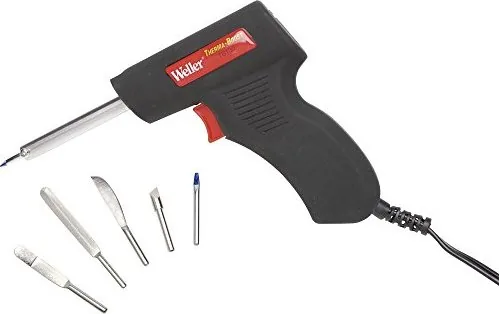
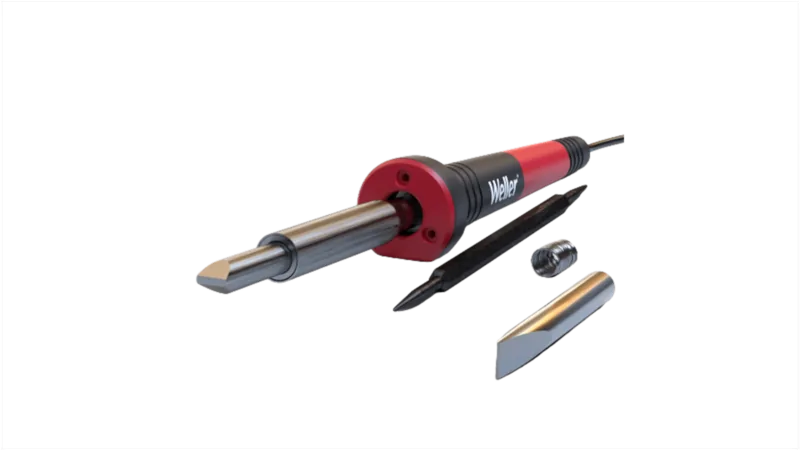
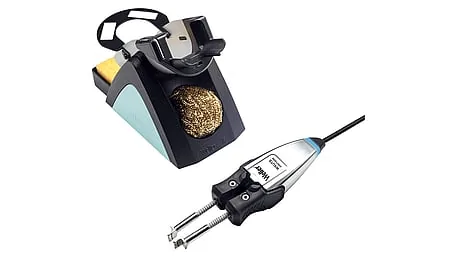
Weller Therma-Boost TB100EU Manual
PDF manual · 21 Pages
English



Quick check
Incorrect answer, please try again.
Chat with your Weller Therma-Boost TB100EU manual using AI
Get instant AI answers from your Weller Therma-Boost TB100EU manual
Ask anything about the Weller Therma-Boost TB100EU. Answers come from this manual, with the pages they are based on.
Ask a Question
Do you recommend Therma-Boost TB100EU?
Yes No
Amy Rogers
5 months ago
Is the green indicator light supposed to flicker occasionally, or is this a defect?
Frequently Asked Questions
The THERMA-BOOST mode activates for 8 seconds after the initial 45-second warm-up cycle. Subsequent boosts also last approximately 8 seconds before returning to standard mode.
Is this answer helpful?
Yes, the Weller TB100EU is versatile enough for cutting foam, model making, and various crafts due to its adjustable power and variety of available tips.
Is this answer helpful?
The lights indicate the operational mode. Green means standard 30W mode, while both green and red lights indicate the 130W THERMA-BOOST mode is active.
Is this answer helpful?
No, replacing the power cord must be done exclusively by a qualified electrician to ensure safety and maintain warranty compliance.
Is this answer helpful?
After switching off, the tip requires a certain amount of time to cool down completely. Do not store the tool until it has reached room temperature.
Is this answer helpful?
Advantages and Disadvantages
Advantages

- Combines speed of a gun with comfort of an iron
- THERMA-BOOST mode provides instant high power
- Lightweight design reduces user fatigue
- Automatic safety switch prevents overheating
- Suitable for diverse tasks like foam cutting
Disadvantages

- Requires specific 230V power source only
- Tip remains hot for some time after switching off
- Must wait 45 seconds between boost cycles initially
- Noisy trigger mechanism compared to silent irons
- Cord replacement requires professional service
Product Specification
Power
130W (230V)
Temperature
max. 950°F
Heating time
45s
Weight
8.11oz
Package contents
6 soldering tips, soldering iron stand
Product Description
Master Precision with the Weller Therma Boost TB100EU
The Weller Therma Boost TB100EU Soldering Iron Manual introduces a revolutionary heat tool that seamlessly blends the power of a soldering gun with the precision of a traditional soldering iron. Designed for professionals and hobbyists alike, this device features a unique dual-mode system that delivers rapid heating capabilities while maintaining a lightweight and ergonomic form factor. Whether you are repairing delicate electronics, crafting models, or cutting foam, this tool adapts to your needs effortlessly.
At the heart of the TB100EU is the innovative THERMA-BOOST technology. This second-stage mode allows the tip to reach operating temperature incredibly fast by delivering a burst of 130 watts of power. Once the initial boost is complete, the tool automatically switches back to a standard 30-watt mode after 45 seconds to prevent overheating during continuous use. This intelligent cycling ensures consistent performance without damaging sensitive components. The green and red indicator lights on the rear provide clear visual feedback on the current operating status, making it easy to monitor the tool's readiness at a glance.
Versatility is a key strength of this soldering iron. It comes equipped with a variety of tips suitable for numerous applications, from intricate home electronics repairs to larger crafts like model making and foam cutting. Its light weight reduces hand fatigue, allowing for extended periods of comfortable work. Safety is paramount, with built-in mechanisms to prevent accidental activation and strict guidelines for handling the hot tip. Always ensure the tool is placed in its rest when not in use and allow adequate cooling time before storage.
Key Features
- Dual Power Modes: Switch between 30W standard operation and 130W THERMA-BOOST for quick thermal loads.
- Rapid Heat Up: Achieve working temperature in seconds thanks to the advanced heating element.
- Continuous Use Design: Unlike traditional guns, this tool is built for uninterrupted workflow.
- Visual Indicators: LED lights clearly show if the tool is in standard or boost mode.
- Safety First: Automatic return to standard mode prevents overheating and component damage.
Important Notes
Always read the safety instructions before first use. Do not touch the tip immediately after use as it remains hot. Only qualified electricians should perform repairs on the power cord. Ensure the voltage matches your local supply (230V AC 50Hz) to avoid damage.
Search for 67,732 Manuals online


Type-in Brand or Model
Yasmeen Reilly
5 months ago
Does the Weller TB100EU soldering gun actually reach higher temperatures during the boost mode, or does it stay at the same level?
Manual.ly
5 months ago
The device is designed to operate continuously at 30W and can boost to 130W for short periods. However, user feedback indicates that the boost duration in practice may be shorter than expected (around 15 seconds instead of 45), which might not result in a significant temperature increase for all tasks. For standard applications, the 30W setting provides sufficient heat.