
Weller TCP-S Magnastat Manual
PDF manual · 32 Pages
English



Quick check
Incorrect answer, please try again.
Chat with your Weller TCP-S Magnastat manual using AI
Get instant AI answers from your Weller TCP-S Magnastat manual
Ask anything about the Weller TCP-S Magnastat. Answers come from this manual, with the pages they are based on.
TCP-S Magnastat Maintenance Schedule
Wipe the hot tip on a wet sponge before every soldering operation. Do not use aggressive fluxes or mechanical tools.
Apply solder to the tip during the first heating to remove oxide layers and dirt.
Cover the tip regularly and sufficiently with solder. Never place the iron in the holder without tinning.
Ask a Question
Do you recommend TCP-S Magnastat?
Yes NoDo you recommend TCP-S Magnastat?
Yes NoFrequently Asked Questions
Its Magnastat system uses a Curie-effect temperature sensor built into the tip area, which helps maintain steady heat without complex electronics. That gives it reliable, repeatable performance for soldering work.
Is this answer helpful?
The main switching temperatures are 260°C, 310°C, 370°C, and 425°C. In practice, the manual recommends using a lower working range around 300°C to 380°C depending on solder and the job.
Is this answer helpful?
Because the system is tuned for them. Using original tips helps preserve regulation accuracy and reduces premature wear, while non-original tips may shorten the life of the iron.
Is this answer helpful?
Tin the tip during first heating, wipe it with a damp sponge before soldering, avoid abrasive cleaning, and never store it dry. Good tip care improves heat transfer and extends service life.
Is this answer helpful?
It should be kept away from magnetic fields and iron-like surfaces. Those external influences can interfere with the switch mechanism and affect temperature control.
Is this answer helpful?
It is best for controlled electronics and repair soldering. The manual advises avoiding live circuits and using proper safety precautions, clothing, and a clean work area for safe operation.
Is this answer helpful?
Advantages and Disadvantages
Advantages

- Stable Magnastat temperature control keeps soldering heat consistent.
- Simple Curie-effect design is durable and not prone to normal wear.
- Clear temperature settings support different soldering tasks.
- Works best with Longlife tips, helping extend overall tool performance.
Disadvantages

- Performance depends on using the correct Weller stand and tips.
- Magnetic fields or iron-like surfaces can interfere with regulation.
- Requires regular tip care to avoid oxidation and poor joints.
- Not suitable for working on live electrical parts.
Product Specification
Power
50W (24V)
Temperature
500-896°F
Scope of delivery
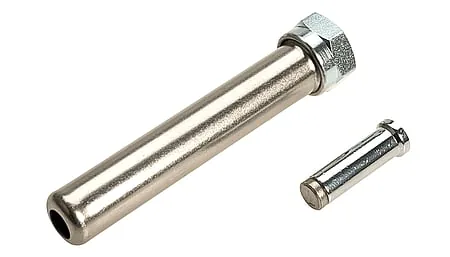
Soldering tip LT M, Adapter PT7-LT
Product Description
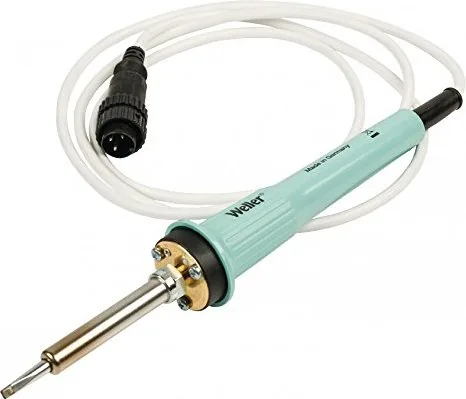
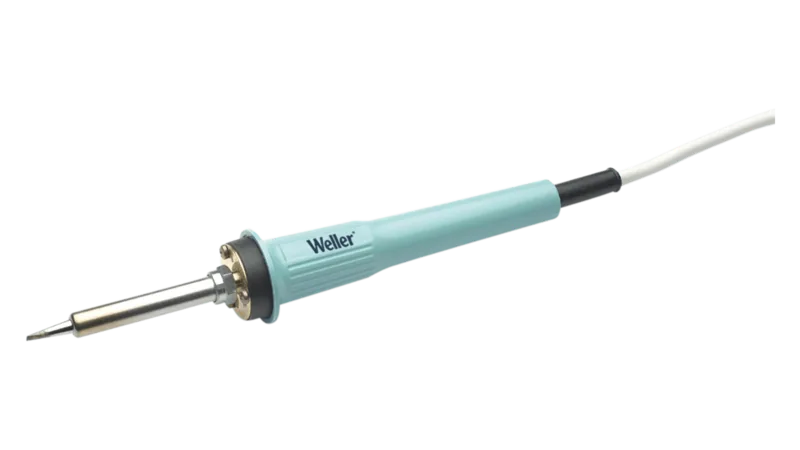
Weller TCP-S Magnastat Soldering Iron: Simple, Stable, and Built for Precision
The Weller TCP-S Magnastat Soldering Iron stands out for one reason above all: dependable temperature control without unnecessary complexity. In the Weller TCP-S Magnastat Soldering Iron Manual, the tool is presented as a practical soldering solution for users who value consistent heat, long service life, and a straightforward workflow. That makes it a strong fit for electronics work, repair tasks, and everyday soldering jobs where steady performance matters more than flashy features.
At the heart of this iron is the Magnastat system, a clever temperature-control method based on the Curie effect. Instead of relying on a complicated electronic sensor, the soldering tip itself helps regulate heat. When the selected temperature is reached, the magnetic behavior changes and the heating cycle adjusts automatically. The result is a stable tool that reacts quickly and remains reliable over time. Available switching temperatures include 260°C, 310°C, 370°C, and 425°C, giving users clear options for different soldering needs.
Another advantage is the tool’s focus on proper technique and long-term performance. The iron is designed to work best with Weller Longlife tips and an original safety stand. That may sound strict, but it helps protect the system from unnecessary wear and keeps the temperature regulation working as intended. The manual also stresses key habits such as tinning the tip during first use, wiping it on a damp sponge before soldering, and avoiding mechanical damage to the heating element.
For anyone who wants a soldering iron that feels classic but still highly engineered, the TCP-S is an appealing choice. It is especially useful for users who prefer a dependable tool with clear operating rules and minimal fuss. Rather than chasing maximum temperature, the design encourages controlled soldering in the 300°C to 380°C range, which supports cleaner joints and longer tip life.
Notes
- Always place the iron in its safety rest when not in use.
- Keep flammable materials away from the work area.
- Avoid magnetic interference and non-original tips.
- Regular tip care makes a major difference in performance.
Search for 67,732 Manuals online


Type-in Brand or Model
Elena Kovacs
10 months ago
Does this soldering iron keep a stable temperature during use, and how reliable is the Magnastat system?
Manual.ly
10 months ago
Yes. Several users report that the Magnastat system helps the soldering iron hold its set temperature reliably, with very few issues during normal soldering. That means less waiting for warm-up and more consistent results while you work. For best long-term performance, use the iron within its intended applications, keep the tip clean (regularly tin it, wipe off residue), and avoid leaving it powered on unnecessarily when not in use. Like any soldering tool, real durability also depends on usage and maintenance.