

Free Wacom Manuals – Read, Download & Print
2 Manuals
Manuals
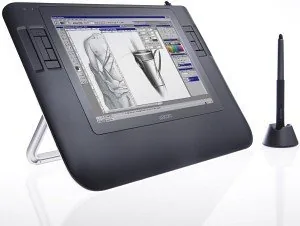
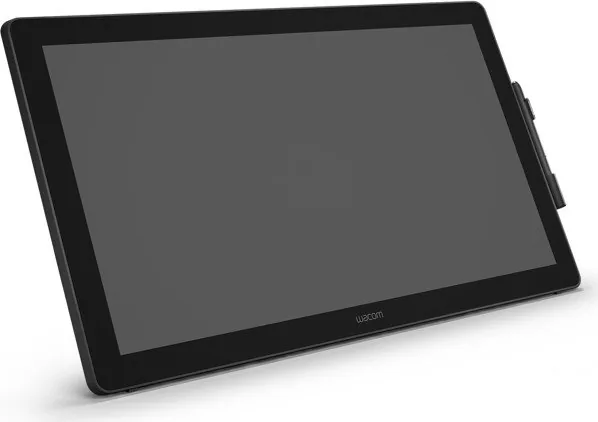
Categories

Wacom Manuals
Overview
Wacom Manuals is a useful keyword for anyone looking for clear, practical guidance on Wacom devices, software, and accessories. Whether you are setting up a pen tablet for the first time, troubleshooting a display tablet, or learning how to configure shortcut keys and pressure settings, manuals are one of the most important resources available. They help users understand how to operate a product safely, connect it correctly, and get the most value from its features.
Why the Keyword Matters
People search for Wacom manuals when they need quick answers without guessing or relying on scattered forum posts. A manual can provide step by step instructions, product specifications, maintenance advice, and software setup details in one place. For artists, designers, students, and professionals, this saves time and reduces mistakes. The keyword also reflects a broader need for trusted documentation that supports different Wacom product lines and different levels of user experience.
What Wacom Manuals Usually Include
Wacom manuals are typically structured to help users move from basic setup to more advanced use. They are written to be practical, readable, and focused on common tasks.
Setup and Installation
Most manuals explain how to unbox the device, connect cables, install drivers, and complete initial registration or calibration. These instructions are especially helpful for first time users who want to avoid connection issues or incorrect driver installation.
Product Controls and Features
Manuals often describe buttons, touch strips, pen controls, display settings, and wireless functions. They may also explain how to customize the device so it matches a specific workflow, such as drawing, photo editing, note taking, or 3D modeling.
Pen and Touch Use
Because Wacom products are designed around pen input, manuals usually cover pen pressure, tilt, nib replacement, button mapping, and touch gestures. This information helps users understand how to work more naturally and make the most of the hardware.
Troubleshooting
A major section in many manuals focuses on solving common problems. This can include issues such as the tablet not being detected, the pen not tracking correctly, display calibration errors, or driver conflicts. Good manuals often provide simple diagnostic steps before recommending more advanced support.
Types of Wacom Manuals
Different products require different types of documentation. A user searching for Wacom manuals may be looking for a printed guide, a digital PDF, a quick start sheet, or a detailed technical reference.
Quick Start Guides
These are short manuals designed to get users up and running quickly. They usually cover connection, driver installation, and the most important first steps. Quick start guides are ideal for users who want essential setup information without reading a long document.
Full User Manuals
A full manual goes deeper into the product. It may include complete feature explanations, customization options, compatibility notes, and maintenance guidance. These manuals are useful for users who want to explore every function of their device.
Driver and Software Documentation
Many Wacom devices rely on drivers and companion software. Documentation for these tools explains how to install updates, adjust pressure curves, assign express keys, and manage application specific settings. This is especially valuable for professionals who use multiple creative programs.
Safety and Compliance Information
Some manuals also include safety warnings, regulatory notes, and care instructions. These sections help protect the device and the user while ensuring proper operation in different regions.
How to Use Wacom Manuals Effectively
A manual becomes much more valuable when used as a working reference instead of a document that is only read once during setup.
Start with the Setup Section
The first section usually contains the most important instructions for connecting and preparing the device. Reading this carefully can prevent common problems later, especially if your Wacom product uses a specific cable configuration, driver version, or operating system requirement.
Learn the Customization Options
After installation, the manual can help you tailor the device to your workflow. You can often adjust pen sensitivity, button assignments, touch behavior, and screen mapping. These details can make a major difference in comfort and productivity.
Use the Troubleshooting Pages
When something stops working, the troubleshooting section is often faster than searching randomly online. Manuals usually organize problems by symptom, which makes it easier to identify the cause and test a solution.
Keep the Manual Handy
Saving a digital copy of the manual is a smart idea. It gives you quick access when you need to check a shortcut, replace a pen nib, or update software. Many users revisit the manual months after purchase when they want to unlock features they did not use at first.
Benefits of Reading Wacom Manuals
Reading the manual may seem simple, but it offers several real advantages.
Better Device Performance
Correct setup can improve tracking accuracy, pressure response, and display behavior. Following the manual helps ensure that the device performs as intended.
Fewer Errors
Manuals reduce the risk of incorrect installation, calibration mistakes, or unsupported settings. This is especially helpful for users who are new to pen tablets or pen displays.
Faster Learning Curve
Instead of experimenting blindly, users can learn the device in a logical order. This shortens the time needed to become comfortable with the hardware and software.
More Confidence
When users understand their equipment, they feel more confident using it in real projects. That confidence can improve creative flow and reduce frustration during important work.
Where People Search for Wacom Manuals
The keyword often appears in searches when users need product support or documentation from a trusted source.
Official Product Pages
The best place to find manuals is usually the official Wacom support area. Official documents are more likely to be current and matched to the exact product model.
Support Downloads
Many manuals are available alongside driver downloads, firmware updates, and setup tools. This makes it easier to gather everything needed in one visit.
Archived Documentation
Users with older devices may look for archived manuals when support materials are no longer featured prominently. In these cases, the exact model number becomes especially important.
Search by Model Name
Because Wacom offers multiple product families, searching by model is often more effective than searching only by brand. A manual for one device may not apply to another, even if the products look similar.
Common Topics Covered in Detail
Wacom manuals often address the practical tasks that users do most often.
Calibration
For display tablets, calibration instructions help align pen input with the screen. This is essential for precise drawing, editing, and handwriting.
ExpressKeys and Shortcuts
Manuals typically explain how to assign shortcuts to buttons for faster access to common commands. This can dramatically improve workflow speed.
Software Compatibility
Many manuals include notes about supported operating systems and applications. These sections are useful when users want to confirm that their setup will work properly.
Pen Maintenance
Good manuals also explain how to care for the stylus, replace nibs, and keep the device clean. Proper maintenance extends the life of the equipment and keeps input smooth.
Tips for Choosing the Right Manual
Not every manual is the same, so it helps to choose carefully.
Match the Exact Model
Always verify the model name or number before downloading or reading a manual. Small differences between models can lead to very different instructions.
Check the Language and Version
The latest version of a manual is usually the most helpful because it reflects current software and support information. Choosing the correct language also improves accuracy and understanding.
Use Official Sources When Possible
Official documentation is usually the most reliable. It is less likely to contain outdated steps or incomplete information.
Save Important Pages
If you rely on a specific feature, such as pen calibration or shortcut configuration, save or bookmark the relevant pages for future use.
Conclusion
Wacom Manuals represent an essential resource for getting the best results from Wacom products. They help users set up devices correctly, customize controls, solve problems, and maintain equipment with confidence. For beginners, manuals provide a clear entry point into the world of pen input. For experienced users, they offer a dependable reference for advanced features and model specific details. Searching for Wacom manuals is ultimately about finding clear, official, and practical information that supports better creativity and smoother daily use.
Search for 67,706 Manuals online


Type-in Brand or Model