

Free VTech Manuals – Read, Download & Print
2 Manuals
Manuals
Categories


Free VTech Manuals - Read, Download & Print
Find VTech Product Manuals Online
Looking for a VTech manual for a cordless phone, baby monitor, electronic learning toy, home telephone system, or smart device? Free VTech manuals make it easier to find product instructions whenever you need them. Instead of searching through drawers for a printed booklet, you can read the guide online, download a copy for later, or print the pages that are most useful for setup, troubleshooting, and everyday use.
VTech products are designed for families, home offices, classrooms, and connected households. Because product features can vary by model, the correct owner's manual is an important resource for learning how to use your device safely and effectively. A manual can explain installation steps, button functions, battery requirements, menu settings, notification options, maintenance instructions, and warranty details.
Read VTech Manuals Online
Reading a VTech manual online is a convenient option when you need a quick answer. Digital manuals can help you check how to register a handset, connect a phone line, pair a baby monitor camera, adjust volume levels, set up caller ID, replace batteries, or access special features. Online viewing also makes it simple to search within a document for words such as "reset," "charging," "ringer," "pairing," "message," or "troubleshooting."
An online manual is especially useful when the original documentation has been misplaced. Many owners need instructions years after purchasing a product, whether they are moving, reconnecting equipment, giving a device to another family member, or solving an unexpected issue. Having access to the appropriate guide can save time and reduce the need for trial and error.
Common Information Found in VTech Manuals
Most VTech product manuals include detailed sections that help owners understand their equipment. Depending on the device, a manual may include:
- Product overview and package contents
- Safety instructions and important warnings
- Initial setup and installation guidance
- Charging, power, and battery information
- Button layouts, displays, and indicator lights
- Calling, messaging, and answering system features
- Camera, monitor, and alert settings
- Parental controls and learning activity instructions
- Cleaning, storage, and maintenance recommendations
- Troubleshooting steps and support details
Download VTech Manuals for Offline Access
Downloading a VTech manual is helpful when you want access without relying on an internet connection. A saved PDF can be kept on a computer, tablet, or phone and opened whenever you need product information. This is useful for travel, home repairs, office moves, nursery setup, or locations with limited connectivity.
Keeping a digital manual also helps organize important product records. You can create a folder for household appliances, phones, children's electronics, and smart home devices, then store each guide by model number. This makes it easier to locate information later, especially if you own several VTech products with similar names or functions.
Before downloading, verify that the manual matches the exact model number printed on the product label, packaging, or original receipt. Small differences in model numbers can indicate different accessories, firmware options, phone system capabilities, or setup procedures. Using the right document helps ensure that instructions and diagrams apply to your specific device.
Print the Pages You Need
Printing a VTech manual is a practical choice for people who prefer a paper reference. You may not need to print an entire document. Instead, print only the pages related to installation, quick start instructions, troubleshooting, safety warnings, or frequently used features. A printed guide can be kept near a base station, mounted in a home office binder, stored with nursery supplies, or placed in a classroom resource folder.
For large manuals, consider printing in black and white or selecting a page range to reduce paper use. Double-sided printing can also make the document easier to store. If your printer supports it, use booklet printing for a compact reference guide. Highlighting important steps, such as reset procedures or pairing instructions, can make future setup faster.
Manuals for VTech Phones and Answering Systems
VTech is widely known for home telephones, cordless phone systems, desk phones, and answering machines. Manuals for these products often cover base setup, handset registration, voicemail, caller ID, call blocking, directory storage, speed dial, intercom use, and answering system controls. They may also explain how to change ringtones, adjust display settings, set the date and time, and review missed calls.
If a cordless handset is not working correctly, the manual may provide basic checks for battery installation, charging contacts, phone line connections, range limitations, and reset steps. For multi-handset systems, the documentation can explain how to add or deregister handsets and use internal calling features.
Phone Manual Tips
When reviewing a VTech phone manual, look for the quick start section first. It usually explains the most important steps for connecting the base, charging the handset, and testing the phone line. The troubleshooting section is useful for issues such as no dial tone, static, low volume, a flashing indicator, or a handset that will not connect to the base.
Manuals for VTech Baby Monitors
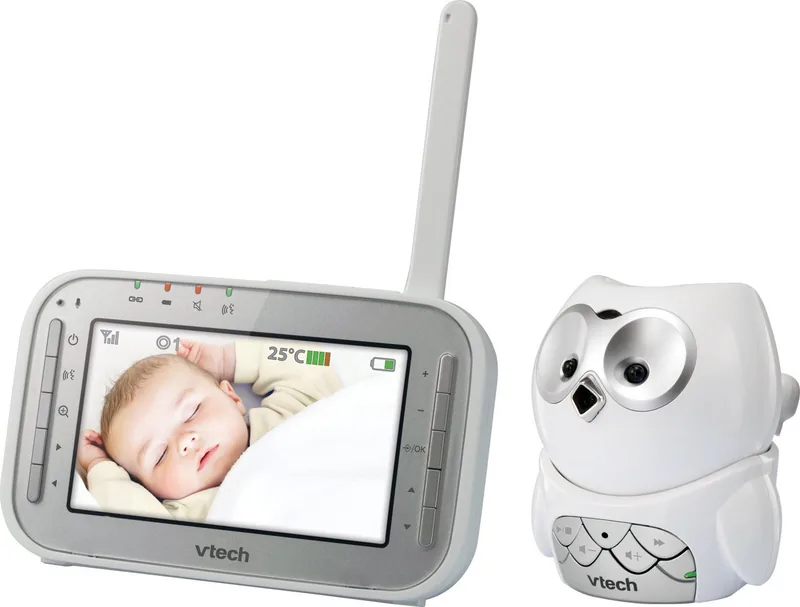
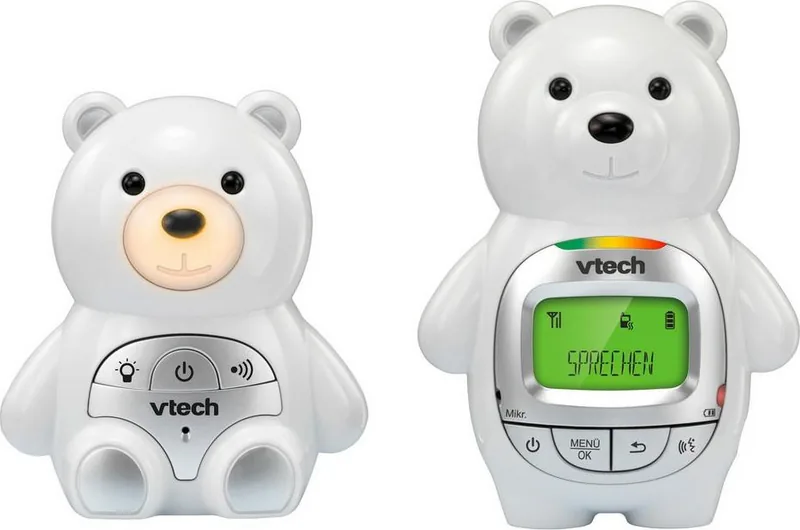
VTech baby monitor manuals provide guidance for setting up parent units, cameras, charging equipment, and monitoring features. Depending on the model, manuals may cover video viewing, sound activation, night vision, temperature display, lullabies, two-way talk, zoom controls, alerts, and camera placement.
Safe placement instructions are particularly important for baby monitors. Always review the manual's safety guidance before installing cameras, cords, mounts, or power adapters in a nursery. Follow all warnings regarding cable placement, ventilation, power sources, and keeping equipment out of reach of children.
A baby monitor manual can also help with common concerns, including signal loss, pairing a camera, adjusting sound sensitivity, reducing interference, improving picture quality, and managing battery life. Refer to the model-specific instructions before changing settings or attempting a reset.
Manuals for VTech Learning Toys and Kids' Electronics
VTech creates educational toys, interactive books, tablets, watches, gaming devices, and learning systems for children. Manuals for these products can explain age recommendations, battery installation, charging methods, activity modes, volume settings, parental features, internet connectivity, and software updates where applicable.
For interactive toys and learning devices, the manual may list included activities, explain how to use buttons or touch controls, and provide instructions for adding content. Parents and caregivers can also use the guide to understand cleaning recommendations, storage conditions, and steps for resolving problems such as frozen screens, missing sound, or unresponsive controls.
How to Find the Correct VTech Manual
The best way to locate the correct VTech manual is to identify the complete model number. This number is commonly found on the bottom or back of the device, inside a battery compartment, on a base unit, or on the original box. Record the model number exactly, including letters, numbers, and hyphens.
Use the model number rather than a general product name whenever possible. Searching for a broad term such as "VTech phone manual" may return many similar products, while an exact model number is more likely to lead to the correct document. Check the manual cover page, product image, and listed accessories before relying on the instructions.
Use Manuals for Setup, Care, and Troubleshooting
A VTech manual is more than a quick start leaflet. It is a complete reference for operating and maintaining your product. Review it when setting up a new device, changing settings, replacing batteries, connecting accessories, moving equipment, or diagnosing an issue. Following manufacturer instructions can help protect the device, improve performance, and support safe operation.
For problems that are not resolved by the manual, consult official VTech support resources or contact customer service with the product model number available. Keeping the manual saved or printed gives you a reliable starting point whenever questions arise.
Access Free VTech Manuals Today
Free VTech manuals provide clear, convenient product guidance for phones, baby monitors, learning toys, and other VTech devices. Read manuals online for fast answers, download them for offline reference, or print important pages for easy access at home, work, or school. With the correct model-specific guide, you can set up your product with confidence, understand its features, and find helpful troubleshooting information whenever you need it.
Search for 67,706 Manuals online


Type-in Brand or Model