
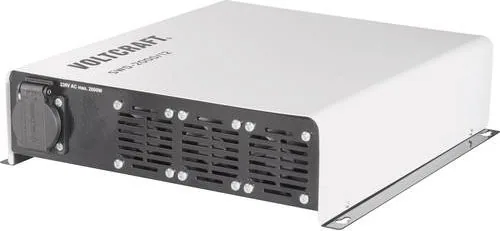
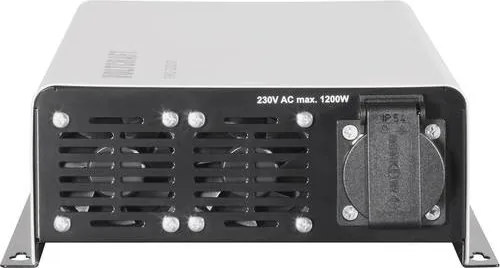
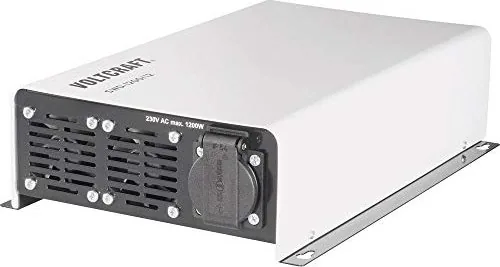
Voltcraft SWD 12 Manual
PDF manual · 74 Pages
English



Quick check
Incorrect answer, please try again.
Chat with your Voltcraft SWD 12 manual using AI
Get instant AI answers from your Voltcraft SWD 12 manual
Ask anything about the Voltcraft SWD 12. Answers come from this manual, with the pages they are based on.
SWD 12 Maintenance Schedule
Switch off device and disconnect from power. Use a clean, dry, lint-free antistatic cloth without abrasive or chemical agents.
Verify that connection cables are still firmly connected at the connection clamps to prevent overheating.
Ask a Question
Do you recommend SWD 12?
Yes NoFrequently Asked Questions
No, the converter is not designed for life-supporting medical devices.
Is this answer helpful?
Activate the StandBy mode via the DIP switch to reduce idle consumption.
Is this answer helpful?
The inverter shuts off automatically to protect the battery from deep discharge.
Is this answer helpful?
No, AC outputs must not be connected in parallel to prevent destruction.
Is this answer helpful?
Use a clean, dry, antistatic cloth. Do not use chemicals or solvents.
Is this answer helpful?
Yes, optional cable or wireless remote controls can be connected.
Is this answer helpful?
Lead acid batteries are recommended for power peaks and regeneration.
Is this answer helpful?
Advantages and Disadvantages
Advantages

- Pure sine wave output protects sensitive electronics
- StandBy mode reduces battery drain when idle
- Multiple safety protections prevent damage
- Built-in USB port charges small devices
- High efficiency maintains power supply
Disadvantages

- Requires thick cables for high power models
- Needs ventilation to prevent overheating
- Only for private use not commercial
- Standby threshold might be high for some
- Installation requires careful voltage checking
Product Specification
Output Voltage
230V AC Sine Wave
Inputs
1x Terminals
Outputs
1x Power Outlet, 1x USB
Average Efficiency
90%
Features
Remote Control
Product Description
Power Your Adventures Anywhere
Reliable Energy Transformation for Modern Life
Converting direct current into usable alternating current is essential for modern mobile applications and off-grid living. The Voltcraft SWD series offers a robust solution for converting 12 or 24 volts into a stable 230 volt sine wave output. This technology ensures compatibility with sensitive electronic equipment ranging from laptops and TVs to audio systems and tools with motors. True sine wave output is critical because it mimics standard grid power without causing damage to complex circuitry inside consumer electronics. When you are out on a boat or camping in a remote location, having reliable power is crucial for comfort and safety during your travels. The high efficiency of these inverters minimizes battery drain while maximizing output capabilities for your various appliances and daily needs.
Many users searching for the Voltcraft SWD 12 Manual look for specific installation requirements to ensure optimal performance on the road. A crucial aspect of the setup is the cable thickness to handle high currents without overheating or voltage drops over long distances. Proper wiring prevents shutdowns during peak loads which can occur when starting motors in appliances like refrigerators. The device features built-in protection against reverse polarity and overloads, safeguarding both the inverter and the connected battery from serious damage or explosion risk. A StandBy mode helps conserve energy when not in active use, extending the life of your power source during idle periods when loads are removed from the system.
The included USB output allows charging small gadgets directly from the main unit using a standard cable connection. This simplifies setups in vehicles or cabins where extra chargers for phones or MP3 players are impractical to carry in your storage space. Temperature controls keep the internal fan running automatically to prevent overheating in enclosed spaces or hot vehicles during summer months. Always ensure the ventilation slots remain clear to maintain safe operating temperatures under continuous load conditions for extended periods.
Installation and Safety Precautions
Mounting the unit securely prevents damage from vibrations during travel over rough terrain or bumps. Ensure the location is dry and free from flammable gases or liquids near the storage battery to prevent fire hazards. Lead acid batteries provide the best performance but require careful monitoring to avoid deep discharge that harms capacity permanently. If the voltage drops too low, the inverter shuts off automatically to protect the cells from permanent damage or failure. Users should consult safety guidelines before connecting high power loads like refrigerators or power tools that draw significant current during operation.
Maintenance involves keeping the exterior clean with a dry cloth to remove dust and debris accumulation. Never use harsh chemicals or water near the electrical connectors or inside the housing to avoid corrosion. If issues arise, check the LED indicators for error codes that signal status regarding input voltage or output load faults clearly. These lights tell you if there is an under voltage or overload situation occurring that needs attention. Always disconnect power before attempting any internal inspections or repairs by authorized personnel. Regular checks on connections ensure long-term reliability for all your electrical needs on the road.
Additional care involves securing the device firmly to the vehicle chassis. Loose mounting can cause wiring damage due to vibration over time. Always verify the input voltage matches the battery specifications before switching on the main unit. The digital converter is sensitive to input fluctuations so check the battery health regularly. Do not leave the device running unattended for long periods to prevent fire risks. Ensure the output socket is not overloaded beyond the rated continuous power limits.
Search for 67,706 Manuals online


Type-in Brand or Model