
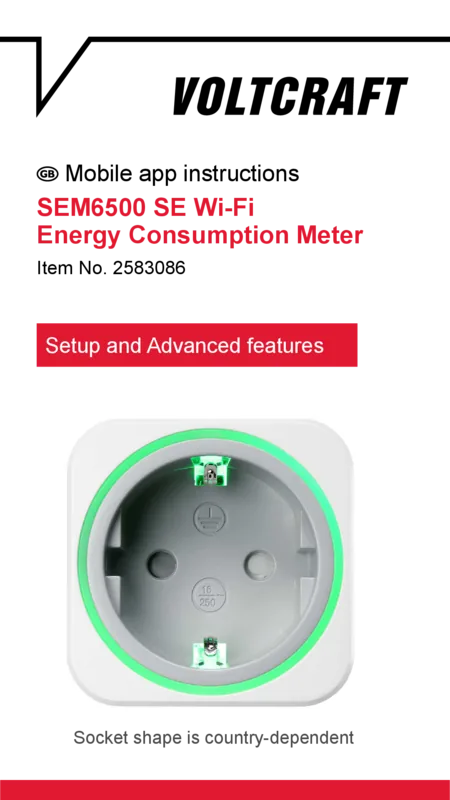

Voltcraft SEM6500 Manual
PDF manual · 36 Pages
English


Quick check
Incorrect answer, please try again.
Chat with your Voltcraft SEM6500 manual using AI
Get instant AI answers from your Voltcraft SEM6500 manual
Ask anything about the Voltcraft SEM6500. Answers come from this manual, with the pages they are based on.
Ask a Question
Do you recommend SEM6500?
Yes No
aut31
6 months ago
Is it possible to get technical support directly from the manufacturer instead of being redirected?
Frequently Asked Questions
Download the Tuya Smart app from Google Play or the iOS App Store. Follow the in-app instructions to put the socket into pairing mode by holding the button until the light flashes. Select your 2.4 GHz Wi-Fi network and complete the setup.
Is this answer helpful?
No, the Voltcraft SEM6500 is designed strictly for indoor use. Exposure to water, rain, or high humidity can cause electric shock or permanent damage to the internal electronics.
Is this answer helpful?
You can still control the socket manually using the physical push button. However, the indicator light may blink instead of showing the true on/off state, and remote app control will be unavailable.
Is this answer helpful?
Yes, it features an enhanced protection mechanism that prevents fingers from entering the socket unless both plug prongs are inserted simultaneously, reducing the risk of electric shock.
Is this answer helpful?
Press and hold the push button on the front of the socket for five seconds. This action clears all previous configurations and restores the original factory defaults.
Is this answer helpful?
Absolutely not. Connecting these sockets in series can lead to dangerous overloads, overheating, and potential fire hazards. Each unit must be plugged directly into a wall outlet.
Is this answer helpful?
Advantages and Disadvantages
Advantages

- Real-time energy monitoring via Tuya Smart App
- Dual control options: Manual button and Wi-Fi automation
- Enhanced safety with child-proof socket mechanism
- Compact size fits standard outlets without blocking neighbors
- Low standby power consumption under 1.5 Watts
Disadvantages

- Indicator light does not show status if Wi-Fi is disconnected
- Requires stable 2.4 GHz Wi-Fi network for full functionality
- Not suitable for outdoor or high-humidity environments
- Cannot be used in series with other power strips
- No support for tropical climates due to humidity limits
Product Specification
Type
Actor
Standard
WLAN (802.11b/g/n)
Function
Switch socket (on/off), power metering function
Topology
Star
Dimensions
Ø2.15x2.81in
Features
App controlled
Product Description
Voltcraft SEM6500 Smart Socket: Master Energy Efficiency with Wi-Fi Control
The Voltcraft SEM6500 Smart Socket represents a significant leap in home energy management, combining precise measurement capabilities with seamless wireless connectivity. Designed for the modern household, this device allows users to monitor and control electrical consumption directly from their smartphones via the Tuya Smart app or through simple manual operation. By integrating into your existing network, it transforms ordinary appliances into smart devices, offering unprecedented insight into your power usage patterns.
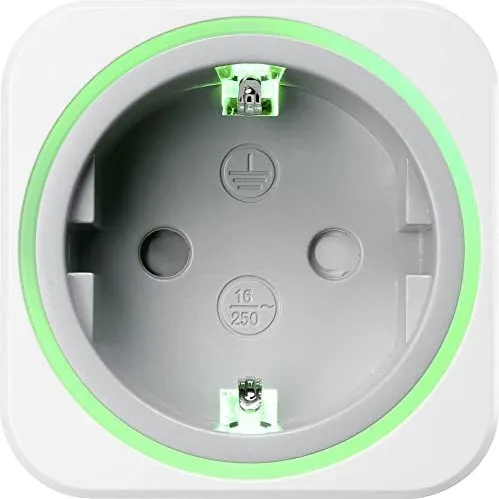
This intelligent socket is engineered for safety and versatility. It features enhanced protection against accidental contact, ensuring that children cannot easily access live sockets unless both prongs are inserted simultaneously. The unit operates within standard indoor environments, provided they remain dry and free from extreme temperatures or magnetic interference. Its compact design fits easily into any wall outlet without obstructing adjacent sockets, making it ideal for living rooms, home offices, or bedrooms.
Users can toggle power states effortlessly using the built-in push button when the Wi-Fi connection is unavailable or if software configuration is not yet active. When connected to the cloud, the mobile app provides real-time data on energy costs, allowing for smarter decisions regarding appliance usage. The device supports various Wi-Fi encryption standards, including WPA2, ensuring secure communication between your phone and the socket. Whether you wish to schedule lights to turn off automatically or track the standby power of your entertainment system, the SEM6500 delivers reliable performance.
Maintenance is minimal, requiring only occasional dusting with a soft cloth. However, it is crucial to avoid exposing the unit to liquids or operating it while covered, as heat buildup could pose a fire risk. Always ensure the mains socket remains accessible for quick disconnection during emergencies. For those seeking to reduce their carbon footprint and lower electricity bills, this smart socket offers a practical and cost-effective solution.
Important Notes
- Do not stack multiple units; this causes dangerous overloads.
- Allow the device to reach room temperature before plugging it in after transport to prevent condensation damage.
- Dispose of the unit according to local electronic waste regulations.
Search for 67,706 Manuals online


Type-in Brand or Model
DoloremDeserunt36
5 months ago
Can I use the energy history features without an internet connection?
Manual.ly
5 months ago
The device requires an active internet connection to store and view energy history data, as this information is synced to a cloud server accessed via the SmartLife app. Without internet access, the device will only display real-time values such as current power consumption (Watts), voltage, and frequency.