
Voltcraft SEM6000 Manual
PDF manual · 26 Pages
English


Quick check
Incorrect answer, please try again.
Chat with your Voltcraft SEM6000 manual using AI
Get instant AI answers from your Voltcraft SEM6000 manual
Ask anything about the Voltcraft SEM6000. Answers come from this manual, with the pages they are based on.
Ask a Question
Do you recommend SEM6000?
Yes NoFrequently Asked Questions
It measures the real-time power demand of a connected appliance and records energy consumption in kWh. The app can also calculate estimated costs using the electricity prices and currency you configure.
Is this answer helpful?
Yes. The app can switch a connected appliance on or off when a Bluetooth connection is active. It also supports timers, weekday schedules, and random switching within a selected time period.
Is this answer helpful?
The app supports up to 10 SEM6000 meters. This allows users to monitor and manage several connected appliances from a single device list.
Is this answer helpful?
Yes. You can set a standard daytime price and optionally activate a night tariff with its own price and time range. This helps the cost display match tariff-based electricity plans.
Is this answer helpful?
Energy and cost records can be exported from the app in CSV format. These files can be shared or opened with spreadsheet software for further review and editing.
Is this answer helpful?
The factory password is 0000. Leaving this code unchanged may allow another person to add the meter to their app and control it. Set a new numeric password of up to four digits to improve access control.
Is this answer helpful?
Advantages and Disadvantages
Advantages

- Tracks real-time power use and records energy consumption and estimated costs.
- Supports custom electricity pricing, including separate day and night tariffs.
- Manages up to 10 meters in one mobile app for multi-appliance monitoring.
- Offers remote switching, timers, schedules, random switching, and overload protection.
- Exports energy and cost records as CSV files for spreadsheet analysis.
Disadvantages

- Real-time readings and direct control require an active Bluetooth connection and range.
- Only one user can control a meter at a time while it is connected.
- Removing a meter or resetting it can permanently delete settings and recorded data.
- The default password is 0000 and must be changed to reduce unauthorized access risk.
- Timers and schedules are unsuitable for appliances that are unsafe when unattended.
Product Specification
Type
Sensor, actuator
Standard
Bluetooth
Function
Smart plug (on/off), power measurement function
Topology
Star
Dimensions
2.83 x 2.17 x 2.17 in
Special features
Controllable via app (iOS, Android)
Product Description
Voltcraft SEM6000 Energy Cost Meter Manual: Smarter Power Monitoring at Home
The Voltcraft SEM6000 Energy Cost Meter is a Bluetooth-enabled plug-in meter designed to help households understand, monitor, and manage the electricity used by connected appliances. Used with the dedicated Android or iOS app, it turns everyday consumption data into clear figures for energy use in kWh and estimated running costs. This makes it useful for identifying power-hungry devices, comparing appliance habits, and making more informed decisions about electricity usage.
Live readings and useful consumption records
Once an appliance is connected through the meter, the app can display its real-time power demand while also recording historical energy and cost information. Data can be viewed by day, month, or year, with filters that make it easier to focus on the period that matters. Users can set their currency and electricity price, including separate day and night tariffs where applicable, so cost estimates better reflect their local billing plan.
The Voltcraft SEM6000 Energy Cost Meter Manual functions are built around Bluetooth connectivity. A live connection is required for real-time data and direct control, while reconnecting is straightforward if the phone moves out of range or Bluetooth is switched off. One app can manage up to ten meters, allowing several appliances or rooms to be monitored from one interface. Multiple users may add the same meter, although only one user can control it at a time while connected.
Switching, schedules, and protective features
Beyond measurement, the SEM6000 can switch a connected load on or off from the app. Timer controls support one-off operating periods, while scheduled rules can automate switching at selected times and on chosen weekdays. Up to twelve rules can be created, making the meter suitable for predictable routines such as turning a lamp on in the evening. A random switching feature is also available for selected time windows.
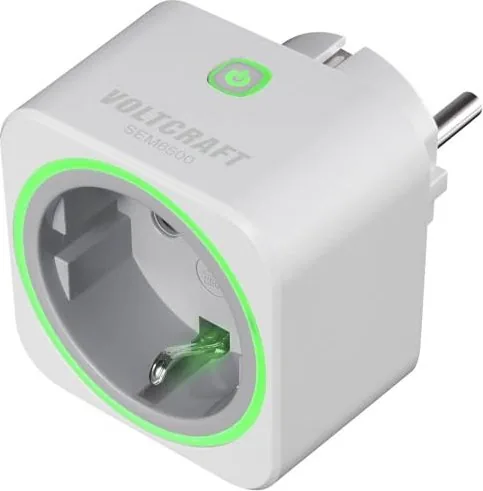
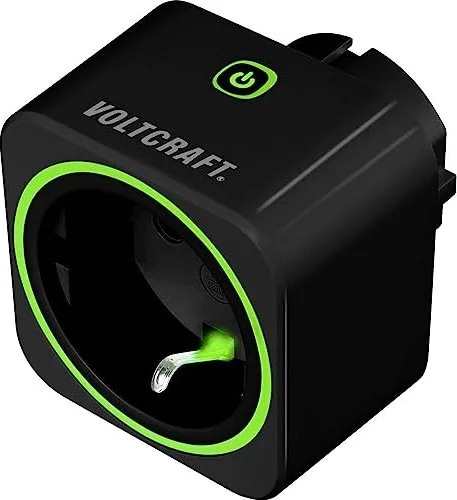
An adjustable overload protection setting can switch the meter off when a chosen power threshold is reached, then restore power when demand falls below that limit. The device also uses color status lighting to indicate low, medium, or high consumption. Night mode disables this light when a darker environment is preferred.
Data handling and device management
Recorded energy and cost data can be exported in CSV format for storage, sharing, or review in spreadsheet software. The app also supports firmware updates and reset options for clearing usage records or restoring settings. Password protection is important: the default code should be changed to prevent unauthorized access.
Note: Use timers and schedules only with appliances that are safe for unattended operation. Heating devices, kettles, and coffee machines may create fire or overheating risks if switched remotely without proper supervision.
Search for 67,706 Manuals online


Type-in Brand or Model