
Victron Energy EV Charging Station Manual
PDF manual · 31 Pages
English



Quick check
Incorrect answer, please try again.
Chat with your Victron Energy EV Charging Station manual using AI
Get instant AI answers from your Victron Energy EV Charging Station manual
Ask anything about the Victron Energy EV Charging Station. Answers come from this manual, with the pages they are based on.
Ask a Question
Do you recommend EV Charging Station?
Yes NoFrequently Asked Questions
To prevent unauthorized use, ensure the EV charger autostart function is disabled in the general settings. This stops the device from charging automatically upon connection. Additionally, enable the Lock charger display setting on the general tab of the web interface or within the Remote console of the GX device. Charging can then only be initiated or terminated via the web interface, VRM App widgets, or VictronConnect.
Is this answer helpful?
No, the EV Charging Station does not have built-in RFID capabilities. To prevent unauthorized use, you should disable the autostart feature in the general settings. Users should also enable the Lock charger display option to ensure charging can only be started from external control interfaces like the web browser or VRM portal.
Is this answer helpful?
You can completely disable the light ring by accessing the light ring menu within the web interface settings. Simply change the brightness setting to zero or a lower level that suits your needs. This allows you to customize the visual feedback or turn off the lights entirely to prevent disturbance to your neighbors.
Is this answer helpful?
This issue often arises from calibration differences in the control pilot line. Try recalibrating the CP line using the general tab in the web interface or within the VictronConnect settings. Ground impedance is also critical as measurements are relative to the ground connection. Proper calibration adjusts signal deviations to ensure correct vehicle detection.
Is this answer helpful?
If multiple GX devices are on the same network, activate the IP address whitelist. Navigate to the General tab in the web interface and add only the specific IP address of the intended GX device to the whitelist. After configuring this, remove the EVCS connection from any other GX devices on the network to ensure exclusive control.
Is this answer helpful?
The minimum charging current is 6A at 230V, requiring more than 1.3kW of power. However, the system requires excess solar power calculated as total PV production minus AC loads. For a Renault Zoe, minimum current needs 10A, increasing the PV power requirement significantly. Ensure enough surplus power exists beyond household consumption for charging to start.
Is this answer helpful?
Yes, Modbus TCP allows for advanced control and access to a broader range of settings. Changes made via Modbus TCP may void standard support, so it is recommended to use Victron Community forums for questions. The Modbus TCP register list can be downloaded from the product download area for integration purposes.
Is this answer helpful?
Advantages and Disadvantages
Advantages

- Seamless integration with Victron GX device and VRM Portal for centralized control.
- Maximizes solar efficiency by utilizing surplus power for charging the vehicle.
- Offers three flexible operation modes including manual, automatic, and scheduled.
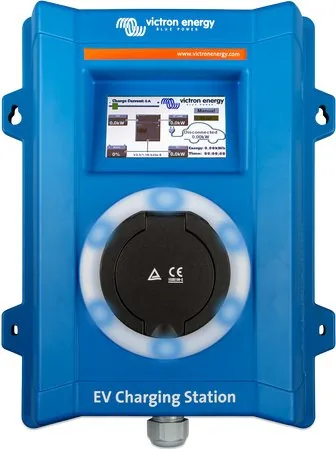
- Built-in 4.3-inch LCD touch screen allows easy local monitoring and control.
- Robust IP44 enclosure design suitable for both indoor and outdoor wall mounting.
Disadvantages

- Installation and adjustments must be performed by qualified personnel only.
- The unit does not include an RFID reader for access control management.
- Bluetooth pairing requires specific firmware versions or initial WiFi setup for older units.
- Automatic mode requires a GX device to be present and connected in the system.
- An external RCD type B is mandatory to connect to the EV charger input.
Product Specification
Number of Charging Points
1
Max Charging Power
22 kW, 3-phase
Charging Mode
IEC 61851-1 (Mode 3)
Number of Phases
3-phase
Voltage
400V (AC)
Max Current per Phase
32A
Current Limit
Adjustable 6-32A
Connector Type
Type 2
Connection Type
Socket
Mounting
Wall-mounted
Authorization
App
Interfaces
Modbus TCP, Bluetooth, Wi-Fi 4 (WLAN 802.11b/g/n)
Features
Display, Touchscreen, Shutter
Protection Class
IP44
Color
Blue
Dimensions
12.09x14.84x5.83 in (WxHxD)
Weight
6.61 lbs
Product Description
Power Your Future With Efficiency
When investing in electric mobility, the infrastructure matters just as much as the vehicle itself. The Victron Energy EV Charging Station Charging Socket Manual guides users through the setup of this versatile system. It ensures that every aspect of your charging session is thoroughly manageable for a seamless experience.
Seamless Smart Integration
This unit integrates seamlessly with the Victron GX device and VRM Portal. This connection enables real-time monitoring and remote control via the VictronConnect App. Owners can adjust charging modes directly from a smartphone or dedicated touch screen. You can also access the system via a web browser for advanced configuration options. Every detail is transparent and easy to manage remotely.
Solar Efficiency First
The system prioritizes sustainability in automatic mode. The station detects surplus solar power and utilizes it to charge the vehicle rather than feeding it back to the grid. Whether you are running off-grid or connected to the utility, the intelligent algorithm manages energy flow intelligently. It calculates excess solar power by comparing production against house loads to optimize charging times. This capability significantly reduces electricity bills while minimizing carbon footprints for a cleaner environment.
Flexible Operation Modes
Users enjoy three distinct operation modes to fit their lifestyle. Manual mode allows for precise current configuration from 6A to 32A. Scheduled mode enables charging during cheaper tariff periods, often at night. Automatic mode optimizes the use of available solar production. A programmable RGB light ring provides quick visual feedback on the device state from a distance. The scheduler allows scenes to activate under specific conditions automatically for maximum convenience.
Robust Build Quality
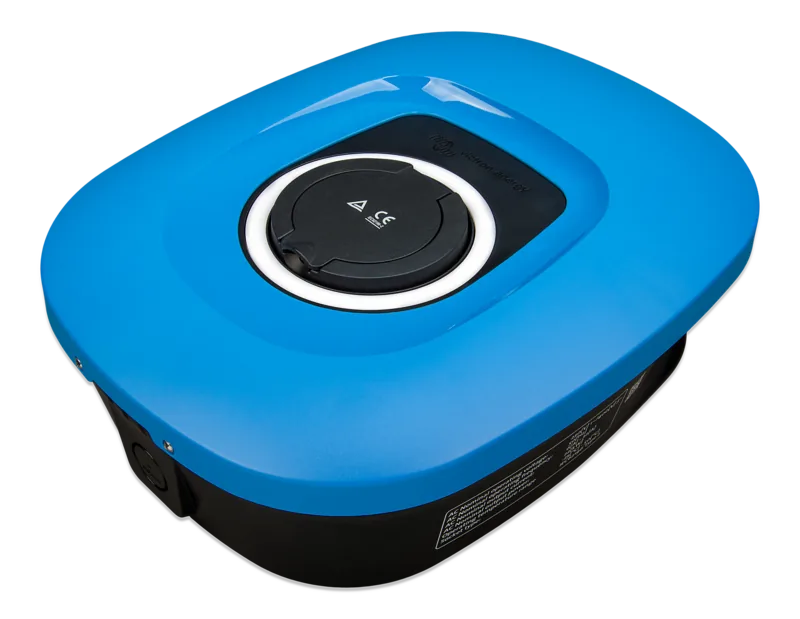
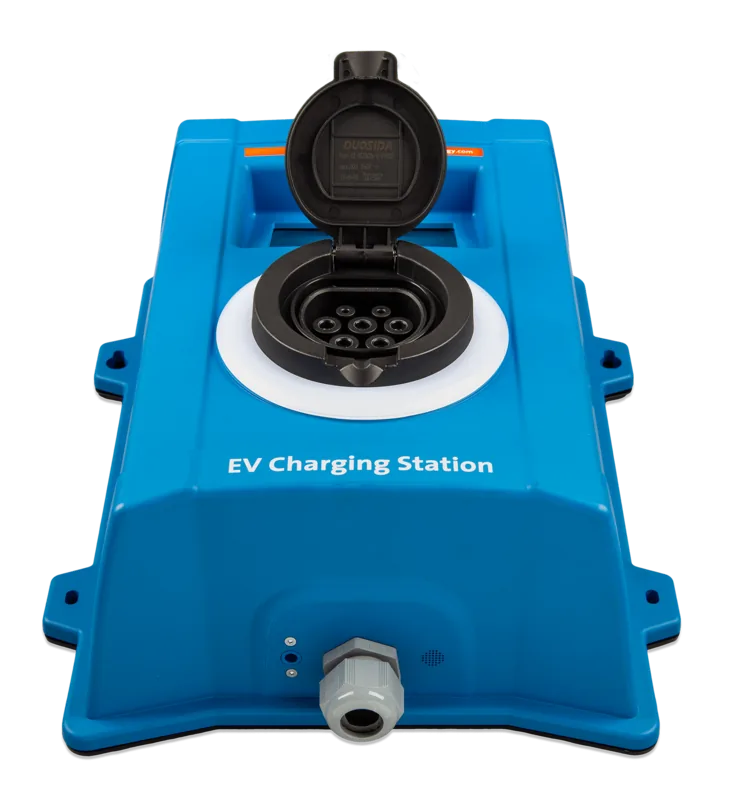
Designed for harsh environments, the enclosure meets IP44 standards, suitable for indoor or outdoor wall mounting. Safety is paramount, requiring installation by qualified personnel with proper grounding. The manual provides detailed steps for connecting WiFi and performing CP line calibration. The unit includes a nylon cable gland for secure connections. It withstands temperatures between minus 25 and 50 degrees Celsius reliably.
Installation and Maintenance
Proper installation ensures long-term reliability. The station supports both single-phase and three-phase connections depending on your power supply. It features a touch screen, web interface, and Bluetooth connectivity. Maintenance is minimal, but regular checks on connections are recommended. It also requires an external RCD type B for optimal safety during high power charging sessions to protect the system.
Final Thoughts
Upgrading to this station means embracing a future where electric vehicles are charged efficiently. By following the Victron Energy EV Charging Station Charging Socket Manual, owners ensure longevity and safety. It transforms how energy is stored and used, making every charge count towards a greener tomorrow for households worldwide.
Search for 67,706 Manuals online


Type-in Brand or Model