
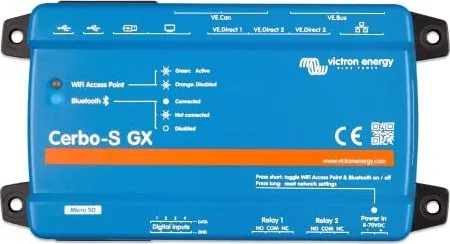
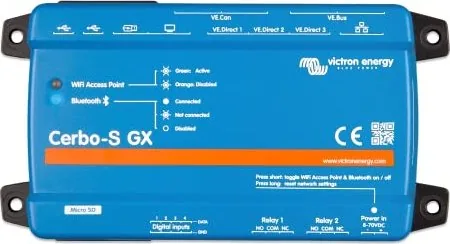
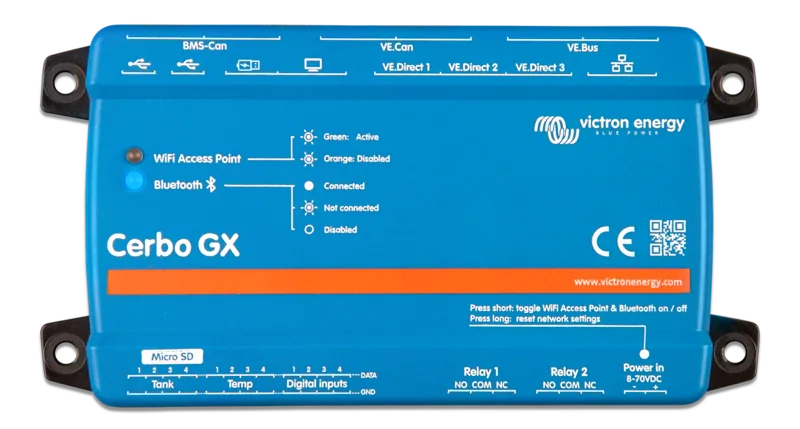
Victron Energy Cerbo-S GX Manual
PDF manual · 108 Pages
English



Quick check
Incorrect answer, please try again.
Chat with your Victron Energy Cerbo-S GX manual using AI
Get instant AI answers from your Victron Energy Cerbo-S GX manual
Ask anything about the Victron Energy Cerbo-S GX. Answers come from this manual, with the pages they are based on.
Ask a Question
Do you recommend Cerbo-S GX?
Yes NoFrequently Asked Questions
It is a GX monitoring and control hub for compatible energy-system components. It combines information from batteries, solar chargers, inverter/chargers, sensors, tanks, and other connected devices, then presents it locally or remotely through VRM.
Is this answer helpful?
Yes. With an internet connection, it can send data to the Victron VRM portal. VRM provides live status, historical trends, alarms, downloadable data, Remote Console access, and supported remote configuration functions.
Is this answer helpful?
Use its DC power input with an 8 to 70 VDC source, preferably directly from the battery or DC bus. Avoid relying on an inverter's AC output because monitoring can stop if the inverter shuts down.
Is this answer helpful?
Yes. It has inputs for resistive tank senders and wired temperature sensors. It can also work with supported Bluetooth Ruuvi sensors and GX Tank 140 accessories for additional tank sensor types.
Is this answer helpful?
Yes. With the appropriate VE.Can to NMEA 2000 connection method, it can integrate supported marine data such as GPS and tank information. Confirm network voltage requirements, especially in 24 V and 48 V systems.
Is this answer helpful?
Yes. Its programmable relays and generator auto-start-stop features can be configured around conditions such as battery state, voltage, load, temperature, or other selected system parameters.
Is this answer helpful?
Advantages and Disadvantages
Advantages

- Centralizes monitoring for compatible Victron inverters, chargers, solar controllers, batteries, and shunts.
- Supports local, network, Bluetooth, Wi-Fi, and VRM remote access options.
- Includes inputs for tanks, temperatures, digital signals, GPS, and programmable relay automation.
- Supports marine NMEA 2000 and RV-C integration for specialized mobile installations.
- Runs on 8 to 70 VDC and supports remote configuration, logging, alarms, and firmware updates.
Disadvantages

- GX Touch display is optional, so local touchscreen control may require an additional purchase.
- The USB port nearest HDMI provides GX Touch power only and cannot be used for data accessories.
- Wi-Fi is less reliable than wired Ethernet and may need an external adapter for better range.
- CAN-bus wiring, termination, voltage limits, and battery compatibility require careful installation.
- Bluetooth functions are mainly intended for setup and Remote Console access, not direct control of other Victron devices.
Product Specification
Note
Prices partially include 0% VAT rates for Austria and Germany
Type
Communication module
Product Description
Victron Energy Cerbo-S GX Manual: Smart Energy Monitoring Made Simple
The Victron Energy Cerbo-S GX is a central monitoring and control solution designed for advanced power systems in boats, RVs, off-grid homes, and professional installations. It brings key components together in one clear interface, helping users understand battery status, solar production, AC loads, charging activity, and system alerts at a glance. This Victron Energy Cerbo-S GX Manual overview highlights the practical features that make the unit a capable energy-management hub.
A connected view of your energy system
The Cerbo-S GX works with compatible Victron equipment, including inverter/chargers, solar charge controllers, battery monitors, smart shunts, and CAN-bus battery systems. Its connections support VE.Bus, VE.Direct, VE.Can, BMS-Can, Ethernet, USB, digital inputs, temperature inputs, tank-level inputs, and programmable relays. This broad compatibility makes it suitable for compact systems as well as more detailed installations with multiple monitoring points.
With the optional GX Touch display, system data can be viewed locally in a clear, responsive format. Users can also access the Remote Console through VictronConnect, a local network, the integrated Wi-Fi access point, or the Victron VRM portal. This flexibility is valuable when the installation is located in a vehicle, vessel, utility room, or remote energy site.
Remote monitoring and control
When connected to the internet, the Cerbo-S GX uploads live and historical information to VRM. This allows owners and installers to review energy trends, receive alarms, check device status, and access system settings remotely. Ethernet is the preferred connection for stable installations, while Wi-Fi, cellular routers, GX GSM accessories, and selected phone tethering setups provide alternatives for mobile applications.
The unit also supports remote firmware updates and configuration tools. Automatic updates can be disabled so maintenance can be planned at a convenient time. For systems with limited mobile data, logging intervals and remote functions can be adjusted to reduce traffic.
Built for marine, mobile, and off-grid use
Beyond power monitoring, the Cerbo-S GX can collect tank levels, temperature readings, GPS information, and selected environmental sensor data. Its relays can be configured for generator start-stop control, alarms, pumps, ventilation, or other automated tasks. Marine users can benefit from NMEA 2000 integration, while RV installations can use RV-C support and mobile overview screens.
Note: Power the Cerbo-S GX directly from the battery or DC bus whenever possible. Supplying it from an inverter's AC output can interrupt monitoring when the inverter shuts down.
Note: The USB port nearest the HDMI connection is intended only to power a GX Touch display and does not support data devices.
Search for 67,706 Manuals online


Type-in Brand or Model