Aktivera 3D-ljud för att få bättre ljud i headsetet på PS5
™
.
Gå sedan till Justera 3D-ljudsprofil för att välja den profil
som passar ditt spel bäst.
Gå till Inställningar > Ljud och bildskärm > Utdata > Utdataenhet
SE
PT
a.
Seleciona os auscultadores Stealth
Pro
como dispositivo de saída
b. Em Saída para auscultadores, escolhe Todo o áudio
c. Define o nível de controlo do volume (auscultadores) para o máximo
Ajusta os níveis do microfone em Definições > Som > Microfone >
Ajustar nível do microfone > Nível do microfone
Na PS5
™
, ative o Áudio 3D para melhorar os seus auscultadores e,
em seguida, aceda a Ajustar Perfil de Áudio 3D para selecionar a
melhor opção de perfil para o seu jogo.
Acede a Definições > Som > Saída de áudio > Dispositivo de saída
DK
a. Vælg Stealth Pro som Outputenhed
b. Angiv Output til hovedtelefoner til Al lyd
c. Indstil Lydstyrkekontrol (hovedtelefoner) til Maksimum
Du kan justere mikrofonens niveauer i Indstillinger > Lyd og skærm >
Mikrofon > Juster mikrofonniveau > Mikrofonniveau
På PS5
™
kan du aktivere 3D-lyd for at forbedre lyden i dit headset og
så gå til Juster 3D-lydprofil for at vælge den bedste profil til dit spil.
Gå til Indstillinger > Lyd > Lydoutput > Outputenhed
TW
a. 選擇 Stealth Pro 作為輸出裝置
b. 將輸出至耳機的聲音設為「所有聲音」
c. 將音量控制 (耳機) 設為最高
前往設定>聲音>麥克風>調整麥克風音量>麥克風音量,藉此調整麥克風音量
在 PS5
™
上,您可以啟用「3D 音效」加強耳機的音效表現,然後前往
「調整 3D 音效設定檔」替遊戲選取最適合的設定檔。
前往設定>聲音>聲音輸出>輸出裝置
CH
a. 在输出设备处选择Stealth Pro
b. 将输出至耳机设置为所有音频
c. 将音量控制(耳机)设置为最高
前往設定>聲音>麥克風>調整麥克風音量>麥克風音量,藉此調整麥克風音量
在PS5
™
上,启用3D音效以增强耳机效果,然后进入“调整3D音效配置文件”,
为您的游戏选择最佳配置文件选项。
前往设置>声音>音频输出>输出设备
Charge Only
Console/PC
Charge Only
Charge Only
Charge Only
Charge Only
Charge Only
MODE Button
Active Noise Cancellation on/off by default.
Remappable in TURTLE BEACH AUDIO HUB app.
Bouton MODE
Activation/désactivation de l'isolation acoustique
active par défaut. Peut être réassigné dans
l'application TURTLE BEACH AUDIO HUB.
USB-C Charge/Update Port
Port de mise à jour/charge USB-C
Superhuman Hearing
™
On/Off
Press (1s)
Mute/Unmute Built-in Mic
Press & Hold (2s)
Activation/Désactivation de
Superhuman Hearing
™
Appuyer (1s)
Activer/Désactiver le son du
micro intégré
Maintenir appuyé (2s)
Power
Press (2s) = Power on/off
Alimentation
Appuyer (2s) = Allumer/Éteindre
Volume Wheel
Master volume is the primary function.
Secondary function is Variable Mic Monitoring
by default. Alternative function may be
assigned in TURTLE BEACH AUDIO HUB app.
Molette du volume
Le volume principal est la principale
fonctionnalité. La fonctionnalité secondaire
par défaut concerne le réglage du retour
micro. La fonctionnalité alternative peut
être assignée dans l'application
TURTLE BEACH AUDIO HUB.
Bluetooth
®
Multi-function Button
See Bluetooth
®
Pairing
Bouton multifonction Bluetooth
®
Consulter l'appairage Bluetooth
®
LED Status Indication
See LED Behaviors
Indication d'état par LED
Consulter Comportements des LED
Battery Charging Port
Port de charge de batterie
USB-C Power Port
Port d'alimentation USB-C
Battery
Batterie
Mic Port
Port micro
PS-PC
Charge Only
Console/PC
Platform Switch
Changement de
plateforme
LED Status Indication
Indication d'état par LED
TRANSMITTER | ÉMETTEURBLUETOOTH
®1
Nintendo Switch
™
(docked | sur station)
PS5
™
& PS4
™
PC & Mac
®
Mobile
PC & Mac
®
Nintendo Switch
™
(chat not available)
2
(chat non disponible)
Ensure both arrows are facing
the same direction when placing
battery in headset.
Veillez à ce que les deux flèches
pointent vers la même direction
lorsque vous placez la batterie
dans le casque.
Download the Turtle Beach Audio Hub V2 for Windows or Mac
®
to update
your headset before use. Create your own EQ’s, adjust active noise
cancellation, reassign headset functions, check your headset vitals.
Téléchargez Turtle Beach Audio Hub V2 pour Windows ou Mac
®
afin de
mettre votre casque à jour avant de l'utiliser. Créez votre propre EQ,
ajustez l'isolation acoustique active, réassignez les fonctionnalités du
casque et vérifiez son état.
turtlebeach.com/audiohub
BLUETOOTH
®
PAIRING
APPAIRAGE
BLUETOOTH
®
1. Hold down the Bluetooth
®
button until
the ‘Pairing Bluetooth
®
’
prompt plays.
2. Connect your headphones in your Bluetooth
®
enabled device’s settings.
1. 1. Maintenez le bouton Bluetooth
®
appuyé jusqu'à
ce que l'indication «Appairage Bluetooth
®
» apparaisse.
2. Connectez-vous à votre casque dans les options
Bluetooth
®
de votre appareil.
CHARGING
CHARGEMENT
Each battery pack offers 12 hours of play each charge. Keep a battery charged in the battery charging hub before storing.
Your hub will momentarily pulse blue when battery installed is fully charged.
Chaque batterie offre 12h de jeu à chaque charge. Laissez une batterie charger dans la station de charge avant de
ranger votre appareil. Votre station clignotera momentanément en bleu lorsque la batterie installée est pleine.
HEADSET STORAGE
Always charge your headset before storing it for any extended period of time (longer than 3 months).
Never store the unit in temperatures above 113°F/45°C.
RANGEMENT DU CASQUE
Chargez toujours votre casque avant de le ranger pour une durée prolongée (plus de 3mois).
Ne conservez jamais l'unité à une température dépassant 45°C/113°F.
Ensure both arrows are facing
the same direction when placing
battery in transmitter.
Veillez à ce que les deux flèches
pointent vers la même direction
lorsque vous placez la batterie
dans l'émetteur.
Charge the battery through the wireless transmitter while connected to the console.
Chargez la batterie via l'émetteur sans-fil lorsque l'appareil est connecté à la console.
OPTION A
Charge the headset using the included USB-C cable.
Chargez le casque à l'aide du câble USB-C inclus.
OPTION B
The USB-A port on the transmitter serves as a charge only port for devices that support charging via USB-A port connection.
Charge times may vary depending on factors such as existing battery charge level, model of device, number of devices connected to console or PC, etc.
Le port USB-A sur l'émetteur sert uniquement de port de charge pour les appareils prenant en charge le rechargement via connexion à un port USB-A. Le temps de recharge
varie en fonction de divers facteurs, tels que le niveau de charge de la batterie, le modèle de l'appareil, le nombre d'appareils connectés à la console ou au PC, etc.
Utilisez le mode Superhuman Hearing
™
pour localiser
des sons presque imperceptibles, comme les pas d'un
ennemi ou le rechargement d'une arme.
Lors de vos parties, vous pouvez l'activer ou le désactiver en
appuyant rapidement sur le bouton Superhuman Hearing
™
.
Use Superhuman Hearing
™
Mode to pinpoint quiet
audio cues like enemy footsteps and weapon reloads.
During gameplay, you can activate and deactivate with
a short press of the Superhuman Hearing
™
button.
SUPERHUMAN HEARING
™
Signature Sound |Son emblematique
Bass Boost|Amplification des basses
Bass + Treble Boost|Amplification des basses et des aigus
Vocal Boost|Amplification vocal
EQ PRESETS |PRÉSETS D’ÉGALISATION
Custom EQ Presets available through the Turtle Beach Audio Hub mobile app.
Des préréglages EQ personnalisés sont disponibles dans l'application mobile
Turtle Beach Audio Hub.
Micro activé
Mic Unmuted
Micro désactivé
Mic Muted
Micro désactivé
Mic Muted
MICROPHONE MUTE | DÉSACTIVER LE MICROPHONE
MAPPABLE FUNCTIONS
FONCTIONNALITÉS
RECONFIGURABLES
Ensure your transmitter is set to ‘PS’ mode.
Vérifiez que votre émetteur est configuré sur
le mode «PS».
Hold the headset’s power button for 2 seconds.
Maintenez appuyé le bouton d'alimentation
pendant 2secondes.
Solid blue LEDs will indicate a successful pair.
Une LED bleue indiquera que l'appairage est réussi.
ES
1. Asegúrate de que el transmisor está en modo ‘PS’.
2. Mantén pulsado el botón de encendido durante 2 segundos.
3. Los LEDs azul sólido indicarán una vinculación correcta.
4.
Asegúrate de que tu Stealth
™
Pro se haya seleccionado en los
ajustes de audio de tu PlayStation
®
.
IT
1. Assicurati che il tuo trasmettitore sia impostato sulla
modalità "PS".
2. Tieni premuto il pulsante di accensione per 2 secondi.
3. I LED blu fissi indicheranno un'associazione effettuata
con successo.
4. Assicurati che le Stealth
™
Pro siano selezionate nelle impostazioni
audio della tua PlayStation
®
.
SE
1.
Se till att sändaren är i läget PS.
2. Håll in strömknappen i 2 sekunder.
3. Ett fast blått sken betyder att parkopplingen lyckades.
4. Se till att du valt Stealth
™
Pro i PlayStation
®
-ljudinställningarna.
PT
1.
Certifica-te de que o teu transmissor está em modo PS.
2. Mantém o botão de energia pressionado durante 2 segundos.
3.
As luzes LED com azul fixo indicam um emparelhamento
bem-sucedido.
4. Certifica-te de que os teus Stealth
™
Pro estão selecionados
nas definições de áudio da tua PlayStation
®
.
TW
1. 確保傳輸器設定為「PS」模式。
2.
按住電源按鈕 2 秒。
3.
LED 恆亮藍燈表示配對成功。
4.
確保在 PlayStation
®
音效設定中已選取 Stealth
™
Pro.
CH
1.
确保您已将传输器设置为“PS”模式。
2. 长按电源按钮2秒。
3. 配对成功后,蓝色LED灯会常亮。
4.
请确保您在PlayStation
®
的音频设置中选择Stealth
™
Pro.
DK
1.
Sørg for, at din transmitter er sat til ‘PS’-tilstand.
2.
Hold tænd/sluk-knappen nede i 2 sekunder.
3.
Konstante blå LED'er indikerer en succesfuld parring.
4.
Sørg for, at din Stealth
™
Pro er valgt i lydindstillingerne
for din PlayStation
®
.
NL
1. Zorg dat de zender is ingesteld op de PS-modus.
2. Houd de aan/uit-knop gedurende 2 seconden ingedrukt.
3. De led-lampjes branden blauw als de koppeling is geslaagd.
4.
Zorg ervoor dat je Stealth
™
Pro is geselecteerd in de
geluidsinstellingen van je PlayStation
®
.
DE
1. Vergewissere dich, dass der Sender auf „PS“-Modus eingestellt ist.
2. Halte die Stromtaste für 2Sekunden lang gedrückt.
3. Konstant blau leuchtende LEDs zeigen eine erfolgreiche Kopplung an.
4. Vergewissere dich, dass Stealth
™
Pro in deinen
PlayStation
®
-Audio-Einstellungen ausgewählt ist.
ES
1. Asegúrate de que el transmisor está en modo ‘PC’.
2. Mantén pulsado el botón de encendido durante 2 segundos.
3. Los LEDs azul sólido indicarán una vinculación correcta.
4.
Asegúrate de que tu Stealth
™
Pro se haya seleccionado como el
dispositivo de entrada y de salida en los ajustes de audio.
IT
1. Assicurati che il tuo trasmettitore sia impostato sulla
modalità "PC".
2. Tieni premuto il pulsante di accensione per 2 secondi.
3. I LED blu fissi indicheranno un'associazione effettuata
con successo.
4. Assicurati che le Stealth
™
Pro siano selezionate come dispositivo
di entrata e uscita nelle impostazioni audio del tuo dispositivo.
SE
1.
Se till att sändaren är i läget PC.
2. Håll in strömknappen i 2 sekunder.
3. Ett fast blått sken betyder att parkopplingen lyckades.
4. Kontrollera att Stealth
™
Pro väljs som ingångs- och
utgångsenhet i enhetens ljudinställningar.
PT
1. Certifica-te de que o teu transmissor está em modo PC.
2. Mantém o botão de energia pressionado durante 2 segundos.
3. As luzes LED com azul fixo indicam um emparelhamento
bem-sucedido.
4. Certifica-te de que os teus Stealth
™
Pro estão selecionados
como dispositivo de entrada e saída nas definições de áudio
do teu dispositivo.
TW
1.
確保傳輸器設定為「PC」模式。
2. 按住電源按鈕 2 秒。
3. LED 恆亮藍燈表示配對成功。
4. 確保已在裝置音效設定中將 Stealth
™
Pro
選為輸入與輸出裝置。
CH
1.
确保您已将传输器设置为“PC”模式。
2. 长按电源按钮2秒。
3. 配对成功后,蓝色LED灯会常亮。
4. 请确保您在设备的音频设置中,将Stealth
™
Pro
选做音频输入和输出设备。
DK
1. Sørg for, at din transmitter er sat til ‘PC’-tilstand.
2. Hold tænd/sluk-knappen nede i 2 sekunder.
3. Konstante blå LED'er indikerer en succesfuld parring.
4.
Sørg for, at dit Stealth
™
Pro er valgt som input- og
outputenhed i enhedens lydindstillinger.
NL
1. Zorg dat de zender is ingesteld op de PC-modus.
2. Houd de aan/uit-knop gedurende 2 seconden ingedrukt.
3. De led-lampjes branden blauw als de koppeling is geslaagd.
4. Zorg ervoor dat je Stealth
™
Pro is geselecteerd als het invoer-
en uitvoerapparaat in de geluidsinstellingen van je apparaat.
DE
1. Vergewissere dich, dass der Sender auf „PC“-Modus eingestellt ist.
2. Halte die Stromtaste für 2Sekunden lang gedrückt.
3. Konstant blau leuchtende LEDs zeigen eine erfolgreiche Kopplung an.
4. Vergewissere dich, dass dein Stealth
™
Pro Headset in den
Audio-Einstellungen deines Geräts als Eingabe- und
Ausgabe-Gerät ausgewählt ist.
Ensure your transmitter is set to ‘PC’ mode.
Vérifiez que votre émetteur est configuré sur
le mode «PC».
FUNCTION
FONCTION
ACTION
ACTION
Play/Pause
Lancer/Pause
Skip Forward
Passer
Skip Back
Retour en arrière
Press Once
Appuyer une fois
Press Twice Quickly
Appuyer deux fois rapidement
Press Three Times Quickly
Appuyer trois fois rapidement
Press Once
Appuyer une fois
Press Once
Appuyer une fois
Press and Hold
Appuyer et maintenir
Answer Call
Répondre à un appel
End Call
Mettre fin à un appel
Reject Incoming Call
Rejeter un appel
Activate Voice Recognition (if available)
Activer la reconnaissance vocale
(si disponible)
Press Twice Quickly
Appuyer deux fois rapidement
WHEEL
(SECONDARY FUNCTION)
Press and hold your mode button for 3s to access your
secondary wheel function. This can be reassigned to:
• Variable Mic Monitoring (Default)
• Variable Active Noise Cancellation
• Superhuman Hearing
™
Volume
• Bluetooth
®
Volume
• Bass Boost Level
• Treble Boost Level
• Noise Gate Threshold
MOLETTE
(FONCTIONNALITÉ SECONDAIRE)
Maintenez appuyé le bouton mode pendant 3secondes
afin d'accéder à la fonctionnalité secondaire de votre
molette. Celle-ci peut être réassignée sur:
• Réglage du retour micro (par défaut)
• Isolation acoustique active variable
• Volume Superhuman Hearing
™
• Volume Bluetooth
®
• Niveau d'amplification des basses
• Amplification des aigus en jeu
• Seuil du noise gate
A
MODE BUTTON
The MODE button can be assigned based on your
gaming style. This can be reassigned to:
• Active Noise Cancellation on/off (Default)
• EQ Preset Toggle
• Noise Gate on/off
• Multimedia Control (PC Only)
BOUTON MODE
Le bouton MODE peut être assigné selon votre style de jeu.
Celle-ci peut être réassignée sur:
• Activation/désactivation de l'isolation
acoustique active (par défaut)
• Activation/désactivation du préréglage de l'EQ
• Activation/désactivation du noise gate
• Contrôles multimédias (sur PC uniquement)
B
Additional USB-A Charging Port
Port de charge USB-A supplémentaire
TRANSMITTER LED INDICATION
INDICATIONS DU VOYANT DE L'ÉMETTEUR
Breathing Red (3s)
Clignote en Rouge (3 s)
Headset and Transmitter Paired
Casque et Émetteur Appariés
Not Paired
Non Apparié
Battery Pack Fully Charged
Batterie entièrement chargée
Breathing Red
Clignote en Rouge
Mic Muted
Micro Désactivé
MEANING
SIGNIFICATION
Solid Blue
Bleu et Fixe
Double-Blink Blue
Clignote Deux Fois en Bleu
Breathing Blue (3s)
Clignote en bleu (3 s)
Battery Pack Charging
Charge de la batterie
4
Make sure your Stealth
™
Pro is selected as the input and output device
within your device's audio settings.
Veillez à ce que votre Stealth
™
Pro soit sélectionné comme périphérique
d'entrée et sortie dans les options audio de votre appareil.
2
Hold the power button for 2 seconds.
Maintenez appuyé le bouton d'alimentation pendant 2secondes.
3
Solid blue LEDs will indicate a successful pair.
Une LED bleue indiquera que l'appairage est réussi.
The Stealth Pro for PlayStation
®
’s PC mode optimizes the headset to operate on your PC.
In this mode, you can remap your MODE button to sync with your multimedia
(see MAPPABLE FUNCTIONS).
Le mode PC du Stealth Pro pour PlayStation
®
permet d'optimiser le fonctionnement du casque sur
votre PC. Grâce à ce mode, vous pouvez reprogrammer votre bouton MODE afin d'effectuer une
synchronisation avec vos contrôles multimédias (voir FONCTIONNALITÉS PROGRAMMABLES).
A
B
The Stealth
™
Pro’s MODE button and wheel on the right ear cup can be assigned new functions based on your gaming style.
To reassign, follow these steps:
1. Download the Turtle Beach Audio Hub app on your mobile device, PC or Mac
®
.
2.
Enable Bluetooth
®
on your selected device and pair with your headset to access the app.
3.
Access the app, and swipe to the REASSIGNING FUNCTIONS screen and choose the functions you want to assign to the wheel and MODE.
Your headset will save this configuration immediately.
Vous pouvez assigner de nouvelles fonctionnalités au bouton MODE et à la molette du Stealth
™
Pro selon votre manière de jouer.
Pour les réassigner, suivez ces étapes:
1.
Téléchargez l'application Turtle Beach Audio Hub sur votre appareil mobile, votre PC ou votre Mac
®
.
2.
Activez le Bluetooth
®
sur l'appareil sélectionné et associez-le à votre casque pour accéder à l'application.
3. Accédez à l'application et rendez-vous sur l'écran RÉASSIGNER DES FONCTIONNALITÉS afin de choisir celles que vous
souhaitez assigner à la molette et au bouton MODE.
Votre casque enregistrera immédiatement cette configuration.
COMPATIBILITY
COMPATIBILITÉ
1
Some features not available over
Bluetooth
®
connection.
2
Chat is available for games that support
in-game chat capability while connected
through the USB connection only.
1
Certaines fonctionnalités ne sont pas
disponibles via connexion Bluetooth
®
.
2
Le chat est disponible pour les jeux
compatibles avec la fonction de chat
dans le jeu, lorsqu'ils sont connectés
en USB uniquement.
After attaching the mic boom, flip up the mic to mute. There is an audible
tone when the mic mutes and unmutes. When your TruSpeak
™
mic
boom is not installed, the Stealth
™
Pro will switch to its built-in mic.
Note: If the mic boom is removed during use, the headset will switch to its
built-in mic and automatically mute.
Installez la micro amovible et mettez-vous facilement en sourdine en le
retournant. Lorsque votre micro amovible n'est pas installé, le
Stealth
™
Pro passe sur le micro intégré.
Remarque: Si le micro amovible est retiré au cours de l'utilisation, le casque
passe sur le micro intégré et le désactive automatiquement.
TruSpeak
™
Mic
To mute or unmute your built-in mic, press and hold
the Superhuman Hearing
™
button for 2s until you hear
the sound cue. Your transmitter LED will also indicate
that your headset mic is muted.
Utiliser le microphone intégré pour les jeux occasionnels
et la prise d'appels. Appuyez une fois sur le bouton
Superhuman Hearing
™
pour activer/désactiver
Superhuman Hearing
™
, et maintenez enfoncé pendant
2 secondes pour activer/désactiver le micro intégré.
Built-In Mic
/1
%
Quick check
I'm not a robot
Incorrect answer, please try again.
Chat with your Turtle Beach Stealth Pro manual using AI
Get instant AI answers from your Turtle Beach Stealth Pro manual
Ask anything about the Turtle Beach Stealth Pro. Answers come from this manual, with the pages they are based on.
Ask a Question
0/1000
Do you recommend Stealth Pro?
YesNo
Frequently Asked
Questions
A
Yes, it is compatible with PS5 and PS4. However, certain features like chat may require a USB connection for full functionality on these platforms. This ensures stable audio transmission across the system.
Is this answer helpful?
A
Each battery pack offers approximately twelve hours of play time on a single charge. Users can swap the second battery to reach up to twenty-four hours of total gameplay without interruption.
Is this answer helpful?
A
Use the dedicated Superhuman Hearing button on the headset interface. A short press toggles the mode on and off during gameplay to amplify subtle audio cues like footsteps.
Is this answer helpful?
A
Yes, you can pair the headset via Bluetooth for audio on mobile devices or PCs. Note that some gaming features do not work over this connection type for stability.
Is this answer helpful?
A
Download the Turtle Beach Audio Hub application to your computer or mobile device. Follow the prompts to connect and update the headset to the latest firmware version immediately.
Is this answer helpful?
A
The headset automatically switches to the built-in microphone and mutes it. It will continue to function without the boom for casual gaming or calls without setup changes.
Is this answer helpful?
A
The headset includes Active Noise Cancellation controlled via the Mode button default settings. It is also reassignable through the Audio Hub mobile application for customization.
Is this answer helpful?
M: QW-35-FL
Advantagesand
Disadvantages
Advantages
Dual battery packs provide up to 24 hours of total playtime without interruption during gaming sessions.
Virtual Surround (Dolby Atmos for Headphones, DTS Headphone:X, Windows Sonic, Spatial Audio)
Color
Black
M: QW-35-FL
Product
Description
Elevate Your Gaming Audio Experience with the Stealth Pro
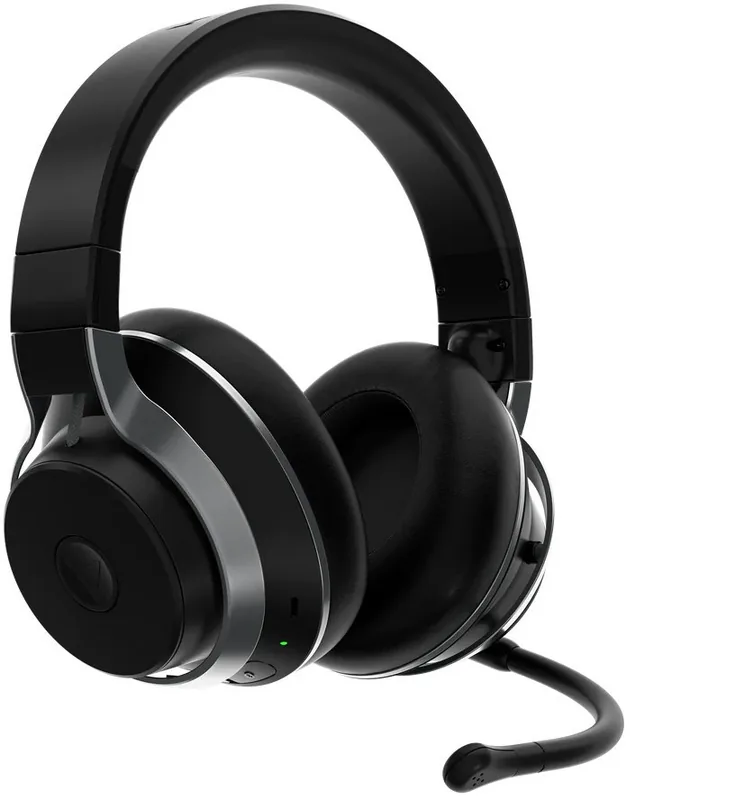
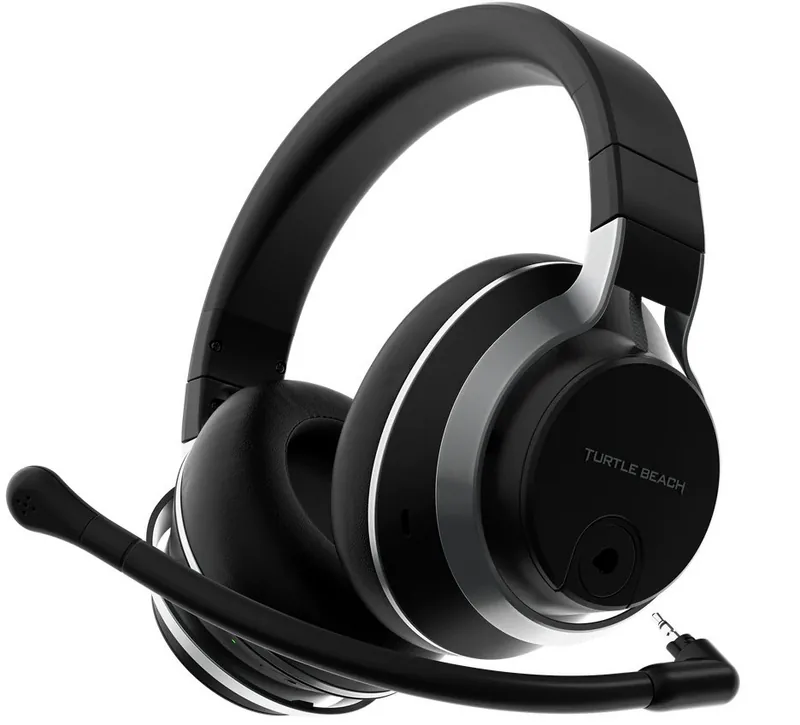
The Turtle Beach Stealth Pro wireless headset redefines what a premium gaming audio device can offer to serious gamers globally. Designed specifically for Xbox Series X and S, this headset delivers seamless connectivity alongside robust support for PC, Mac, PlayStation, and Nintendo Switch consoles. Gamers seeking true immersion will appreciate the innovative dual battery charging system that ensures uninterrupted play sessions lasting up to twenty-four hours when rapidly swapping packs without interrupting the match. Comfort remains paramount throughout long gaming marathons, featuring plush memory foam ear cushions that support extended use without causing fatigue or painful pressure points during hours of intense action.
Sound customization is a standout feature readily available through the Turtle Beach Audio Hub application on mobile devices. Users can adjust custom equalizer presets or create their own detailed audio profiles to suit specific gaming genres ranging from shooters to RPGs. The Superhuman Hearing mode provides a significant tactical advantage by amplifying subtle audio cues like enemy footsteps or weapon reloading sounds to give strategic positioning. Active noise cancellation effectively blocks external distractions, allowing total focus on the in-game environment and immersion. The TruSpeak boom microphone ensures crystal-clear communication with teammates, featuring automatic muting logic when removed from the headset to prevent accidental transmission of background noise during intense gameplay.
For optimal performance and configuration, understanding the setup guides is crucial for beginners. Many users appreciate how the Turtle Beach Stealth Pro Manual outlines clear steps for pairing via Bluetooth or the wireless transmitter immediately. The LED indicators on the headset and transmitter provide instant feedback on battery status and connection health, glowing solid green for charged units paired successfully to the console. Voice recognition capabilities further enhance usability throughout the day, allowing hands-free control over media and active calls without reaching for buttons. The mappable wheel and mode button offer deep customization, letting players assign game chat mix, variable active noise cancellation, or microphone monitoring functions based on personal preference and specific gaming style.
Charging is managed through a convenient hub that pulses momentarily green when the battery is fully active inside the dock. Wireless charging is facilitated via the transmitter when connected to the console or power source. Whether you are on Xbox or PC, the transmitter adapts to the selected mode automatically to ensure compatibility across all devices. Battery life is impressive, offering twelve hours per charge per pack for each battery system in the bundle. Travel is made easier with the included protective travel pouch designed to safeguard the headset during transport to LAN parties. This headset represents a pinnacle of wireless audio technology, balancing raw power and precision audio capture across all supported platforms effectively. Whether in competitive matches or casual exploration, the audio fidelity ensures every sonic detail is captured perfectly without latency. Always ensure the latest firmware is updated via the mobile app for the most reliable experience during critical gameplay moments where connection drops are unacceptable.
Notes
Important Note: Always update firmware before use. Check compatibility settings for specific platform modes.