
Turtle Beach Ear Force XP510 Manual
PDF manual · 26 Pages
English



Quick check
Incorrect answer, please try again.
Chat with your Turtle Beach Ear Force XP510 manual using AI
Get instant AI answers from your Turtle Beach Ear Force XP510 manual
Ask anything about the Turtle Beach Ear Force XP510. Answers come from this manual, with the pages they are based on.
Ask a Question
Do you recommend Ear Force XP510?
Yes NoFrequently Asked Questions
Ensure the headset is off. Press and hold the transmitter Power/Pairing button until its LED flashes rapidly, then press and hold the headset Power button until its LED flashes. When paired, the headset LED will blink once per second and a voice prompt will confirm pairing.
Is this answer helpful?
Yes. The XP510 supports dual Bluetooth pairing and includes the XBA adapter for Xbox 360 chat. Pair the XBA to the headset for controller chat, then use the headset Bluetooth pairing procedure to add a mobile device so you can switch between game audio and calls.
Is this answer helpful?
Battery life is up to 15 hours per charge. A full charging cycle takes about six hours. While charging, the headset remains powered on and the charging LED stays solid red until fully charged, then turns off.
Is this answer helpful?
The transmitter offers six surround-angle presets selectable via SURROUND ANGLES. The headset includes DSP-based Game, Chat, Music and Movie modes with multiple presets (e.g., Bass Boost, Footstep Focus, Chat Boost). Custom presets can be uploaded from TurtleBeach.com using the USB programming cable.
Is this answer helpful?
If pairing fails, retry the pairing sequence—sometimes up to five attempts may be necessary. Ensure other Bluetooth is off, move devices closer, and follow the exact pairing steps, including entering passcode 0000 when prompted for certain platforms.
Is this answer helpful?
Yes. When the console’s digital output is set to Dolby Digital 5.1 and the transmitter is connected via optical, the XP510 can process Dolby Digital audio for multichannel immersion.
Is this answer helpful?
The product carries a limited one-year warranty to the original purchaser covering defects in materials and workmanship. Warranty excludes damage from misuse, unauthorized modifications, commercial use, and wear items; warranty service requires an RMA and proof of purchase.
Is this answer helpful?
Advantages and Disadvantages
Advantages

- Dual-band wireless (2.4/5 GHz) plus Bluetooth for flexible low-latency gaming and phone connectivity.
- Customizable DSP presets and six surround-angle settings for tailored audio and competitive advantage.
- Up to 15 hours of battery life with in-use charging and clear LED charging indicators.
- Includes transmitter, XBA adapter, optical and mobile cables—supports Xbox 360, PS3 and mobile devices.
- Ability to pair two Bluetooth devices simultaneously for game/chat and phone call switching.
Disadvantages

- Mobile wired mode disables microphone, limiting voice/chat functionality when using 3.5mm cable.
- Initial pairing may require multiple attempts; re-pairing steps are somewhat involved for beginners.
- Charging cycle takes ~6 hours, which may be long for users without spare battery time.
- Some features rely on external transmitter or XBA adapter; added components increase setup complexity.
- Firmware/preset uploads require a USB programming cable and downloads from TurtleBeach website.
Product Specification
Design
Headphones (Over-Ear)
Form Factor
Headband
Microphone
Boom Microphone
Wireless
Bluetooth, Digital Wireless
Controls
Volume Control, Mute Button
Certified For
PS3, PS4, Xbox 360
Software Features
Virtual 7.1-Surround (Dolby Headphone)
Color
black
Product Description
Turtle Beach Ear Force XP 510 Manual — Product Overview
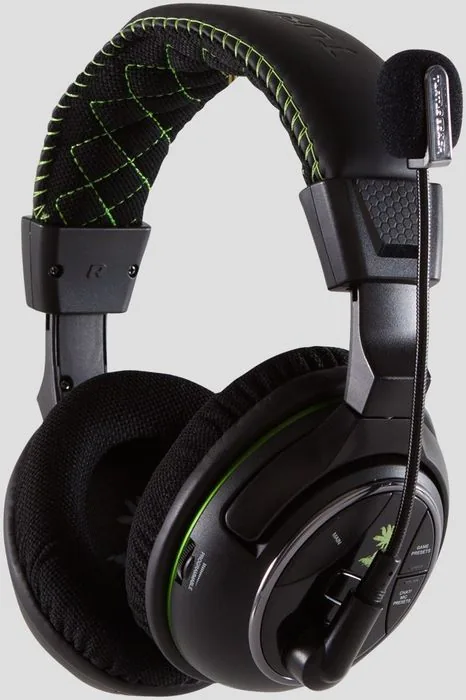
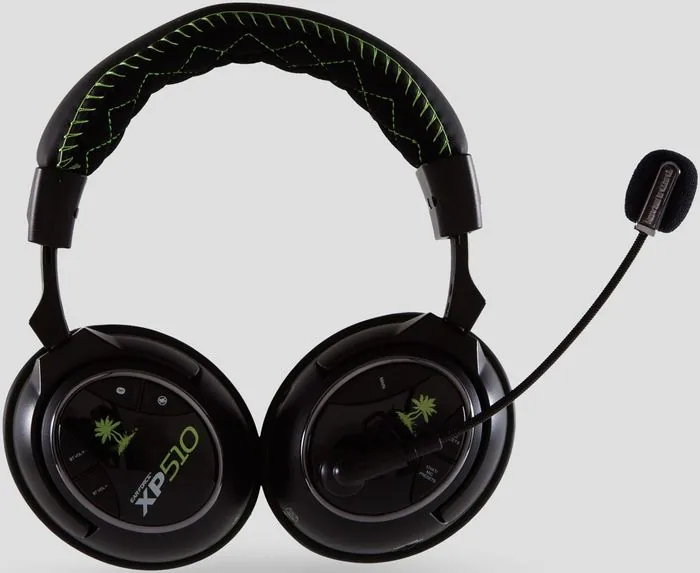
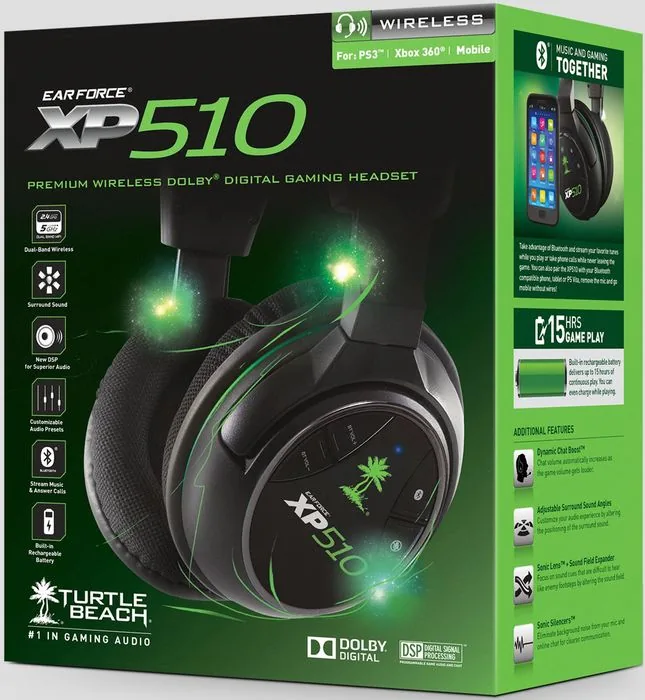
The Turtle Beach Ear Force XP510 is a versatile wireless gaming headset engineered for Xbox 360, PS3 and mobile devices. It combines dual-band 2.4/5 GHz wireless for low-latency audio, Bluetooth connectivity for phone integration, and a rechargeable battery that delivers up to 15 hours of play. The XP510 ships with an RF transmitter, optical cable, USB power cable, XBA Bluetooth adapter for Xbox 360 controller use, and mobile audio cable — everything needed to connect to consoles, PCs and portable players.
Key Features and User Experience
Designed for immersive gaming, the XP510 supports Dolby Digital 5.1 via optical input and offers an onboard DSP with preloaded and customizable presets for game, chat, music and movie modes. Game presets include Bass Boost, Treble Boost, Footstep Focus and Superhuman Hearing to emphasize competitive audio cues; chat presets enhance voice clarity or apply voice effects. Surround sound is managed from the RF transmitter with six selectable surround-angle presets to tailor spatial imaging.
Setup is straightforward: connect the transmitter to the console’s optical output and USB power, insert the boom mic, and power the headset. The headset and transmitter come pre-paired; re-pairing instructions are provided if needed. For Xbox 360, the included XBA adapter pairs to the headset via Bluetooth for chat through the controller. PS3 pairing uses Bluetooth and requires entering passcode 0000. The headset can pair with two Bluetooth devices simultaneously, allowing game audio and phone calls to coexist and switch seamlessly.
On the headset, dedicated controls allow switching between game/chat presets, engaging modes (Game, Music, Movie), adjusting multiple volume types (game, Bluetooth), muting the mic, and powering/pairing. Charging takes about six hours and the LED indicates charging status. Custom presets can be uploaded via Turtle Beach’s website using the USB programming cable.
Practical Notes
Battery life supports extended sessions but will signal low charge with periodic tones. Mobile wired playback is available but disables the microphone. The unit includes regulatory and safety compliance information and a limited one-year warranty covering defects under specified conditions.
Quick Specs
- Wireless: Dual-band 2.4 / 5 GHz + Bluetooth
- Inputs: Optical digital, line in, USB power
- Battery life: Up to 15 hours; charge cycle ~6 hours
- Surround: 6 transmitter presets; Dolby Digital support
- Accessories: RF transmitter, optical cable, charging cable, XBA, mobile cable
Notes:
- Mobile wired mode disables mic functionality.
- XBA adapter required for Xbox 360 controller chat.
- Use USB programming cable to upload custom presets from TurtleBeach.com/presets.
Search for 67,706 Manuals online


Type-in Brand or Model
cbechtelar38
8 months ago
Does shipping arrive quickly, and is the language and hearing quality really as good as reviewers say?
Manual.ly
8 months ago
Yes. Customers commonly report fast delivery and consistent performance after setup. The speech and hearing quality are designed to be clear and easy to understand, with good overall audio presence for everyday listening and conversations. If you notice any issue right after receiving the product (for example, incorrect settings), our team can help you check the audio and configuration so you can get the best sound quality right away.