
Turtle Beach Ear Force XP300 Manual
PDF manual · 27 Pages
English



Quick check
Incorrect answer, please try again.
Chat with your Turtle Beach Ear Force XP300 manual using AI
Get instant AI answers from your Turtle Beach Ear Force XP300 manual
Ask anything about the Turtle Beach Ear Force XP300. Answers come from this manual, with the pages they are based on.
Ask a Question
Do you recommend Ear Force XP300?
Yes NoFrequently Asked Questions
Ensure both devices are off and at least two feet apart. Press and hold the Pair button on the transmitter until the LED flashes rapidly. Then press and hold the Power button on the headset for six seconds until its LED flashes rapidly. Wait up to thirty seconds for them to connect.
Is this answer helpful?
Yes, the headset works with PS3 via the included transmitter for game audio. For chat, you can pair it directly via Bluetooth by selecting TURTLE BEACH BLUETOOTH CHAT in the accessory settings and entering the pass key 0000.
Is this answer helpful?
The rechargeable Li-Po battery provides more than ten hours of continuous game play. A tone will sound every ten seconds when power is low before the headset shuts off automatically.
Is this answer helpful?
Press the Tone button on the left ear cup to cycle through the four equalizer presets: Flat, Bass Boost, Treble Boost, and Bass and Treble Boost.
Is this answer helpful?
Yes, the XP300 features a removable microphone that can be adjusted for position. It also includes a variable mic monitor to hear your own voice while speaking.
Is this answer helpful?
Advantages and Disadvantages
Advantages

- Dual-band WiFi digital transmission reduces interference for a stable wireless connection
- Rechargeable battery provides over 10 hours of continuous gameplay
- Sound Field Expander enhances directional audio accuracy for competitive advantage
- Includes XBA Bluetooth adapter for simultaneous mobile phone pairing and gaming
Disadvantages

- Some specific mobile phone models may experience occasional Bluetooth connectivity issues
- HDMI audio setup requires purchasing an additional Xbox 360 audio adapter cable
- Surround sound upgrade requires a separate purchase of the DSS2 processor
Product Specification
Type
Headphones (Over-Ear)
Form Factor
Headband
Microphone
Microphone Arm (Detachable)
Wireless
Bluetooth, Digital Wireless
Controls
Volume Control, Mute Button
Battery
USB Micro-B Charging Port
Certified For
Xbox 360, PS3
Color
Black, Green
Product Description
Elevate Your Gaming Audio with the Turtle Beach Ear Force XP300
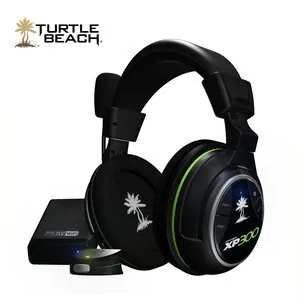
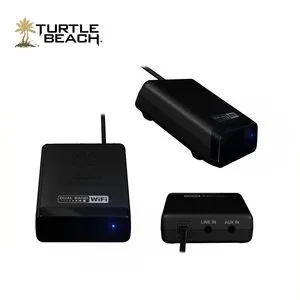
The Turtle Beach Ear Force XP300 is a wireless amplified stereo gaming headset engineered specifically for immersive gameplay on Xbox 360 and PlayStation 3. Designed to deliver crystal-clear audio and seamless communication, this headset features dual-band WiFi digital technology that ensures a stable connection with minimal interference. Whether you are tracking enemy footsteps or coordinating with your team, the XP300 provides the precision you need.
Equipped with powerful 50mm neodymium speakers, the headset offers a frequency response from 20Hz to 20kHz, ensuring deep bass and crisp highs. The included XBA Bluetooth adapter allows for versatile connectivity, enabling you to pair with mobile phones for chat while gaming. The rechargeable lithium-polymer battery delivers over ten hours of continuous play, keeping you in the action without interruption. You can even charge the headset via USB while playing, so power loss is never an issue.
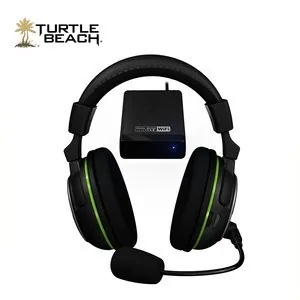
Customization is at the heart of the XP300 experience. Users can cycle through four equalizer presets including Bass Boost and Treble Boost using the Tone button. Additionally, the Sound Field Expander feature lets you adjust directional accuracy between Normal, Narrow, and Wide settings to suit your environment. The removable microphone with variable monitor control ensures your voice comes through clearly while allowing you to hear yourself during intense moments. With its robust build and intuitive controls, the Turtle Beach Ear Force XP300 stands as a top choice for serious gamers seeking quality sound and reliability.
Search for 67,706 Manuals online


Type-in Brand or Model