Please register your product to receive important updates.
Enregistrez votre produit pour recevoir les mises à jour importantes.
www.turtlebeach.com/productregistration
For warranty, visit:
Concernant la garantie, visitez :
www.turtlebeach.com/warranty
P/N: 426-248-005-500 RE
Turtle Beach Europe Ltd is obligated as a producer with a main activity of selling under The Producer Responsibility Obligations (Packaging Waste) Regulations
2007. To fulfill our obligation we are registered with Comply Direct and their Recycling Room. Here you will find advice and information on packaging waste
management, recycling symbols and the waste hierarchy principles of reduce, reuse and recycle. https://www.complydirect.com/the-recycling-room/
For instructions in other languages, please visit http://www.turtlebeach.com/homologation
This symbol on the product or its packaging indicates that this product must not be disposed of with your other household waste.
Instead, it is your responsibility to dispose of your waste equipment by handing it over to a designated collection point for the recycling
of waste electrical and electronic equipment. The separate collection and recycling of your waste equipment at the time of disposal
will help conserve natural resources and ensure that it is recycled in a manner that protects human health and the environment. For
more information about where you can drop o your waste for recycling, please contact your local authority, or where you purchased
your product.
European Union and European Fair Trade Association (EFTA) Regulatory Compliance
Declaration of Conformity
Marking by this symbol:
Hereby, Voyetra Turtle Beach Inc. declares that Atlas Air Headset Model: HWBB0004 & Dongle Model: HWAA0004 is in compliance
with Directive 2014/30/EU(EMC), 2014/53/EU(RED), 2014/35/EU(Safety), 2015/863 amending Annex II to 2011/65/EC(RoHS),
Federal Communications Commission (FCC) Compliance Notices
Class B Interference Statement
This equipment has been tested and found to comply with the limits for a Class B digital device, pursuant to Part 15, Subpart B of the FCC Rules. These limits
are designed to provide reasonable protection against harmful interference in a residential installation. This equipment generates, uses, and can radiate radio
frequency energy and, if not installed and used in accordance with the instructions, may cause harmful interference to radio communications. However, there is
no guarantee that interference will not occur in a particular installation. If this equipment does cause harmful interference to radio or television reception, which
can be determined by turning the equipment o and on, the user is encouraged to try to correct the interference by one or more of the following measures:
• Reorient or relocate the receiving antenna.
• Increase the separation between the equipment and receiver.
• Connect the equipment into an outlet on a circuit dierent from that to which the receiver is connected.
• Consult the dealer or an experienced radio/TV technician for help.
FCC Caution:
This device complies with Part 15 of the FCC Rules. Operation is subject to the following two conditions: (1) This device may not cause harmful interference, and
(2) this device must accept any interference received, including interference that may cause undesired operation. This product is compliant with the Consumer
Product Safety Improvement Act of 2008, Public Law 110314 (CPSIA)
FCC RF Radiation Exposure Statement:
This equipment complies with FCC radiation exposure limits set forth for an uncontrolled environment. End users must follow the specific operating instructions
for satisfying RF exposure compliance. This transmitter must not co-located or operating in conjunction with any other antenna or transmitter.
CANADA-statement
This device complies with Innovation, Science and Economic Development Canada’s licence-exempt RSS(s). Operation is subject to the following two conditions:
(1) This device may not cause interference; and
(2) This device must accept any interference, including interference that may cause undesired operation of the device.
Le présent appareil est conforme aux CNR d’Innovation, Sciences et Développement économique Canada exempt(s)
de licence(s) applicables aux appareils radio exempts de licence. L’exploitation est autorisée aux deux conditions suivantes :
(1) l’appareil ne doit pas produire de brouillage ;
(2) l’utilisateur de l’appareil doit accepter tout brouillage radioélectrique subi, même si le brouillage est susceptible
d’en compromettre le fonctionnement.
RADIATION EXPOSURE STATEMENT
The product complies with Canada portable RF exposure limits set forth for an uncontrolled environment and are safe for intended operation as
described in this manual. The further RF exposure reduction can be achieved if the product can be kept as far as possible from the user body or set
the device to lower output power if such function is available.
Le produit est conforme aux limites d‘exposition pour les appareils portables RF pour les Etats-Unis et le Canada établies pour un environnement non contrôlé Le
produit est sȗr pour un fonctionnement tel que décrit dans ce manuel. La réduction aux exposition RF peut être augmentée si l’appareil peut être conservé aussi
loin que possible du corps de l‘utilisateur ou que le dispositif est réglé sur la puissance de sortie la plus faible si une telle fonction est disponible.
BATTERY CAUTION:
• Do not disassemble, impact, squeeze or throw into fire;
• Do not continue to use if severe swelling;
• Do not place in a high temperature environment;.
• Do not use after the battery is flooded;
• Do not use any charger other then that specifically
provided for use with the equipment;
• Dispose of used batteries according to the instructions.
無線耳機
型號: HWBB0004
額定: 5VDC, 0.5A
電池規格: 3.7VDC, 800mAH
無線規格: 藍牙/ 2.4GHz
For warranty information and service, please visit www.turtlebeach.com/warranty
WARRANTY SERVICE FOR PURCHASES IN AUSTRALIA
Our goods come with guarantees that cannot be excluded under the Australian Consumer Law. For complete details please visit www.turtlebeach.com/warranty.
To make a warranty claim in Australia during the Warranty Period, Purchaser should contact the VTB repair centre:
Tecworks International Pty Ltd, 13 Distribution Place, Seven Hills NSW 2147, Tel: 1300 074 512
No part of this document may be reproduced without permission.
Any product names mentioned in this guide may be trademarks or
registered trademarks and are the property of their respective owners.
BSMI 限用物質聲明表查詢,請上 https://bsmi.turtlebeach.com/
QUICK START GUIDE
GUIDE DE DÉMARRAGE RAPIDE
IMPORTANT
READ BEFORE USING
IMPORTANT
LIRE AVANT UTILISATION
ATLAS AIR
CERTIFICATION MODEL:
HEADSET: HWBB0004
DONGLE: HWAA0004
FRONT
BACK
/1
%
Quick check
I'm not a robot
Incorrect answer, please try again.
Chat with your Turtle Beach Atlas Air manual using AI
Get instant AI answers from your Turtle Beach Atlas Air manual
Ask anything about the Turtle Beach Atlas Air. Answers come from this manual, with the pages they are based on.
Ask a Question
0/1000
Do you recommend Atlas Air?
YesNo
Video
Manual
The New Wireless King! Turtle Beach Atlas Air Wireless Gaming Headset Review
Frequently Asked
Questions
A
Press and hold the Bluetooth multi-function button (MFB) until the voice prompt says "Pairing Bluetooth," then select the headset from your device's Bluetooth menu to connect.
Is this answer helpful?
A
Yes. When connected via the USB 2.4GHz transmitter you can answer incoming calls with a single press of the Bluetooth MFB; the headset will return to 2.4GHz wireless mode after the call ends or when you press the MFB again.
Is this answer helpful?
A
Download SWARM II for Windows from turtlebeach.com/swarm2 or install the SWARM II mobile app (Android/iOS) to update firmware and customize settings. Ensure the headset is charged and connected as instructed by the app or software.
Is this answer helpful?
A
The Atlas Air supports low-latency 2.4GHz wireless via USB transmitter, Bluetooth for phones and media, and a 3.5mm 5-pole audio jack for wired audio and microphone connections.
Is this answer helpful?
A
2.4GHz wireless provides lower latency and may enable advanced audio features not supported in Bluetooth mode, delivering more responsive audio for competitive gaming on consoles and PC.
Is this answer helpful?
A
If pairing mode stops after two minutes without a connection, restart pairing by pressing and holding the MFB until the "Pairing Bluetooth" prompt and then select the headset in your device's Bluetooth settings.
Is this answer helpful?
A
Visit turtlebeach.com/warranty for warranty details and turtlebeach.com/support for general product support and resources.
Is this answer helpful?
M: OA-GPT-5-NAN
Advantagesand
Disadvantages
Advantages
Low-latency 2.4GHz wireless mode via USB transmitter for optimal gaming performance.
Bluetooth pairing and MFB allow hands-free calls and media control without unplugging.
SWARM II software/app support for firmware updates and audio customization.
Adjustable headband and cushioned ear cups for extended comfort during long sessions.
Multiple connectivity options: 2.4GHz wireless, Bluetooth, and 3.5mm wired input.
VS
Disadvantages
Advanced audio features may be limited or unavailable in Bluetooth mode.
Pairing mode times out after two minutes if no device connects, needing restart.
Some users may need to update firmware via PC or mobile app for full feature access.
Reliance on USB transmitter for best performance may be inconvenient for mobile use.
Inline wired mic and 3.5mm setup may require adapters for certain devices.
M: OA-GPT-5-NAN
Product
Specification
Design
Headphones (Over-Ear)
Form Factor
Headband
Acoustic design
open
Microphone
Boom microphone (detachable)
Connectivity
0.14 in jack, USB-A (adapter)
Wireless
Bluetooth 5.2, Digital wireless
Cable
single-sided, detachable
Controls
Volume control, Mute button
Battery
USB-C charging port
Frequency range
20Hz-40kHz (Headphones), 100Hz-16kHz (Microphone)
Driver
1.57 in
Certified for
Nintendo Switch, PS4, PS5, Xbox One, Xbox Series S, Xbox Series X
Software features
Equalizer presets, Individual equalizer, App control
Color
black
Weight
0.66 lb
M: OA-GPT-54-NAN
Product
Description
Turtle Beach Atlas Air — Comfort, Connectivity, and Control
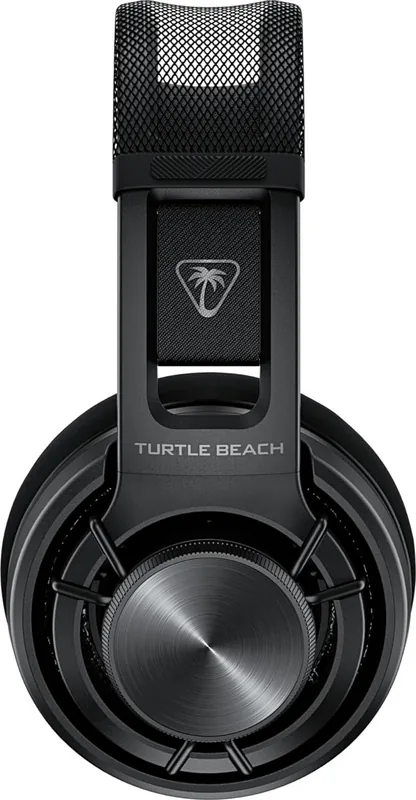
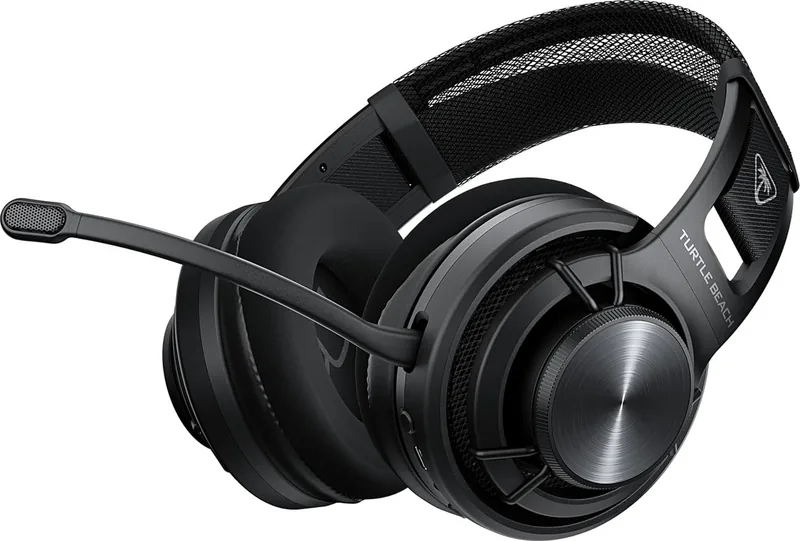
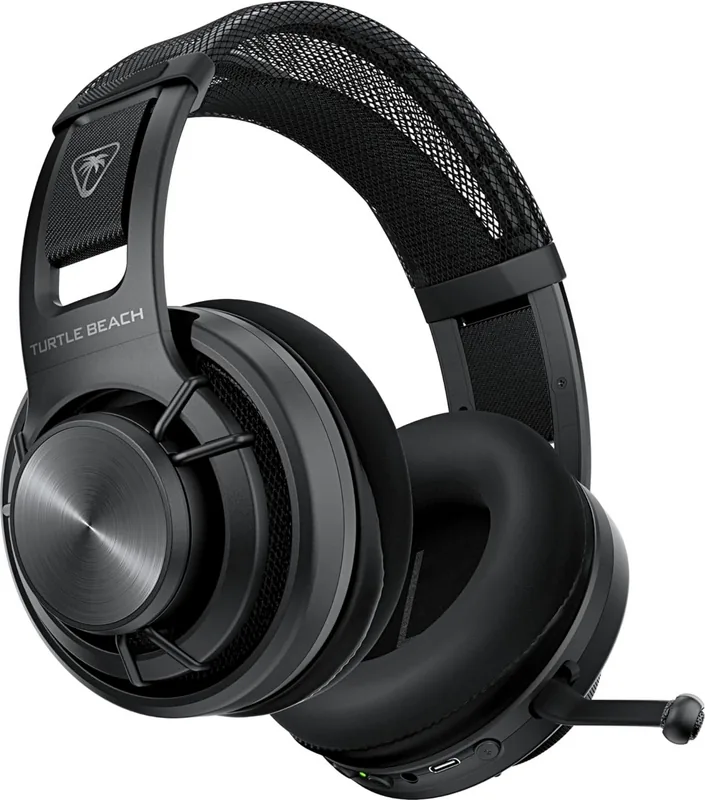
The Turtle Beach Atlas Air is a versatile wireless gaming headset designed to balance low-latency performance with everyday Bluetooth convenience. It combines 2.4GHz wireless connectivity via a USB transmitter for fast, stable gaming audio with Bluetooth for phone calls, music, and quick device switching. The headset offers adaptable comfort through an adjustable headband and cushioned ear cups, plus a detachable 3.5mm mic option for wired use when needed.
Users can pair the Atlas Air quickly by holding the Bluetooth multi-function button (MFB) until the voice prompt announces "Pairing Bluetooth," then selecting the headset in their device Bluetooth menu. When using the USB 2.4GHz wireless transmitter, the QuickSwitch button or MFB lets you answer calls without interrupting gameplay: a single press answers a call, and pressing again or ending the call returns audio to the 2.4GHz wireless connection.
Beyond core connectivity, the Atlas Air supports firmware updates and customization through Turtle Beach’s SWARM II software for Windows or the SWARM II mobile app on Android and iOS. Updating firmware ensures feature compatibility and improved performance. The headset includes an LED status indicator, master volume controls, and a USB port for charging and updates. Some advanced audio features are available only in 2.4GHz wireless mode, so gamers seeking the lowest latency and fullest feature set should prefer the USB wireless connection.
The Atlas Air’s controls are straightforward: use the power button to turn the headset on/off, the Bluetooth MFB for pairing, media control, and call handling, and the QuickSwitch to toggle between Bluetooth and 2.4GHz modes. A 3.5mm 5-pole jack supports wired audio and microphone insertion, while an inline wired mic option provides flexibility for different setups.
With practical build quality and cross-platform compatibility (Android, iOS, PC, consoles), the Atlas Air suits both competitive players who need responsive wireless audio and casual listeners who value Bluetooth convenience. Remember to register your product and check the Turtle Beach support site for warranty information and product updates.
Notes
Register your product at turtlebeach.com/productregistration for updates.
For firmware and configuration, visit turtlebeach.com/swarm2 or download the SWARM II mobile app.