
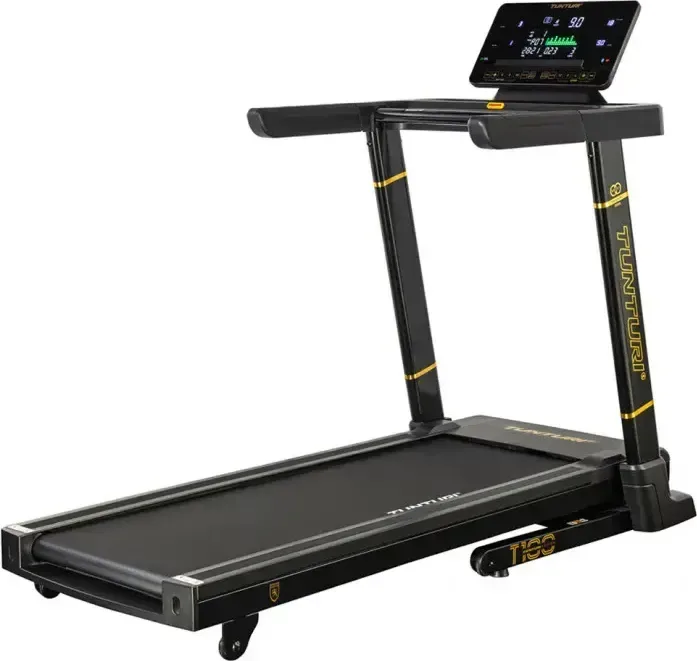
Tunturi Centuri T100 Manual
PDF manual · 106 Pages
English



Quick check
Incorrect answer, please try again.
Chat with your Tunturi Centuri T100 manual using AI
Get instant AI answers from your Tunturi Centuri T100 manual
Ask anything about the Tunturi Centuri T100. Answers come from this manual, with the pages they are based on.
Centuri T100 Maintenance Schedule
The manual states the trainer requires monthly maintenance even when not in use. Unplug power before starting.
Unplug the power cord and vacuum under the treadmill to prevent dust and pet hair from blocking air inlets.
Wipe the edge of the belt and area between belt and frame with a dry cloth. Use a nylon brush on the belt surface.
Check if the belt moves smoothly. If dusty or rough, apply approx 10ml lubricant under the belt center.
Wipe down the equipment with a soft, absorbent cloth after every use to remove sweat and dirt.
Use a vacuum cleaner with a small suction nozzle to clean visible parts of the equipment regularly.
Inspect all screws and nuts periodically to ensure they remain tight and secure.
The console displays 'OIL' and beeps every 10 seconds after 300 operating hours to remind you to check lubrication.
Center the running belt using the Allen key if it drifts to one side during use. Adjust rear roller bolts in 1/4 turns.
Free maintenance reminders
Timed to your purchase date. Always free, unsubscribe anytime.
Ask a Question
Do you recommend Centuri T100?
Yes NoFrequently Asked Questions
The treadmill is designed to support a maximum user weight of 135 kg or 300 lbs. Exceeding this limit may damage the equipment and void the warranty.
Is this answer helpful?
No, the chest strap is not included in the standard package. It must be purchased separately as an accessory if you prefer wireless heart rate monitoring over the hand sensors.
Is this answer helpful?
When the OIL message appears, press and hold the STOP button for at least three seconds during the acoustic warning signal to clear the message and reset the timer.
Is this answer helpful?
Yes, the console supports Bluetooth connectivity for both iOS and Android devices, allowing you to sync your workout data with compatible fitness applications.
Is this answer helpful?
Assembly requires at least two people due to the weight of the frame. Following the illustrated steps in the manual carefully will ensure proper setup and safety.
Is this answer helpful?
If the safety key is pulled out of the console slot, the treadmill will stop immediately to prevent injury. The console will also display an E7 error code until the key is reinserted.
Is this answer helpful?
Advantages and Disadvantages
Advantages

- Maximum user weight capacity of 135 kg ensures stability for heavier users
- 36 pre-set programs plus 3 user-defined options offer diverse workout variety
- Bluetooth connectivity enables seamless integration with fitness apps and devices
- Foldable design with transport wheels simplifies storage and relocation
- Incline range of 0 to 15 levels adds intensity and simulates outdoor terrain
Disadvantages

- Hand pulse sensors may lose accuracy if skin is too dry or sweaty
- Heart rate chest strap is sold separately as an accessory
- Lubrication reminder requires manual reset after application
- Assembly requires at least two people due to heavy components
- Console display may freeze if exposed to direct sunlight or sweat
Product Specification
Colors
black, gold
Power output
5 HP continuous
Speed
0.5-12.4 mph
Incline
0-15% electronically adjustable
Running surface
55x20 in
Max user weight
220 lbs
Dimensions
70x33x56 in
Folded size
40x33x61 in
Weight
181.88 lbs
Features
transport wheels, pulse grip sensors, chest strap compatible, bottle holder, app support (iOS, Android), Bluetooth, foldable
Product Description
Discover the Tunturi Centuri Performance T100 Laufband
The Tunturi Centuri Performance T100 Laufband represents a significant step forward in home fitness technology, designed to accommodate users of all levels. Whether you are a beginner looking to start your journey or an advanced athlete seeking challenging workouts, this treadmill offers the versatility needed for effective training. The manual highlights its robust construction and user-friendly interface, making it an ideal choice for those who value quality and performance.
This treadmill features a powerful motor capable of speeds ranging from 0.8 to 20.0 km/h, ensuring that every workout can be tailored to specific goals. With 36 pre-set programs and three customizable user profiles, you can easily vary your routine to prevent boredom and maximize results. The incline function allows for up to 15 levels of adjustment, simulating hill climbs and increasing the intensity of your cardio sessions without needing to increase speed excessively.
Safety is paramount with the Tunturi Centuri Performance T100 Laufband Manual guidelines. The console includes essential safety features such as a magnetic safety key that instantly stops the machine if dislodged. Additionally, the hand pulse sensors provide real-time heart rate monitoring, helping you stay within your target zone. For more accurate data, the unit supports Bluetooth connectivity with external chest straps and mobile apps, allowing you to track your progress seamlessly on iOS and Android devices.
Maintenance is straightforward thanks to the built-in reminders for belt lubrication and cleaning instructions found in the documentation. The foldable design saves valuable space when not in use, while the transport wheels facilitate easy movement around your home. With a maximum user weight capacity of 135 kg, this treadmill ensures durability and stability for years of reliable service.
Search for 67,706 Manuals online


Type-in Brand or Model