
TRENDnet TU3-ETGH3 Manual
PDF manual · 13 Pages
English



Quick check
Incorrect answer, please try again.
Chat with your TRENDnet TU3-ETGH3 manual using AI
Get instant AI answers from your TRENDnet TU3-ETGH3 manual
Ask anything about the TRENDnet TU3-ETGH3. Answers come from this manual, with the pages they are based on.
Ask a Question
Do you recommend TU3-ETGH3?
Yes NoFrequently Asked Questions
It adds a wired Gigabit Ethernet connection and three USB 3.0 ports to a computer through a single USB-A 3.0 connection. This makes it useful for expanding connectivity on laptops and desktops with limited ports.
Is this answer helpful?
Yes. The adapter is designed to be plug and play on macOS, so driver installation is not required for Mac systems. That makes setup quick and simple for compatible Apple computers.
Is this answer helpful?
The supported Windows versions listed are Windows 10, Windows 8.1, and Windows 8. On Windows, the Ethernet adapter driver must be installed before connecting the device for network use.
Is this answer helpful?
Yes. The USB 3.0 ports are backward compatible with USB 2.0 and USB 1.1 devices, so you can connect older peripherals such as flash drives, printers, and scanners.
Is this answer helpful?
No. It is bus-powered, which means it draws power from the computer connection. This keeps the setup cleaner and more portable because no separate power supply is needed.
Is this answer helpful?
The Ethernet side provides Gigabit networking, with up to 2Gbps listed in the specifications. That makes it suitable for fast wired transfers, stable internet access, and dependable office use.
Is this answer helpful?
Advantages and Disadvantages
Advantages

- Adds a Gigabit RJ-45 Ethernet port and three USB 3.0 ports in one compact accessory.
- Bus-powered design avoids carrying an extra power adapter and keeps the setup lightweight.
- Backward compatibility supports USB 2.0 and USB 1.1 devices for added flexibility.
- macOS works plug and play, making it easy to use on compatible Apple systems.
Disadvantages

- Windows users must install the driver before connecting the adapter for Ethernet use.
- It supports older Windows and macOS versions, so it may not suit newer unsupported systems.
- The USB-A design is less convenient for devices built around USB-C only.
- It is a practical hub-adapter combo, not a full docking station with advanced display features.
Product Specification
Type
LAN Adapter, USB Hub
Form Factor
1x external wired (connection cable not detachable)
Interface
1x USB-A 3.0 (male via cable, 5Gbps)
Connectivity
1x RJ-45, 3x USB-A 3.0 (female)
Data Transfer
1x RJ-45 (10/100/1000Base-T), 3x USB-A 3.0 (female, 5Gbps, total 5V/900mA)
Power Supply
Power supply only via connection
Dimensions
2.17x0.63x3.62in (WxHxD)
Weight
0.12lb
Compatibility
universal
Manufacturer Warranty
two years
USB Naming Convention
Link
Product Description
TRENDnet TU3-ETGH3, RJ-45, USB-A 3.0 plug, V2 (TU3-ETGH3 (v2.0R))
A compact adapter for faster wired networking
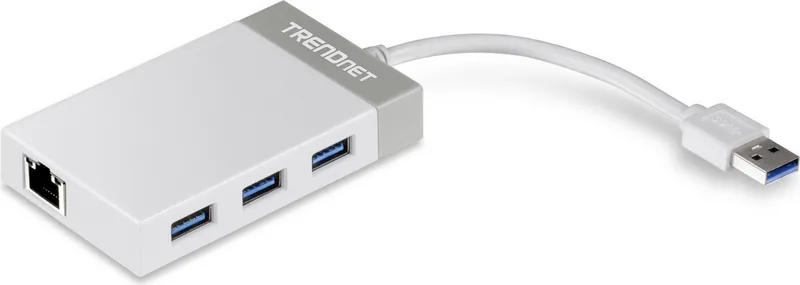
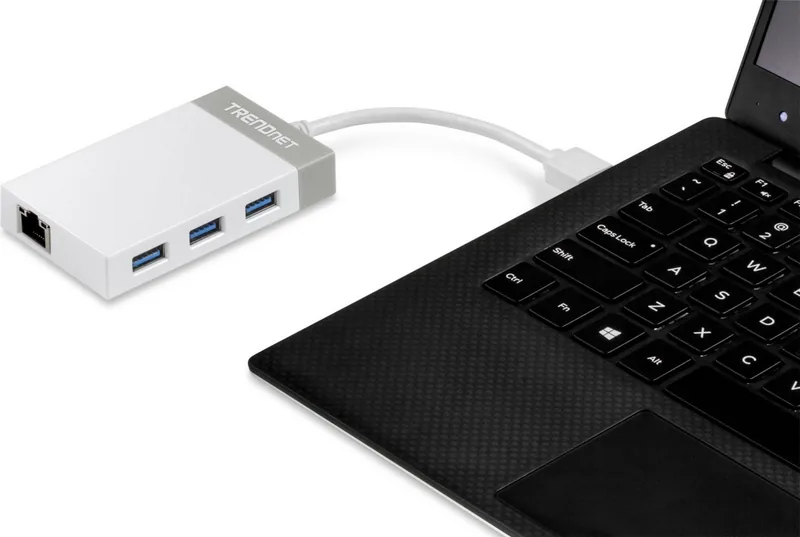
The TRENDnet TU3-ETGH3, RJ-45, USB-A 3.0 plug, V2 (TU3-ETGH3 (v2.0R)) brings together two everyday essentials: a Gigabit Ethernet connection and a three-port USB 3.0 hub. It is built for users who want a simple way to add a wired network port and extra peripheral connections without carrying a full docking station. For a laptop, ultrabook, or desktop with limited ports, this kind of accessory can make a big difference.
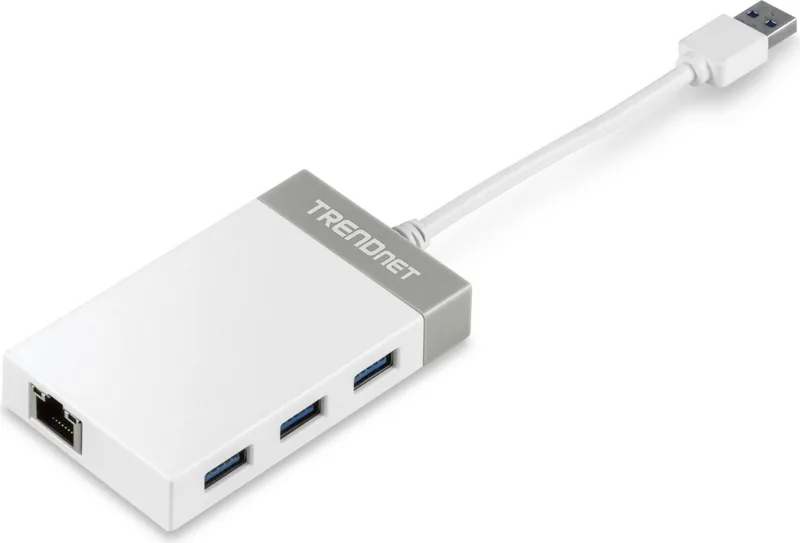
Its main attraction is convenience. The RJ-45 Ethernet port offers a reliable wired link for faster downloads, stable video calls, and smoother work in busy networks. At the same time, the USB-A 3.0 plug gives access to three SuperSpeed USB ports for flash drives, printers, scanners, and other accessories. Because the ports are also backward compatible with USB 2.0 and USB 1.1, older devices remain useful instead of becoming obsolete.
The TU3-ETGH3 is designed with portability in mind. Its compact body and integrated cable keep the setup tidy, and bus-powered operation means there is no need for an external power adapter. LED indicators help confirm link and activity status at a glance, which is handy when you want quick visual feedback during setup or troubleshooting.
Performance is aimed at practical everyday use. TRENDnet positions the device as a balance of networking and USB expansion, making it a smart fit for remote work, travel, shared offices, and home systems. On macOS, it works with plug-and-play convenience, while Windows users benefit from an included driver installation process. That makes it approachable for a wide range of users, even if the setup steps differ by platform.
With support for common operating systems, energy-saving GREENnet technology, and a compact form factor, the TU3-ETGH3 focuses on usefulness over complexity. It is a straightforward accessory that helps reduce cable clutter while expanding both network and USB connectivity in one small package.
Notes
- Best for users who need wired Ethernet and extra USB ports in one device.
- macOS setup is simple, while Windows may require driver installation.
- Backward compatibility helps older USB peripherals remain useful.
- LED indicators make connection status easy to check quickly.
Search for 67,732 Manuals online


Type-in Brand or Model