
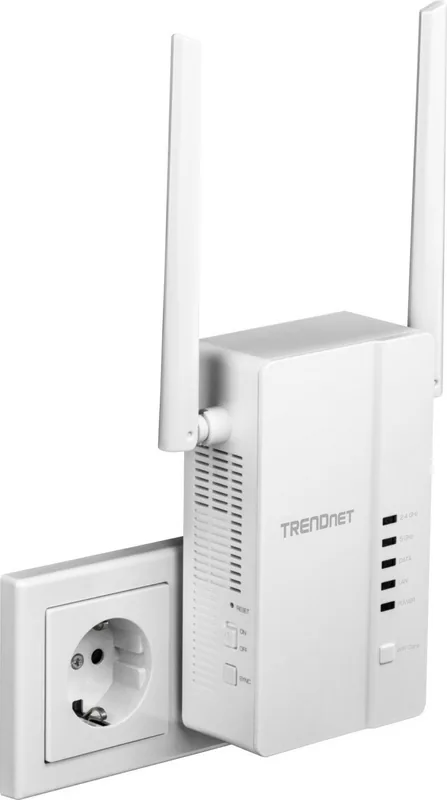
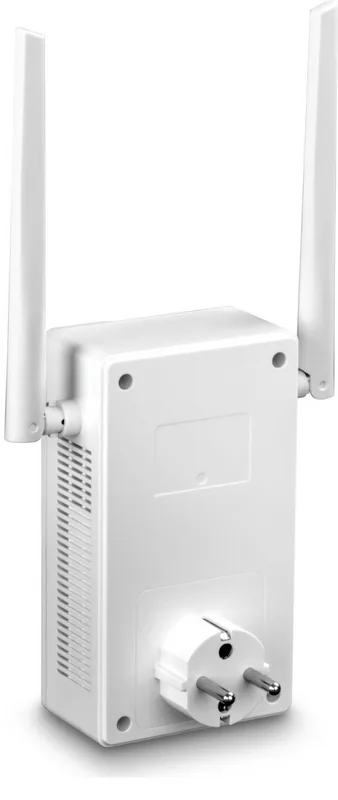
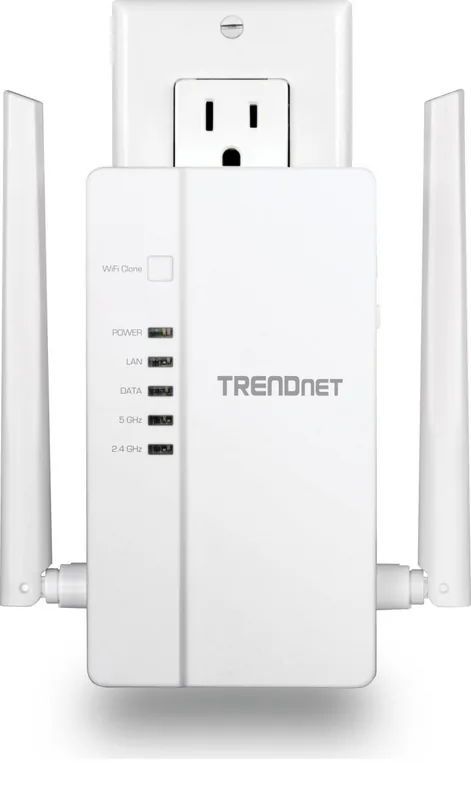
TRENDnet TPL-430AP Manual
PDF manual · 32 Pages
English



Quick check
Incorrect answer, please try again.
Chat with your TRENDnet TPL-430AP manual using AI
Get instant AI answers from your TRENDnet TPL-430AP manual
Ask anything about the TRENDnet TPL-430AP. Answers come from this manual, with the pages they are based on.
Ask a Question
Do you recommend TPL-430AP?
Yes NoFrequently Asked Questions
Yes, it is backward compatible with Powerline 600, 500, and 200 adapters for flexible expansion.
Is this answer helpful?
The default IP address is http://192.168.10.1 for access to the management interface.
Is this answer helpful?
Use WiFi Clone or WPS buttons on the unit and router for quick and easy device pairing.
Is this answer helpful?
Yes, use the System menu to change the admin password from the default to secure your access.
Is this answer helpful?
The product has a 3-year warranty, while power adapters have a 1-year coverage period.
Is this answer helpful?
Advantages and Disadvantages
Advantages

- AC1200 Dual Band WiFi speeds up to 1200 Mbps combined for high performance
- Gigabit LAN ports allow hardwired connections for smart devices and consoles
- WiFi Clone feature instantly copies router settings for simplified setup
- Pre-encrypted wireless settings ensure security right out of the box
- Three-year warranty protects against defects for peace of mind
Disadvantages

- Performance may degrade when plugged into power strips or surge protectors
- Requires adapters to be on the same electrical circuit for sync
- LED indicators may show red or amber if wiring quality is poor
- WPS functionality is disabled if SSID broadcast is turned off
- Installation requires specific wall outlets for optimal signal transmission
Product Specification
Type
Powerline Adapter, Wi-Fi Access Point, Bundle
Interface
3x RJ-45 (10/100/1000Base-T)
Connectivity
HomePlug AV2, 1x Wi-Fi 802.11a/b/g/n/ac (1x 2.4GHz or 1x 5GHz simultaneous, WPS button)
Transfer Rate
1x HomePlug AV2 (1200Mb/s, 128-bit AES), 1x 2.4GHz Wi-Fi (300Mb/s, 2x2), 1x 5GHz Wi-Fi (867Mb/s, 2x2)
Compatibility
HomePlug AV2
Features
Bundle (1x Adapter)
Band Support
Dual Band (simultaneous)
Security
128-bit AES, WPA2, WPS
Product Description
Enhancing Home Connectivity with Powerline Technology
Modern homes require seamless internet access in every room. WiFi signals often struggle with distance or thick construction materials. The TRENDnet Powerline AV2 1200 Access Point eliminates these barriers by sending data through standard electrical wiring. This method ensures strong connections even in distant rooms without running long Ethernet cables. It is an ideal solution for streaming video or online gaming without buffering.
Hardware and Specifications
The device features AC1200 concurrent dual-band technology. It offers 867Mbps on the 5GHz band and 300Mbps on the 2.4GHz band. MIMO antenna technology improves performance and range significantly. Gigabit LAN ports allow hardwired connections for smart devices. Pre-encrypted wireless settings ensure security out of the box with a unique password printed on the sticker. The Sync button simplifies network encryption changes instantly.
Installation Process
Setup involves plugging one adapter near the router and another where WiFi is needed. Connect the router using the included network cable. Configure the device through a web browser. Default IP addresses help administrators manage the interface easily. Detailed steps are found when reviewing the TRENDnet Powerline AV2 1200 Access Point Manual. This guide explains how to change the password and adjust security settings. It also covers troubleshooting common connectivity issues.
Security and Management
WPA2 is the recommended encryption standard for high security. WPS buttons allow quick pairing with compatible devices. Users can adjust wireless channels to avoid interference. LED indicators show connection quality with colors like green or amber. Admin access requires the default password unless changed during setup. System logs help identify connected clients and network status.
Warranty and Support
A three-year warranty protects against material defects. Power adapters have a shorter one-year coverage period. Technical support is available for installation questions. Firmware updates improve device capabilities over time. Avoid using surge protectors as they block Powerline signals. Stick to wall outlets for consistent performance.
Final Recommendations
Place the unit centrally for best coverage. Avoid metal obstructions that weaken signals. Keep devices away from high-power appliances. Regular maintenance ensures long-term reliability. Always verify the TRENDnet Powerline AV2 1200 Access Point Manual before making changes. This ensures configurations remain safe and effective for your specific network environment.
LED Indicator Guide
The Power LED shows if the unit is active. Data LEDs indicate connection strength with green for best quality. Amber or red means connection needs attention. Blinking signals syncing or data transmission. Resetting takes ten seconds to restore defaults. This visual feedback helps users diagnose issues quickly without advanced tools.
Extending Network Reach
You can add up to eight adapters on one network. This allows for broad coverage throughout a multi-story building. Ensure electrical wiring is compatible within the system. Different circuits might require bridging with Ethernet. This flexibility makes expansion easy for growing households.
Troubleshooting Tips
If problems occur, try resetting the device for ten seconds. Check the power outlet for interference. Ensure the router is also powered. These steps often resolve minor glitches effectively.
Network Compatibility
The units are compatible with most modern routers and switches. They support standard HomePlug AV protocols for reliability. Older adapters can join the network if specifications match. This ensures you can expand your setup without buying all new equipment.
Search for 67,732 Manuals online


Type-in Brand or Model