
TRENDnet TPL-410APK Manual
PDF manual · 65 Pages
English



Quick check
Incorrect answer, please try again.
Chat with your TRENDnet TPL-410APK manual using AI
Get instant AI answers from your TRENDnet TPL-410APK manual
Ask anything about the TRENDnet TPL-410APK. Answers come from this manual, with the pages they are based on.
Ask a Question
Do you recommend TPL-410APK?
Yes NoVideo Manual
How to Set up a Powerline Adapter | TRENDnet TPL406E2K 500Mbps
Frequently Asked Questions
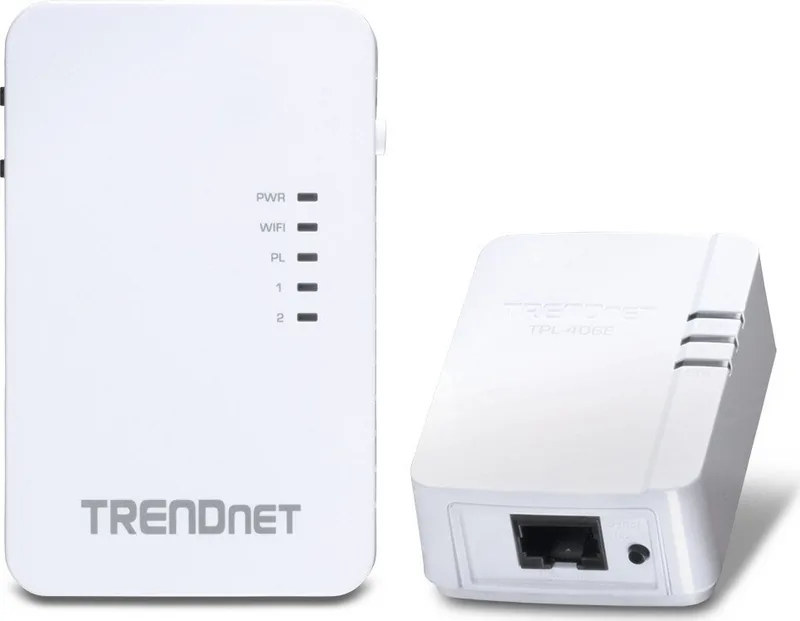
The kit includes a TPL-410AP Powerline 500 AV Wireless Access Point, a TPL-406E Powerline 500 AV Nano Adapter, network cables, a Quick Installation Guide, and a CD-ROM with the Powerline Utility and user manual.
Is this answer helpful?
Plug the TPL-406E near your router and connect it via Ethernet, plug the TPL-410AP into an outlet where you need Wi‑Fi or wired ports, wait for Powerline LEDs to indicate connection, then connect devices via Ethernet or the preset SSID/Wi‑Fi key printed on the device label.
Is this answer helpful?
Use the Sync button on each adapter to generate a random network key (recommended) or install TRENDnet Powerline Utility on a PC to assign a custom encryption key to multiple adapters. The default Powerline key is HomePlugAV and should be changed for extra security.
Is this answer helpful?
Use WPA2‑Personal with AES encryption for the strongest security and highest 802.11n performance. WPA-Auto can help with mixed-device environments; WEP is legacy and not recommended.
Is this answer helpful?
Yes — WPS push-button or PIN methods simplify adding clients, but WPS only works when WPA2 is enabled. WPS is disabled if SSID broadcast is off or if WEP/WPA (non-WPA2) is used.
Is this answer helpful?
Avoid power strips and surge protectors, try alternative wall outlets, power-cycle adapters, ensure adapters are on the same electrical system, check LED colors for link quality, and consider relocating devices or adding adapters. Reset to defaults and re-sync if necessary.
Is this answer helpful?
Connect a computer to the AP by Ethernet, set PC IP to the 192.168.10.x subnet if needed, then open http://192.168.10.100 in a browser. Default credentials are admin/admin and you are prompted to change the admin password during initial setup.
Is this answer helpful?
Advantages and Disadvantages
Advantages

- Easy hybrid setup: auto-connect Powerline adapters create wired and Wi‑Fi extensions through existing electrical wiring.
- Preconfigured security: unique preset SSID and keys on each device simplify initial secure connections.
- Flexible connection options: two Ethernet ports on TPL-410AP for wired devices plus N300 Wi‑Fi coverage.
- Management tools: web UI, setup wizard, WPS support, and Powerline Utility for encryption, firmware, and diagnostics.
- Robust security options: supports WPA2‑AES for strong wireless protection and 128‑bit AES for Powerline encryption.
Disadvantages

- Performance varies: Powerline throughput and wireless range depend heavily on wiring quality, interference, and distance.
- WPS limits: WPS only functions with WPA2; WEP or some WPA modes require disabling WPS.
- Power outlet sensitivity: Power strips, GFCI/AFCI breakers, or surge protectors can degrade or block Powerline signals.
- Legacy device limits: Older 802.11b/g clients or WEP may cap wireless speeds and reduce network performance.
- Complex advanced settings: Aggregation, gating, and VLAN/TOS options may confuse nontechnical users and risk misconfiguration.
Product Specification
Type
Powerline adapter, WLAN access point, Bundle
Form factor
2x Socket adapter
Connectivity
1x RJ-45 (10/100/1000Base-T, 1 device), 2x RJ-45 (10/100Base-T, 1 device), 1x HomePlug AV2 (WLAN access point, 1 device)
Connection
1x Homeplug AV (2-68MHz, IEEE 1901, 2 devices), 1x WLAN 802.11b/g/n (1x 2.4GHz, WPS button), 1x Transmit amplifier (<14dBm), 1x Antenna (integrated, 2x electrical, 3dBi)
Transfer rate
1x Homeplug AV (500Mb/s, 128bit AES, 2 devices), 1x 2.4GHz WLAN (300Mb/s, 2x2)
Dimensions
3.03x3.94x2.56in (WxHxD)
Weight
0.36 lb
Compatibility
Homeplug AV (200/500Mb/s)
Special features
Bundle (1x Powerline adapter (TPL-406E) - 1x RJ-45, 1x Powerline/WLAN access point (TPL-410AP) - 2.4GHz WLAN)
Band capability
Single Band
Manufacturer warranty
three years
Product Description
TRENDnet Powerline 500 Wireless Kit, 2-pack Manual
The TRENDnet Powerline 500 Wireless Kit, 2-pack Manual provides a practical guide to quickly set up and optimize a hybrid Powerline-and-Wi‑Fi home network using the TPL-410AP access point and the TPL-406E nano adapter. The kit leverages your home's electrical wiring to extend network coverage without running new Ethernet cables, and the manual explains hardware features, installation steps, security options, and advanced settings to ensure reliable performance.
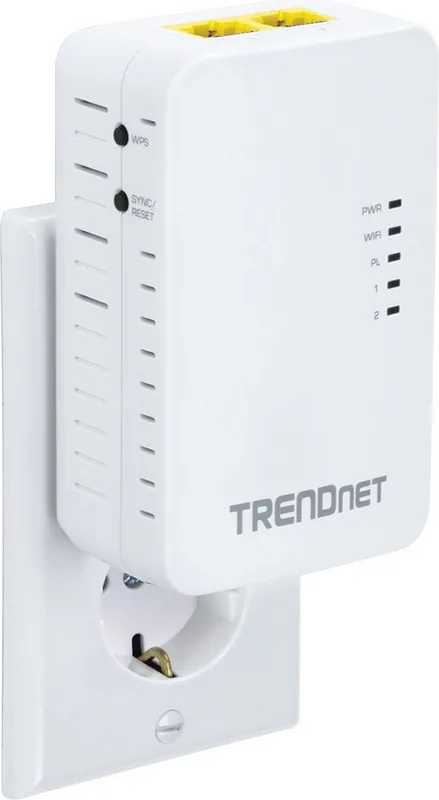
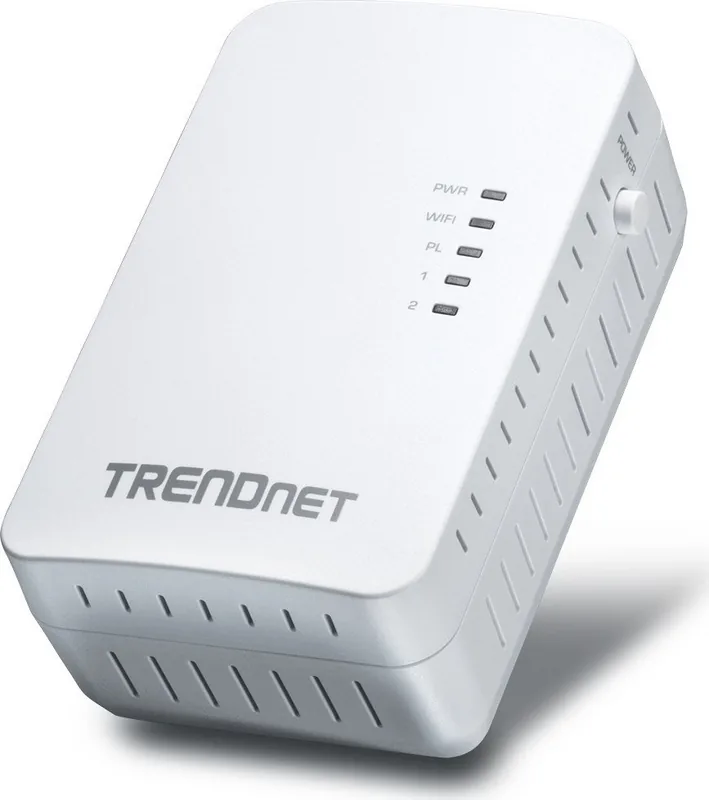
The TPL-410AP is a Powerline 500 AV Wireless Access Point with two gigabit-capable LAN ports, an integrated N300 Wi‑Fi radio, WPS support, and on-device buttons for Sync/Reset and power. The TPL-406E nano adapter complements it by connecting at the router end and automatically forming a Powerline link. Together they auto-connect out of the box and use 128-bit AES Powerline encryption with a preconfigured private SSID and Wi‑Fi key printed on the device label for fast, secure setup.
Installation and initial setup are covered step-by-step: plug the adapter near your router, connect via Ethernet, move the access point to the desired outlet for extended Wi‑Fi, and use the web-based management page (default IP 192.168.10.100) or setup wizard to finalize admin and wireless credentials. The manual details how to use the physical Sync button or TRENDnet Powerline Utility to change or synchronize Powerline encryption keys, add adapters, and manage firmware. It also explains how to connect wireless clients via SSID or WPS (push-button or PIN), with notes on when WPS is supported (WPA2 only) and limitations with legacy encryption types.
Security and wireless optimization receive particular focus. The manual compares WEP, WPA, WPA-Auto, and WPA2, recommending WPA2‑AES for best performance and compatibility with 802.11n. It walks through configuring SSID, channels, channel width (20/40MHz), MAC filtering, WMM/QoS, and advanced options like aggregation and gating index. Practical tips on antenna placement, interference avoidance, and building-material impacts help maximize coverage.
Maintenance sections cover backing up/restoring config files, resetting to factory defaults, checking system status (wireless client list, powerline device list, logs), and upgrading both access point and Powerline firmware—plus troubleshooting advice for common issues such as connectivity, LED indications, and power‑strip or GFCI interference.
Notes:
- Default admin/login: admin/admin; default access point IP: 192.168.10.100.
- Powerline max physical rate: 500 Mbps; actual throughput varies with wiring and interference.
- Recommended: up to 8 adapters per Powerline network for stable streaming.
Search for 67,732 Manuals online


Type-in Brand or Model