
TRENDnet TPE-TG80g Manual
PDF manual · 5 Pages
English



Quick check
Incorrect answer, please try again.
Chat with your TRENDnet TPE-TG80g manual using AI
Get instant AI answers from your TRENDnet TPE-TG80g manual
Ask anything about the TRENDnet TPE-TG80g. Answers come from this manual, with the pages they are based on.
Ask a Question
Do you recommend TPE-TG80g?
Yes NoFrequently Asked Questions
The total available power is 123 watts across all eight ports.
Is this answer helpful?
There are eight RJ-45 ports supporting Gigabit speeds.
Is this answer helpful?
The product has a three-year limited warranty from the date of purchase.
Is this answer helpful?
Yes, each port can deliver up to 30 watts suitable for IP cameras.
Is this answer helpful?
Low priority ports lose PoE until power is available again.
Is this answer helpful?
Port 1 has the highest priority and Port 8 has the lowest priority.
Is this answer helpful?
The surface must support at least 430 grams for stable placement.
Is this answer helpful?
Advantages and Disadvantages
Advantages

- 8 Gigabit RJ-45 ports support high-speed data transfer for all connected devices easily.
- 123 Watt PoE+ budget allows powering multiple devices without additional power supplies.
- Automatic port priority ensures critical equipment stays online during power shortages.
- Clear LED indicators provide immediate visual feedback on status and connection health.
- Three-year limited warranty protects against material and workmanship defects for peace of mind.
Disadvantages

- Power budget limited to 123 Watts total which restricts the number of high-draw devices.
- No active cooling fan mentioned implying reliance on passive cooling which may limit density.
- Port priority is fixed meaning high priority ports cannot be configured manually for flexibility.
- Requires stable surface supporting 430 grams minimum for safe physical installation stability.
- Power adapter must be located within 1.82 meters of the switch to ensure functionality.
Product Specification
Function
Switch
Type
Standalone
Network Connections
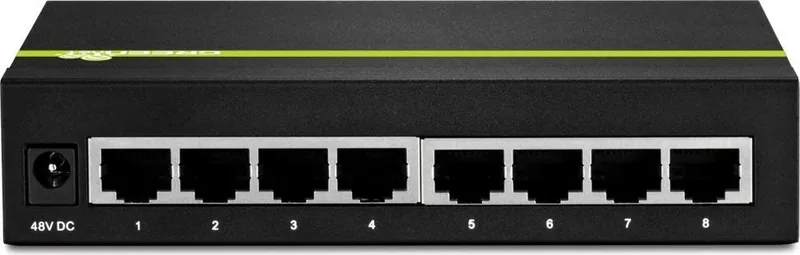
8x RJ-45 (Rear)
Speeds
8x RJ-45 (10/100/1000Base-T)
PoE
8x RJ-45 PoE+ (8x 30W), Total: 123W
Backplane
16Gb/s, 11.9Mb/s, 9KB Jumboframes, 8k MAC Addresses
Officially Supported Standards
802.1p, 802.3, 802.3ab, 802.3af, 802.3at, 802.3az, 802.3u, 802.3x
Configuration
unmanaged
Cooling
passive
Dimensions (WxHxD)
5.59 x 1.18 x 3.74 inches
Weight
0.88 lbs
Color
black
Features
Metal housing, external power supply
Manufacturer Warranty
3 Years
Note
Various revisions available. Version v2.0R with 105W PoE+ total power.
Product Description
Introduction
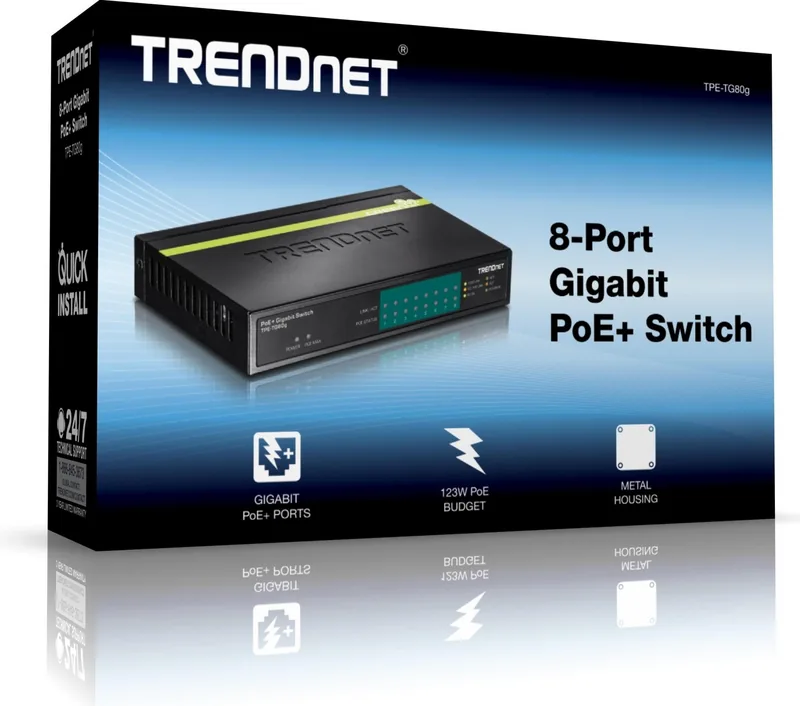
The TRENDnet TPE-TG Desktop Gigabit Switch, 8x RJ-45, 123W PoE+ Manual provides essential guidance for network expansion. This device offers robust connectivity with eight RJ-45 ports capable of delivering power over Ethernet to connected hardware directly. It is designed for environments where data speed and power delivery are critical requirements for daily operations. The switch supports Gigabit speeds across all ports, ensuring fast data transfer rates even when multiple devices are communicating simultaneously. With a total power budget of 123 watts, it can handle multiple PoE devices running concurrently without dropping connections unexpectedly under normal load conditions. The system ensures stability for critical business applications.
Installation and Hardware
Each port can deliver up to 30 watts, making it suitable for a wide range of PoE equipment such as IP cameras, wireless access points, and VoIP phones. Installation requires adherence to electrical safety guidelines and physical placement considerations for the enclosure to ensure longevity and safety. The unit needs a surface supporting 430 grams for instability prevention. The power adapter must be within 1.82 meters for reliable performance and direct connection to the mains outlet. Ventilation is crucial to prevent overheating as the device relies on passive heat dissipation around the chassis during extended usage hours for consistent stability over time.
Status and Priority Logic
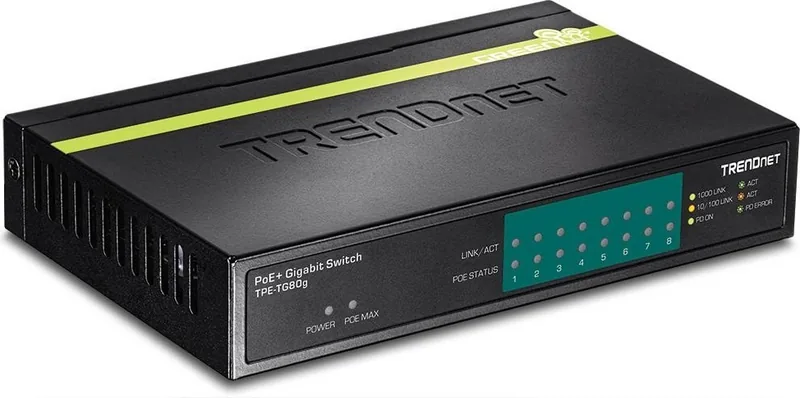
Avoid placing heavy objects to maintain consistent airflow around the unit. LED indicators provide clear status updates regarding power and connection activity in real-time through the interface. A green light typically means the device is active or connected securely to the network. Red indicates specific issues or overload conditions requiring immediate attention and troubleshooting. Power distribution prioritizes ports based on logic when the total wattage budget is exceeded during operation peaks. Port 1 holds the highest priority for power allocation. It follows sequentially down to Port 8 which holds the lowest priority level. If overload occurs, lower priority ports lose PoE until power is available from supply again.
Maintenance and Warranty
This ensures critical devices remain powered first during stress events or network load peaks in the facility. The warranty provided covers manufacturing defects for three years for the product chassis and main components effectively. Components like the power adapter and cooling fan have a separate one-year coverage period for specific parts within the system. Treating the device according to FCC rules ensures compliance with radio interference standards in the United States and similar regions globally. Unauthorized modifications can void warranty coverage and cause system interference issues affecting the whole network infrastructure negatively.
Conclusion
Security and maintenance are handled through standard networking practices that do not require complex configuration steps by the end user. Users should recycle electronic waste properly according to local regulations and not dispose of items with household waste. Technical support is available for installation questions and troubleshooting scenarios for any issues that might arise. Registering the product online helps streamline future support interactions effectively and maintains records for users. This switch is ideal for small to medium business networks needing reliable PoE expansion without complex configuration needs. It simplifies network setups by combining power and data over single cables. Ensuring stable power delivery enhances network uptime and performance significantly for the network.
Search for 67,732 Manuals online


Type-in Brand or Model