
TRENDnet TPE-E100/TPE-E110 Manual
PDF manual · 6 Pages
English



Quick check
Incorrect answer, please try again.
Chat with your TRENDnet TPE-E100/TPE-E110 manual using AI
Get instant AI answers from your TRENDnet TPE-E100/TPE-E110 manual
Ask anything about the TRENDnet TPE-E100/TPE-E110. Answers come from this manual, with the pages they are based on.
Ask a Question
Do you recommend TPE-E100/TPE-E110?
Yes NoFrequently Asked Questions
You can extend the network by up to 100 meters or 328 feet per unit using standard Ethernet cables.
Is this answer helpful?
TRENDnet offers a 3-year limited warranty, though power adapters and fans have a 1-year warranty.
Is this answer helpful?
Yes, you can daisy chain up to 7 units in specific PoE+ configurations for increased coverage.
Is this answer helpful?
Support is available via phone lines with regional numbers provided for US, Canada, Russia, and other regions.
Is this answer helpful?
The device complies with EMC, RoHS, REACH, and FCC Part 15 rules for electromagnetic safety and interference.
Is this answer helpful?
Yes, registration is recommended online to review warranty policies and rights on the TRENDnet website.
Is this answer helpful?
Using a different adapter may produce physical damage, and the correct voltage must be used for safety.
Is this answer helpful?
Advantages and Disadvantages
Advantages

- Extends Ethernet and PoE reach by up to 328 feet per unit using standard cables.
- Supports daisy chaining up to 7 units in specific PoE+ configurations for large areas.
- Includes a 3-year limited warranty for manufacturer defects and workmanship issues.
- Maintains Gigabit speeds across the extended network segment for optimal performance.
- Compliant with RoHS, REACH, and EMC directives for environmental and safety standards.
Disadvantages

- Power adapter only has a 1-year warranty coverage limit compared to the main unit.
- Fan and cooling components are excluded from the full three-year warranty term.
- Requires exact assembly instructions to comply with FCC interference rules effectively.
- Voltage must match local supply to avoid damaging connected equipment physically.
Product Specification
Function
PoE-Extender (1x Data/PoE+ PD, 1x Data/PoE+)
Type
Standalone, Wall-mount
Network Ports
1x RJ-45
Speeds
1x RJ-45 (10/100/1000Base-T)
PoE
1x RJ-45 PoE+ PD, 1x RJ-45 PoE+ (1x 30W), total: 30W, PoE passthrough max. 30W, PoE-Extender (addl. 328.08 ft, 4x Cascaded PoE, 7x Cascaded PoE+)
Backplane
1.5KB Jumboframes, 96KB Packet Buffer, 2K MAC Addresses
Official Supported Standards
802.3, 802.3ab, 802.3af, 802.3at, 802.3u, 802.3x, IGMPv2
Configuration
unmanaged
Cooling
Passive
Dimensions (WxHxD)
2.95x1.30x4.92in
Weight
0.67 lbs
Color
black
Features
Metal housing, optional external power supply
Manufacturer Warranty
3 years
Product Description
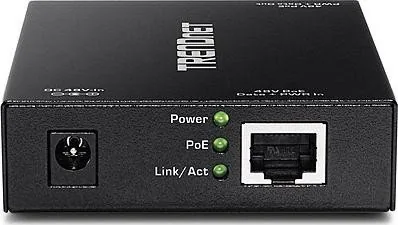
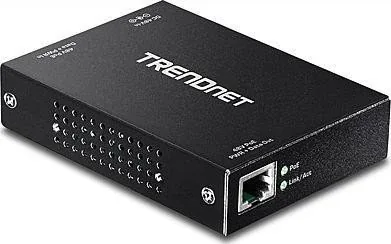
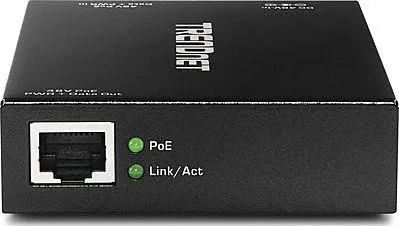
Networking infrastructure requires absolute reliability and extended range to function correctly in complex environments. The TRENDnet TPE-E Desktop Gigabit PoE-Extender, 1x RJ-45, PoE+ Manual serves as a vital component for extending powered networks in commercial and residential settings effectively. This device acts as a repeater and amplifier, ensuring that power over ethernet signals reach distant devices without significant signal degradation or performance loss. In modern secure setups, connecting IP cameras and wireless access points often exceeds the standard cable length limitations provided by standard switches. This tool solves that specific problem effectively and helps maintain network integrity.
Understanding the Device Functionality
The core purpose of this hardware involves extending the reach of your Ethernet connection while maintaining consistent power delivery capabilities for connected devices. You can daisy chain multiple units to cover significantly larger areas without running new physical cables throughout the building. The documentation indicates that up to seven units can work together in a specific configuration for PoE+ scenarios to maximize reach. Stand-alone operation is also possible depending on your switch capabilities and available port density. This versatility allows it to fit into various network topologies and physical layouts.
Installation and Setup
Setting up the system is designed to be straightforward for most users with basic IT knowledge and experience. The device connects via standard RJ-45 ports to maintain gigabit speeds across the entire network segment reliably. It amplifies the signal to allow distances of up to 100 meters or 328 feet per individual segment efficiently. This flexibility allows for seamless integration into existing security or wireless networks without major overhauls. It ensures your endpoints receive both data transmission and power consistently over long runs.
Compliance and Warranty Details
TRENDnet confirms this product meets strict EMC and EMC directives for electromagnetic compatibility and safety standards. RoHS and REACH regulations ensure environmental safety for the components used during manufacturing processes globally. A limited warranty of three years covers material defects under normal use conditions and service requirements. However, power adapters and fans have a separate one-year coverage period for specific electrical components. Users should register their products online to maintain full support eligibility and track their purchase date accurately.
Technical support is available through designated phone lines during standard business hours for assistance. Regional numbers exist for different countries regarding specific installation questions and troubleshooting needs. The FCC rules require exact assembly instructions to prevent harmful radio interference in sensitive areas. Always verify voltage specifications on the power adapter to avoid damaging connected equipment physically or electrically. Recycling is required for waste electronic products according to local authority guidelines to protect the local environment. Proper disposal ensures no hazardous materials enter the general household waste stream accidentally.
Search for 67,732 Manuals online


Type-in Brand or Model