
TRENDnet TPE-2840WS Manual
PDF manual · 108 Pages
English



Quick check
Incorrect answer, please try again.
Chat with your TRENDnet TPE-2840WS manual using AI
Get instant AI answers from your TRENDnet TPE-2840WS manual
Ask anything about the TRENDnet TPE-2840WS. Answers come from this manual, with the pages they are based on.
Ask a Question
Do you recommend TPE-2840WS?
Yes NoFrequently Asked Questions
It is a strong fit for offices, surveillance systems, and small to mid-size networks that need PoE devices, Gigabit performance, and managed switching features. The rackmount design also suits server rooms and wiring closets.
Is this answer helpful?
Yes. It supports PoE+ on the designated high-power ports and standard PoE on the remaining RJ-45 ports. That makes it suitable for devices like wireless access points, IP cameras, and VoIP phones.
Is this answer helpful?
The switch offers web-based management with tools for VLANs, QoS, spanning tree, link aggregation, port mirroring, access control, SNMP, logging, and more. It also supports secure HTTPS management.
Is this answer helpful?
Yes. The switch is IPv6 ready and supports IPv6 settings, neighbor configuration, and related management options. This helps it work in modern network environments transitioning beyond IPv4.
Is this answer helpful?
The SFP slots are useful for uplinks or longer-distance connections. They let you extend the network using compatible fiber or mini-GBIC modules when copper Ethernet is not ideal.
Is this answer helpful?
Yes. After applying changes, you should save the configuration to flash so the settings remain after reboot or power loss. The manual emphasizes this step for permanent changes.
Is this answer helpful?
Advantages and Disadvantages
Advantages

- Rackmount Gigabit design with 24 RJ-45 ports and 4 SFP slots for flexible network expansion.
- PoE/PoE+ support simplifies powering cameras, phones, and access points over Ethernet.
- Rich smart-switch tools including VLAN, QoS, STP, link aggregation, and port mirroring.
- Strong management options such as HTTPS, SNMP, logging, and IPv6 support.
Disadvantages

- Advanced configuration may be more than casual users need for a simple home network.
- PoE power budgeting must be planned carefully when multiple powered devices are connected.
- Some features conflict with others, such as Jumbo Frames versus QoS.
- Initial setup requires changing the default IP settings to fit the local subnet.
Product Specification
Function
Switch
Type
Standalone, Rackmount (via mounting brackets)
Network ports
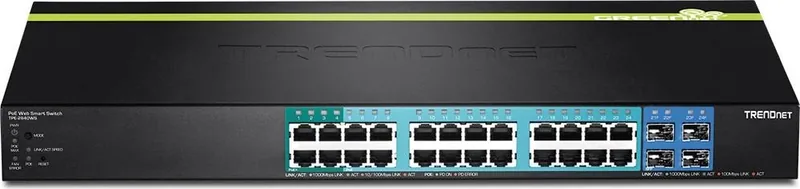
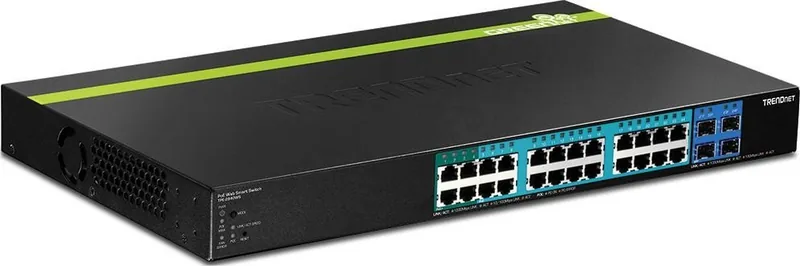
24x RJ-45, 4x SFP
Speeds
24x RJ-45 (10/100/1000Base-T), 4x SFP (1Gb/s)
PoE
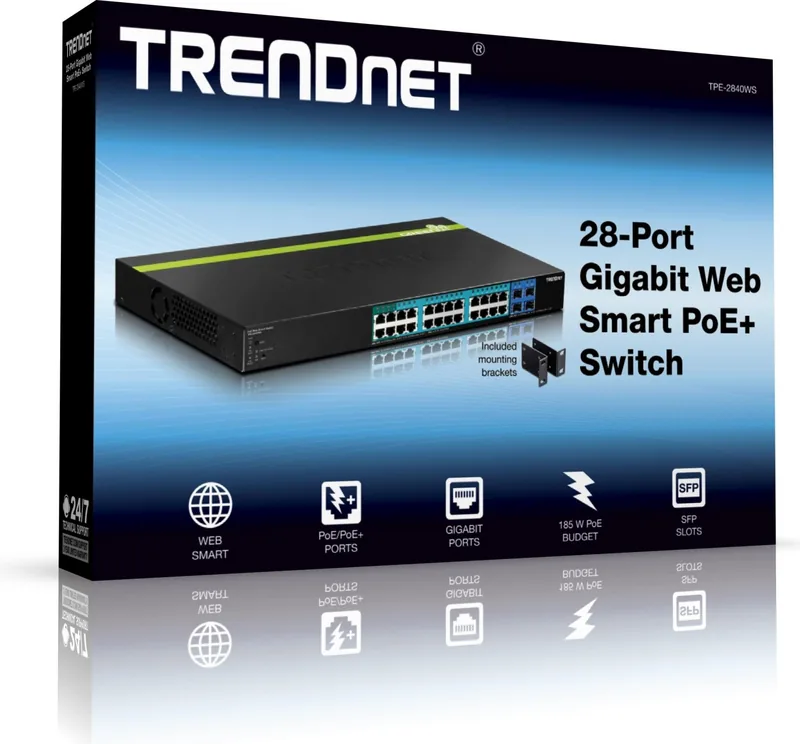
4x RJ-45 PoE+ (4x 30W), 20x RJ-45 PoE (20x 15.4W), total: 185W
Backplane
56Gb/s, 41.7Mp/s, 16k MAC addresses
Officially supported standards
802.1AX, 802.1D, 802.1Q, 802.1X, 802.1AB, 802.1p, 802.1s, 802.1w, 802.3, 802.3ab, 802.3af, 802.3at, 802.3az, 802.3u, 802.3x, 802.3z, IGMPv3
Configuration
Web interface, configuration software (Windows)
Cooling
active, 3x fans (1.57in)
Dimensions (WxHxD)
17.32x1.73x9.84in, 1U
Weight
8.38 lb
Color
black
Special features
Metal housing, removable mounting brackets, firmware updates possible
Manufacturer warranty
three years
Note
For this device, "link aggregation" was officially specified with the obsolete standard IEEE802.3ad. Since 2008, the function is no longer managed by IEEE "Working Group 3" (IEEE 802.3, CSMA/CD - Ethernet), but by "Working Group 1" (IEEE 802.1, High Level Interface - Internetworking) and technically defined unchanged via IEEE 802.1AX.
Product Description
TRENDnet TPE Rackmount Gigabit Smart Switch, 24x RJ-45, 4x SFP, PoE+ Manual
The TRENDnet TPE Rackmount Gigabit Smart Switch, 24x RJ-45, 4x SFP, PoE+ is built for networks that need flexible power delivery, solid performance, and practical management tools in one rack-ready design. It combines Gigabit Ethernet access ports with SFP uplinks, making it a smart fit for offices, surveillance deployments, wireless access points, and mixed-device environments.
One of the standout strengths of this switch is its balance between simplicity and control. The web smart interface gives administrators access to features like VLANs, QoS, spanning tree, link aggregation, mirroring, access control, and PoE management without requiring a steep learning curve. That makes it useful for teams that want advanced network behavior, but still value easy day-to-day administration.
Power over Ethernet is another major advantage. With PoE+ support on the highest-power ports and standard PoE across the remaining RJ-45 ports, the switch can directly power compatible devices such as IP cameras, VoIP phones, and access points. This reduces cable clutter, simplifies installation, and helps centralize both connectivity and power in a single device.
The manual also highlights strong troubleshooting and monitoring options. Administrators can use cable diagnostics, traffic statistics, logging, SNMP, RMON, and port mirroring to identify issues quickly and keep the network stable. Support for IPv6, SSL management, DHCP auto configuration, and secure access control makes it suitable for modern networks that need both flexibility and protection.
Why it stands out
The design is especially appealing for rackmount deployments where reliability matters. Its SFP slots add long-distance uplink options, while the smart fan and energy-saving features help improve efficiency. For growing networks, the switch provides enough depth to support segmentation, traffic prioritization, and scalable switching strategies.
Notes
- Best suited for structured networks with PoE devices and uplink needs.
- Advanced features are available, but core setup remains approachable.
- Save settings to flash to keep changes after reboot or power loss.
- Match PoE load carefully to stay within the available power budget.
Search for 67,732 Manuals online


Type-in Brand or Model