
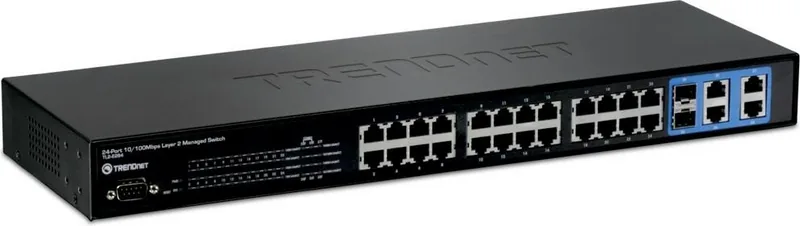
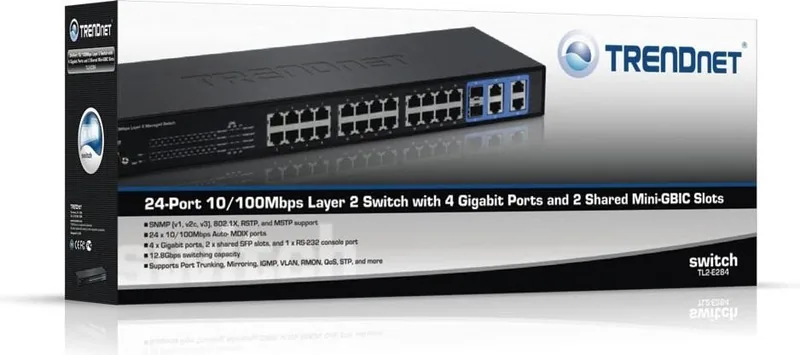

TRENDnet TL2-E284 Manual
PDF manual · 293 Pages
English



Quick check
Incorrect answer, please try again.
Chat with your TRENDnet TL2-E284 manual using AI
Get instant AI answers from your TRENDnet TL2-E284 manual
Ask anything about the TRENDnet TL2-E284. Answers come from this manual, with the pages they are based on.
Ask a Question
Do you recommend TL2-E284?
Yes NoFrequently Asked Questions
The default IP address is 192.168.10.200 with a subnet mask of 255.255.255.0.
Is this answer helpful?
Yes, the Command Line Interface is supported and provides deep diagnostic capabilities for advanced troubleshooting.
Is this answer helpful?
Yes, the SSH Server function is supported with V1 and V2 versions available for secure connections.
Is this answer helpful?
You can save the running configuration to Flash, a Remote TFTP server, or the Device Startup-Config.
Is this answer helpful?
The switch supports Static VLANs and Dynamic VLANs with comprehensive port settings configuration.
Is this answer helpful?
Yes, both MSTP and RSTP are supported for loop prevention and network reliability.
Is this answer helpful?
Advantages and Disadvantages
Advantages

- Comprehensive Web and CLI Management Options
- Robust Security Features Including SSH and SSL
- Flexible VLAN and Layer 2 Support
Disadvantages

- Layer 2 Only Switching Capability
- Shared Port Configuration on Mini-GBIC Slots
- Manual Configuration Can Be Complex
Product Specification
Function
Switch
Type
Standalone, Rackmount (via mounting brackets)
Network Connections
26x RJ-45, 2x RJ-45/SFP
Speeds
24x RJ-45 (10/100Base-T), 4x RJ-45 (10/100/1000Base-T), 2x SFP (100M/1Gb/s)
PoE
N/A
Backplane
12.8Gb/s, 9.5Mp/s, 8K MAC Addresses
Officially Supported Standards
802.1AX, 802.1D, 802.1Q, 802.1X, 802.1p, 802.1s, 802.1w, 802.3, 802.3ab, 802.3u, 802.3x, 802.3z, IGMPv2
Configuration
Web Interface, Console, Serial (DB9)
Dimensions (WxHxD)
17.32x1.73x5.51 inches, 1U
Weight
4.41 lbs
Color
Black
Features
Metal Chassis, Removable Mounting Brackets, Firmware Updates Supported
Manufacturer Warranty
3 Years
Note
For this device, "link aggregation" was officially specified with the obsolete standard IEEE 802.3ad. Since 2008, the function has been managed not by IEEE "Working Group 3" (IEEE 802.3, CSMA/CD - Ethernet), but rather by "Working Group 1" (IEEE 802.1, High Level Interface - Internetworking) and remains technically unchanged defined via IEEE 802.1AX.
Product Description
Overview
Welcome to our comprehensive guide on network infrastructure optimization and management capabilities. This article explores the critical technical details found within the TRENDnet TL2 Rackmount Gigabit Managed Switch, 26x RJ-45, 2x RJ-45/SFP Manual. Although specifications may vary slightly across specific device generations, understanding the core functionalities of managed switches aids network administrators significantly in modern deployment scenarios. The manual provides detailed step-by-step hardware installation instructions designed for both standard rack mounting or secure desktop placement in wiring closets.
Key Features
Users are guided through the accessible web user interface to configure the system basic functions easily without advanced CLI knowledge. Configuration options include static IP settings, complex user accounts, and distinct management VLANs for isolation and security. Security features such as SSH and SSL configurations ensure safe remote management of the device against unauthorized access attempts and data interception. VLAN management is robust, supporting static and dynamic configurations for effective traffic segmentation across multiple departments or user groups. Layer 2 features like RSTP, MSTP, and link aggregation enhance reliability and bandwidth usage by preventing loops in the topology. Quality of Service settings allow prioritization of critical traffic types to ensure smooth operations for voice and video applications. For advanced troubleshooting, the command-line interface offers deep diagnostic capabilities similar to the accessible web interface options. Statistics collection through RMON helps monitor performance over extended periods to identify potential bottlenecks. The manual covers firmware upgrades via TFTP and system reboots safely without data loss or corruption risks during maintenance. Proper ventilation and rack mounting are emphasized during installation to prevent overheating issues in closed environments. User accounts have privilege levels ranging from basic guest access to full admin control for operational flexibility. SNMP enables integration with broader monitoring systems for alerting on network changes or hardware failures. Backup and restore functions protect configuration data against unexpected loss during maintenance windows. Whether planning a small office setup or a large data center upgrade, following the documented procedures ensures long-term operational stability. Network segmentation with ACLs provides granular control over access policies for enhanced security posture. Storm control protects against broadcast storms that could degrade network performance significantly. Understanding the port status LEDs helps quickly identify physical connection issues during troubleshooting sessions. 802.1X authentication adds another layer of security for port access control. This guide serves as a vital resource for maintaining a secure and efficient network environment for all users. Always verify specific hardware compatibility before full deployment to avoid configuration errors. Regular firmware updates keep the system secure against known vulnerabilities in the code. With its extensive feature set, this management tool supports diverse and complex network topologies efficiently for modern IT needs.
Search for 67,732 Manuals online


Type-in Brand or Model