
TRENDnet TI-G62 Manual
PDF manual · 9 Pages
English



Quick check
Incorrect answer, please try again.
Chat with your TRENDnet TI-G62 manual using AI
Get instant AI answers from your TRENDnet TI-G62 manual
Ask anything about the TRENDnet TI-G62. Answers come from this manual, with the pages they are based on.
Ask a Question
Do you recommend TI-G62?
Yes NoFrequently Asked Questions
The switch includes four RJ-45 Ethernet ports, one combo port that can be used as RJ-45 or SFP, and one additional SFP port. This arrangement supports local copper connections and fiber-capable uplinks.
Is this answer helpful?
No. Port 5 is a combo interface. A physical selector determines whether it operates in TX, meaning RJ-45, or SFP mode. Select the required mode before connecting the network link.
Is this answer helpful?
The SFP speed selector offers 100 Mbps and 1000 Mbps operation. The indicated default setting is 1000 Mbps. Confirm compatibility with the connected fiber equipment and installed SFP module.
Is this answer helpful?
The installation information specifies a 12-56 V DC input range, subject to the rating shown on the product label. Use correct polarity, ground the installation properly, and avoid voltage outside the supported range.
Is this answer helpful?
The TI-G62 can be placed on a desktop, mounted to a wall using mounting plates, or attached to a DIN rail with the supplied DIN rail mounting hardware.
Is this answer helpful?
After connecting power, the network source, and attached devices, inspect the switch LEDs. The indicators help confirm that the ports are functioning and provide a quick basic connectivity check.
Is this answer helpful?
Advantages and Disadvantages
Advantages

- Four RJ-45 ports support multiple local wired devices.
- Combo RJ-45/SFP port and dedicated SFP port provide copper and fiber flexibility.
- Supports desktop, wall, and DIN rail installation options.
- Uses a removable terminal block and supports 12-56 V DC input.
- Physical controls allow port 5 mode and SFP speed selection.
Disadvantages

- Port 5 must be manually set to either RJ-45 or SFP mode.
- Power supply is listed as separately available.
- Correct polarity, grounding, and wire capacity must be verified during installation.
- SFP modules and fiber cabling are not indicated as included.
Product Specification
Function
Switch
Type
Standalone, DIN rail (TS 35), wall mounting (via mounting brackets)
Network ports
4x RJ-45, 1x RJ-45/SFP, 1x SFP
Speeds
5x RJ-45 (10/100/1000Base-T), 2x SFP (100 Mbps/1 Gbps)
PoE
N/A
Backplane
12 Gbps, 8.9 Mp/s, 9 KB jumbo frames, 2K MAC addresses
Officially supported standards
802.3, 802.3ab, 802.3u, 802.3x, 802.3z
Configuration
Unmanaged
Cooling
Passive
Dimensions (W x H x D)
1.42 x 5.63 x 4.09 in
Weight
1.13 lb
Color
Black
Special features
Metal housing, removable mounting brackets, screw terminals (12-56 V), redundant power supply, power supplied only via remote feeding, extended operating range (temperature: -40 F to 167 F, humidity: up to 95%)
Manufacturer warranty
Three years
Product Description
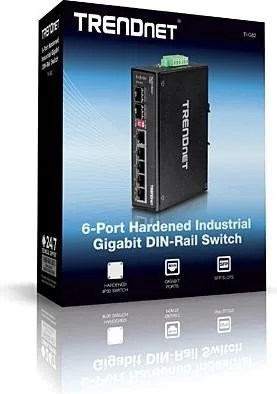
TRENDnet TI Hardened Industrial Railmount Gigabit Switch
The TRENDnet TI Hardened Industrial Railmount Gigabit Switch, 4x RJ-45, 1x RJ-45/SFP, 1x SFP - Read, Download & Print Free is designed for reliable network connectivity in industrial and space-conscious installations. Its compact switch layout combines copper Ethernet connections with fiber-ready uplink options, helping administrators connect local equipment while extending networks across longer distances when required.
Flexible Port Configuration
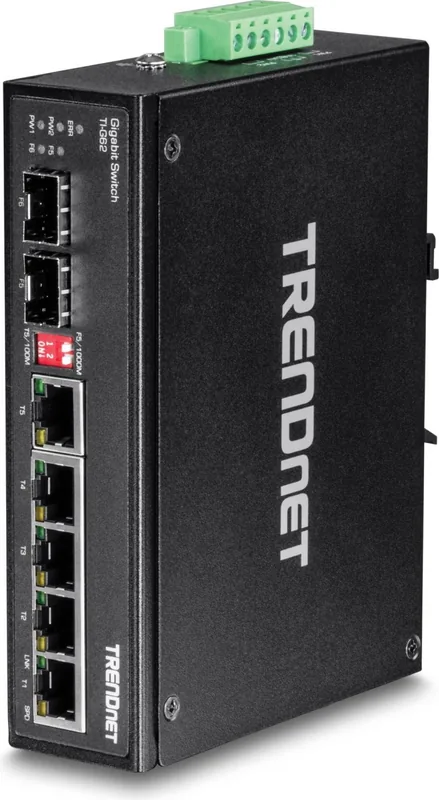
This industrial Gigabit switch provides four RJ-45 Ethernet ports for wired devices such as IP cameras, access points, controllers, computers, and other network equipment. A fifth port can operate as either an RJ-45 connection or an SFP connection, offering deployment flexibility based on the available cabling. An additional dedicated SFP port supports fiber-based network links.
The port selection is useful where a network must combine standard copper cabling and fiber infrastructure. Fiber connections can help support longer runs and provide a practical uplink path between separated network areas. A physical switch controls whether port 5 uses its TX or SFP interface, while another setting selects 100 Mbps or 1000 Mbps SFP speed, with 1000 Mbps as the default setting.
Built for Practical Installation
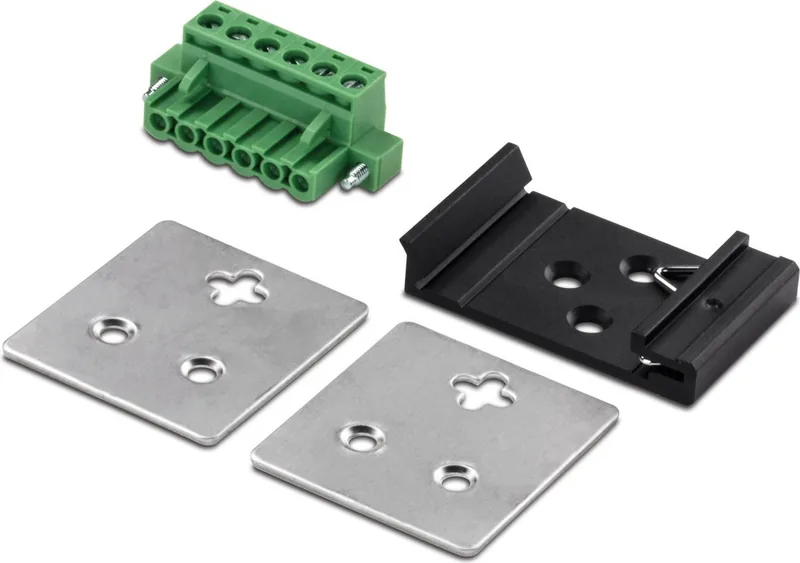
The TI-G62 supports several mounting approaches to suit cabinets, workspaces, and industrial enclosures. It can be installed on a desktop, attached to a wall with mounting plates, or secured to a DIN rail using the included mounting hardware. DIN rail installation uses a clip-on design that locks into place, making it well suited to organized control-panel deployments.
Power is connected through the included removable terminal block. The switch uses a 12-56 V DC power input range, subject to the voltage specified on the product label. Correct polarity, grounding, and wire sizing are important during installation. Power should be disconnected before connecting cables or modules, and installers should verify that the selected supply remains within the supported voltage range.
Straightforward Network Setup
After mounting and powering the switch, connect the network source and connected devices to the appropriate ports. LED indicators provide a quick way to confirm port activity and assist with basic installation checks. The mix of RJ-45 and SFP connectivity makes the switch a focused choice for industrial network expansions that need both local copper ports and fiber capability.
Notes
- Select port 5 TX or SFP mode before relying on that interface.
- Confirm SFP speed requirements before deployment.
- Follow local electrical rules for wiring, grounding, and power capacity.
- Product warranty coverage applies to defects in materials and workmanship under normal use.
Search for 67,732 Manuals online


Type-in Brand or Model