
TRENDnet TEW-821DAP Manual
PDF manual · 46 Pages
English



Quick check
Incorrect answer, please try again.
Chat with your TRENDnet TEW-821DAP manual using AI
Get instant AI answers from your TRENDnet TEW-821DAP manual
Ask anything about the TRENDnet TEW-821DAP. Answers come from this manual, with the pages they are based on.
Ask a Question
Do you recommend TEW-821DAP?
Yes NoFrequently Asked Questions
It is best for extending or organizing wireless coverage in homes, offices, and small business environments. Its dual-band design and multiple operating modes make it useful for both direct access and network expansion.
Is this answer helpful?
Yes. It supports PoE, which allows the device to receive power through the Ethernet connection. This is helpful for ceiling or wall installations where a nearby power outlet is not available.
Is this answer helpful?
It can create multiple SSIDs on each band, allowing separate wireless networks for different user groups or device types. This is useful for guest access, staff access, or segmented traffic planning.
Is this answer helpful?
WPA2 is the recommended option because it offers the strongest protection and best modern performance. Older options like WEP should only be used when supporting very old devices that cannot connect otherwise.
Is this answer helpful?
Yes. It supports Access Point, Client Bridge, WDS AP, WDS Bridge, WDS Station, and Repeater modes. That makes it adaptable for many wireless deployment scenarios.
Is this answer helpful?
Yes. Even small networks can benefit from easier monitoring, faster setup, and simpler troubleshooting. It becomes especially valuable when managing more than one access point.
Is this answer helpful?
Advantages and Disadvantages
Advantages

- Dual-band AC1200 design helps reduce congestion and improves overall wireless flexibility.
- Supports AP, client bridge, WDS, and repeater modes for many network layouts.
- PoE support simplifies installation in locations away from power outlets.
- Software controller makes multi-device management faster and more convenient.
- Advanced tools like VLANs, band steering, and traffic shaping add strong control.
Disadvantages

- Older wireless standards can reduce performance when legacy devices are connected.
- Advanced configuration may feel complex for users who only need basic WiFi.
- WPS is limited when WEP is enabled or SSID broadcast is disabled.
- Some features are more valuable in business networks than in simple home setups.
- Indoor 5 GHz restrictions may limit where the device can be used in some regions.
Product Specification
LAN
1x 1000Base-T (PoE)
Wireless
WLAN 802.11a/b/g/n/ac (Wi-Fi 5)
Data Rate
300Mbps (2.4GHz), 867Mbps (5GHz)
Security
WEP, WPA, WPA2
Antennas
internal
Power Consumption
9.6W (consumption, operation), not specified (max. power supply output)
Dimensions
7.36x7.36x1.81in
Special Features
IPv6, VLAN
Band Capability
Dual Band
Manufacturer's Warranty
three years
Product Description
TRENDnet TEW-821DAP: Flexible Dual-Band WiFi for Smarter Coverage
The TRENDnet TEW-821DAP is built for homes, offices, and small business spaces that need stronger wireless coverage and more control than a basic router can offer. If you are looking up the TRENDnet TEW-821DAP Manual, you will quickly notice that this access point is designed for flexible deployment, advanced tuning, and practical day-to-day network management.
This model delivers concurrent dual-band wireless performance with AC and N support, helping devices spread across both 2.4 GHz and 5 GHz for better speed and less congestion. It can work in several roles, including Access Point, Client Bridge, WDS, and Repeater modes, which makes it useful for expanding an existing network or linking wireless segments together. That flexibility is one of its biggest strengths, especially in environments where a single setup style will not fit every need.
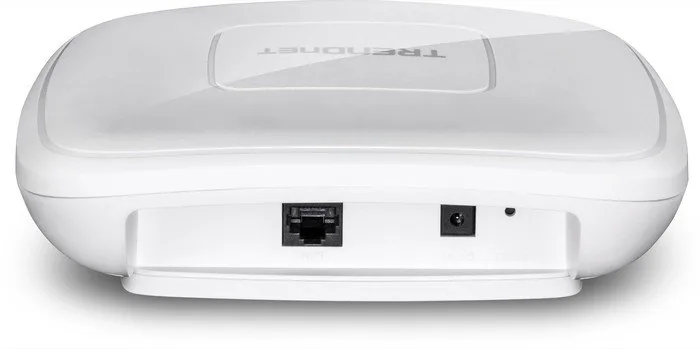
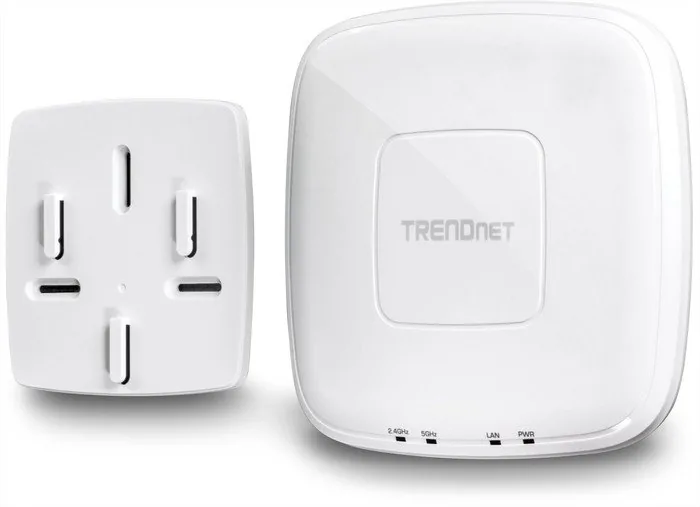
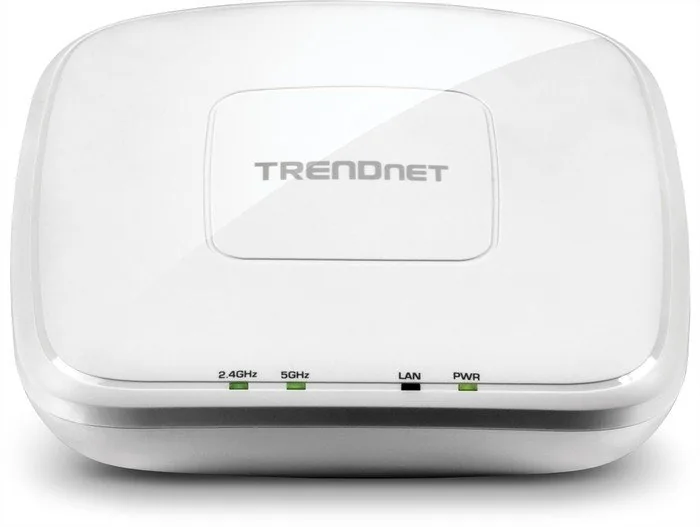
Another standout feature is the included software controller. Instead of configuring each unit one by one, administrators can manage multiple access points from a Windows-based utility, which saves time during setup, monitoring, and troubleshooting. The device also supports PoE, so it can be installed in places where running a separate power adapter would be inconvenient. Its low-profile design blends into modern interiors, while the mounting plate makes placement easier on walls or ceilings.
Security and network control are also well covered. The TEW-821DAP supports WPA2, WPS, MAC filtering, VLAN options, traffic shaping, band steering, SNMP, and LED controls. For networks with many users or mixed devices, these tools help balance performance and keep access organized. Multiple SSIDs per band also make it possible to separate guest traffic, staff traffic, or specialized devices without adding extra hardware.
In practice, this access point is a strong fit for users who want more than simple wireless coverage. It is especially appealing for setups that need reliable signal distribution, easy expansion, and a balance of speed with administrative control.
Notes
- Best results come from careful placement and channel selection.
- WPA2 is the recommended wireless security option.
- Some advanced features are more useful in business-style networks than in basic home use.
Search for 67,732 Manuals online


Type-in Brand or Model