
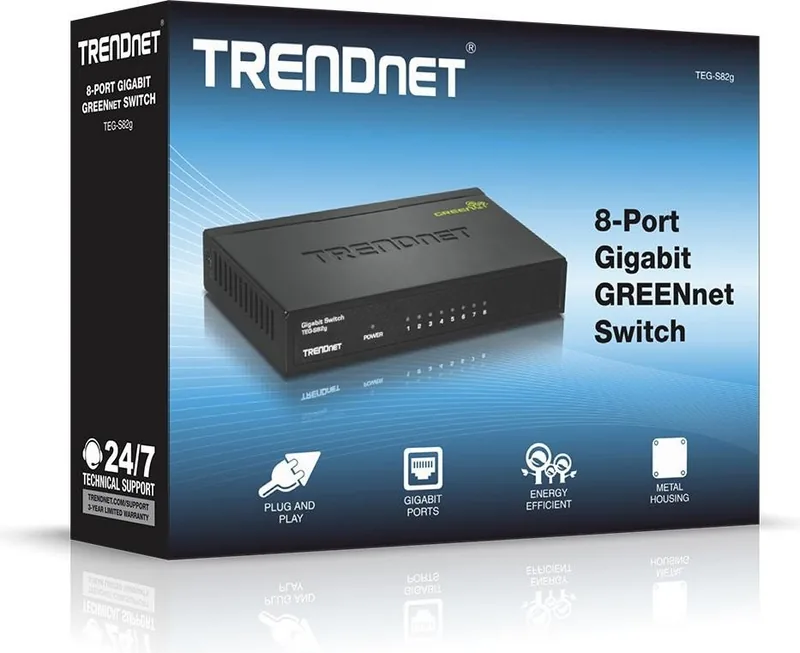
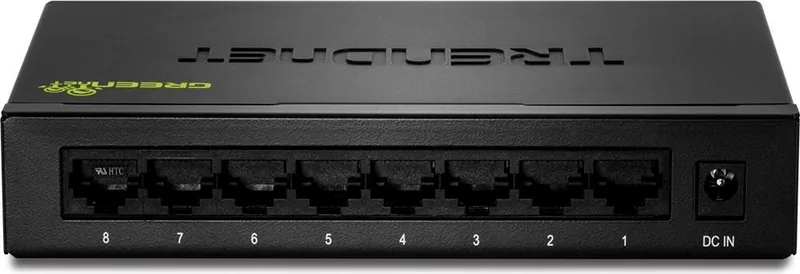
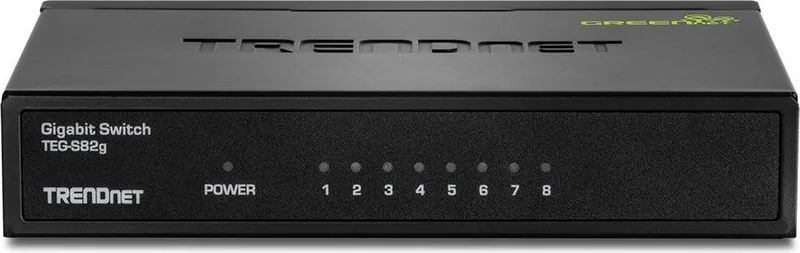
TRENDnet TEG-S81g/TEG-S82g Manual
PDF manual · 12 Pages
English



Quick check
Incorrect answer, please try again.
Chat with your TRENDnet TEG-S81g/TEG-S82g manual using AI
Get instant AI answers from your TRENDnet TEG-S81g/TEG-S82g manual
Ask anything about the TRENDnet TEG-S81g/TEG-S82g. Answers come from this manual, with the pages they are based on.
Ask a Question
Do you recommend TEG-S81g/TEG-S82g?
Yes NoFrequently Asked Questions
The TRENDnet TEG-S GREENnet is an 8-port unmanaged gigabit switch used to expand wired Ethernet connectivity for homes and small offices, enabling multiple devices to communicate at up to 1 Gbps without requiring configuration.
Is this answer helpful?
No configuration is necessary. The TEG-S series is plug-and-play: connect power and Ethernet cables and devices will establish links automatically. LED indicators show power, link, and activity to assist basic troubleshooting.
Is this answer helpful?
GREENnet reduces power consumption by detecting link status and cable length; ports that are idle or use short cables draw less power. This dynamic power adjustment lowers overall energy usage while maintaining performance.
Is this answer helpful?
The switch is intended for indoor use unless the model explicitly lists an outdoor IP rating. Check the product’s IP rating and operating temperature/humidity ranges in the manual before outdoor deployment.
Is this answer helpful?
Typically, a steady green LED indicates power or an established link; a blinking green LED indicates network activity (transmit/receive). An LED that is off usually means no power or no device connected on that port.
Is this answer helpful?
Disconnect the unit from power and contact a qualified technician or TRENDnet support. The manual advises against opening the device and lists damage conditions—damaged power cable, liquid exposure, inoperability, or housing damage.
Is this answer helpful?
Warranty periods are listed on the product page at trendnet.com. For registration and technical support, visit TRENDnet’s website or call regional support numbers; US/Canada toll-free support is available as listed in the manual.
Is this answer helpful?
Advantages and Disadvantages
Advantages

- Eight gigabit RJ-45 ports provide reliable 1 Gbps connectivity for multiple wired devices.
- GREENnet technology reduces energy consumption by adjusting power based on link status and cable length.
- Plug-and-play design requires no configuration, ideal for home and small office setups.
- Compact desktop form with quiet operation and ventilation slots for continuous indoor use.
- Clear LED indicators make it easy to check power, link and activity status at a glance.
Disadvantages

- Unmanaged switch lacks VLANs, QoS tuning, or advanced features for complex networks.
- Designed primarily for indoor use; requires checking IP rating for outdoor deployment.
- No user-serviceable parts—opening the unit voids safety guidance and risks electric shock.
- Limited troubleshooting tools compared with managed switches (no remote monitoring/snmp).
- Warranty period specifics must be checked online per product page; not included in box info.
Product Specification
Function
Switch
Type
Standalone
Network ports
8x RJ-45 (rear)
Speeds
8x RJ-45 (10/100/1000Base-T)
PoE
N/A
Backplane
16Gb/s, 11.9Mp/s, 9KB Jumboframes, 8k MAC addresses
Officially supported standards
802.3, 802.3ab, 802.3az, 802.3u, 802.3x
Configuration
unmanaged
Cooling
passive
Dimensions (WxHxD)
5.91x1.10x3.82in
Weight
0.80lb
Color
black
Special features
Metal housing, external power supply
Manufacturer's warranty
three years
Note
Various revisions available.
Product Description
TRENDnet TEG-S GREENnet Desktop Gigabit Switch, 8x RJ-45 Manual
The TRENDnet TEG-S GREENnet Desktop Gigabit Switch is an 8-port unmanaged gigabit switch designed for home and small office networks. Combining compact desktop form with ENERGY-efficient GREENnet technology, this switch delivers reliable 1 Gbps connectivity across eight RJ-45 ports for wired devices such as PCs, printers, NAS units, and media players. It features LED indicators for link/activity and power, helping you quickly verify connection status and troubleshoot network issues.
Built with simplicity and durability in mind, the TEG-S is plug-and-play—no configuration needed. Its sturdy enclosure, ventilation slots, and low-noise operation make it suitable for continuous indoor operation. The GREENnet design reduces power consumption by detecting link status and cable lengths, lowering energy use when ports are idle or short cable runs are in use, which helps lower operating costs without sacrificing performance.
Safety and compliance are emphasized in the product documentation. The manual includes clear warnings about electrical hazards, guidance on proper ventilation, and instructions for cleaning and handling. It also outlines restricted maintenance practices—users are advised not to open the device and to contact qualified technicians if physical damage or malfunction occurs. Environmental and regulatory compliance information is provided, with references to RoHS, REACH, EMC and low-voltage directives and applicable standards.
The TEG-S series includes details on LED behavior: steady green typically indicates power or link, blinking green shows activity, and off indicates no connection or power. The manual highlights proper placement to avoid overheating—do not block ventilation, stack devices, or expose the unit to direct heat or moisture. The documentation also contains warranty and recycling guidance, certification notes, PoE caveats where applicable, and contact information for product registration and technical support.
Overall, the TRENDnet TEG-S GREENnet Desktop Gigabit Switch offers a straightforward, energy-conscious solution for expanding wired network capacity. Its mix of solid gigabit performance, power-saving features, and user-friendly operation make it a practical choice for users seeking affordable, maintenance-free switching without advanced management overhead.
Notes:
- Plug-and-play installation: no configuration required.
- LED indicators show power, link and activity status.
- GREENnet reduces power use by adapting to link status and cable length.
- Indoor use recommended unless unit has outdoor IP rating.
- Do not open the unit; contact qualified service for repairs.
Search for 67,732 Manuals online


Type-in Brand or Model
Lukas Weber
11 months ago
Is the small power adapter safe? Mine only gets slightly warm, and I want to make sure it will work reliably.
Manual.ly
11 months ago
Based on typical operation, a compact power adapter staying only slightly warm is normal, especially if it is sized correctly for the connected device and you use it as intended. If the connection is secure and the adapter runs without unusual noises, burning smell, or frequent disconnects, reliability should be good. Many users report easy plug-and-play setup with no issues and solid performance (including good power delivery). If you notice excessive heat, discoloration, a damaged cable/connector, or the adapter becomes very hot during use, stop using it and contact support or replace it.