
TRENDnet TEG-S24Dg Manual
PDF manual · 7 Pages
English



Quick check
Incorrect answer, please try again.
Chat with your TRENDnet TEG-S24Dg manual using AI
Get instant AI answers from your TRENDnet TEG-S24Dg manual
Ask anything about the TRENDnet TEG-S24Dg. Answers come from this manual, with the pages they are based on.
Ask a Question
Do you recommend TEG-S24Dg?
Yes NoFrequently Asked Questions
TRENDnet offers a 3 year limited warranty for the main product unit. The power adapter and cooling fans have a 1 year warranty coverage
Is this answer helpful?
Yes, the switch features 24 Gigabit ports for connecting 24 devices at full speed without performance loss
Is this answer helpful?
Solid green means power is on. Blinking green shows data activity. Amber lights indicate speed levels. Off means no connection
Is this answer helpful?
Visit www.trendnet.com for software updates and documentation. Call 1-866-845-3673 for US and Canada support
Is this answer helpful?
The unit requires an external power adapter for operation and maintenance. Ensure correct voltage is used
Is this answer helpful?
It complies with FCC rules and international safety standards regarding electromagnetic interference and electrical safety
Is this answer helpful?
Yes, register online at www.trendnet.com/register for highest level customer service and support access
Is this answer helpful?
Advantages and Disadvantages
Advantages

- 24 Gigabit ports provide fast connectivity for multiple devices simultaneously
- GREENnet technology offers significant energy savings and reduced overhead costs
- Clear LED indicators simplify monitoring and quick troubleshooting for users
- Compact desktop design fits easily on standard office desks
- Plug and play setup eliminates complex configuration needs
Disadvantages

- Limited to desktop use with no rack mounting option available
- No Power over Ethernet capability for connected devices listed
- Fan components carry shorter warranty than main unit hardware
- Unmanaged switch lacks advanced traffic control features
- External power adapter required for operation and maintenance
Product Specification
Feature
Switch
Type
Standalone, Rackmount (with optional rack mount bracket)
Network Ports
24x RJ-45
Speed
24x RJ-45 (10/100/1000Base-T)
PoE
N/A
Backplane
48 Gb/s, 35.7 Mb/s, 10 KB Jumboframes, 8k MAC addresses
Officially Supported Standards
802.3, 802.3ab, 802.3az, 802.3u, 802.3x
Configuration
unmanaged
Cooling
passive
Dimensions (W x H x D)
11.02 x 1.73 x 7.09 in, 1HE
Weight
3.75 lbs
Color
black
Special Features
Metal enclosure
Manufacturer Warranty
3 Years
Note
Various revisions available.
Product Description
Boosting Your Local Network Efficiency Today
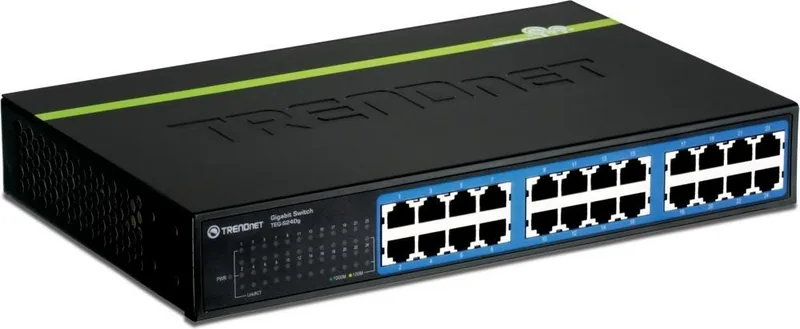
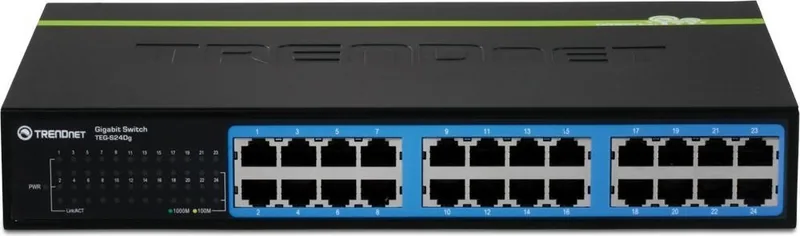
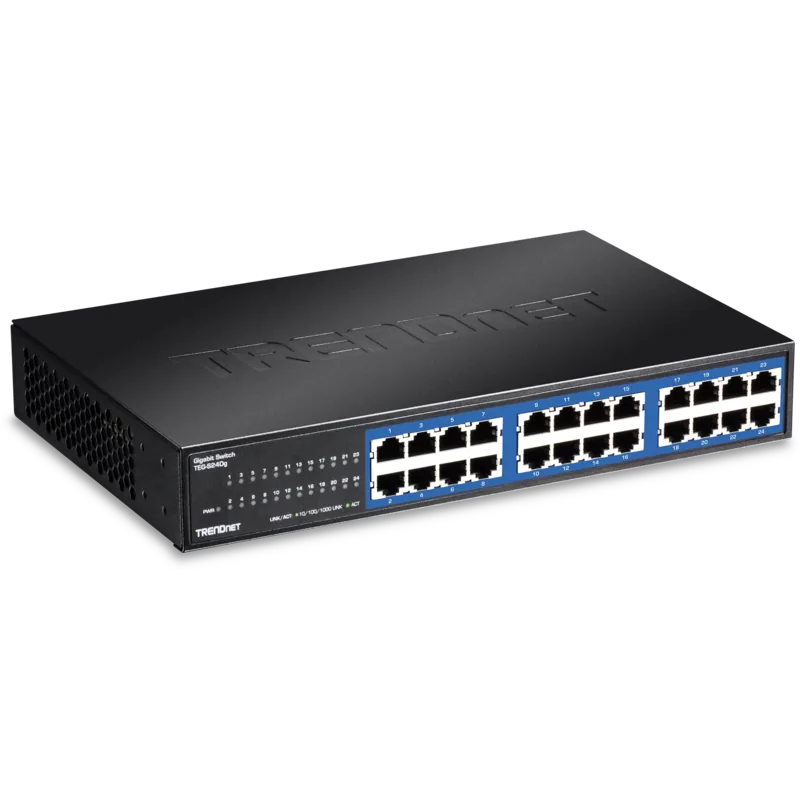
In the modern workplace, stable connectivity defines productivity levels. The TRENDnet TEG-S GREENnet 24x RJ-45 Black Desktop Gigabit Switch Manual serves as an essential reference for optimizing this robust device. This switch features twenty-four ports designed specifically for high-speed data transmission across your local area network infrastructure. Users consistently appreciate the seamless plug-and-play setup which requires no complex configuration software or external settings adjustments during initial deployment phases.
Key Features And Design
The hardware component is built for long-term durability and energy efficiency. The sleek black desktop casing fits neatly on any standard office desk without taking up excessive physical space. Energy efficiency remains a core component of the GREENnet series technology. Ports automatically adjust power consumption dynamically based on current link status and physical cable length. This process reduces monthly electricity bills significantly while simultaneously lowering overall environmental impact for your business operations.
Understanding LED Indicators
Visual feedback is absolutely crucial for effective troubleshooting procedures. The switch features clear and bright LED Port Indicators on the front panel. A solid green light confirms the device is powered on correctly. A blinking green light indicates active data transmission is currently occurring. Amber lights show specific link speed status levels. If no device is connected, the light simply remains off completely. Refer to the technical specifications to verify proper operation quickly during installation.
Support And Warranty Coverage
TRENDnet stands firmly behind this product with a comprehensive support policy for end users. Customers receive a 3 year limited warranty for the main unit hardware. Power adapters and internal cooling fans carry a shorter 1 year specific coverage period. Registration online ensures full access to dedicated technical support channels and latest updates. Contact phone numbers are readily available for US and Canada residents facing any specific issues.
Notes On Installation
Always verify that network cables match the supported speed standards required for Gigabit performance. Ensure ventilation is not blocked by surrounding objects like papers or furniture. Using the correct power adapter prevents potential hardware damage internally. This equipment complies with international safety standards including FCC rules globally.
Note: Check your local authority for proper recycling of electronic waste items. Do not dispose of this unit with general household trash. Proper care extends the operational lifespan of your hardware significantly over time.
With this helpful tool, network managers ensure total system stability. The TRENDnet TEG-S GREENnet 24x RJ-45 Black Desktop Gigabit Switch Manual serves as the ultimate reference for setup and maintenance tasks. Enjoy seamless connectivity and high performance reliability today.
Search for 67,732 Manuals online


Type-in Brand or Model