
TRENDnet TEG-10GECTX Manual
PDF manual · 9 Pages
English



Quick check
Incorrect answer, please try again.
Chat with your TRENDnet TEG-10GECTX manual using AI
Get instant AI answers from your TRENDnet TEG-10GECTX manual
Ask anything about the TRENDnet TEG-10GECTX. Answers come from this manual, with the pages they are based on.
Ask a Question
Do you recommend TEG-10GECTX?
Yes NoFrequently Asked Questions
The quick installation guide specifies a PCI Express 2.0 slot that is x4 or higher. Before inserting the card, confirm the system has an available compatible PCIe slot and remove the necessary slot cover.
Is this answer helpful?
The guide lists Windows 10, 8.1, 8, and 7, plus multiple Windows Server versions. It also includes Linux kernels 2.6.x, 3.x.x, and 4.6.x or later, VMware ESXi 5.x and 6.x, and Microsoft Hyper-V.
Is this answer helpful?
Insert the included installation CD, open the CD menu, and select Install Driver. Then follow the wizard prompts to complete setup. Afterward, restart shutdown and boot as needed; the adapter should be detected automatically.
Is this answer helpful?
The guide advises that additional operating system drivers are available on the installation CD and on the TRENDnet support site. Search by the product model number for TEG-10GECTX to ensure you download the correct driver.
Is this answer helpful?
The adapter includes an LNK/ACT indicator for link and activity. It also provides speed-related status for the TX model, with states tied to 10Gbps and other negotiated speeds such as 5Gbps, 2.5Gbps, and 1Gbps.
Is this answer helpful?
The guide emphasizes never opening the device, disconnecting power before cleaning, and installing in a well-ventilated area. It also warns against extreme heat exposure and notes that ventilation openings should not be blocked.
Is this answer helpful?
Advantages and Disadvantages
Advantages

- Built for 10GbE performance using an RJ-45 connection on PCIe 2.0 x4.
- Supports a wide range of operating systems including Windows, Linux, VMware ESXi, and Hyper-V.
- Installation is designed to be driver-focused, with included CD-ROM support.
- LED indicators provide link/activity and speed status visibility.
- Card is intended for systems with a PCI Express 2.0 x4 (or higher) slot.
Disadvantages

- Requires a compatible PCIe slot (PCIe 2.0 x4 or higher) before installation.
- Driver availability depends on correct model selection (TEG-10GECTX for this RJ-45 version).
- If the link negotiates lower speeds, throughput will be below 10GbE until cabling/switching supports it.
Product Specification
Type
LAN adapter
Form factor
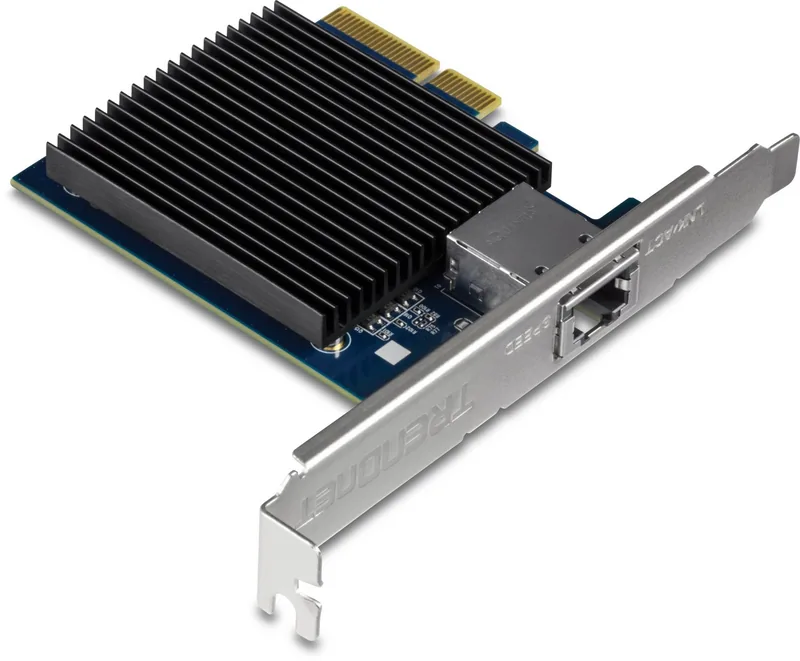
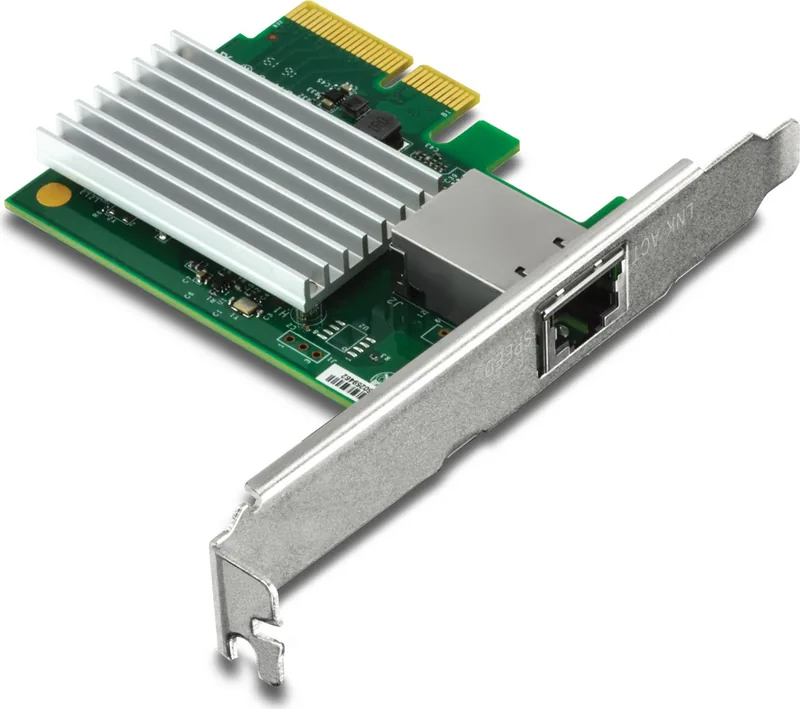
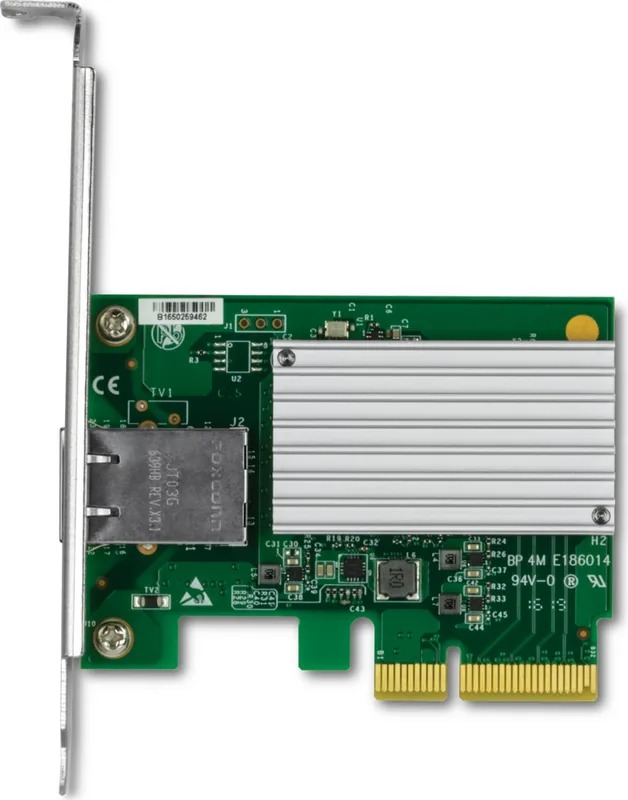
1x PCIe card (swappable bracket: full height and low profile bracket included)
Interface
1x PCIe 2.0 x4
Port
1x RJ-45
Transmission
1x RJ-45 (100/1000/2.5G/5G/10GBase-T)
Power supply
Power supply only via interface
Chipset
Marvell/Aquantia (LAN adapter, RJ-45)
Dimensions
3.31x2.48x0.71 in (WxHxD)
Weight
0.14 lb
Compatibility
universal
Features
VLAN, LACP, 16KB Jumboframes
Manufacturer's warranty
three years
Note
Various revisions available. V1 with Tehuti TN4010 chipset. V3 with Aquantia chipset.
Product Description
TRENDnet TEG-10GECTX LAN Adapter for 10GbE Upgrades
If you want a simple way to push more bandwidth through your PC, the TRENDnet TEG-10GECTX LAN adapter is built for modern 10GbE networking over an RJ-45 connection. Designed as a PCIe 2.0 x4 card, it targets users who need faster local transfers, smoother virtualization traffic, and more responsive network performance without replacing an entire system.
This adapter pairs well with both home labs and business environments where Windows PCs, servers, and popular hypervisor platforms are in use. In practice, the install experience is straightforward: you insert the card into an available PCI Express 2.0 (x4 or higher) slot, then use the included driver media or download the latest driver for the exact model.
What You Get and How It Fits
Typically bundled with the card, you receive a quick setup guide, driver CD-ROM, and mounting brackets for standard and low-profile systems. The card supports common operating environments such as Windows 7 through Windows 10, Windows Server versions listed in the quick guide, Linux kernels from 2.6.x onward, VMware ESXi 5.x and 6.x, and Microsoft Hyper-V.
When powered and seated correctly, the adapter is automatically detected. You can then choose the appropriate driver path from the installation CD or the TRENDnet support site, using the product model number.
Speed and Link Clarity
On the adapter, LED indicators provide an at-a-glance view of link and activity. The guide notes an LNK/ACT indicator, along with speed-related status for the TX model. Depending on the negotiated connection, you may see speed indicators associated with 10Gbps, as well as lower-speed operation modes like 5Gbps, 2.5Gbps, and 1Gbps.
Notes Before You Install
Plan for ventilation and follow basic safety practices. The guide emphasizes that the device should not be opened, should not be exposed to extreme heat, and should be installed where airflow is adequate. For cleanup, disconnect power first and use a dry cloth. Always ensure your system has a PCIe 2.0 x4 slot or better.
Key Results
- PCIe 2.0 x4 RJ-45 design for upgrading Ethernet performance to 10GbE.
- Broad compatibility across Windows, Linux, VMware ESXi, and Hyper-V environments.
- Simple driver setup using included media or model-based downloads.
- Link and activity LEDs help confirm connectivity and negotiated speed.
- Safety and installation guidance focuses on proper slot fit and safe handling.
Keyword: TRENDnet TEG-10GECTX LAN adapter, RJ-45, PCIe 2.0 x4 Manual.
Search for 67,732 Manuals online


Type-in Brand or Model