

Free tiptel Manuals – Read, Download & Print
1 Manuals
Manuals
Categories


Free tiptel Manuals - Read, Download & Print
Find the Right tiptel Manual for Your Device
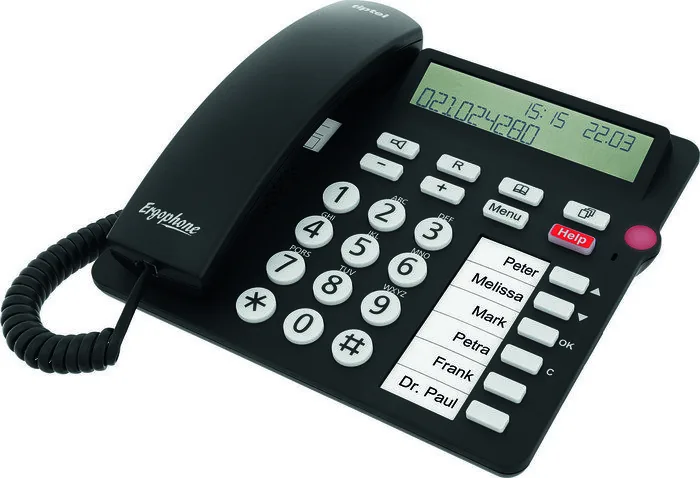
Looking for a reliable tiptel manual? This page helps you locate free manuals for tiptel telephones, answering machines, cordless systems, business communication devices, and related equipment. Whether you need setup instructions, feature explanations, troubleshooting guidance, or technical specifications, a clear user manual can save time and make your device easier to use.
tiptel products are often used in homes, offices, reception areas, and small business environments. Many models include advanced functions such as caller identification, voicemail support, call forwarding, phonebook storage, headset connections, hands-free calling, and programmable keys. Because features can vary by model, it is important to read the manual created for your exact device.
Read tiptel Manuals Online
Reading a tiptel manual online is a convenient way to quickly check a setting or solve a common problem. Online manuals are useful when you do not need a printed copy but want immediate access to information from a computer, tablet, or smartphone.
A digital manual can help you find answers to questions such as:
- How do I install or connect my tiptel phone?
- How do I set the date and time?
- How can I change the ringtone or volume?
- How do I save contacts in the phonebook?
- How do I access messages or configure an answering machine?
- How do I transfer calls or use call forwarding?
- What do the display icons, buttons, and indicator lights mean?
- How can I reset the device after a configuration issue?
Most manuals include a table of contents, which makes it easier to move directly to installation, daily operation, programming, maintenance, or troubleshooting sections. If the manual is provided as a searchable document, use the search feature to locate terms such as "reset," "ringer," "message," "network," or "headset."
Download Free tiptel Manuals
Downloading a tiptel manual gives you access to important product information even when you are offline. A saved manual is especially helpful for office administrators, technicians, and users who may need to consult the same instructions more than once.
Before downloading, confirm that the document matches the complete model number shown on the product label. Models with similar names may have different button layouts, software options, connection types, or supported features. Checking the model number helps prevent incorrect setup steps and avoids confusion when following programming instructions.
When you save a manual, consider using a clear file name that includes the brand and model number. For example, a name such as "tiptel-model-user-manual.pdf" makes it easier to find later. You may also want to keep related documents together, including installation guides, quick start sheets, firmware notes, and warranty information.
Print a tiptel User Guide When You Need It
Printing a tiptel manual can be useful when setting up a device away from a computer or when several people need access to the same instructions. A printed guide is practical for reception desks, telecom cabinets, meeting rooms, workshops, and home offices.
Instead of printing an entire document, you can print only the pages that matter most. Common pages to keep nearby include:
- Initial connection and installation diagrams
- Button and display descriptions
- Phonebook programming steps
- Voicemail and answering machine controls
- Call transfer and forwarding instructions
- Troubleshooting tables
- Factory reset procedures
- Technical support and maintenance information
For better readability, use landscape orientation for wide diagrams and select a suitable print scale. If the manual contains color-coded wiring information, printing in color may make connections easier to identify. Keep printed pages in a labeled folder so they are available when needed.
Common Information Found in tiptel Manuals
Installation and Connections
The installation section usually explains how to connect the device to power, telephone lines, network equipment, handsets, headsets, or external accessories. It may also include safety notices, placement recommendations, and wiring illustrations. Follow these instructions carefully, particularly when connecting business phone systems or devices that require specific ports.
Basic Calling Features
Basic operating sections explain everyday tasks such as making calls, answering calls, adjusting volume, using speakerphone mode, placing a call on hold, redialing a number, and muting the microphone. These instructions are useful for new users and for anyone moving to an unfamiliar tiptel model.
Phonebook and Contact Management
Many tiptel devices allow users to store frequently used phone numbers. The manual may explain how to create, edit, delete, search, and organize contacts. Some models support speed dial entries, group entries, or programmable keys that simplify calling important contacts.
Messaging and Answering Functions
If your model includes an answering machine or voicemail-related features, the manual can explain message playback, recording settings, greeting configuration, remote access, and storage limits. It may also show how to adjust the number of rings before answering or activate notification options.
Advanced Office Features
Business-oriented tiptel equipment may provide additional functions such as call transfer, conference calls, intercom communication, call pickup, do not disturb, programmable function keys, and account settings. These features may depend on how the phone is connected or configured by a system administrator. Consult the manual before changing settings that affect multiple users or shared lines.
Troubleshoot Problems with the Manual
A tiptel manual is often the first place to look when a device is not working as expected. Troubleshooting sections generally list symptoms, possible causes, and recommended solutions. Common issues may include no dial tone, poor sound quality, a blank display, missed calls, unavailable features, network connection problems, or message recording errors.
Start with simple checks. Confirm that cables are securely connected, the power adapter is working, the handset is properly seated, and the correct line or network connection is in use. Check volume settings and verify that silent mode, call diversion, or do not disturb has not been enabled accidentally.
If a reset is recommended, read the relevant section before proceeding. A factory reset can remove saved contacts, custom settings, call logs, or network configuration. When possible, record important settings before resetting the device.
Tips for Choosing the Correct Manual
To find the most useful tiptel manual, identify the exact product model and version. Look on the underside, back panel, battery compartment, packaging, or original purchase documentation. Include letters, numbers, and suffixes in your search because they may indicate a different product variation.
Also check the document type. A user manual is intended for regular operation, while an installation guide may focus on setup and connections. A quick start guide provides basic steps, but a full manual usually contains more detailed programming and troubleshooting information. Service manuals and technical documents may be designed for trained personnel and can contain more advanced procedures.
Use Your tiptel Device with Confidence
The right tiptel manual makes it easier to install, operate, maintain, and troubleshoot your equipment. Use the guide to understand buttons and menus, configure useful calling features, manage contacts and messages, and resolve everyday issues. Reading online, downloading a copy, or printing key pages gives you flexible access to the information you need.
Always follow the safety instructions provided for your specific model. Use compatible accessories and power supplies, keep the device away from moisture and excessive heat, and contact qualified support when a repair involves internal components or telephone system wiring. With a complete manual close at hand, you can get more value from your tiptel communication equipment.
Search for 67,706 Manuals online


Type-in Brand or Model