
Thermalright Turbo Right 360 C Manual
PDF manual · 2 Pages
English



Quick check
Incorrect answer, please try again.
Chat with your Thermalright Turbo Right 360 C manual using AI
Get instant AI answers from your Thermalright Turbo Right 360 C manual
Ask anything about the Thermalright Turbo Right 360 C. Answers come from this manual, with the pages they are based on.
Ask a Question
Do you recommend Turbo Right 360 C?
Yes NoFrequently Asked Questions
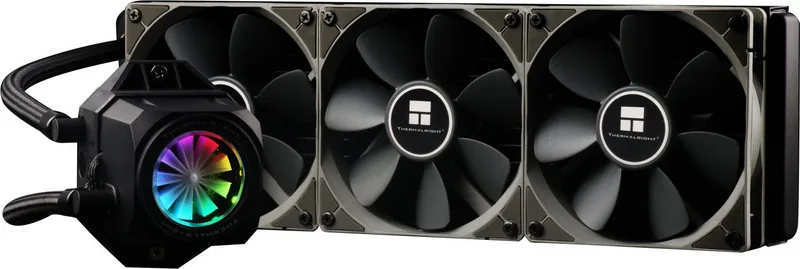
It is a 360mm liquid CPU cooler designed to help reduce processor temperatures in desktop PCs. Its large radiator and three-fan setup make it suitable for systems that need steady cooling under heavier workloads.
Is this answer helpful?
The cooler supports a broad range of Intel sockets, including several mainstream and high-end options, as well as AMD AM4. This wide compatibility makes it useful for many different PC builds and upgrade paths.
Is this answer helpful?
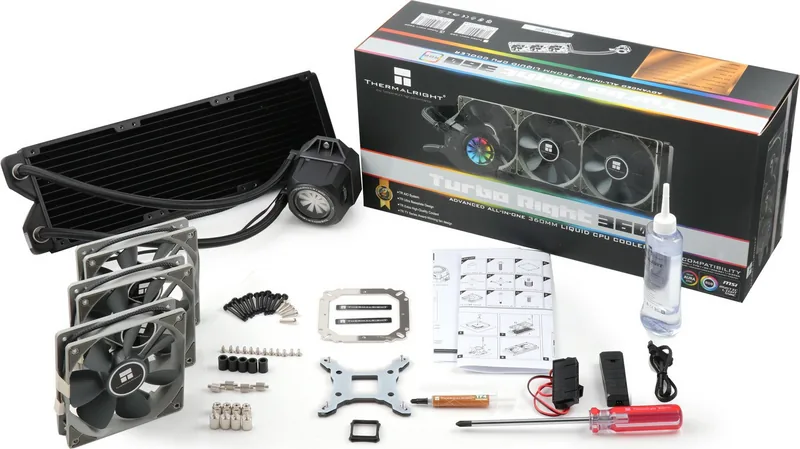
The package includes the radiator, pump, three fans, coolant, mounting hardware, back plates, screws, pillars, an RGB control box, and other installation parts. It is designed as a complete mounting kit.
Is this answer helpful?
Yes. The guide clearly advises turning off the system and unplugging it before installation. This is important for safety and helps prevent electrical damage while working on the cooler and motherboard.
Is this answer helpful?
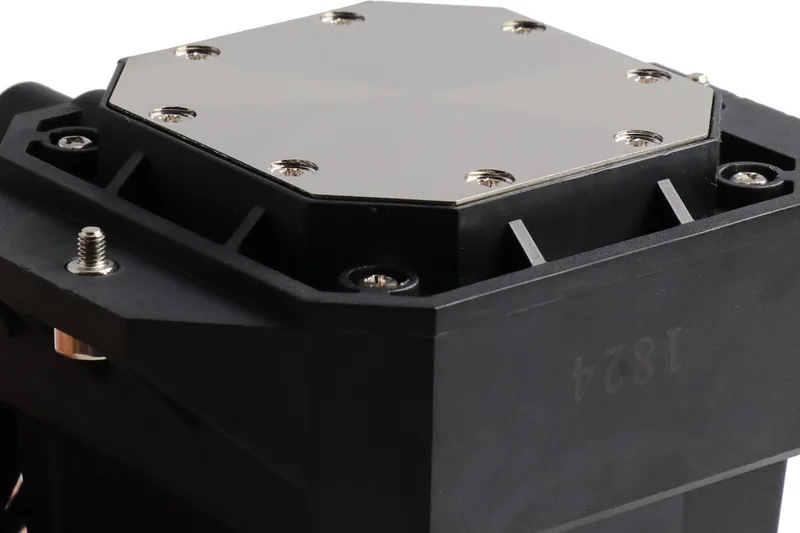
Use only a small amount. The instructions warn that too much thermal paste can reduce heat conductivity and lower cooling performance. A thin, even application is usually the best approach.
Is this answer helpful?
No. The instructions say it should not be used in a non-PC environment. It is intended specifically for desktop computer cooling and should be installed according to the provided mounting steps.
Is this answer helpful?
Advantages and Disadvantages
Advantages

- 360mm radiator and triple-fan setup are suited for strong heat dissipation.
- Wide compatibility across multiple Intel and AMD platforms.
- Includes a full set of mounting parts and installation accessories.
- RGB control box is included for users who want lighting support.
Disadvantages

- Installation involves many small parts and requires careful organization.
- Thermal paste must be applied sparingly to avoid reducing performance.
- Not intended for use outside a PC environment.
- Needs close attention to the manual to avoid setup mistakes.
Product Specification
Type
internal (closed system)
Heatsink
CPU, Copper
Compatibility
775, 1150, 1151, 1155, 1156, 1200, 1356, 1366, 2011-0, 2011-1, 2011-3, 2066, AM4
Radiator
14.17in (radiator class), 1.06in (radiator height), Copper
Fan
3x 4.72x4.72in, 600-1800rpm, 43.8-131.3m³/h, 25.78-77.27 CFM, 19-25dB(A)
Reservoir
N/A
Pump
12V
Connections
N/A
Lighting
LED (RGB)
Product Description
Thermalright Turbo Right 360 C: High-Performance Liquid Cooling for Modern PCs
The Thermalright Turbo Right 360 C is built for users who want strong cooling performance with a clean, practical installation layout. As a 360mm liquid CPU cooler, it pairs a large radiator with three TY-121BP fans to help move heat away from demanding processors. That makes it a solid fit for gaming systems, productivity builds, and any PC that needs stable temperatures during long sessions.
What stands out immediately is how complete the package feels. The included mounting hardware supports a wide range of Intel and AMD platforms, and the accessories list covers several screw types, back plates, pillars, a pump unit, coolant, an RGB control box, and other small parts needed for assembly. For builders who like having everything ready in one kit, this cooler is designed with convenience in mind.
The Thermalright Turbo Right 360 C Manual emphasizes careful preparation before installation. Power should be turned off and unplugged first, and the cooler should only be used in a PC environment. It also warns against using too much thermal paste, which is an important reminder for anyone who wants efficient heat transfer and reliable cooling results. These notes may seem simple, but they help protect both performance and hardware safety.
Compatibility is another major benefit. The cooler supports multiple Intel sockets, including older and newer mainstream and high-end platforms, along with AMD AM4 support. That flexibility makes it easier to reuse the cooler across different builds or upgrades. The 360mm radiator format also gives it an advantage in systems that have enough case space for larger cooling hardware.
From a builder’s perspective, the Thermalright Turbo Right 360 C is best for those who value a balance of size, capability, and wide platform coverage. It is not the kind of cooler you install casually without checking the parts list first, but for users who follow the steps carefully, it offers a dependable path toward lower CPU temperatures and a more polished PC setup.
Notes
- Review all included mounting parts before starting.
- Match the correct hardware to your CPU socket.
- Apply thermal paste sparingly for best results.
- Keep the system fully powered off during installation.
- Follow the mounting guide closely for stable contact and proper fit.
Search for 67,732 Manuals online


Type-in Brand or Model
maria_k
10 months ago
My CPU cooler LEDs burned out after a few months. Does the warranty cover LED or hardware defects, and can I get a replacement?
Manual.ly
10 months ago
Sorry about that. If the cooler (including the lighting) develops a defect within the warranty period, the manufacturer support will usually cover repair or replacement according to the warranty terms. Please contact us with your order number, purchase date, and clear photos or a short video showing the LED failure. We will check eligibility and advise the next steps (replacement/repair or an RMA). For faster processing, also include whether the fan cooling performance is still normal and how it was installed (proper mounting and cable connection).