
Thermalright Turbo Right 240 C Manual
PDF manual · 2 Pages
English



Quick check
Incorrect answer, please try again.
Chat with your Thermalright Turbo Right 240 C manual using AI
Get instant AI answers from your Thermalright Turbo Right 240 C manual
Ask anything about the Thermalright Turbo Right 240 C. Answers come from this manual, with the pages they are based on.
Ask a Question
Do you recommend Turbo Right 240 C?
Yes NoFrequently Asked Questions
It is a 240mm liquid CPU cooler designed to improve heat control for desktop PC builds. The setup includes a radiator, pump, fans, and mounting hardware for supported platforms.
Is this answer helpful?
The mounting kit is built for multiple Intel sockets and AMD AM4. Compatibility includes several common Intel desktop platforms, so it can work well for both older and current systems.
Is this answer helpful?
Yes. The package includes an RGB control box, which lets users add lighting effects to the build. It is a useful option for anyone who wants both performance and visual style.
Is this answer helpful?
It is manageable, but it requires care. The manual stresses correct mounting, using the right hardware, and applying thermal paste properly. First-time builders should follow each step slowly.
Is this answer helpful?
Only a small amount should be applied. The guide warns that using too much thermal paste can lower heat conductivity and reduce cooling performance, so a thin, even application is best.
Is this answer helpful?
Turn off the system and unplug the power before starting. The guide also advises against modifying or disassembling the product and recommends keeping it away from children.
Is this answer helpful?
Advantages and Disadvantages
Advantages

- 240mm radiator design offers a strong cooling surface for demanding CPUs.
- Includes dual TY-121BP fans for balanced airflow and heat dissipation.
- Broad mounting support covers several Intel sockets and AMD AM4.
- RGB control box adds visual customization for modern builds.
Disadvantages

- Installation needs careful attention and may feel complex for beginners.
- Too much thermal paste can reduce cooling efficiency.
- The unit is intended for PC use only, so compatibility is limited.
- Builders must verify socket support and included hardware before setup.
Product Specification
Type
internal (closed system)
Heatsink
CPU, Copper
Compatibility
775, 1150, 1151, 1155, 1156, 1200, 1356, 1366, 2011-0, 2011-1, 2011-3, 2066, AM4
Radiator
9.45in (radiator class), 1.06in (radiator height), Copper
Fan
2x 4.72x4.72in, 600-1800rpm, 25.78-77.27 CFM, 25.78-77.27 CFM, 19-25dB(A)
Reservoir
N/A
Pump
12V
Connectors
N/A
Lighting
LED (RGB)
Product Description
Thermalright Turbo Right 240 C: A Compact 240mm Cooling Upgrade
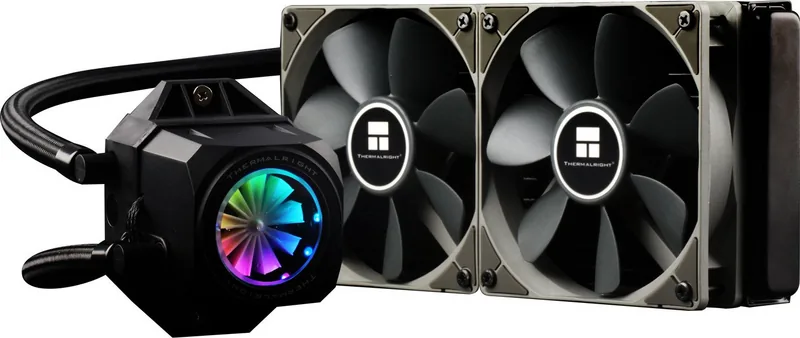
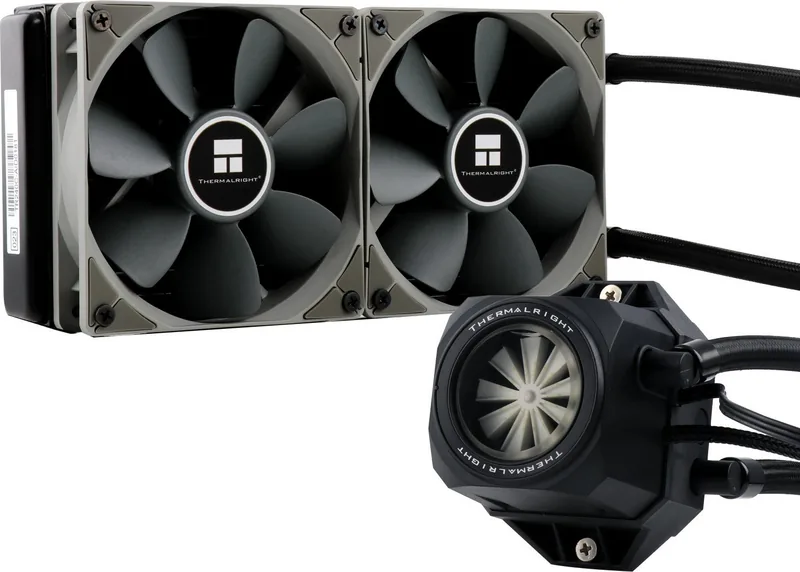
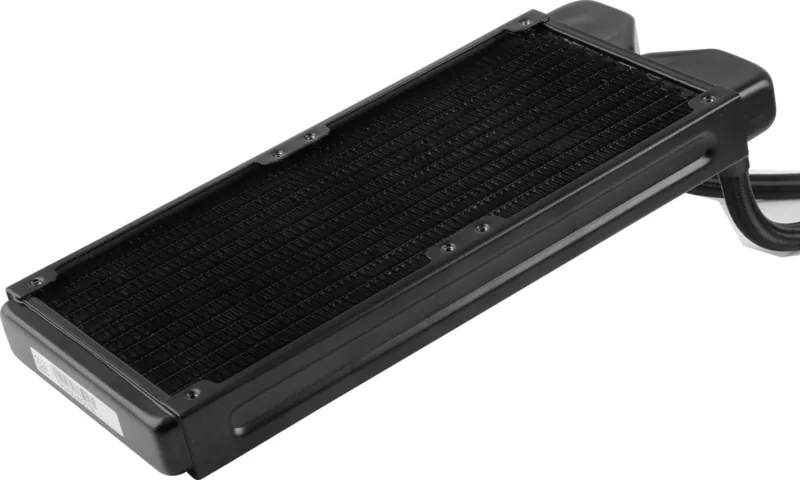
The Thermalright Turbo Right 240 C is built for users who want stronger CPU cooling without moving to a massive custom setup. Designed as a 240mm liquid cooler, it combines a slim radiator, dual 120mm-class fans, and a practical mounting kit for wide platform support. The included parts show that this cooler is meant to be a complete installation package, with hardware for Intel and AMD systems, along with a pump unit, coolant, tubing, and RGB control accessories.
From a blog-post perspective, the appeal of the Thermalright Turbo Right 240 C is its balance of performance and simplicity. A 240mm radiator gives enough surface area to help manage heat from modern processors, while the twin TY-121BP fans are intended to keep airflow focused across the fins. The product also ships with an RGB control box, making it a good fit for users who want their build to look as polished as it performs.
The Thermalright Turbo Right 240 C Manual emphasizes careful installation and compatibility awareness. That matters because liquid cooling performs best when mounted correctly. The guide highlights key precautions: power off the system before installing, avoid using too much thermal paste, and do not disassemble or modify the unit. These points suggest a cooling solution that is straightforward for experienced builders, but still requires patience and attention.
Compatibility is another strong point. The included mounting hardware supports multiple Intel sockets, including older and more common platforms, as well as AMD AM4. That broader fit makes the cooler attractive for upgrades, especially for users refreshing an existing build rather than assembling a brand-new PC. The package also includes back plates, screw pillars, nuts, and platform-specific fasteners, which helps reduce the need to buy extra parts.
Overall, the Thermalright Turbo Right 240 C feels like a practical cooling choice for gaming PCs, productivity builds, and systems that need steadier thermals under load. It is not just about raw cooling power; it is also about giving builders a well-organized kit with the essentials needed to complete an installation cleanly.
Notes
- Check socket compatibility before starting.
- Apply thermal paste sparingly for best results.
- Keep the cooler limited to PC use only.
- Follow the installation steps carefully for safe operation.
Search for 67,635 Manuals online


Type-in Brand or Model
Krzysztof Nowak
9 months ago
Is the cooler easy to install, and will it provide strong cooling for a high-end Intel CPU like an i7-6850K or i9-9900K without high temperatures?
Manual.ly
9 months ago
Based on customer feedback, installation is straightforward and the cooling performance is very strong, even with high-end Intel CPUs (i7-6850K and i9-9900K). To get the best results, make sure the mounting hardware matches your CPU socket, apply thermal paste correctly, and tighten the bracket evenly. Also confirm your fan(s) are connected properly and that your case has reasonable airflow. Exact temperatures can vary depending on ambient room temperature, fan speed settings, and CPU load, but reviewers report that CPU temperatures stay very low during use.